
1. Product Overview
The vivo T4 Lite 5G is a smartphone designed for everyday use, featuring 5G connectivity, a large 6000 mAh battery, and a sleek design. This manual provides essential information for setting up, operating, maintaining, and troubleshooting your device.
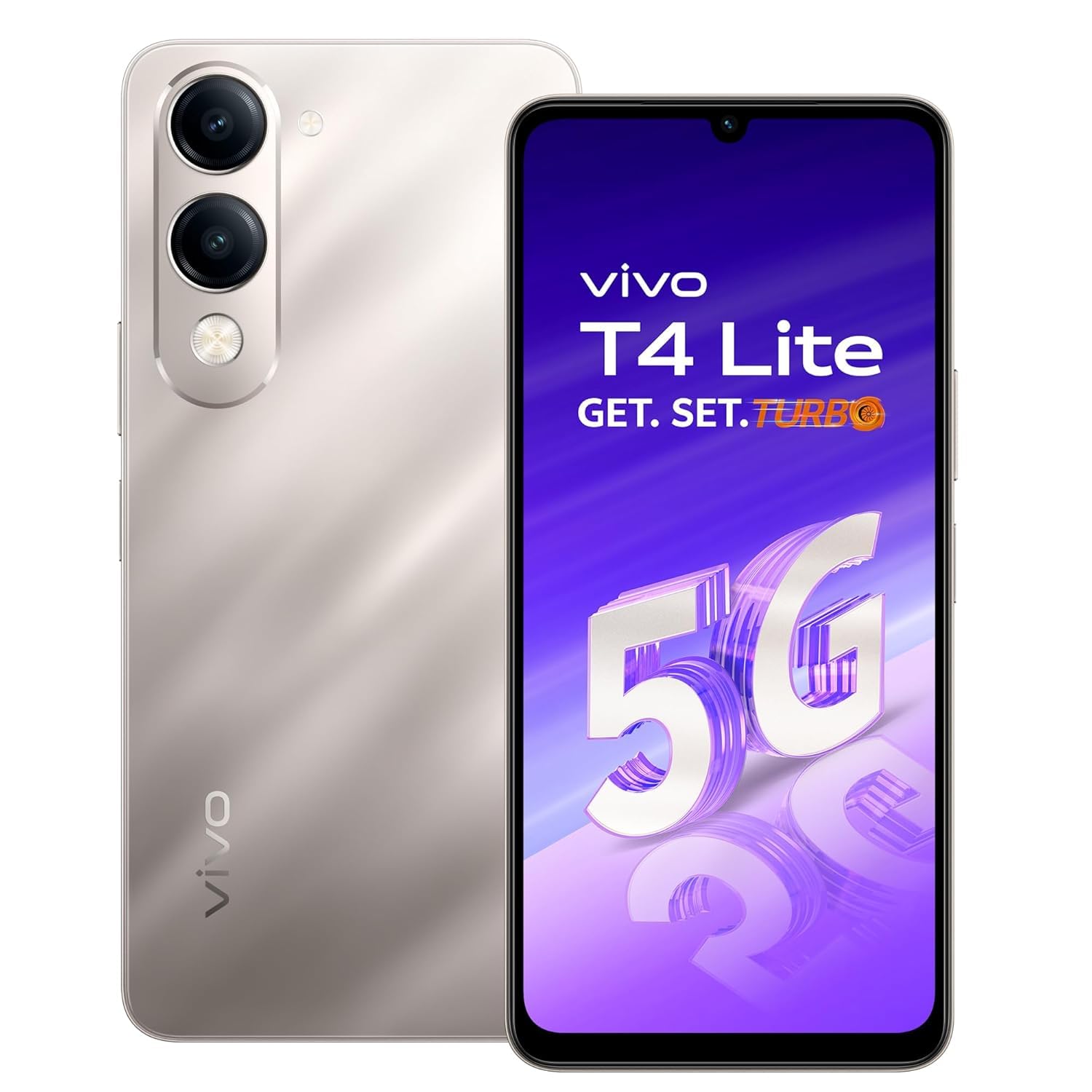
Image 1.1: Front and back view of the vivo T4 Lite 5G smartphone.
2. Initial Setup
2.1 Unboxing and Contents
Carefully unpack your vivo T4 Lite 5G smartphone and verify all contents are present:
- Phone Case
- Power Adapter
- USB Cable
- SIM Tray Ejector
- Quick Start Guide

Image 2.1: vivo T4 Lite 5G with included charger, highlighting the 6000 mAh battery.
2.2 SIM Card Installation
The vivo T4 Lite 5G supports Dual SIM Nano SIM cards.
- Locate the SIM card tray on the side of the device.
- Insert the SIM tray ejector tool into the small hole next to the tray and press gently until the tray pops out.
- Place your Nano SIM card(s) into the designated slots on the tray, ensuring proper orientation.
- Carefully reinsert the SIM tray into the phone until it clicks into place.

Image 2.2: Side view of the vivo T4 Lite 5G, indicating the SIM card tray location.
2.3 Initial Charging
Before first use, it is recommended to fully charge your device using the provided power adapter and USB cable.
- Connect the USB cable to the power adapter.
- Plug the power adapter into a wall outlet.
- Connect the other end of the USB cable to the charging port at the bottom of your phone.
- Allow the device to charge until the battery indicator shows 100%.

Image 2.3: Bottom view of the vivo T4 Lite 5G, showing the charging port and 3.5mm audio jack.
2.4 Powering On and Initial Configuration
Press and hold the power button until the vivo logo appears. Follow the on-screen instructions to complete the initial setup, including language selection, network connection, and account setup.
3. Operating Your Device
3.1 Power On/Off/Restart
To power on, press and hold the power button. To power off or restart, press and hold the power button, then select the desired option from the menu that appears on the screen.
3.2 Basic Navigation
The vivo T4 Lite 5G features an AMOLED display with touch navigation. Use gestures such as tap, swipe, pinch-to-zoom, and long-press to interact with the interface and applications.
3.3 Calls and Messaging
Access the Phone app to make calls. Use the Messages app for sending and receiving SMS/MMS. Ensure your SIM card is active and has sufficient balance or plan.
3.4 Network Connectivity
Your device supports 5G cellular networks and Wi-Fi.
- Wi-Fi: To connect to Wi-Fi, go to Settings > Network & internet > Wi-Fi, select your desired network, and enter the password if required.
- Mobile Data (5G): Ensure your SIM card is properly installed and activated for 5G mobile data. You can enable/disable mobile data in Settings > Network & internet > Mobile network.
3.5 Camera Usage
The vivo T4 Lite 5G is equipped with a 50MP main camera and a 2MP bokeh camera on the rear, and a 5MP front camera.
- Open the Camera app from your home screen or app drawer.
- Tap the camera icon to switch between front and rear cameras.
- Select your desired mode (e.g., Photo, Portrait, Video).
- Tap the shutter button to capture a photo or start/stop recording a video.

Image 3.1: Detail of the vivo T4 Lite 5G rear camera system, featuring a 50MP main camera and 2MP bokeh camera.
3.6 Battery Management
The 6000 mAh battery provides extended usage. To optimize battery life, adjust screen brightness, close unused applications running in the background, and enable power-saving modes available in Settings > Battery.
4. Device Maintenance
4.1 Cleaning Your Device
Use a soft, lint-free cloth to gently clean the screen and body of your phone. Avoid using harsh chemicals, abrasive materials, or excessive moisture, as these can damage the device.
4.2 Software Updates
Regularly check for and install software updates to ensure optimal performance, security, and access to new features. You can usually find this option in Settings > System > System update.
4.3 Battery Care
To prolong battery lifespan, avoid exposing the device to extreme temperatures (hot or cold). Do not frequently allow the battery to fully discharge to 0%. Always use the original or certified charging accessories provided with your device.
4.4 Storage Management
Periodically review and delete unnecessary files, applications, and media to free up internal storage space. The device has 64GB of internal storage. You can manage storage in Settings > Storage.
5. Troubleshooting Common Issues
5.1 Device Not Turning On
Ensure the battery is sufficiently charged. Connect the charger and wait a few minutes before attempting to power on again. If the device remains unresponsive, try a forced restart (refer to the Quick Start Guide for specific button combinations for your model).
5.2 Network Connectivity Problems
Check if your SIM card is correctly inserted and activated. Verify that mobile data is enabled in your phone's settings. For Wi-Fi issues, try restarting your Wi-Fi router or forgetting and rejoining the network on your phone.
5.3 Apps Crashing or Freezing
Close and reopen the problematic application. Clear the app's cache (usually found in Settings > Apps > [App Name] > Storage & cache). If the issue persists, consider reinstalling the app.
5.4 Slow Performance
Close background applications that are not in use. Clear cache and temporary files regularly. If performance remains consistently slow, a factory reset might be necessary. Warning: A factory reset will erase all data on your device. Back up important information before proceeding.
6. Product Specifications
| Feature | Specification |
|---|---|
| Brand | vivo |
| Model | T4 Lite 5G |
| Operating System | Android 15 |
| RAM | 4 GB |
| Internal Storage | 64 GB |
| CPU Model | Mediatek Dimensity 6300 |
| CPU Speed | 2.4 GHz |
| Battery Capacity | 6000 Milliamp Hours |
| Display Type | AMOLED |
| Cellular Technology | 5G |
| SIM Card Slot Count | Dual SIM (Nano) |
| Connector Type | 3.5mm Jack |
| Dimensions | 16 x 7 x 1 Centimeters |
| Weight | 188 Grams |
| Color | Titanium Gold |
| Box Contents | Phone Case, Power Adapter, Quick Start Guide, SIM Tray Ejector, USB Cable |
7. Warranty Information
The vivo T4 Lite 5G smartphone comes with a 1-year manufacturer's warranty from the date of purchase. This warranty covers manufacturing defects under normal use conditions.
For detailed terms and conditions, please refer to the warranty card included in the product packaging or visit the official vivo support website.
8. Customer Support
For further assistance, technical support, or service inquiries, please contact vivo customer support.
Manufacturer: Vivo India Pvt Ltd
Manufacturer Address: PLOT NO 8, SECTOR 24, YAMUNA EXPRESSWAY AREA, GAUTAM BUDDHA NAGAR, UP INDIA-201310
Please visit the official vivo website for the most up-to-date contact information and support resources.


