
1. Introduction
This manual provides essential information for the safe and efficient operation of your Haier I-Pro Series 3 HW70-B12929 front-load washing machine. Please read these instructions carefully before installation, use, and maintenance. Keep this manual for future reference.
The Haier I-Pro Series 3 washing machine is designed to deliver professional washing results with high efficiency. It features ABT (Anti-Bacterial Treatment) technology, certified by the VDE institute, which eliminates 99% of bacteria for enhanced hygiene. The patented Direct Motion motor ensures energy and water savings while operating quietly.
2. Safety Information
Always follow basic safety precautions when using electrical appliances to reduce the risk of fire, electric shock, and injury to persons.
- Ensure the appliance is properly grounded.
- Do not allow children to play on or in the appliance.
- Do not operate the washing machine if it is damaged or malfunctioning.
- Unplug the appliance before cleaning or performing any maintenance.
- Do not wash items that have been previously cleaned in, washed with, soaked in, or spotted with gasoline, dry-cleaning solvents, or other flammable or explosive substances.
- Keep flammable materials and vapors away from the appliance.
- Do not install or store this appliance where it will be exposed to the weather or to freezing temperatures.
3. Setup and Installation
3.1 Unpacking
Carefully remove all packaging materials. Ensure all components are present and undamaged. Remove all transit bolts from the rear of the machine before use. Failure to do so will cause severe vibration and damage.
3.2 Positioning
The washing machine is a free-standing appliance. Place it on a firm, level surface. Adjust the leveling feet to ensure the machine is stable and balanced. Avoid direct sunlight or extreme temperatures.

Image: Haier I-Pro Series 3 HW70-B12929 washing machine, illustrating its free-standing design and control panel. Ensure adequate space around the appliance for ventilation and access.
3.3 Water Connection
Connect the water inlet hose to a cold water tap with a 3/4-inch thread. Ensure all connections are tight to prevent leaks. The drain hose should be securely placed into a standpipe or laundry tub, ensuring it is not kinked or blocked.
3.4 Electrical Connection
Plug the power cord into a grounded electrical outlet. Ensure the voltage and frequency match the specifications of the appliance (refer to the specifications section or rating label on the machine). Do not use extension cords or adapters.
4. Operating Instructions
4.1 Control Panel Overview

Image: Detailed view of the control panel, featuring the digital display, program selection dial, and various function buttons (Delay, Anti-crease, Temp, Speed, Extra Rinse, Start/Pause).
The control panel features a digital display, a program selection dial, and buttons for various functions such as Delay, Anti-crease, Temperature, Spin Speed, Extra Rinse, and Start/Pause. The display shows the remaining time and selected options.
4.2 Loading Laundry
Open the door and load laundry into the drum. Do not overload the machine; the maximum capacity is 7 kg. Close the door firmly until it clicks shut.
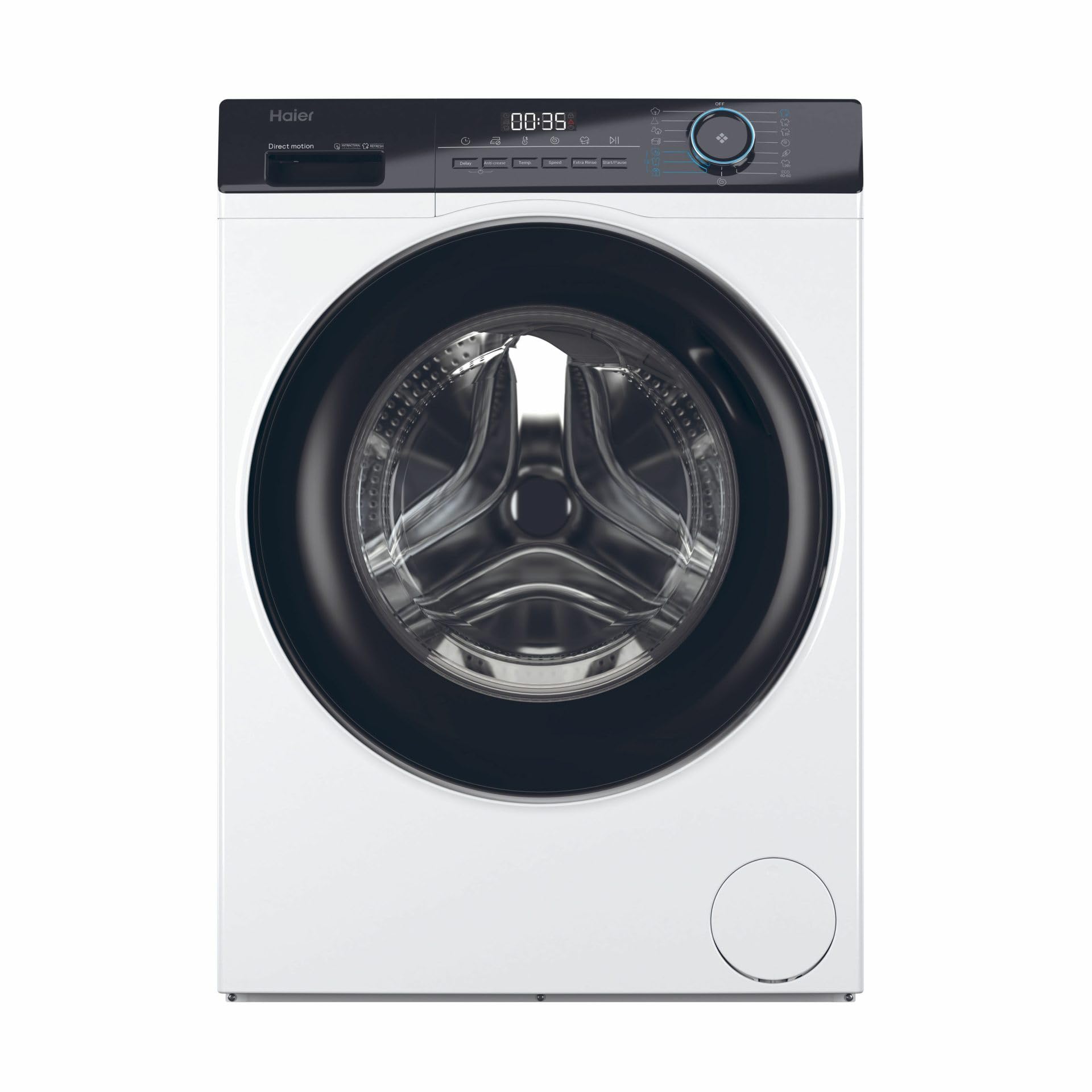
Image: The washing machine with its door open, revealing the stainless steel drum. This view demonstrates how to load laundry into the appliance.
4.3 Adding Detergent
Pull out the detergent drawer. Add the appropriate amount of detergent to the main wash compartment and fabric softener to its designated compartment. Refer to your detergent packaging for recommended dosages.
4.4 Selecting a Program
Turn the program selection dial to choose the desired wash program. Available programs include:
- Baby Care
- Shirt
- Cotton
- Cotton 20°C
- Delicates/Silk
- Duvet/Quilt
- Eco 40-60°C
- Hygienic Air Refresh
- Hygiene/Allergy Care
- Mix
- Rapid
- Quick 15min
- Drum Clean
- Spin
4.5 Adjusting Options
After selecting a program, you can adjust options such as temperature and spin speed using the corresponding buttons. The display will update to show your selections.
4.6 Starting the Wash Cycle
Press the Start/Pause button to begin the wash cycle. The machine will automatically proceed through the selected program.
4.7 End of Cycle
Once the program is complete, the machine will signal the end of the cycle. Open the door and remove your laundry. Turn the machine off by rotating the program dial to the "Off" position.
5. Maintenance
Regular maintenance ensures optimal performance and extends the lifespan of your washing machine.
5.1 Cleaning the Detergent Drawer
Periodically remove and clean the detergent drawer to prevent residue buildup. Rinse it under running water and dry before reinserting.
5.2 Cleaning the Drum
Use the "Drum Clean" program regularly to clean the interior of the drum and remove any odors or residue.
5.3 Cleaning the Drain Filter
The drain filter should be cleaned periodically to prevent blockages. Locate the filter cover at the bottom front of the machine, open it, and carefully remove the filter. Clean any lint or debris and reinsert it securely.

Image: The drain filter compartment, showing the filter removed. Regular cleaning of this filter is crucial for preventing drainage issues and maintaining machine efficiency.
5.4 Cleaning the Exterior
Wipe the exterior surfaces with a soft, damp cloth. Do not use abrasive cleaners or solvents.
6. Troubleshooting
Before contacting service, refer to the following table for common issues and solutions.
| Problem | Possible Cause | Solution |
|---|---|---|
| Machine does not start | Power cord not plugged in; Door not closed properly; Program not selected; Start/Pause button not pressed. | Check power connection; Ensure door is latched; Select a program; Press Start/Pause. |
| No water intake | Water tap closed; Water inlet hose kinked or blocked; Water pressure too low. | Open water tap; Straighten hose; Check water supply. |
| Water not draining | Drain hose kinked or blocked; Drain filter clogged. | Straighten hose; Clean drain filter (refer to Maintenance section). |
| Excessive vibration/noise | Transit bolts not removed; Machine not level; Laundry unevenly distributed. | Remove transit bolts; Adjust leveling feet; Redistribute laundry. |
| Detergent residue in drawer | Insufficient water pressure; Detergent drawer clogged. | Check water pressure; Clean detergent drawer. |
7. Specifications
- Model: HW70-B12929
- Appliance Placement: Free-standing
- Loading Type: Front-load
- Product Color: White
- Built-in Display: Yes
- Control Type: Buttons, Rotary knob
- Door Hinge: Left
- Inverter Technology: Yes
- Drum Material: Stainless steel
- Drum Volume: 55 L
- Basket Capacity: 7 kg
- Maximum Spin Speed: 1200 RPM
- Spin-drying Efficiency Class: B
- Number of Washing Programs: 15
- Noise Emission Class: A
- Noise Level (Spin): 66 dB
- Delayed Start: Yes
- Special Features: ABT Technology (bacteria elimination), Direct Motion Motor (energy and water saving)
- Country of Origin: China
8. Warranty and Support
8.1 Product Warranty
This Haier washing machine comes with a warranty of 2 years for private users and 1 year for businesses. Please retain your proof of purchase for warranty claims. The warranty covers manufacturing defects under normal use conditions.
8.2 Customer Support
For technical assistance, spare parts, or warranty service, please contact Haier customer support. You can find contact information on the official Haier website or in the documentation provided with your appliance.
Haier Official Website: www.haier-europe.com


