1. Introduction
Thank you for choosing the JISULIFE Life2S Stroller Fan. This portable fan is designed to provide a comfortable and cool environment for babies and individuals on the go. Featuring a safe bladeless design, a long-lasting rechargeable battery, and versatile attachment options, it is an ideal companion for strollers, nurseries, and various outdoor activities. Please read this manual thoroughly before use to ensure proper operation and maintenance.
2. Product Features
- Bladeless Design: Ensures safety, especially for children, by eliminating exposed blades.
- Rechargeable Battery: Provides extended use for portable cooling.
- Nature Wind & Air Turbo Technology: Delivers a gentle yet effective airflow.
- Food-Grade Silicone Bracket: Offers flexible and secure attachment to various surfaces.
- Two Practical Lights: Integrated lighting for added convenience.
- Lightweight and Portable: Easy to carry and attach wherever needed.
- Quiet Operation: Designed to operate with minimal noise, ensuring a peaceful environment.
3. Package Contents
Please check the package for the following items:
- JISULIFE Life2S Stroller Fan (1 unit)
- USB Charging Cable (1 unit)
- User Manual (1 unit)
4. Safety Information
WARNING: To reduce the risk of fire, electric shock, or injury, please observe the following safety precautions:
- Keep the fan away from water and moisture. Do not immerse in liquid.
- Do not disassemble, repair, or modify the fan yourself. Contact customer support for assistance.
- Ensure the charging cable is not damaged and use only the provided or a certified USB cable for charging.
- Keep out of reach of small children when not in use to prevent accidental damage or misuse.
- Do not expose the fan to extreme temperatures or direct sunlight for prolonged periods.
5. Setup
- Initial Charging: Before first use, fully charge the fan. Connect the provided USB charging cable to the fan's charging port and plug the other end into a USB power adapter (not included) or a computer USB port. The charging indicator light will show the charging status (e.g., red for charging, blue/green for fully charged).
- Attachment: The flexible food-grade silicone bracket allows for versatile attachment.
- For strollers: Wrap the flexible bracket around the stroller handle or frame and adjust for a secure fit.
- For neck wear: Gently shape the bracket to fit comfortably around your neck, ensuring the air outlets are positioned for optimal cooling.
- For desk use: Bend the bracket to form a stable base, allowing the fan to stand upright on a flat surface.
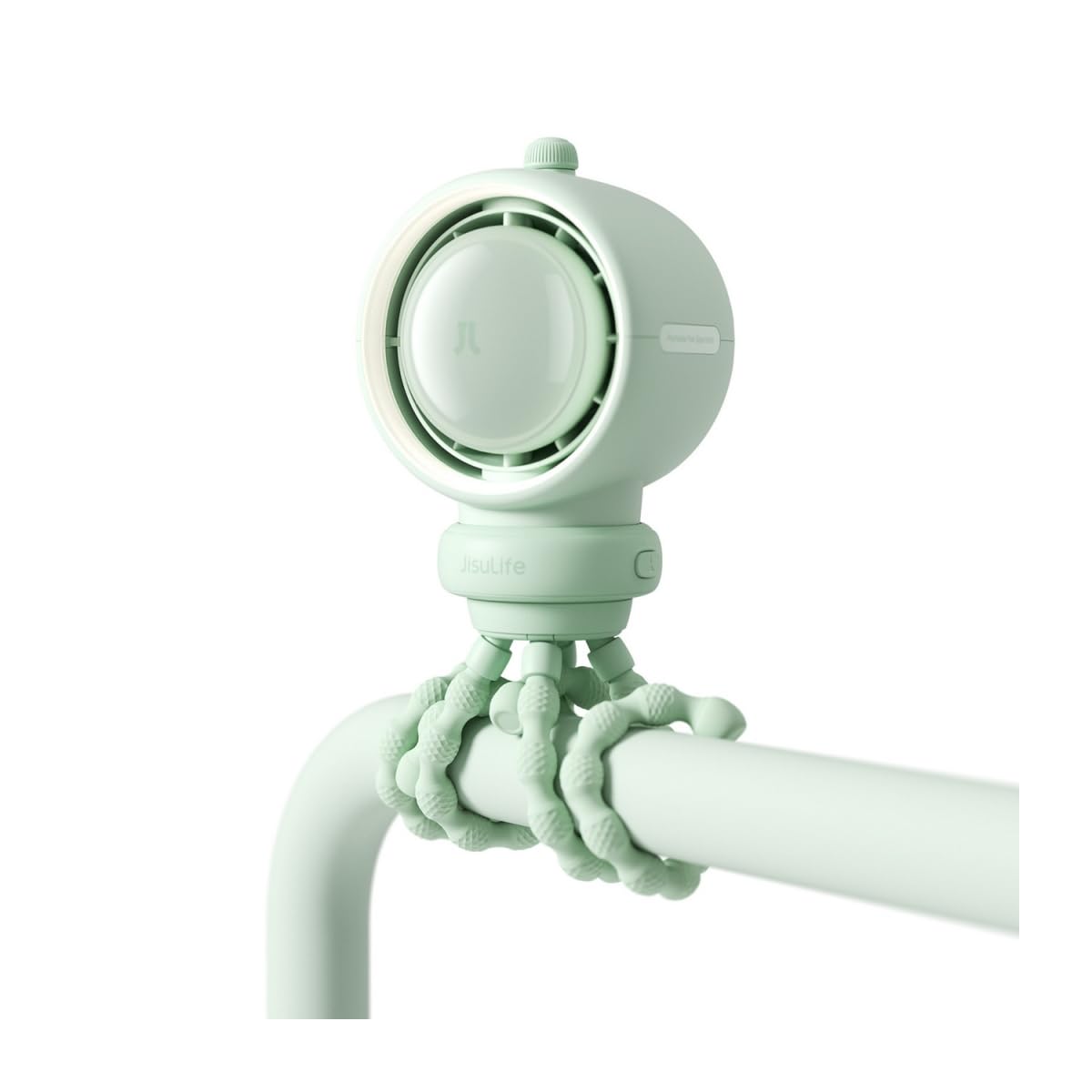
Image: The JISULIFE Life2S Stroller Fan demonstrating its flexible attachment to a stroller handle, providing a gentle breeze. The fan's compact and bladeless design is visible.
6. Operating Instructions
- Power On/Off: Press and hold the power button (usually located on the side or front of the fan) for 2-3 seconds to turn the fan ON or OFF.
- Adjusting Fan Speed: Once the fan is ON, short press the power button to cycle through the fan speeds:
- First press: Low speed
- Second press: Medium speed
- Third press: High speed
- Fourth press: Turn OFF (or press and hold for 2-3 seconds from any speed).
- Using the Lights: If your model includes practical lights, there may be a separate button or a long press function on the power button to activate/deactivate them. Refer to the specific button layout on your device.
7. Maintenance
- Cleaning: Use a soft, dry cloth to wipe the exterior of the fan. Do not use abrasive cleaners, solvents, or immerse the fan in water.
- Storage: When not in use for extended periods, store the fan in a cool, dry place, away from direct sunlight and extreme temperatures. Ensure the battery is partially charged before storage to prolong its lifespan.
8. Troubleshooting
| Problem | Possible Cause | Solution |
|---|---|---|
| Fan does not turn on. | Battery is depleted. | Connect the fan to a power source using the USB charging cable and allow it to charge fully. |
| Weak or no airflow. | Low battery or obstructed air inlets/outlets. | Charge the fan. Ensure air inlets and outlets are clear of debris or obstructions. |
| Fan makes unusual noise. | Internal component issue or foreign object. | Turn off the fan immediately. Do not attempt to open or repair. Contact customer support. |
9. Specifications
- Brand: JISULIFE
- Model: Life2S
- Manufacturer: JisuLife
- Color: Multicoloured (as per product variant)
- UPC: 850056802727
- ASIN: B0GDMNT78V
- Power Source: Rechargeable Battery (details not provided in source, general statement)
- Fan Type: Bladeless Neck/Stroller Fan
10. Warranty and Support
JISULIFE products are manufactured to the highest quality standards. For warranty information, technical support, or any questions regarding your product, please contact JISULIFE customer service through their official website or the retailer where the product was purchased. Please have your model number (Life2S) and purchase details ready.


