
1. Introduction
The Osmo Roboclean Window Cleaning Robot is designed to provide efficient and streak-free cleaning for various glass surfaces. Featuring powerful suction, intelligent navigation, and automatic spray functions, it simplifies window maintenance.
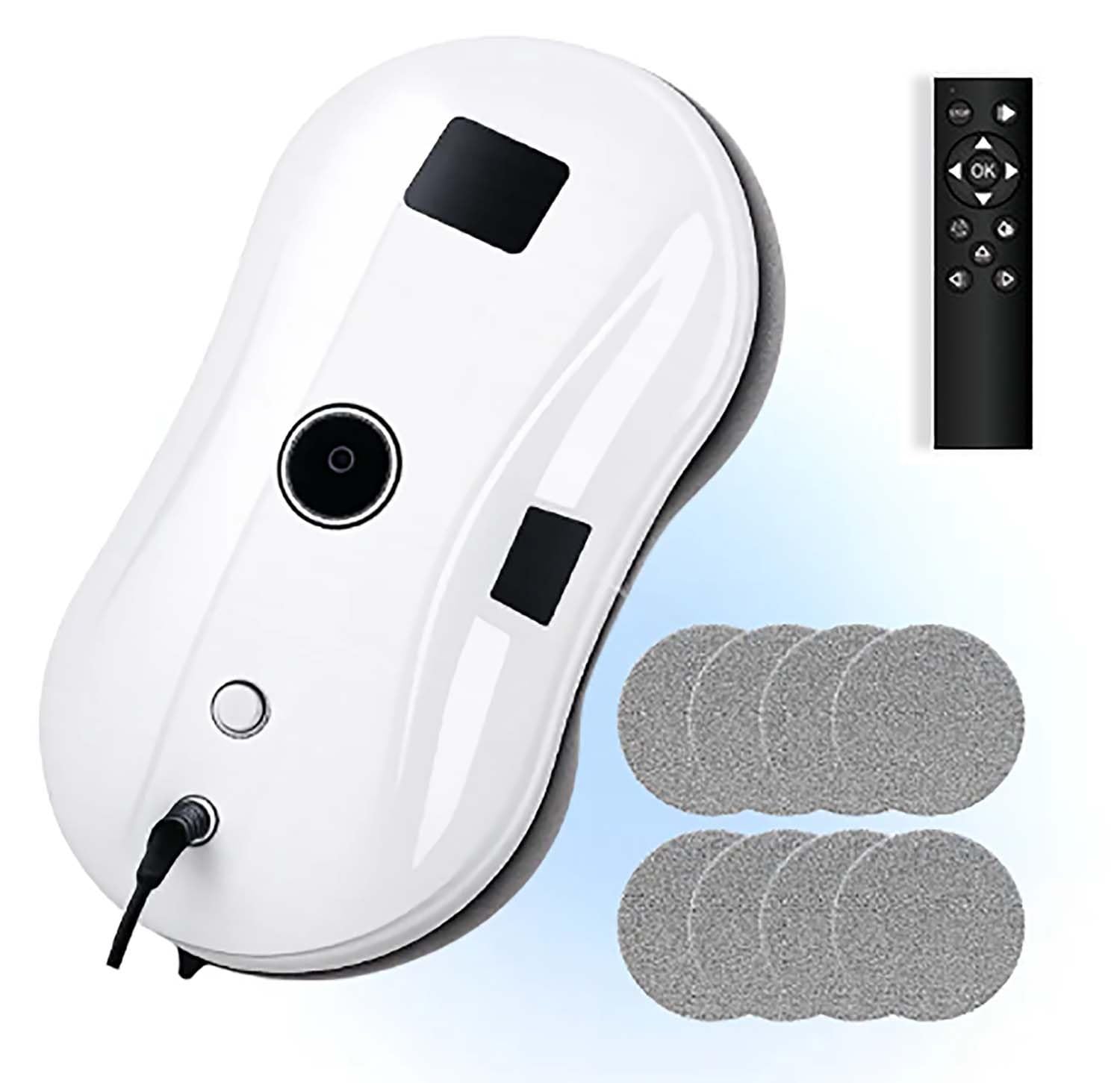
Image 1: Osmo Roboclean Window Cleaning Robot, showcasing its sleek design and compact form factor.
2. What's in the Box
Your Osmo Roboclean package includes the following items:
- Osmo Roboclean Window Cleaning Robot
- Remote Control
- Power Cable
- Power Adapter
- Water Refill Bottle
- Cleaning Rings (2)
- Reusable Cleaning Cloths (10)
- Safety Rope
- User Manual (this document)
3. Setup
3.1. Installing the Wiping Cloths
- Stretch the bound edge of a wiping cloth and place it onto the turntable from the inside.
- After half of the cloth is on, gently press both sides with your hand and stretch the remaining part onto the turntable.
- Repeat for the second wiping cloth on the other turntable.
- Ensure both cloths are smooth and properly attached to avoid wrinkles.
3.2. Filling the Water Tank
- Open the water tank cover located on the robot.
- Using the provided water bottle, fill the tank with cleaning solution or clean water.
- Plug the tank stopper tightly to prevent leakage.
3.3. Power Connection
- Connect the power cord of the robot to the adapter.
- Connect the power cord of the plug to the adapter.
- Insert the power cord into a powered socket.
3.4. Fixing the Safety Rope
Always attach the safety rope to a solid, reliable, and immovable object before operating the robot. When fixing, it is advisable to wind it around the object one or two more times for added security.
4. Operating Instructions
4.1. Starting the Machine
- Press and hold the start button on the robot for 3 seconds to turn it on.
- Place the robot on the glass surface, ensuring it is far from the window frame.
- After confirming that the robot is securely adsorbed on the glass, briefly press the circular start button for 1 second. The robot will then begin its cleaning cycle.
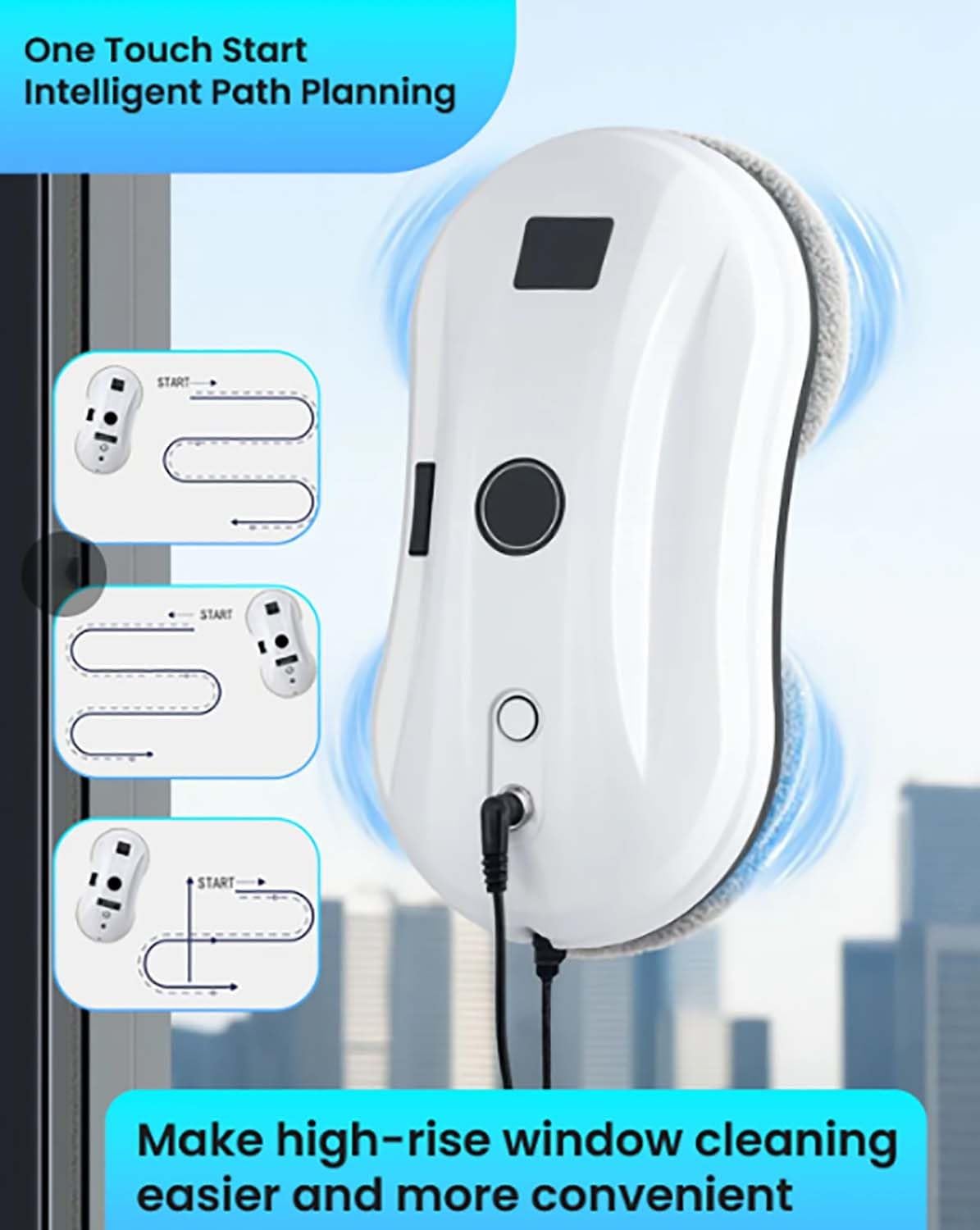
Image 2: The Osmo Roboclean demonstrating its one-touch start and intelligent path planning capabilities for efficient cleaning.
4.2. Automatic Route Planning
After starting, the robot will automatically move upward to the top-left corner of the window. It will then wipe the window from top to bottom in an S-shaped path. Depending on the shape of the glass, the robot will take either the lower left corner or the lower right corner of the glass as the end point of wiping. Upon completing the work, the machine will return to its starting position.

Image 3: The Osmo Roboclean automatically navigating to its starting point and applying an even spray for thorough cleaning.
4.3. Use of Remote Control
- Water Spray: If dry wiping mode is needed, directly press the water spray switch button on the remote control to turn off the water spray function. Pressing it again can turn it on.
- Directional Control: Press the direction keys (right, up, left, down) on the remote control to manually move the robot. The robot will move to the corresponding direction until the end of the glass or until another command is given. Note that when walking in a single direction, there is no water spray.
- Repeat Cleaning: Press the X1 key on the remote control, and the robot will perform the wiping cycle again.
- Path Cleaning: Press the path key, and the robot will wipe downward along the path from its current position.
- Fixed-Point Cleaning: Press the circular cleaning key, and the robot will perform fixed-point cleaning.
5. Maintenance
5.1. Cleaning the Wiping Cloths
- Remove the used cleaning wiping cloths from the robot.
- Soak the cloths in clean water at around 20°C for 2 minutes.
- Then, clean them with a soft-bristled brush. Do not rub or wring them out forcefully.
- Let the cloths air dry naturally before using them again.
5.2. Chassis Cleaning
For the bottom suction port, wipe it clean with a dry cloth to avoid damage to the product's suction force.
5.3. Nozzle Replacement
If the robot cannot spray water in the wet wiping mode when turned on, it is considered that the nozzle of the machine is blocked and needs to be replaced.
- First, clamp the blue nozzle part with pliers and directly pull off the nozzle.
- Find a new nozzle from the packaging accessories and press it directly for installation.
6. Storage after Use
After using the machine, please drain all the water in the water tank. Replace the used wiping cloth with a clean and dry wiping cloth, or store it without putting on a wiping cloth. After the machine works in the wet wiping mode, it can be placed in a dry, ventilated, and cool place to disperse the moisture inside the machine for 1 to 2 days.
7. Safety Precautions
7.1. Unsuitable Usage Scenarios
Do not use this product on:
- Curved glass
- Irregularly shaped glass
- Glass with excessively large water droplets
- Glass with decorations such as newspapers and stickers
- Glass with a window frame width less than 6mm
- Glass with a length and width less than 40 cm
- Glass with an excessively large window gap
- Environments with extreme temperatures (below 0°C or above 40°C)
- Glass with existing cracks, advertising papers, or bumps.
To avoid risks such as glass breakage and product dropping, ensure the glass surface is suitable for operation.
7.2. Glass Usage Size Requirements
- Window frame width: ≥ 6mm
- Minimum glass size: 30 x 30 cm
Check whether the environment is ultra-narrow frame, beveled frame, ultra-thin frame, frameless glass, or if there are abnormal environments such as uneven, raised, leaking, or gaping glass glue. These conditions may affect the robot's performance and safety.

Image 4: An internal view of the Osmo Roboclean, highlighting its 5600Pa powerful suction and enhanced continuous adhesion efficiency for stable and secure operation.
8. Specifications
| Feature | Detail |
|---|---|
| Brand | Lonvgrt |
| Model Number | Lonvgrt |
| Color | One Color |
| Product Dimensions (L x W x H) | 30 x 15 x 17 cm |
| Item Weight | 1.9 Kilograms |
| Suction Power | 3200 Pa |
| Spray System | Double Automatic Pulverization |
| Navigation | Intelligent System with Edge Detection |

Image 5: A diagram illustrating the key components and specifications of the Osmo Roboclean, including indicator light, water filling port, start button, power port, and safety rope port.
9. Troubleshooting
- Robot not spraying water: Check the nozzle for blockages. Refer to section 5.3 for nozzle replacement instructions.
- Robot not adhering to glass: Ensure the glass surface is clean and dry, free from excessive water droplets or debris. Verify the suction port is clean (refer to section 5.2).
- Robot stuck or not moving: Check for obstacles on the glass surface or around the window frame. Ensure the glass meets the minimum size and frame width requirements (refer to section 7.2).
- Remote control malfunction: If the remote control malfunctions, pull the safety rope against the glass and slowly pull the machine back to a position within reach, then remove the machine.
10. Warranty and Support
For warranty information, technical support, or service inquiries, please refer to the contact details provided in your product packaging or visit the official Lonvgrt website. Keep your purchase receipt as proof of purchase for warranty claims.