
1. Product Overview
The DTECH USB to Serial Adapter provides a reliable solution for connecting RS232 serial devices to a computer's USB port. This adapter is equipped with an FTDI FT231 chipset, ensuring broad compatibility and stable performance across various operating systems. It features a 9-pin DB9 male connector for RS232 devices and a USB Type-A connector for your computer.
The adapter includes three LED indicators for easy monitoring of power, data transmission, and data reception, simplifying troubleshooting and operation.
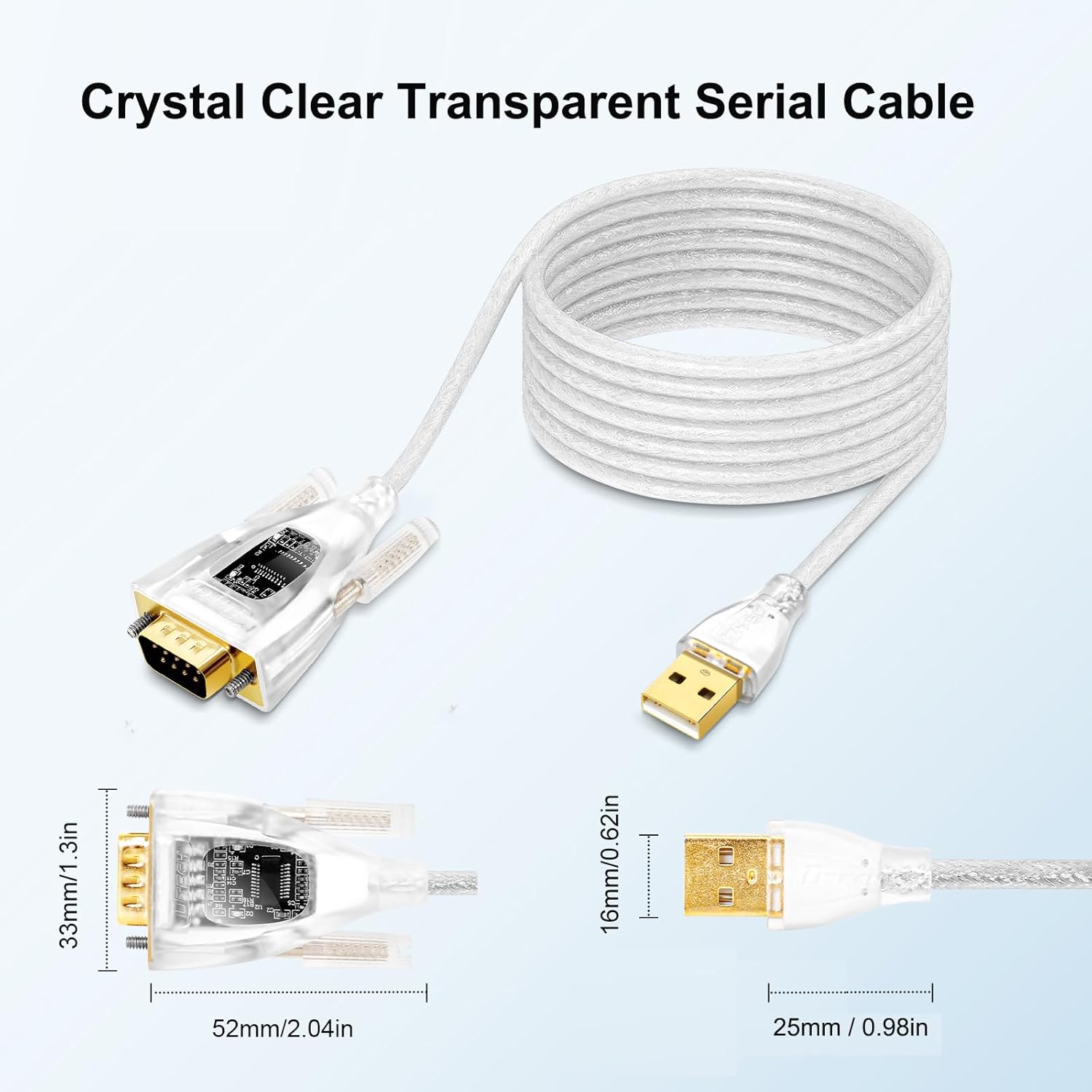
Figure 1: DTECH USB to Serial Adapter Cable with dimensions. The image shows the USB-A connector, the transparent cable, and the DB9 male connector with its internal FTDI chip visible. Dimensions for both connectors are provided.
2. Package Contents
Please verify that all items are present in your package:
- 1 x DTECH USB to RS232 Adapter Cable (1.5ft)
- 1 x CD software driver
3. Key Features
- FTDI FT231 Chipset: Ensures high compatibility and stable data communication.
- LED Indicators: Red (Power), Yellow (Receive Data), Green (Send Data) for real-time status monitoring.
- Gold-Plated Connectors: Provides reliable signal transmission and corrosion resistance.
- Heavy-Duty Design: Durable construction for long-term use.
- Wide Operating System Support: Compatible with Windows 11, 10, 8, 7, XP, Vista, CE, Mac OS, and Linux.
- Adjustable Baud Rate: Supports data baud rates from 300bps to 460800bps with auto-detection.
- ESD Protection: Features ±15V electrostatic discharge protection.

Figure 2: Key features of the DTECH USB to Serial Adapter, including gold-plated connectors, double-shielded cable, indicator lights, and baud rate range. An RS232 Port Pinout diagram is also shown, detailing the function of each of the 9 pins.
4. Setup and Installation
- Driver Installation: Before connecting the adapter, it is recommended to install the necessary drivers. You can find the drivers on the included CD or download the latest version from the official FTDI website (FT231) or Cisco website.
- Connect to Computer: Plug the USB Type-A end of the adapter into an available USB port on your computer.
- Connect to Serial Device: Connect the DB9 male end of the adapter to the RS232 serial port of your device (e.g., printer, modem, industrial equipment).
- Verify Installation: After connecting, your operating system should recognize the adapter and assign a COM port. You can verify this in your device manager (Windows) or system information (Mac/Linux).
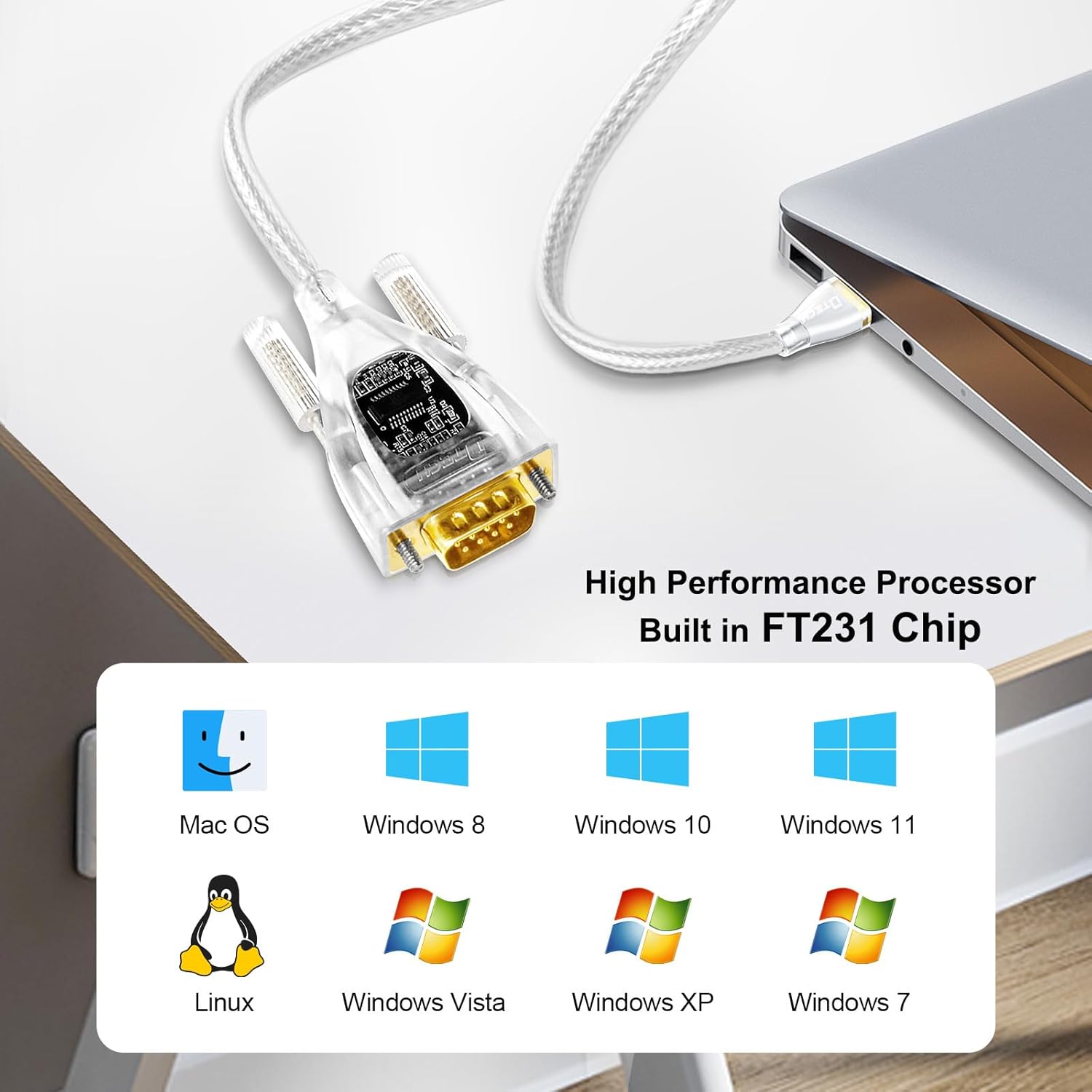
Figure 3: The DTECH USB to Serial Adapter is compatible with various operating systems, including Mac OS, Windows 8, Windows 10, Windows 11, Linux, Windows Vista, Windows XP, and Windows 7.
5. Operating Instructions
Once the drivers are installed and the adapter is connected to both your computer and the serial device, it functions as a standard serial port. Communication parameters such as baud rate, data bits, stop bits, and parity can be configured through your operating system's device manager or the software application you are using to communicate with your serial device.
The built-in LED indicators provide visual feedback on the adapter's status:
- Red LED: Indicates power supply. This LED should be continuously lit when the adapter is connected to a powered USB port.
- Yellow LED: Flashes when data is being received by the adapter from the serial device.
- Green LED: Flashes when data is being sent from the computer to the serial device via the adapter.
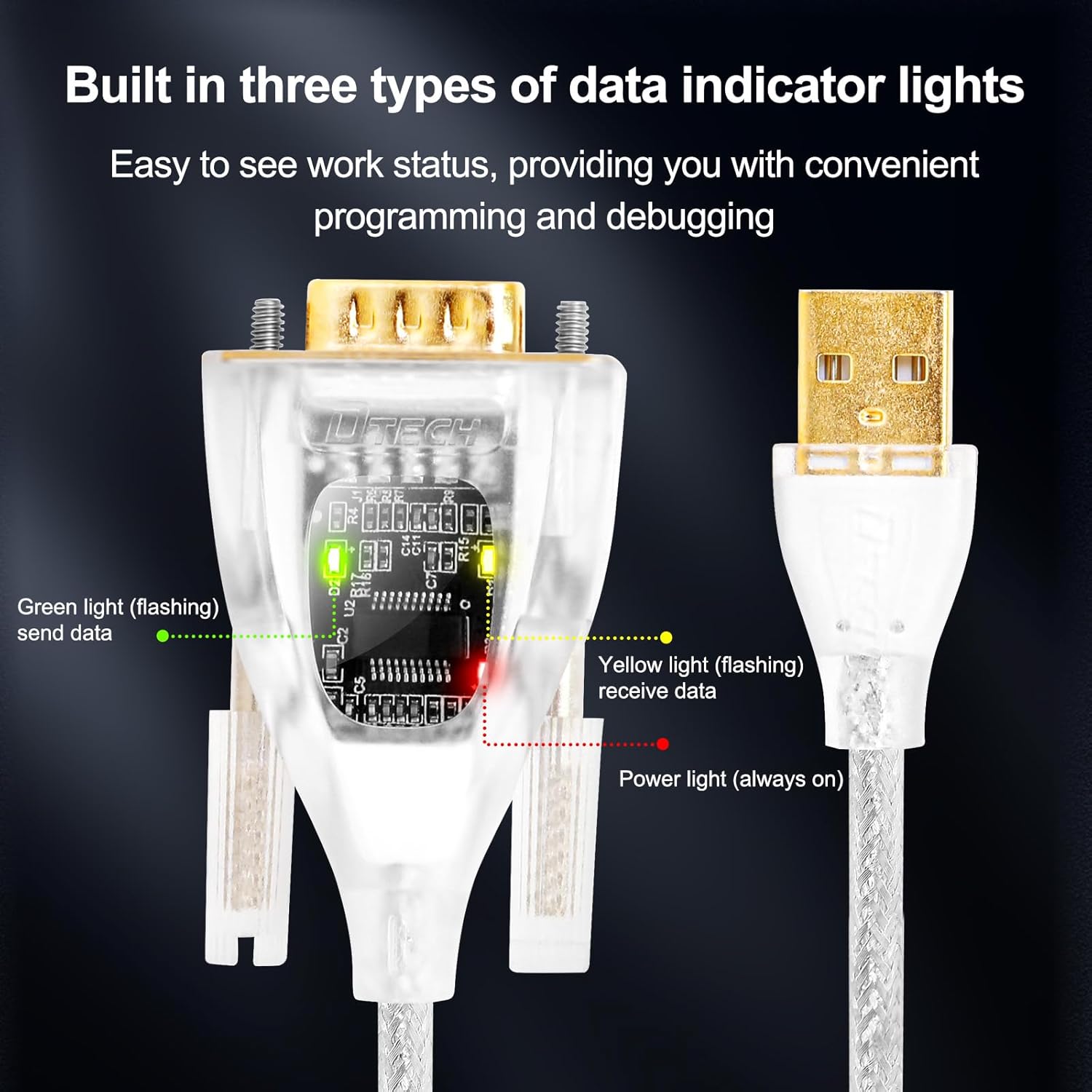
Figure 4: Close-up view of the DTECH USB to Serial Adapter showing the three data indicator lights: Green (send data), Yellow (receive data), and Red (power).
Video 1: This video demonstrates the DTECH USB to RS232 Serial Adapter, highlighting its features such as data baud rate range, handshaking protocol control, operating system compatibility, heavy-duty design, FTDI FT231 chip, gold-plated connectors, and the functionality of its three LED indicators. It also shows the adapter connecting to various DB9 RS232 devices like barcode scanners.
6. Compatibility
The DTECH USB to Serial Adapter is designed for broad compatibility with various devices and operating systems:
Operating System Compatibility:
- Windows 11, 10, 8, 7, XP, Vista, CE
- Mac OS
- Linux
Device Compatibility:
This adapter connects to a wide range of DB9 RS232 devices, including but not limited to:
- Printers (e.g., label printers)
- Scanners (e.g., barcode scanners)
- Cash Registers
- Routers
- GPS Devices
- CNC Programming Machines
- Modems
- Digital Cameras
- Card Readers
- Palm PCs and Digital Organizers
- RS232C LED Display Screens
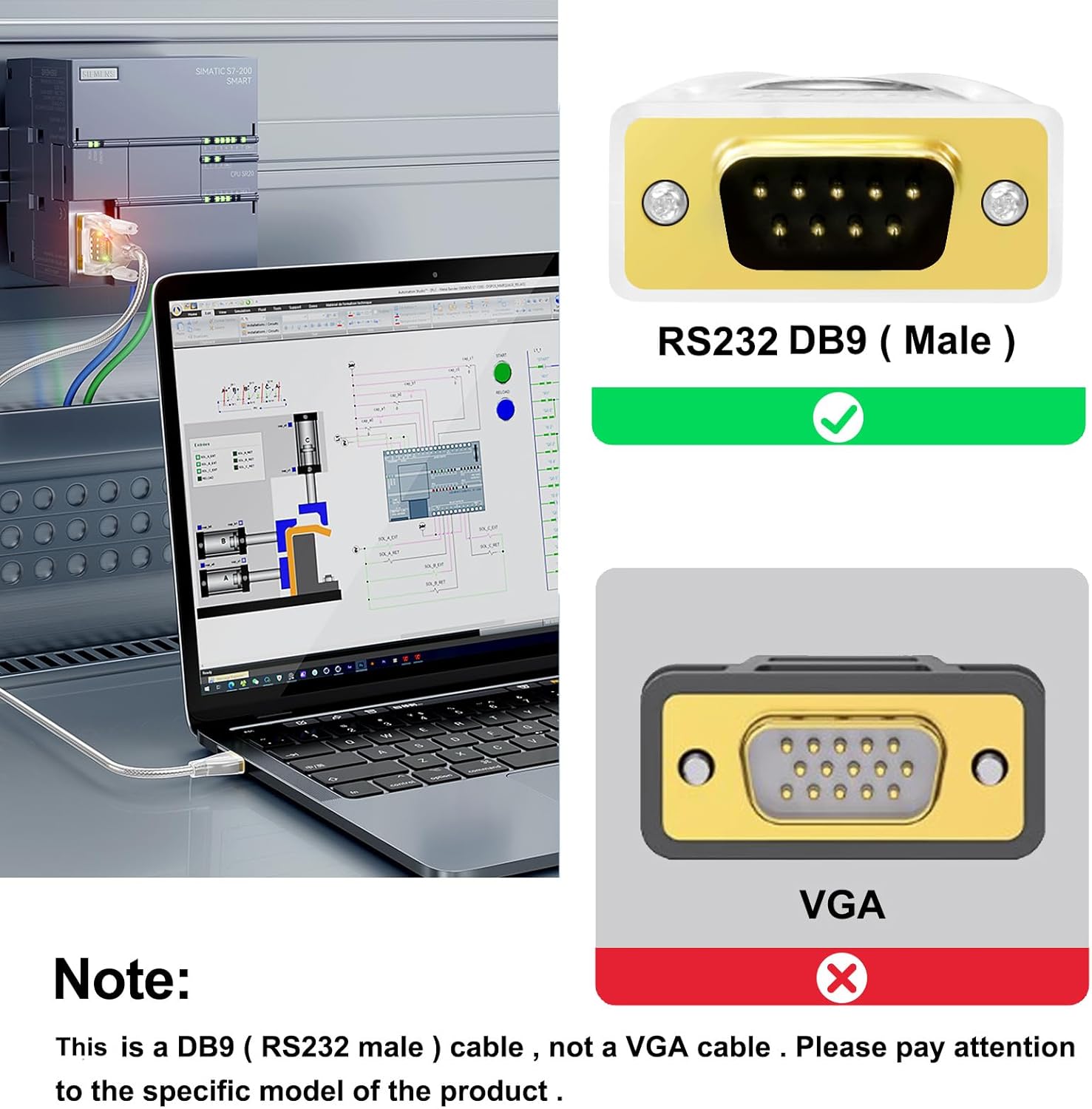
Figure 5: Important note distinguishing the RS232 DB9 (Male) connector from a VGA connector. This adapter is for RS232 DB9 connections only.

Figure 6: The DTECH USB to Serial Adapter offers wide compatibility with RS-232 devices such as printers, label printers, scanners, cash registers, access control systems, LED display screens, plotters, industrial instruments, and CNC machines. It connects to USB-A ports on desktops and laptops.
7. Specifications
| Brand | DTECH |
| Model Name | USB to serial RS-232 adapter 1.5ft |
| Model Number | KJ-5080-0.5M |
| Connector Type | DB9 RS232 (Male), USB Type A (Male) |
| Cable Type | USB to Serial |
| Chipset | FTDI FT231X USB UART |
| Data Transfer Rate | 300bps to 460800bps (auto detect) |
| Data Bits | 7, 8, 9 |
| Stop Bits | 1, 1.5, 2 |
| Parity Bits | Even, None, Odd, Mark, Space |
| Handshaking Protocol Control | DCD, RXD, TXD, DTR, GND, DSR, RTS, CTS, RI |
| Voltage Level Range | ±3 ~ ±15V (±15V ESD protection) |
| Cable Length | 1.5 feet (0.5 meters) |
| Power Supply | USB powered (no external power required) |
| Item Weight | 0.11 Kilograms |
8. Troubleshooting
Common Issues and Solutions:
- Adapter not recognized by computer:
- Ensure drivers are correctly installed. Reinstall drivers if necessary.
- Try a different USB port on your computer.
- Check if the Red Power LED is lit. If not, the USB port may not be providing power.
- No data transmission/reception:
- Verify that the Yellow (Receive) and Green (Send) LEDs are flashing during data activity.
- Confirm that the correct COM port is selected in your application software.
- Check serial communication settings (baud rate, data bits, stop bits, parity) in your software and ensure they match the connected device.
- Ensure the serial device is properly connected and powered on.
- Intermittent connection:
- Ensure all cable connections are secure.
- Avoid placing the cable near sources of strong electromagnetic interference (EMI).
- Try using a different USB port or a different computer to rule out port issues.
9. Warranty and Support
This DTECH USB to Serial Adapter comes with a 1-Year Warranty from the date of purchase. This warranty covers manufacturing defects and ensures the product functions as described under normal use.
For technical assistance, driver downloads, or any questions regarding your product, please refer to the official FTDI website or contact DTECH customer service. Customer service is always online to assist you.