
1. Product Overview
The Baseus FC11 Powerbank is a portable external battery designed for fast and convenient charging of your electronic devices. Featuring a 20000mAh capacity and 45W fast charging capability, it includes two integrated USB-C cables and multiple ports for versatile use. Its compact design and advanced safety features make it an ideal companion for daily use and travel.
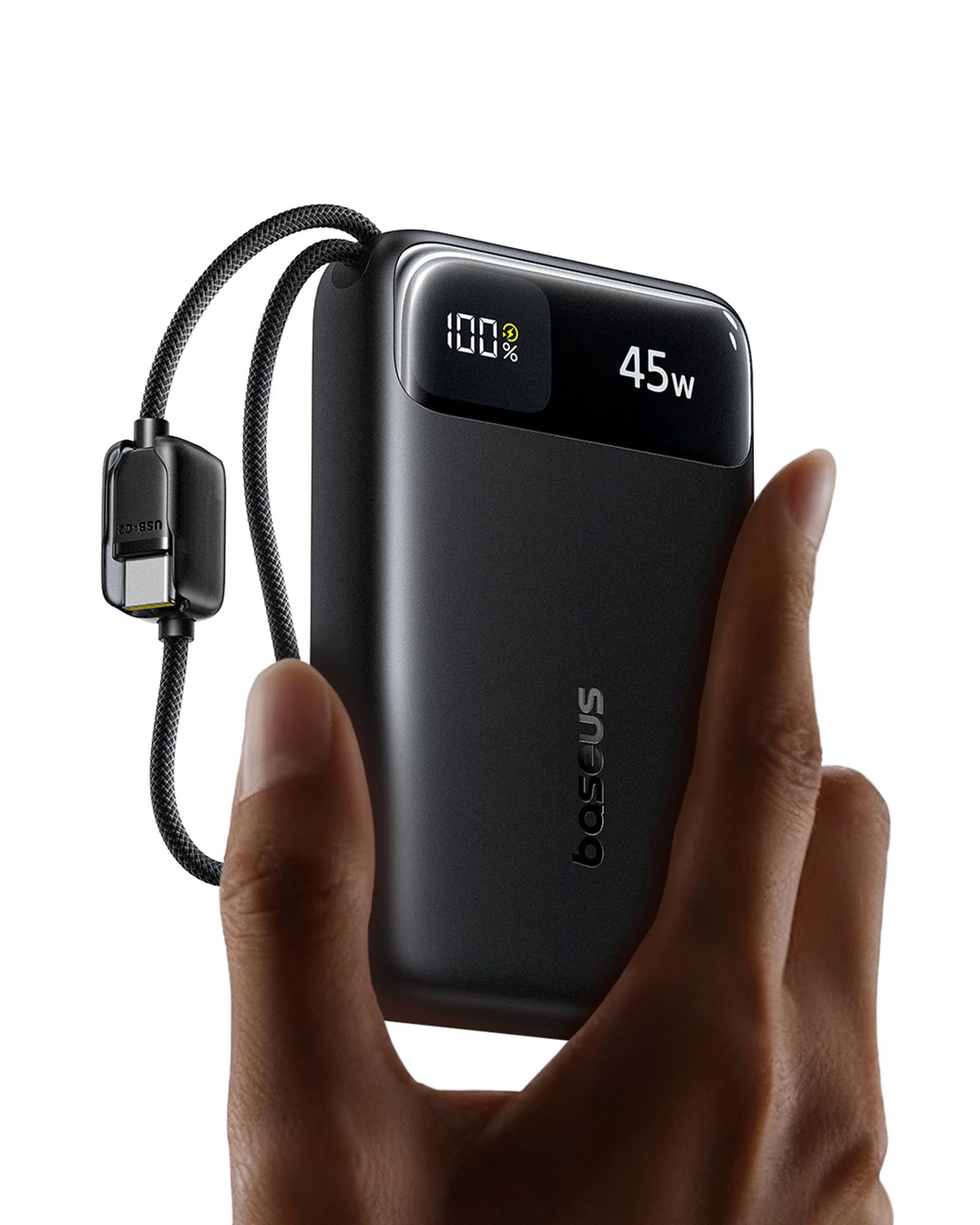
Image 1.1: The Baseus FC11 Powerbank, highlighting its sleek black design and integrated USB-C cables.
Key Features:
- Dual Integrated USB-C Cables: Provides convenient, tangle-free charging without needing extra cables. Cables are tested for durability.
- 45W Fast Charging: Delivers up to 45W output for rapid device charging, such as an iPhone 17 Pro to 67% or a Samsung Galaxy S25 Ultra to 70% in 30 minutes.
- 30W Fast Input: Allows the power bank itself to recharge quickly. Supports pass-through charging.
- Compact and Portable: Measures 10.9 x 6.6 x 3.0 cm and weighs 363g, fitting easily into pockets or small bags.
- 4-in-1 Charging: Equipped with two integrated USB-C cables, one USB-C port, and one USB-A port, enabling simultaneous charging of up to four devices.
- Advanced Safety: Features Baseus NTC temperature control technology and multiple protections against overcurrent, overvoltage, overheating, over-discharge, and short circuits.
- Airline Approved: Its capacity and design are approved for air travel.
2. Product Components
Familiarize yourself with the physical components of your Baseus FC11 Powerbank.
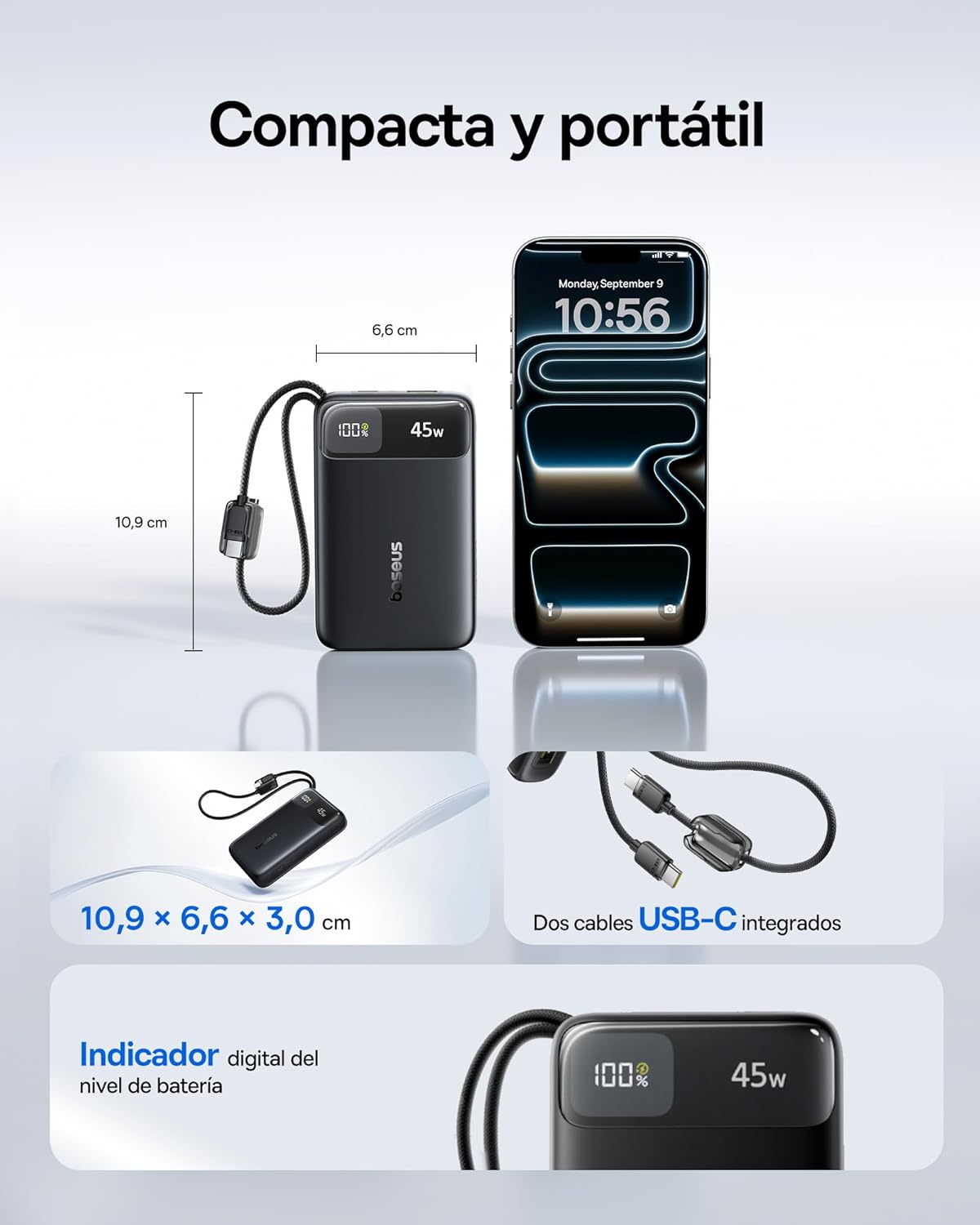
Image 2.1: Detailed view of the power bank, illustrating its dimensions (10.9 cm x 6.6 cm x 3.0 cm) and the two integrated USB-C cables. A digital battery level indicator is also visible.
- Integrated USB-C1 Cable: Bidirectional cable for both charging the power bank (input) and charging devices (output).
- Integrated USB-C2 Cable: For charging devices (output).
- USB-C Port: For charging devices (output) and recharging the power bank (input).
- USB-A Port: For charging devices (output).
- Digital Display: Shows the current battery percentage and charging status.
- Power Button: Activates the display and initiates charging.
3. Setup and Initial Use
3.1 Charging the Power Bank
Before first use, fully charge your Baseus FC11 Powerbank. For optimal performance, use a 30W or higher USB-C power adapter.
- Connect the integrated USB-C1 cable or a separate USB-C cable to the power bank's USB-C port.
- Plug the other end of the cable into a compatible USB-C wall charger.
- The digital display will show the charging progress. The power bank is fully charged when the display shows 100%.

Image 3.1: Recharging the power bank using its integrated USB-C cable and a wall adapter. The image also shows the maximum input of 30W.
4. Operating Instructions
4.1 Charging Your Devices
The Baseus FC11 Powerbank can charge up to four devices simultaneously using its various outputs.
- Using Integrated USB-C Cables: Extend one or both integrated USB-C cables and connect them directly to your compatible devices.
- Using USB-C Port: Connect your device's USB-C charging cable to the power bank's USB-C port.
- Using USB-A Port: Connect your device's USB-A charging cable to the power bank's USB-A port.
- Press the power button once to activate charging if it doesn't start automatically.
- The digital display will show the remaining battery percentage.

Image 4.1: The power bank charging a tablet, two smartphones, and wireless earbuds simultaneously, demonstrating its 4-in-1 charging capability.
4.2 Digital Display Information
The digital display provides real-time information:
- Battery Percentage: Indicates the remaining charge level of the power bank.
- Charging Indicator: May show an icon or text indicating active charging.
5. Safety Information and Precautions
The Baseus FC11 Powerbank incorporates multiple safety features to ensure reliable operation.

Image 5.1: Visual representation of the NTC temperature control system, showing how it keeps the power bank cool during operation.
5.1 Integrated Safety Protections:
- NTC Temperature Control: Monitors and regulates the internal temperature to prevent overheating.
- Overcurrent Protection: Prevents damage from excessive current flow.
- Overvoltage Protection: Safeguards against voltage surges.
- Over-discharge Protection: Prevents battery damage from being fully depleted.
- Short Circuit Protection: Automatically shuts off power in case of a short circuit.
5.2 General Safety Guidelines:
- Do not expose the power bank to extreme temperatures, direct sunlight, or liquids.
- Avoid dropping or subjecting the power bank to strong impacts.
- Do not attempt to disassemble, repair, or modify the device.
- Keep out of reach of children.
- Dispose of the power bank responsibly according to local regulations.
5.3 Airline Travel:
The Baseus FC11 Powerbank is airline-approved due to its capacity and safety features. Always check with your airline for specific regulations regarding portable power banks before traveling.
6. Maintenance and Care
- Cleaning: Use a soft, dry cloth to clean the surface of the power bank. Do not use harsh chemicals or abrasive materials.
- Storage: Store the power bank in a cool, dry place away from direct sunlight and extreme temperatures. For long-term storage, it is recommended to keep the battery charged to about 50-75%.
- Cable Care: Avoid excessive bending or pulling of the integrated cables to maintain their integrity and functionality.
7. Troubleshooting
- Power bank not charging:
- Ensure the charging cable and wall adapter are functioning correctly.
- Verify that the integrated USB-C1 cable or a separate USB-C cable is securely connected to the power bank's input port.
- Try a different wall outlet or USB-C adapter.
- Device not charging from power bank:
- Press the power button once to activate the power bank.
- Ensure the integrated cables or external charging cables are securely connected to both the power bank and your device.
- Check if the power bank has sufficient charge.
- Verify that your device is compatible with the power bank's output ports.
- Slow charging:
- Ensure you are using a fast-charging compatible cable and device.
- If charging multiple devices, the output power is shared, which may result in slower charging for individual devices.
- For recharging the power bank, use a 30W or higher USB-C power adapter.
- Power bank feels warm during use:
- It is normal for the power bank to generate some heat during charging or discharging, especially during fast charging.
- The NTC temperature control system will manage the temperature. If it becomes excessively hot, disconnect it and allow it to cool down.
8. Specifications
| Feature | Specification |
|---|---|
| Brand | Baseus |
| Model Name / Number | E00311 |
| Battery Capacity | 20000 mAh |
| Maximum Output Power | 45W |
| Input Power (Max) | 30W (USB-C) |
| Product Dimensions (L x W x H) | 11.1 x 6.7 x 3 cm |
| Product Weight | 361.8 g |
| Battery Cell Composition | Lithium Ion |
| Number of Ports | 2 (USB-C, USB-A) + 2 Integrated USB-C Cables |
| Color | Black |
| Country of Origin | China |
| GTIN / UPC | 810196184558 |
9. Warranty and Support
9.1 Product Warranty
This Baseus FC11 Powerbank comes with a 24-month warranty. Additionally, Baseus offers a 45-day money-back guarantee and lifetime customer service.
9.2 Customer Support
For any questions, technical assistance, or warranty claims, please contact Baseus customer support through their official website or the retailer where the product was purchased. Please have your model number (E00311) and proof of purchase ready when contacting support.


