
Introduction
This instruction manual provides detailed guidance for installing and operating your BrickSoul Advanced RC Light Kit, specifically designed for the 21064 Paris – City of Love Building Set. This kit enhances your model with wireless ON/OFF control, dimming capabilities, and zonal lighting, all integrated with hidden cable technology for a clean display. Please note: The 21064 Paris – City of Love Building Set is NOT included with this light kit.
Package Contents
Carefully unpack your BrickSoul Light Kit and verify all components are present. The package includes:
- Lighting Kit components
- Remote Control
- Battery Box (requires 3 AA batteries, not included)
- USB Power Cable (adapter not included)
- Tweezers for precise installation
- Installation Guide (digital instructions available online)

Image: Overview of the BrickSoul Advanced RC Light Kit package contents, including the lighting components, remote, battery box, USB cable, and tweezers.
Setup and Installation
Installation is designed to be straightforward. Follow the detailed digital instructions for a smooth assembly process. The kit features clearly numbered light bags corresponding to each step, and snap-on connectors for ease of use.
Digital Instructions
Access comprehensive online video or PDF instructions by scanning the QR code provided in the physical guide or visiting the BrickSoul website. These resources will guide you through each step of integrating the lighting into your 21064 Paris – City of Love Building Set.

Image: Digital instructions are available online, replacing a traditional paper manual.
Hidden Cable Technology
The light kit incorporates upgraded cable-hiding technology, precision-engineered for the 21064 structure. This ensures wires are virtually invisible, maintaining the aesthetic integrity of your model.
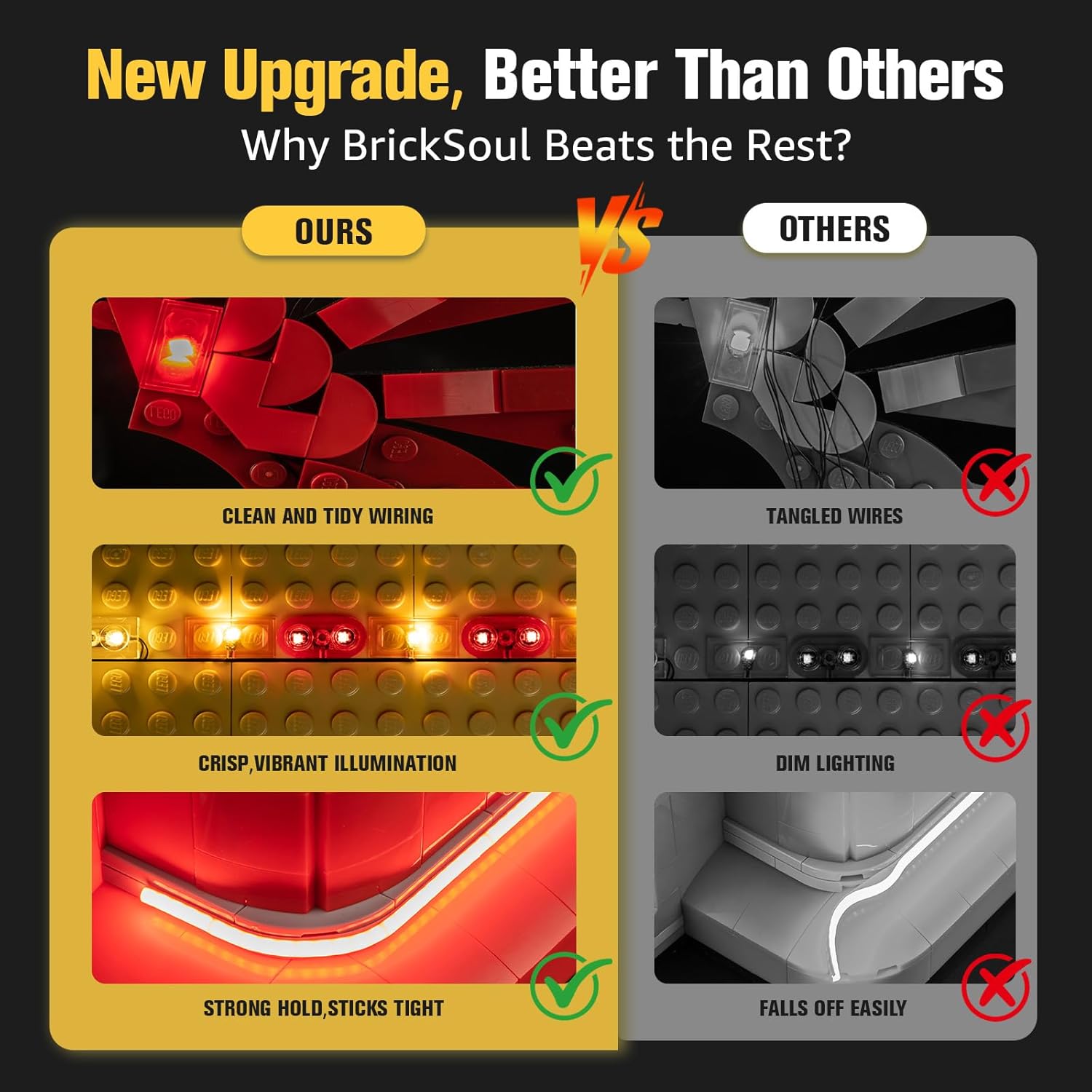
Image: Comparison highlighting the clean and tidy wiring of the BrickSoul kit versus tangled wires from other products.
Operating Instructions
Your light kit is equipped with a remote control for convenient operation of lighting features.
Remote Control Functions
- ON/OFF: Power the lights on or off.
- Dimming: Adjust the brightness levels from 0% to 100%.
- Lighting Modes: Select from 4 distinct lighting modes.
- Zonal Control: Independently control different lighting zones within your model.

Image: Remote control functions for adjusting brightness and modes, demonstrating light levels from off to 100% on the model.

Image: The remote control allows for precise adjustment of light intensity and modes.

Image: The remote enables zonal lighting, allowing different parts of the model to be lit independently.

Image: The light kit creates an elegant display effect, making your model shine.
Power Options
The light kit offers flexible power options:
- USB Power: Use the included USB cable to connect to any standard 5V USB adapter (not included).
- Battery Box: For cord-free operation, insert 3 AA batteries (not included) into the battery box.
Maintenance
To ensure the longevity and optimal performance of your light kit:
- Keep the components clean and free from dust. Use a soft, dry cloth for cleaning.
- Avoid exposing the kit to excessive moisture or extreme temperatures.
- Ensure all connections are secure to prevent flickering or power interruptions.
- When using batteries, replace them promptly when lights dim to maintain consistent brightness.
Troubleshooting
If you encounter any issues with your light kit, please refer to the following common solutions:
| Problem | Possible Solution |
|---|---|
| Lights do not turn on. | Check power source (USB connection or battery box). Ensure batteries are correctly inserted and not depleted. Verify all connectors are firmly attached. |
| Lights are dim or flickering. | Replace batteries if using the battery box. Ensure the USB power source provides sufficient and stable power. Check for loose connections. |
| Remote control is unresponsive. | Ensure the remote's battery is functional. Point the remote directly at the receiver. Remove any obstructions between the remote and the receiver. |
| Specific light zone not working. | Check the connections for that specific zone. Refer to the digital installation guide to ensure correct wiring for zonal control. |
For further assistance, please contact customer support.
Specifications
- Brand: BrickSoul
- Model Name: 21064-rc5
- Model Number: 21064-rc5
- Material Type: Plastic
- Power Input: 5V (USB) or 3x AA Batteries
- Recommended Age: 14 years and up
Warranty and Support
BrickSoul is committed to customer satisfaction. If you have any questions, concerns, or require assistance with your light kit, please do not hesitate to contact our responsive customer support team. We are dedicated to swiftly resolving any issues you may encounter.
For contact information, please refer to the BrickSoul official website or the digital installation guide.
Product Video
Video: Demonstration of the BrickSoul Advanced RC Light Kit for the 21064 Paris – City of Love Building Set, showcasing its illumination features and remote control functionality.