
Introduction
Thank you for choosing APONUO Solar Floating Pool Lights. This manual provides essential information for the safe and efficient use of your YC03 model lights. Please read these instructions carefully before use and retain them for future reference.
Product Overview
The APONUO YC03 Solar Floating Pool Lights are designed to provide ambient lighting for pools, bathtubs, and parties. Key features include:
- Solar Charging: Built-in 1200mAh battery charges in approximately 6 hours of direct sunlight.
- Extended Illumination: Provides over 20 hours of continuous lighting on a full charge.
- IP68 Waterproof: Submersible-grade shield ensures resistance to water, rain, ice, and snow.
- Dynamic Lighting: Offers 9 fixed color presets and 3 dynamic lighting effects (smooth, fade, flash).
- Timer Function: Includes 4 timer options (1H, 2H, 4H, 6H) for automatic shut-off.
- Adjustable Brightness: Two brightness levels (100%, 75%) available.
- Memory Function: Remembers the last selected lighting mode and color.
- Dual Control: Operable via included remote control or an integrated button on the light unit.
Package Contents
Ensure all items are present upon unpacking:
- APONUO YC03 Solar Floating Pool Light(s)
- Remote Control
- Instruction Manual (this document)
Setup
1. Initial Charging
Before first use, place the solar pool lights in direct sunlight for at least 6 hours to ensure the internal battery is fully charged. The solar panel is located on the top surface of the light.

Image: APONUO solar pool light charging in sunlight and illuminating a pool at night.
2. Placement
Once charged, simply place the lights on the surface of your pool or water feature. They are designed to float and illuminate the water.

Image: Two APONUO solar pool lights floating in a pool, casting decorative light patterns.
Operating Instructions
Your APONUO solar pool lights can be controlled using the included remote or the button on the light unit.
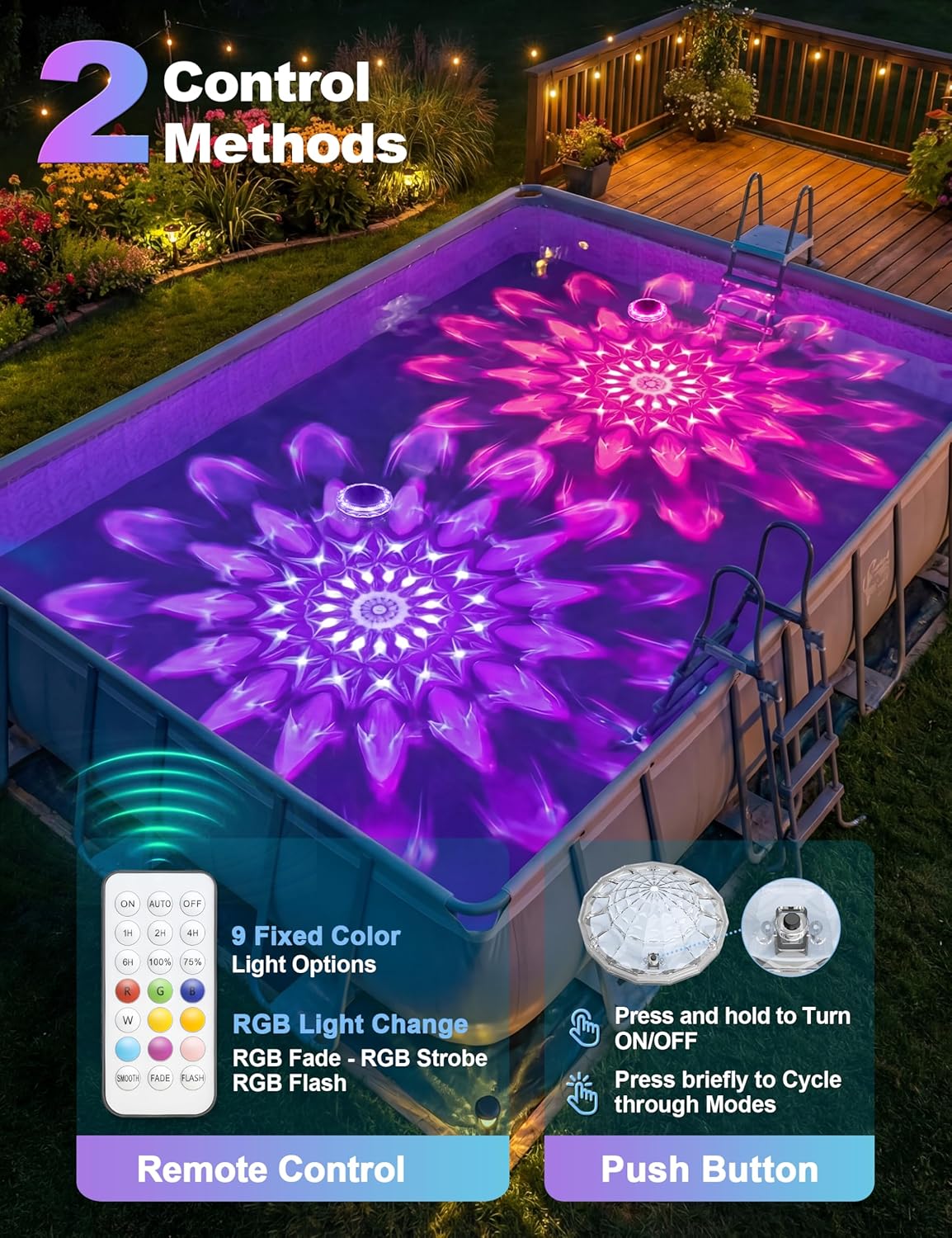
Image: Diagram showing the remote control and the manual button on the APONUO solar pool light for changing settings.
1. Power On/Off
- Remote Control: Press the "ON" button to turn on the light, and "OFF" to turn it off.
- Button Control: Press and hold the button on the light unit for 3 seconds to turn it on or off.
2. Changing Colors and Modes
- Remote Control: Use the color buttons (R, G, B, W, etc.) for fixed colors. Press "SMOOTH", "FADE", or "FLASH" for dynamic lighting effects.
- Button Control: Briefly press the button on the light unit to cycle through the available colors and modes.

Image: APONUO solar pool light displaying various dynamic color modes in a pool.
3. Brightness Adjustment
- Remote Control: Use the "100%" and "75%" buttons to adjust the light brightness.
4. Timer Function
- Remote Control: Press the "1H", "2H", "4H", or "6H" buttons to set the light to automatically turn off after the selected duration.
5. Memory Function
The lights will automatically recall the last selected color and mode setting when turned on again.
Maintenance
- Cleaning: Regularly wipe the solar panel and the light's surface with a soft, damp cloth to remove dirt, dust, or debris. A clean solar panel ensures optimal charging efficiency.
- Storage: If the lights will not be used for an extended period, store them in a cool, dry place away from direct sunlight. Ensure they are fully charged before storage to prolong battery life.
- Battery Care: The internal battery is not user-replaceable. Ensure the solar panel receives adequate sunlight for charging to maintain battery health.
Troubleshooting
| Problem | Possible Cause | Solution |
|---|---|---|
| Light does not turn on. | Insufficient solar charge. | Ensure the light is placed in direct sunlight for at least 6 hours. Clean the solar panel. |
| Light duration is shorter than expected. | Incomplete solar charge due to cloudy weather or obstructions. | Relocate the light to an area with more direct sunlight. Ensure the solar panel is clean. |
| Remote control is unresponsive. | Remote battery low or line of sight issue. | Ensure there are no obstructions between the remote and the light. Replace remote battery if applicable (check remote manual). |
| Water inside the light unit. | Product damage or manufacturing defect. | Despite IP68 rating, if water ingress occurs, discontinue use and contact customer support. |
Specifications
| Brand | APONUO |
| Model Number | YC03 |
| Material | Acrylonitrile Butadiene Styrene |
| Power Source | Solar Powered |
| Battery Capacity | 1200mAh |
| Waterproof Rating | IP68 |
| Light Source | LED |
| Voltage | 3.7 Volts |
| Light Colors | RGB, Warm White |
| Control Method | Remote Control, Push Button |
| Item Dimensions (L x W x H) | 5.86" x 5.86" x 2.36" |

Image: Diagram showing the dimensions of the APONUO solar pool light.
Warranty
This product comes with a limited manufacturer's warranty. Please refer to the product packaging or contact APONUO customer support for specific warranty terms and conditions.
Customer Support
For any questions, concerns, or issues regarding your APONUO YC03 Solar Floating Pool Lights, please contact APONUO customer support. Contact information can typically be found on the product packaging or the official APONUO website.