
Product Overview
The BEISAR Y-02 is a flexible silicone device designed for prostate massage and anal stimulation. It features a series of gradually increasing beads and offers multiple vibration modes, controllable via an integrated button or a dedicated mobile application. The device is waterproof and designed for ease of use and cleaning.
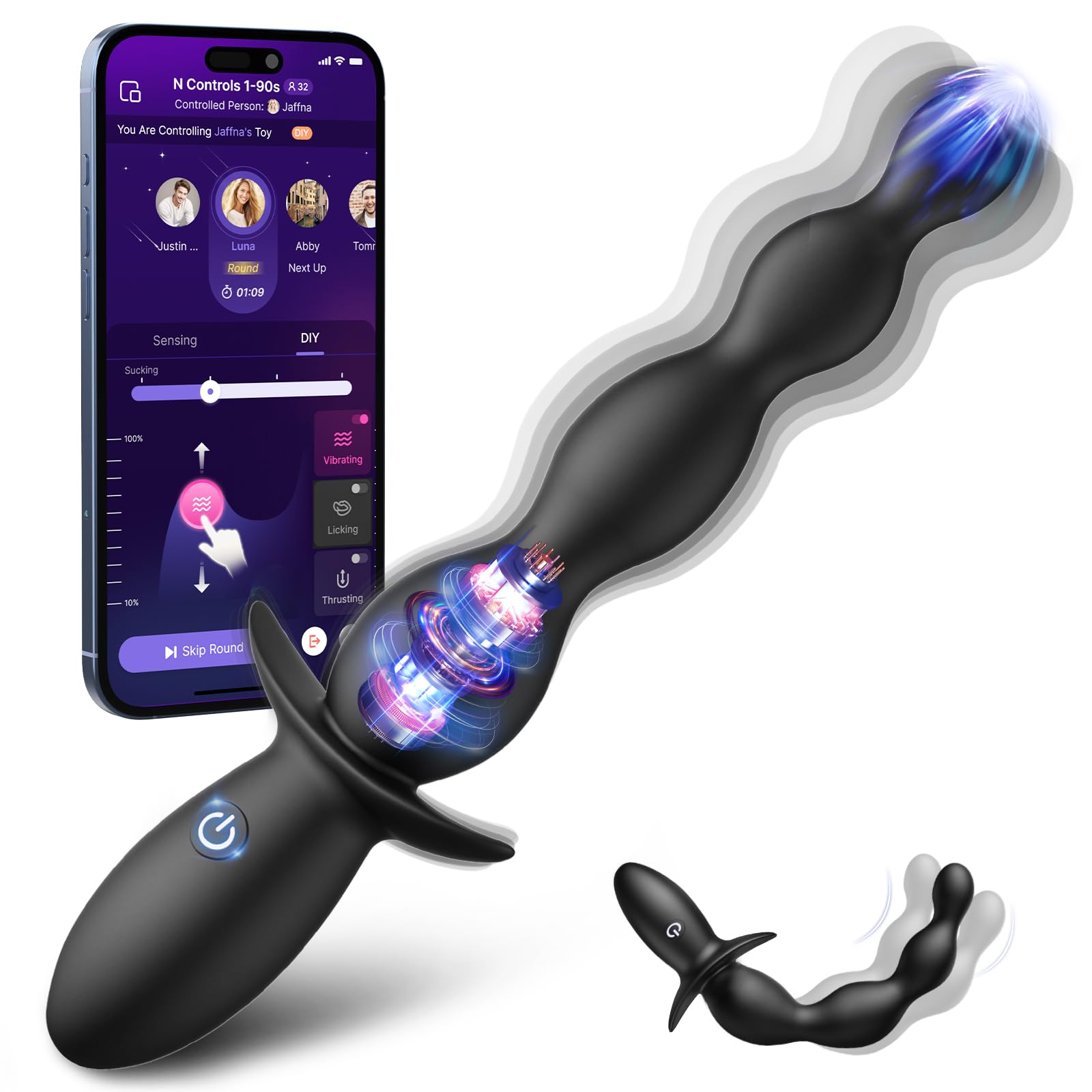
Image: The BEISAR Y-02 device, showcasing its design and flexible silicone material.

Image: Visual representation of the device's key features including soft silicone material, excellent flexibility, waterproof design, and compact size.
Safety Information
- Always clean the device before and after each use.
- Use with water-based lubricant only. Avoid silicone-based lubricants as they may damage the silicone material.
- Discontinue use immediately if any discomfort or irritation occurs.
- Keep out of reach of children.
- This product is intended for adult use only.
Package Contents
- 1 x BEISAR Y-02 Vibrator
- 1 x USB Charging Cable
- 1 x User Manual

Image: Illustration of the BEISAR Y-02 package contents, including the device, charging cable, and user manual.
Setup
Charging the Device
- Locate the charging port on the device.
- Connect the provided USB charging cable to the device and to a USB power source (e.g., computer, wall adapter).
- The device will indicate charging status (e.g., LED light).
- Charge for approximately 2 hours before first use. A full charge provides approximately 60 minutes of working time.

Image: Diagram showing the device connected to a USB charging cable, indicating charging time and working time.
Connecting to the APP (Optional)
The BEISAR Y-02 can be controlled via a mobile application for enhanced functionality, including customized patterns and remote control.
- Download the companion application from your device's app store (search for "AI Lover" or refer to the QR code in the manual).
- Ensure Bluetooth is enabled on your mobile device.
- Turn on the BEISAR Y-02 device by long-pressing the power button.
- Open the application and follow the on-screen instructions to pair your device.

Image: Screenshots of the mobile application interface for controlling the BEISAR Y-02 device, showing various control options.
Operating Instructions
Basic Operation
- Power On/Off: Long press the power button on the device.
- Switch Modes: Short press the power button to cycle through the 10 distinct vibration modes.

Image: Diagram illustrating the power button location and its functions for turning on/off and switching modes, along with noise level information.
Using the Device
- Ensure the device is clean and fully charged.
- Apply a generous amount of water-based lubricant to the device and the intended area of use.
- Gently insert the device, allowing the gradually increasing beads to facilitate comfortable adaptation.
- Use the power button or the connected mobile application to select your desired vibration mode from the 10 available options.
- The device is designed for prostate massage and anal stimulation, offering varied sensations through its beaded design and vibration patterns.

Image: Visual representation of the BEISAR Y-02's gradual bead design for comfortable insertion and use.

Image: Diagram showing the BEISAR Y-02 positioned to target the prostate area for massage.
Video: An official product video demonstrating the vibrating anal beads, highlighting its features and flexibility.
Maintenance
Cleaning
- The device is fully waterproof. Clean thoroughly with warm water and a mild, toy-safe soap before and after each use.
- Rinse thoroughly to remove all soap residue.
- Allow the device to air dry completely or pat dry with a lint-free cloth.

Image: The BEISAR Y-02 device submerged in water, demonstrating its waterproof design for easy cleaning.
Storage
- Store the device in a clean, dry, and dust-free environment.
- Keep away from direct sunlight and extreme temperatures.
- Avoid storing with other silicone products to prevent material degradation.
Troubleshooting
| Problem | Possible Cause | Solution |
|---|---|---|
| Device does not turn on. | Low battery. | Charge the device for at least 2 hours. |
| Vibrations are weak or inconsistent. | Low battery. | Recharge the device. |
| Cannot connect to the APP. | Bluetooth is off; device is off; app issue. | Ensure Bluetooth is on, device is powered on, and restart the app. Try re-pairing. |
| Device feels uncomfortable. | Insufficient lubricant; improper insertion. | Apply more water-based lubricant. Ensure slow and gentle insertion. Discontinue use if discomfort persists. |
Specifications
- Model: Y-02
- Material: Silicone
- Color: Light Black
- Vibration Modes: 10
- Control: Device button, APP Control
- Waterproof: Yes
- Charging Time: Approximately 120 minutes (2 hours)
- Working Time: Approximately 60 minutes
- Noise Level: ≤40dB
- Dimensions: Approximately 7.48 inches total length (device); 7.64 x 2.48 x 1.34 inches (package)
- Weight: 4.97 ounces (package)

Image: Detailed diagram showing the dimensions of the BEISAR Y-02 device and highlighting its beginner-friendly design with gradually increasing beads and extended base.
Warranty and Support
BEISAR products are designed for quality and reliability. For any issues or inquiries regarding your BEISAR Y-02 device, please contact our customer support team.
- Customer Service: Please refer to the contact information provided in your product packaging or on the official BEISAR website. Our professional service team aims to resolve issues within 24 hours.
- Warranty: Information regarding product warranty is typically included with your purchase documentation. Please retain your proof of purchase for warranty claims.

Image: Illustration representing customer support availability for product inquiries and assistance.