
Introduction
This manual provides detailed instructions for the safe and efficient use of your SWEETFULL Portable Misting Clip On Fan, Model S55. Please read this manual thoroughly before operating the device and retain it for future reference.

Figure 1: SWEETFULL Portable Misting Clip On Fan, Model S55.
What's in the Box
Verify that all components are present upon unboxing:
- Misting Clip Fan
- Squeeze Bottle (for water refilling)
- USB-C Charging Cable
- User Manual (this document)
Product Features
- Dual Cooling Modes: Combines fan airflow with an ultra-fine mist for enhanced cooling. Fan and mist functions can operate independently or simultaneously.
- Adjustable Airflow: Features 4 distinct wind speeds, providing airflow up to 11.9 mph.
- Mist Settings: Offers two mist modes: continuous and intermittent. The 50ml water tank provides 28-45 minutes of spray duration.
- Long Battery Life: Equipped with a 3000mAh rechargeable battery, offering 3 to 14 hours of operation depending on settings. Supports USB-C charging and can operate while plugged in.
- Quiet Operation: Operates at a low noise level of 30-45dB, suitable for quiet environments.
- Integrated Night Light: Includes a 2-level night light for soft illumination.
- Versatile Placement: Designed with a sturdy clip that attaches to surfaces up to 2 inches thick, and a stable base for desk use. Can also be hung.
- Adjustable Angle: Features 360° rotation and 180° vertical tilt for directional airflow.
- Safety Grille: A 0.22-inch safety grille protects fingers from the fan blades.

Figure 2: The fan provides mist and air cooling for enhanced comfort.
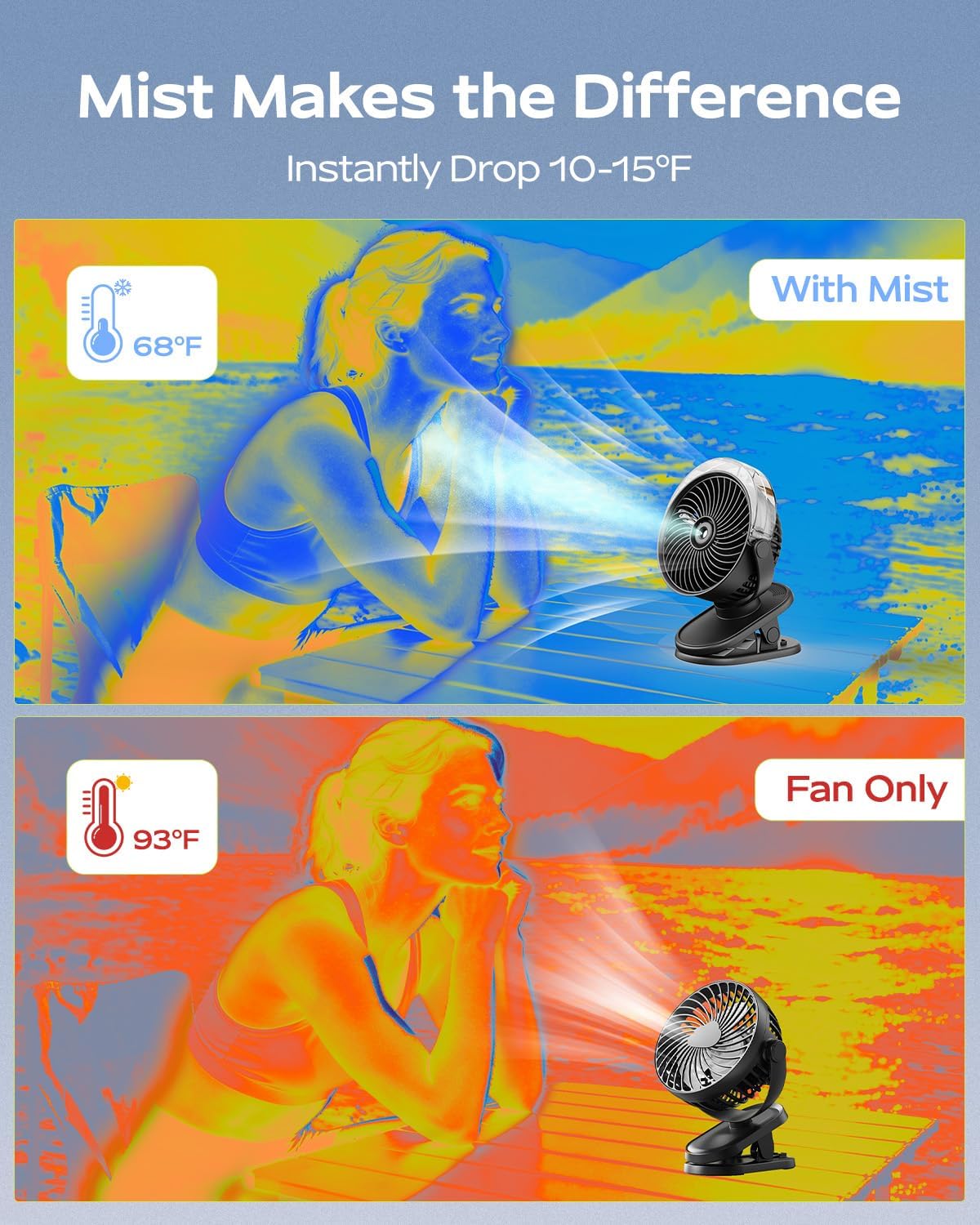
Figure 3: Comparison of cooling effectiveness with and without mist.
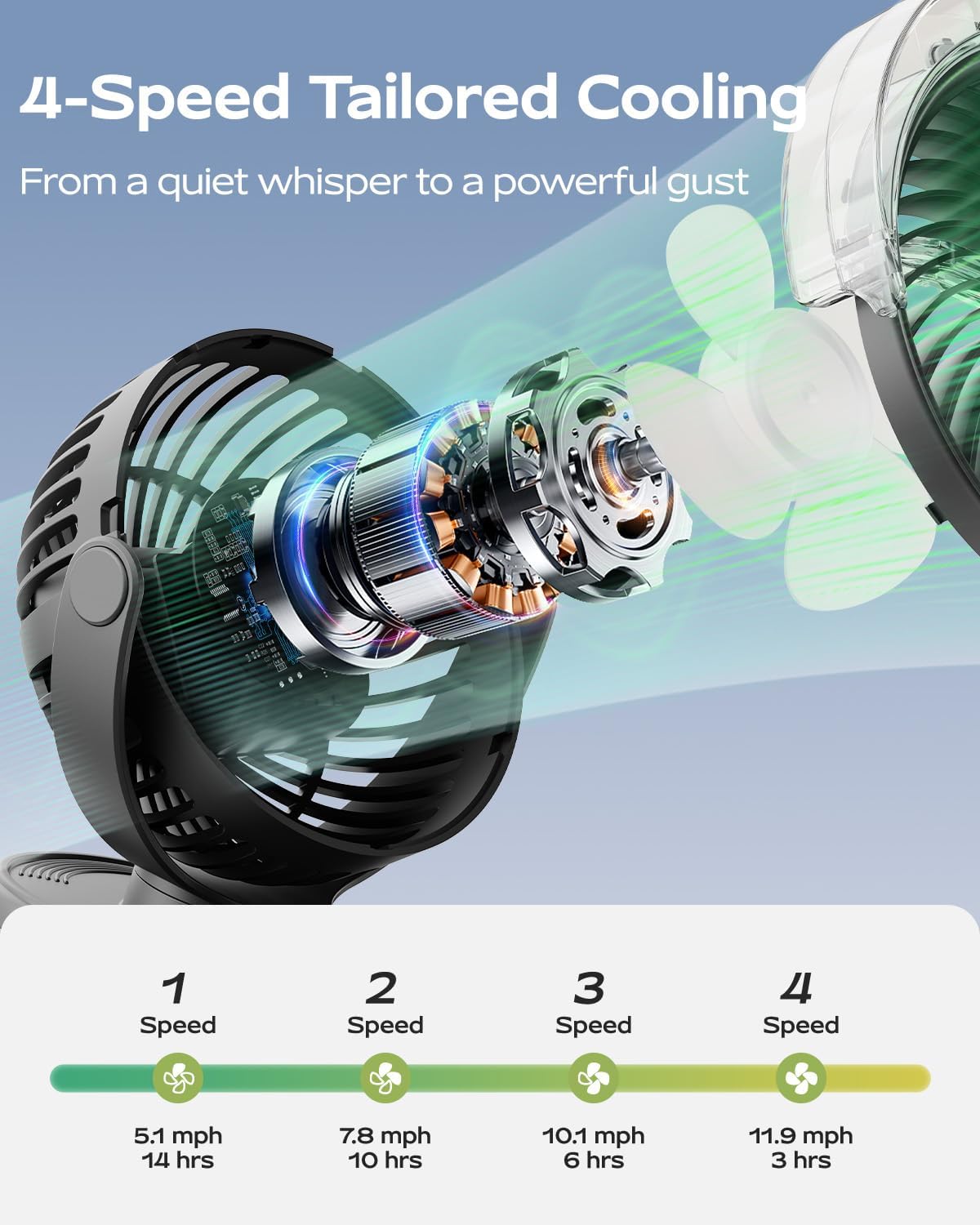
Figure 4: Illustration of the fan's 4-speed airflow capabilities.

Figure 5: The fan features a two-level night light and quiet operation.
Setup
1. Charging the Fan
Before first use, fully charge the fan. Connect the provided USB-C charging cable to the fan's charging port and to a compatible USB power source (e.g., wall adapter, computer USB port). The charging indicator light will show charging status.

Figure 6: USB-C charging port for convenient power replenishment.
2. Filling the Water Tank (for Misting Function)
- Locate the water tank cap on the top of the fan.
- Carefully open the cap.
- Use the provided squeeze bottle to fill the water tank with clean tap water. Do not overfill. The tank capacity is 50ml.
- Securely close the water tank cap.
Video 1: Demonstrates how to fill the water tank for the misting function. (Source: SWEETFULL Technology)
3. Placement Options
The fan offers multiple placement options:
- Clip-on: Use the integrated clip to attach the fan to surfaces up to 2 inches (5 cm) thick, such as desks, strollers, golf carts, or tent poles.
- Desk Stand: Place the fan on any flat surface using its stable base.
- Hanging: The clip mechanism also allows for hanging the fan in tents or other suitable locations.

Figure 7: The fan can be clipped onto various surfaces and adjusted for optimal airflow.
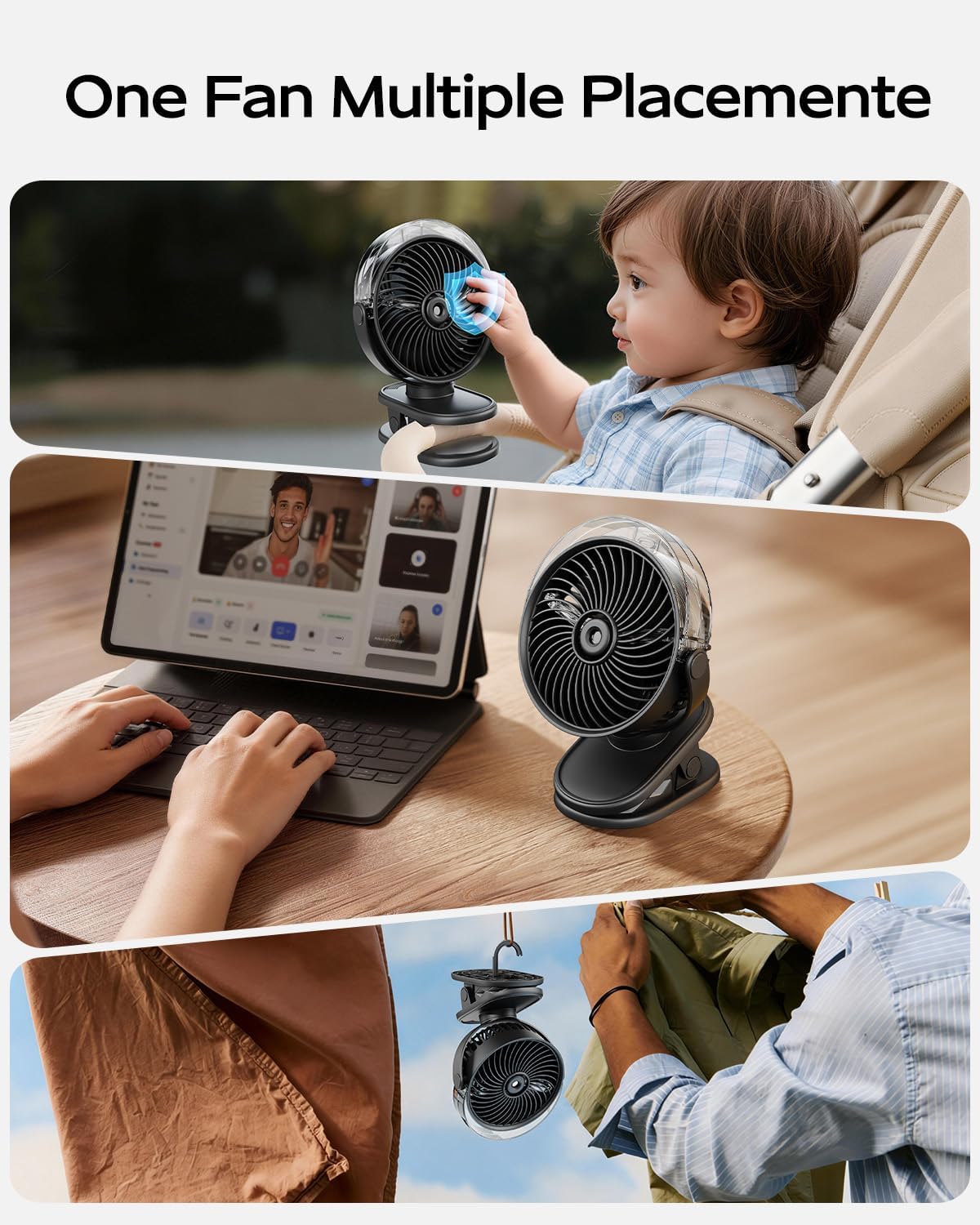
Figure 8: Examples of the fan's versatile placement options.
Video 2: Shows the SWEETFULL Misting Clip Fan in use on a desk and stroller. (Source: SWEETFULL Technology)
Operating Instructions
1. Power On/Off and Fan Speed Control
Press the power button (usually indicated by a fan icon or power symbol) to turn the fan on. Each subsequent press will cycle through the 4 fan speeds (Speed 1, Speed 2, Speed 3, Speed 4). Pressing the button after Speed 4 will turn the fan off.
2. Misting Function Control
Press the mist button (usually indicated by a water droplet icon) to activate the misting function. The first press typically activates continuous mist. A second press may switch to intermittent mist. A third press will turn the mist function off. Ensure the water tank is filled before using the mist function.
3. Night Light Control
Press the light button (usually indicated by a light bulb icon) to turn on the night light. Subsequent presses will cycle through the 2 brightness levels (Low, High) and then turn the light off.
Maintenance
1. Cleaning the Fan
Regularly wipe the exterior of the fan with a soft, dry cloth. For the fan blades, use a soft brush or compressed air to remove dust. Do not use abrasive cleaners or immerse the fan in water.
2. Water Tank Care
To prevent mineral buildup and ensure optimal misting performance, empty and rinse the water tank after each use, especially if not using the mist function for an extended period. If the mist nozzle becomes clogged, gently clean it with a cotton swab dipped in vinegar or a descaling solution, then rinse thoroughly.
Troubleshooting
- Fan does not turn on:
Ensure the fan is charged. Connect it to a power source using the USB-C cable and allow it to charge for at least 30 minutes before attempting to power it on again. - Misting function is not working:
Check if the water tank is filled. Ensure the water tank cap is securely closed. If mist is still not produced, the nozzle may be clogged. Refer to the "Water Tank Care" section for cleaning instructions. - Fan is making unusual noise:
Check for any obstructions in the fan blades. Ensure the fan is placed on a stable surface. If the noise persists and is outside the normal operating range (30-45dB), contact customer support. - Battery life is shorter than expected:
Battery life varies significantly with fan speed and mist usage. Higher speeds and continuous mist will deplete the battery faster. Ensure the fan is fully charged before use.
Specifications
| Feature | Detail |
|---|---|
| Brand | SWEETFULL |
| Model Number | S55 |
| Color | Black |
| Power Source | Battery Powered (USB-C Rechargeable) |
| Battery Capacity | 3000mAh |
| Number of Speeds | 4 |
| Mist Modes | Continuous, Intermittent |
| Water Tank Capacity | 50ml |
| Spray Duration | 28-45 minutes |
| Noise Level | 30-45 dB |
| Rotation | 360° |
| Vertical Tilt | 180° |
| Product Dimensions | 2.8"D x 5.7"W x 8.3"H |
| Item Weight | 1.1 pounds |
| Material | Plastic |
Warranty and Support
For warranty information or technical support, please refer to the contact details provided on the product packaging or visit the official SWEETFULL website. Please have your model number (S55) and purchase date available when contacting support.