
JONR H2 PRO MAX
JONR H2 PRO MAX Wet Dry Vacuum Cleaner User Manual
Model: H2 PRO MAX
Introduction
Thank you for choosing the JONR H2 PRO MAX Wet Dry Vacuum Cleaner. This manual provides essential information for the safe and efficient operation, maintenance, and troubleshooting of your appliance. Please read this manual thoroughly before using the product and retain it for future reference.
Important Safety Instructions
WARNING: To reduce the risk of fire, electric shock, or injury, read all instructions before use.
- Always operate the appliance on a dry, level surface.
- Do not immerse the appliance in water or other liquids.
- Keep hair, loose clothing, fingers, and all parts of the body away from openings and moving parts.
- Use only as described in this manual. Use only manufacturer's recommended attachments.
- Do not use with a damaged cord or plug. If appliance is not working as it should, has been dropped, damaged, left outdoors, or dropped into water, return it to a service center.
- Do not handle plug or appliance with wet hands.
- Do not put any object into openings. Do not use with any opening blocked; keep free of dust, lint, hair, and anything that may reduce airflow.
- Exercise extra care when cleaning on stairs.
- Do not use to pick up flammable or combustible liquids, such as gasoline, or use in areas where they may be present.
- Do not pick up anything that is burning or smoking, such as cigarettes, matches, or hot ashes.
- Prevent unintentional starting. Ensure the switch is in the off-position before connecting to battery pack, picking up or carrying the appliance.
- Recharge only with the charger specified by the manufacturer.
- Under abusive conditions, liquid may be ejected from the battery; avoid contact. If contact accidentally occurs, flush with water. If liquid contacts eyes, additionally seek medical help.
Package Contents
Verify that all components are present and in good condition upon unpacking.
- JONR H2 PRO MAX Main Unit
- Handle Assembly
- Charging Dock
- Power Adapter
- Cleaning Solution (Starter Bottle)
- Cleaning Brush
- Accessory Holder
- User Manual
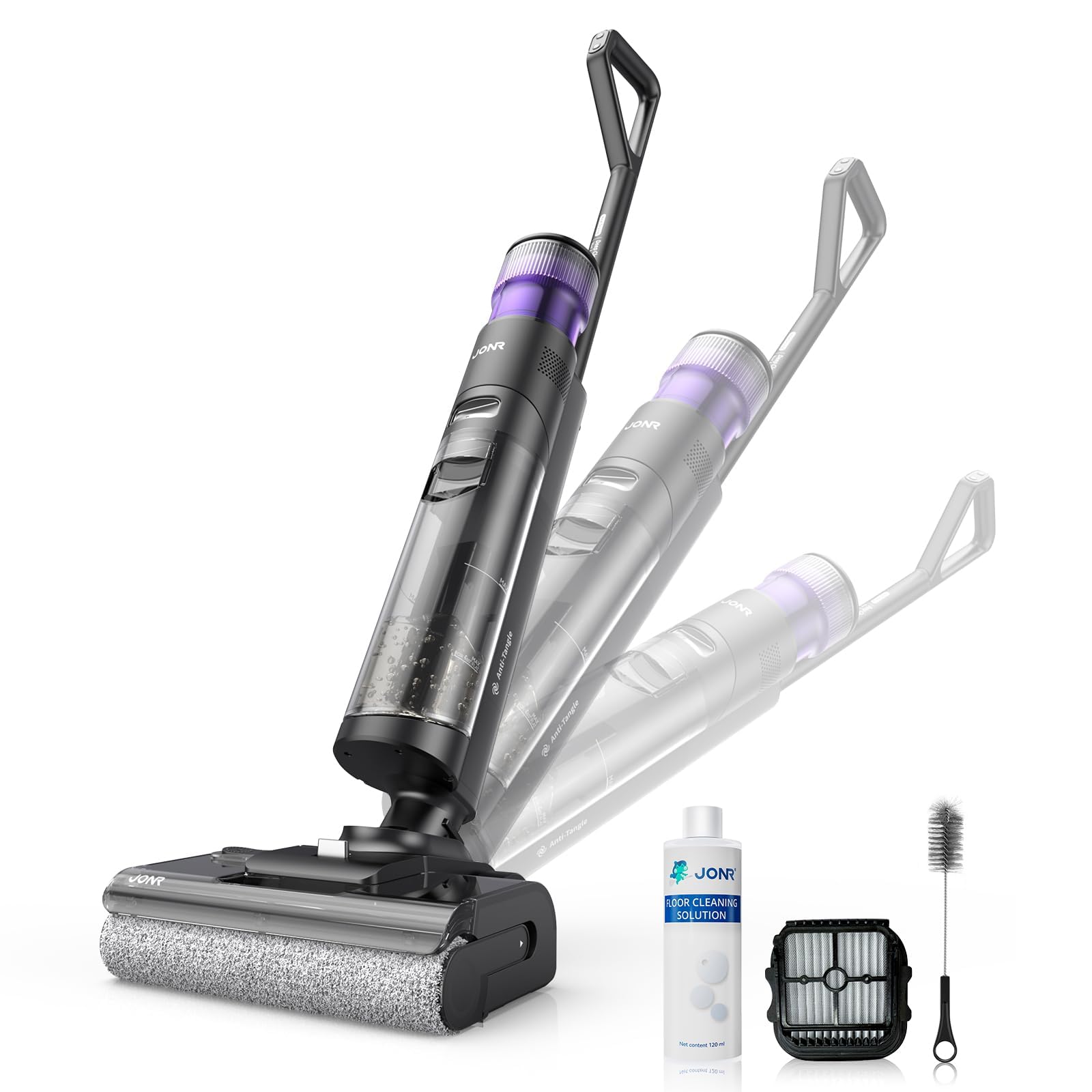
Image: JONR H2 PRO MAX Wet Dry Vacuum Cleaner and its included accessories. This image shows the main unit, handle, charging dock, and various cleaning tools.
Product Diagram
Familiarize yourself with the parts of your JONR H2 PRO MAX.
- Clean Water Tank (CWT)
- Dirty Water Tank (DWT)
- Handle Release Button
- Display Screen
- Power Button
- Mode Selection Button
- Self-Cleaning Button
- Brush Roll Cover
- Brush Roll
- Charging Contacts
- Charging Dock

Image: Labeled diagram illustrating the main parts of the JONR H2 PRO MAX Wet Dry Vacuum Cleaner, including tanks, buttons, and brush roll area.
Setup
1. Handle Assembly
- Insert the handle assembly into the main unit until you hear a click, ensuring it is securely locked.
- To disassemble, press the handle release button and pull the handle upwards.
2. Charging the Battery
- Place the main unit onto the charging dock, ensuring the charging contacts align.
- Connect the power adapter to the charging dock and plug it into a wall outlet.
- The display screen will indicate charging status. A full charge takes approximately 4 hours.
- For optimal battery life, fully charge the unit before first use.

Image: The JONR H2 PRO MAX Wet Dry Vacuum Cleaner positioned on its charging dock, with the power adapter connected.
3. Filling the Clean Water Tank (CWT)
- Press the CWT release button and remove the tank.
- Open the tank cap and fill with clean tap water. For enhanced cleaning, add a small amount of JONR cleaning solution (do not exceed the MAX line).
- Close the cap securely and reinsert the CWT into the main unit until it clicks into place.
Operating Instructions
1. Power On/Off
- Press the Power Button to turn the unit on. The display screen will illuminate.
- Press the Power Button again to turn the unit off.
2. Selecting Cleaning Mode
The JONR H2 PRO MAX offers multiple cleaning modes:
- Auto Mode: Default mode for general cleaning. The unit automatically adjusts suction and water flow based on floor dirt detection.
- Max Mode: Provides maximum suction and water flow for heavily soiled areas.
- Suction Mode: For vacuuming liquids without dispensing water.
Press the Mode Selection Button to cycle through the available cleaning modes. The selected mode will be displayed on the screen.
3. Cleaning Your Floors
- Tilt the main unit back to engage the brush roll and start cleaning.
- Move the unit slowly forward and backward over the desired area.
- The unit will dispense water and cleaning solution, scrub the floor, and vacuum up dirty water simultaneously.
- The display screen provides real-time information such as battery level, current mode, and dirty water tank status.

Image: The JONR H2 PRO MAX Wet Dry Vacuum Cleaner actively cleaning a hard floor surface, demonstrating its wet and dry cleaning capabilities.
Maintenance
Regular maintenance ensures optimal performance and extends the lifespan of your JONR H2 PRO MAX.
1. Emptying and Cleaning the Dirty Water Tank (DWT)
- After each use, or when the DWT full indicator appears, remove the DWT.
- Open the DWT lid and carefully pour out the dirty water.
- Rinse the DWT thoroughly with clean water. Clean the filter inside the DWT if necessary.
- Allow the DWT and filter to air dry completely before reassembling.
2. Self-Cleaning Function
- Place the unit on the charging dock. Ensure the CWT has sufficient clean water.
- Press the Self-Cleaning Button. The unit will perform an automatic cleaning cycle for the brush roll and internal pipes.
- After the self-cleaning cycle, empty and clean the DWT.
- The hot air drying function will then activate to dry the brush roll, preventing odors.

Image: The JONR H2 PRO MAX Wet Dry Vacuum Cleaner on its charging dock, with indicators suggesting the self-cleaning cycle is active.
3. Cleaning the Brush Roll
- Turn off the unit and remove it from the charging dock.
- Open the brush roll cover.
- Remove the brush roll. Use the provided cleaning brush to remove any hair, debris, or tangled material.
- Rinse the brush roll under running water.
- Allow the brush roll to air dry completely before reinstalling. Ensure it is properly aligned.
4. Cleaning the Filter
- The filter is located within the DWT. Remove it and rinse under clean water.
- Allow the filter to air dry completely before reinserting.
- Replace the filter every 3-6 months, or as needed, for optimal performance.
Troubleshooting
Refer to this section for common issues and their solutions.
| Problem | Possible Cause | Solution |
|---|---|---|
| Unit does not power on. | Battery is depleted. | Charge the unit fully. |
| Unit does not power on. | Power button not pressed correctly. | Ensure the power button is pressed firmly. |
| Poor suction. | Dirty Water Tank (DWT) is full. | Empty and clean the DWT. |
| Poor suction. | Brush roll or air path is clogged. | Clean the brush roll and check for blockages in the air path. |
| Poor suction. | Filter is dirty or clogged. | Clean or replace the filter. |
| Water is not dispensing. | Clean Water Tank (CWT) is empty. | Refill the CWT. |
| Water is not dispensing. | CWT not installed correctly. | Ensure the CWT is securely in place. |
| Unit leaks water. | Tanks not properly sealed or installed. | Check that both CWT and DWT are correctly installed and their caps are sealed. |
| Unpleasant odor. | Dirty Water Tank (DWT) needs cleaning. | Empty and thoroughly clean the DWT after each use. Run self-cleaning cycle. |
Specifications
| Model Name | H2 PRO MAX |
| Brand | JONR |
| Power Source | Battery Powered (Cordless) |
| Battery Type | Lithium-Ion |
| Charging Time | Approximately 4 Hours |
| Wattage | 200 watts |
| Clean Water Tank Capacity | 850 Milliliters |
| Noise Level | 80 Decibels |
| Product Dimensions | 10.6"L x 9"W x 44"H |
| Item Weight | 16.97 pounds |
| Filter Type | Sponge |
| Special Feature | Hot Air Drying, Tangle-Free Brush Roll, Smart Hard Floor Cleaner |
Warranty and Support
JONR products are manufactured to high-quality standards. For warranty information, technical support, or service inquiries, please contact JONR customer service.
Please visit the official JONR website or refer to your purchase documentation for specific warranty terms and contact details.
Note: Keep your purchase receipt as proof of purchase for warranty claims.
Related documentsH2 PRO MAX


Ask a question about this manual
Ask about setup, troubleshooting, compatibility, parts, safety, or missing instructions. Manuals+ will review the question and use this page’s manual context to help answer it.