
1. Introduction
This manual provides essential information for the proper use and maintenance of your realme 16 Pro 5G Unlocked Smartphone. Please read this guide thoroughly before operating your device to ensure optimal performance and longevity. Keep this manual for future reference.
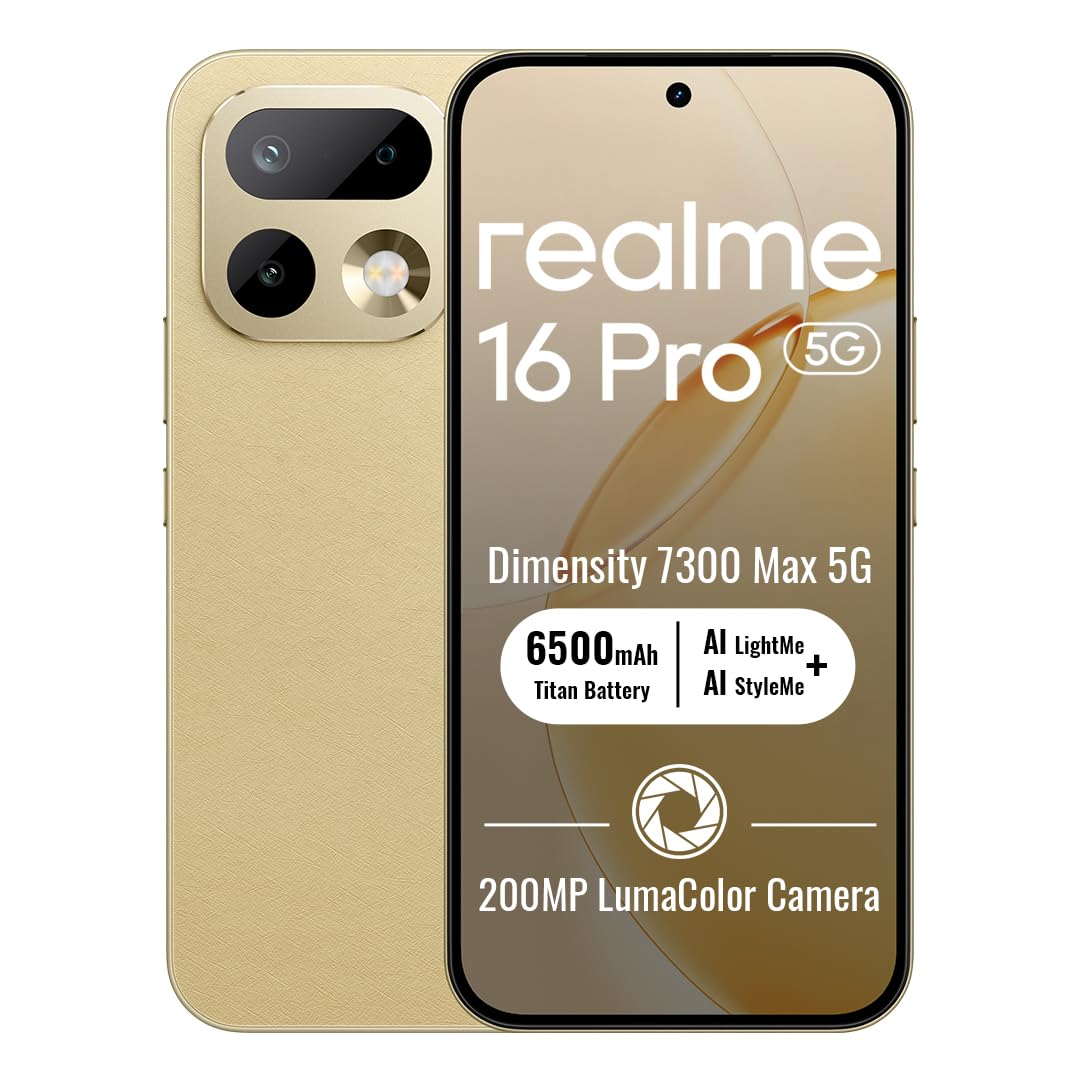
Image: The realme 16 Pro 5G smartphone, showcasing its sleek design and camera module.
2. What's in the Box
Verify that all items are present in the package:
- realme 16 Pro 5G Smartphone
- USB Cable
- Phone Case
- Quick Start Guide
- SIM Tray Ejector
3. Setup
3.1. SIM Card Installation
- Locate the SIM card tray on the side of your device.
- Insert the SIM tray ejector tool into the small hole next to the tray and press gently until the tray pops out.
- Place your Nano-SIM card(s) and/or microSD card (if supported) into the tray with the gold contacts facing down. Ensure proper orientation.
- Carefully reinsert the tray into the device until it clicks into place.
3.2. Powering On/Off
- To Power On: Press and hold the Power button until the realme logo appears.
- To Power Off: Press and hold the Power button, then select 'Power off' from the options on the screen.
- To Restart: Press and hold the Power button, then select 'Restart' from the options.
3.3. Initial Setup
Upon first power-on, follow the on-screen instructions to configure your device. This includes selecting your language, connecting to Wi-Fi, setting up your Google account, and configuring security features like face recognition.
4. Operating Instructions
4.1. Basic Navigation
- Touch: Tap an icon to open an app or select an item.
- Swipe: Slide your finger across the screen to scroll, switch screens, or access quick settings.
- Pinch: Use two fingers to zoom in or out on photos and web pages.
- Long Press: Press and hold an item for more options or to move it.
4.2. Buttons Overview
- Power Button: Located on the right side. Press to turn the screen on/off, long press for power options.
- Volume Buttons: Located on the left side. Press to adjust media volume, call volume, or notification volume.
4.3. Connectivity
- Wi-Fi: Go to Settings > Network & internet > Wi-Fi to connect to available networks.
- Bluetooth: Go to Settings > Connected devices > Bluetooth to pair with Bluetooth accessories.
- Mobile Data: Ensure your SIM card is active and mobile data is enabled in Settings > Network & internet > Mobile network.
4.4. Camera Features
The realme 16 Pro 5G features an advanced camera system designed for high-quality photography and videography.
- 200MP Main Camera: Capture highly detailed photos with the primary rear sensor.
- 50MP Front Camera: For crisp, natural selfies with HDR support.
- AI Imaging: Advanced algorithms enhance image quality, dynamic range, and low-light performance.
- 4K HDR Video: Record ultra-clear videos with enhanced dynamic range.

Image: Detailed view of the realme 16 Pro 5G camera system, emphasizing the 200MP main camera and 50MP selfie camera capabilities.
Image: The realme 16 Pro 5G camera system, showcasing its 200MP main camera and 50MP front camera, with details on LumaColor IMAGE processing for skin tone, light, shadow, portrait, and background optimization.
4.5. Display Features
Experience an immersive visual experience with the realme 16 Pro 5G's advanced display.
- 144Hz AMOLED Display: Enjoy smooth scrolling, gaming, and vibrant colors.
- High Brightness: Ensures clear visibility even in direct sunlight.
- High Resolution: 2772 x 1272 pixels for sharp images and text.

Image: The realme 16 Pro 5G display, highlighting its 144Hz AMOLED technology, 6500nit peak brightness, DC Mode Dimming, 94% screen-to-body ratio, Netflix HDR, HDR 10+ certification, and 3000Hz instantaneous touch response.
4.6. Battery and Charging
The realme 16 Pro 5G is equipped with a large battery and fast charging technology.
- 7000mAh Battery: Provides extended usage time for daily activities.
- 80W SuperVOOC Fast Charging: Charge from 0 to 48% in approximately 10 minutes, and fully charge in about 35 minutes.

Image: Illustration of the realme 16 Pro 5G's battery, showing 45W Fast Charge, Reverse Charge, Bypass Charge, and 6 Years Battery Health. Note: Product specifications state 80W SuperVOOC charging and 7000mAh battery capacity.
4.7. Performance and Durability
The device is built for powerful performance and robust durability.
- MediaTek Dimensity 7300 Max 5G Chipset: Ensures smooth multitasking, gaming, and overall efficient performance.
- IP69 Water & Dust Resistance: Provides high-level protection against water jets and dust, ensuring durability in various environments.

Image: Close-up of the MediaTek Dimensity 7300 Max 5G chipset, highlighting its performance capabilities with an AnTuTu Benchmark score of 971755, 120FPS for mainstream games, and GT Boost for peak gaming performance.

Image: The realme 16 Pro 5G submerged in water, illustrating its IP69 Pro-level Water Resistance, capable of withstanding 8-10 MPa maximum water pressure and 80°C extreme water temperature.
5. Maintenance
5.1. Cleaning the Device
- Use a soft, lint-free cloth to clean the screen and body.
- Avoid using harsh chemicals, abrasive materials, or aerosol sprays.
- For stubborn smudges, slightly dampen the cloth with water or a screen cleaner designed for electronics.
5.2. Software Updates
Regularly check for and install software updates to ensure your device has the latest features, security patches, and performance improvements. Go to Settings > About phone > Software update.
5.3. Battery Care
- Avoid extreme temperatures, as they can degrade battery life.
- Use only the original charger and cable provided with your device.
- Do not leave the device charging for excessively long periods after it has reached 100%.
6. Troubleshooting
6.1. Device Not Powering On
- Ensure the battery is charged. Connect the charger and wait a few minutes before attempting to power on.
- Press and hold the Power button for at least 10-15 seconds to force a restart.
6.2. Screen Unresponsive
- Restart the device by holding the Power button.
- If the screen remains unresponsive, try a factory reset (note: this will erase all data).
6.3. Network Issues
- Check if your SIM card is properly inserted.
- Toggle Airplane Mode on and off.
- Restart your device.
- Verify your network settings (Settings > Network & internet > Mobile network).
6.4. Apps Crashing or Freezing
- Close and reopen the app.
- Clear the app's cache and data (Settings > Apps > [App Name] > Storage & cache).
- Update the app to its latest version from the Google Play Store.
7. Specifications
| Feature | Detail |
|---|---|
| Brand | realme |
| Model Name | realme 16 Pro |
| Operating System | Android 16 |
| RAM Memory Installed Size | 8 GB |
| Memory Storage Capacity | 256 GB |
| CPU Model | MediaTek Dimensity 7300 Max 5G Chipset |
| CPU Speed | 2.5 GHz |
| Display Type | AMOLED |
| Refresh Rate | 144 Hz |
| Resolution | 2772 x 1272 Pixels Per Inch |
| Rear Facing Camera Photo Sensor Resolution | 200 MP |
| Front Photo Sensor Resolution | 50 MP |
| Battery Capacity | 7000 Milliamp Hours |
| Charging Technology | 80W SuperVOOC Fast Charging |
| Water Resistance Level | IP69 Water Resistant |
| Cellular Technology | 5G |
| Connectivity Technology | Bluetooth, USB Type C, Wi-Fi |
| SIM Card Slot Count | Dual SIM |
| Item Weight | 120 Grams |
8. Warranty and Support
8.1. Warranty Information
Your realme 16 Pro 5G smartphone comes with a 1 Year Manufacturer Warranty. This warranty covers defects in materials and workmanship under normal use. For specific terms and conditions, please refer to the warranty card included in your product packaging or visit the official realme website.
8.2. Customer Support
For further assistance, technical support, or service inquiries, please contact realme customer service or visit the official realme support channels:
- Online Support: Visit the realme Store on Amazon or the official realme website.
- Service Centers: Locate authorized realme service centers in your region for in-person support.