
1. Product Overview
The OUPES 800W 3-in-1 Alternator Charger is designed to efficiently charge OUPES Mega and Guardian series power stations directly from your vehicle's alternator. It offers three distinct operating modes: Charge Mode, Reverse Charge Mode, and Battery Maintenance Mode, providing versatile power solutions for various automotive and outdoor needs. This device is compatible with most 12V/24V gas and diesel vehicles, including SUVs, pickups, and RVs.
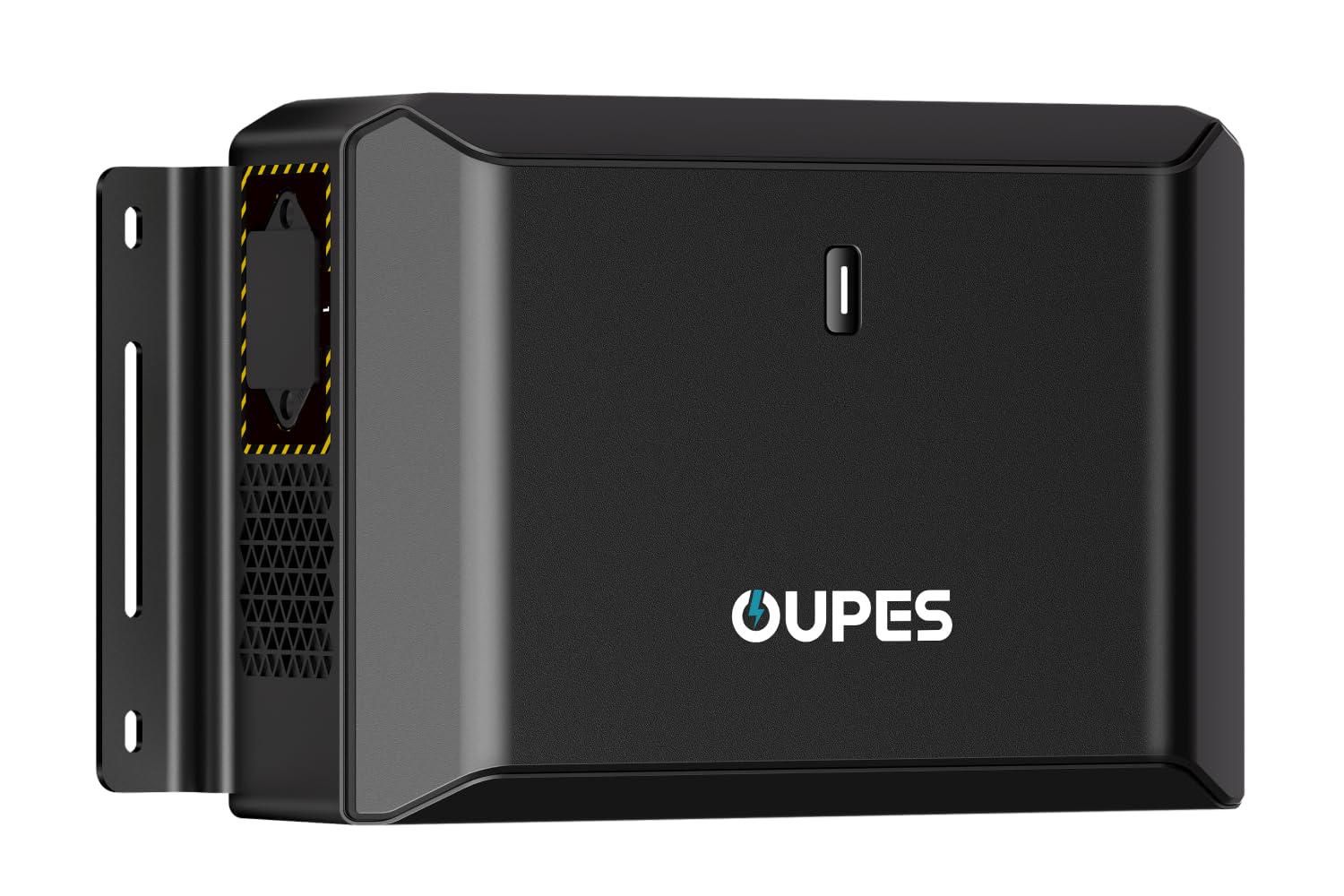
Image: The OUPES 800W Alternator Charger unit.
Key Features:
- 800W Fast Charging: Utilizes your vehicle's alternator to deliver up to 800W, significantly reducing charging times for OUPES power stations compared to standard cigarette lighter chargers.
- 3-in-1 Functionality: Seamlessly switch between Charge Mode (for power stations), Reverse Charge Mode (for vehicle battery boost), and Battery Maintenance Mode (for trickle charging).
- Smart App Control: Monitor charging status, control modes, and view real-time voltage/current via a Bluetooth-enabled mobile application.
- Universal Vehicle Compatibility: Designed to work with 95% of 12V/24V gas and diesel SUVs, pickups, and RVs.
- Advanced Safety Protections: Includes built-in safeguards such as thermal protection, reverse polarity barrier, undervoltage safeguard, and overheat protection.

Image: The OUPES Alternator Charger is compatible with OUPES Mega and Guardian series power stations, showing various models and their approximate charging times.
2. Setup and Installation
Follow these steps to properly set up and install your OUPES 800W Alternator Charger.
Package Contents:

Image: Contents of the OUPES 800W Alternator Charger package, including the charger unit, vehicle battery cable with fuse, power station cable, M4 bolts/nuts, M6 bolts/nuts, and M4.2x16 self-tapping screws.
- OUPES 800W Alternator Charger x1
- Vehicle Battery Cable with Fuse (5m) x1
- Power Station Cable (1m) x1
- M4 Bolt x4, M4 Nut x4
- M6 Bolt x4, M6 Nut x4
- M4.2x16 Self-tapping Screw x6 (Spare for Battery)
Quick Setup Guide:
- Step 1: Prepare Your Accessories. Ensure all components listed above are present and accounted for.
- Step 2: Connect to the Car Battery. Connect the Vehicle Battery Cable to your vehicle's 12V/24V battery terminals. Ensure a secure connection.
- Step 3: Connect to the Power Station. Connect the Power Station Cable from the alternator charger to your OUPES power station.
- Step 4: Start Charging. Once connections are secure, the charger will automatically detect the vehicle's alternator output and begin charging your power station or enter the selected mode.

Image: Visual guide showing the four quick setup steps: preparing accessories, connecting to car battery, connecting to power station, and starting the charge.
Port and Indicator Guide:

Image: Diagram illustrating the Vehicle Battery Port, Portable Power Station Port, Ventilation Fans, Power Button, and LED Indicator on the OUPES Alternator Charger.
- Vehicle Battery Port: Connects to your vehicle's battery.
- Portable Power Station Port: Connects to your OUPES power station.
- Power Button and LED Indicator: Controls the unit and displays the current operating mode.
- Ventilation Fans: Ensures proper cooling during operation.
3. Operating Modes
The OUPES 800W Alternator Charger features three distinct operating modes, indicated by the LED light on the unit and controllable via the mobile app.
3.1. Charge Mode (Green Light)
In Charge Mode, the unit draws power from your vehicle's alternator to recharge your OUPES power station. This mode is ideal for fast charging while driving.

Image: Diagram showing the flow of power from the vehicle's alternator to the OUPES power station in Charge Mode, indicated by a green light.
3.2. Reverse Charge Mode (White Light)
Reverse Charge Mode allows you to use your OUPES power station to boost a dead or low vehicle battery. This is a useful feature for emergency situations.

Image: Diagram showing the flow of power from the OUPES power station to the vehicle battery in Reverse Charge Mode, indicated by a white light.
3.3. Battery Maintenance Mode (Blue Light)
This mode provides a gentle trickle charge (100W) to your vehicle's battery, preserving its health and extending its lifespan during long periods of inactivity or storage.

Image: Diagram showing the trickle charge from the OUPES power station to the vehicle battery in Battery Maintenance Mode, indicated by a blue light.
3.4. Smart App Control
The OUPES Alternator Charger can be controlled and monitored via a dedicated Bluetooth mobile application. This app allows you to:
- Select and switch between charging modes.
- View real-time charging voltage and current.
- Receive alerts and prevent overloads.
Refer to the app's instructions for pairing and detailed usage.
4. Safety Features and Guidelines
The OUPES 800W Alternator Charger is equipped with multiple safety features to ensure reliable and secure operation for both your vehicle and power station.

Image: Visual representation of the smart safety features including reverse polarity protection, overcurrent protection, short circuit protection, and over/undervoltage protection.
- Short-Circuit Safety Lock: Prevents damage from short circuits.
- Reverse Polarity Barrier: Protects against incorrect battery connections.
- Undervoltage Safeguard: Ensures the vehicle battery does not discharge below a safe level.
- Overheat Protection Shield: Monitors internal temperature and prevents overheating.
- Intelligent Adaptive Algorithm: Automatically adjusts charging status to match your vehicle's battery condition.
- Auto On/Off: Shuts down when the alternator stops to prevent car battery drain.
- Dynamic Power Optimization: Adjusts charging power to keep your vehicle running smoothly and safely.
General Safety Precautions:
- Ensure all connections are secure before operating the charger.
- Do not expose the unit to water or extreme moisture.
- Operate in a well-ventilated area to prevent heat buildup.
- Keep out of reach of children.
- Do not attempt to disassemble or repair the unit yourself. Contact customer support for assistance.
5. Maintenance
Proper maintenance ensures the longevity and optimal performance of your OUPES 800W Alternator Charger.
- Cleaning: Use a dry, soft cloth to clean the exterior of the unit. Do not use liquid cleaners or solvents.
- Storage: Store the charger in a cool, dry place away from direct sunlight and extreme temperatures when not in use.
- Cable Inspection: Regularly inspect all cables and connectors for any signs of wear, damage, or corrosion. Replace damaged cables immediately.
- Battery Maintenance Mode: Utilize the Battery Maintenance Mode (Blue Light) for trickle charging your vehicle's battery during extended periods of storage to prevent deep discharge and prolong battery life.
6. Troubleshooting
This section addresses common issues you might encounter with your OUPES 800W Alternator Charger. For problems not listed here, please contact customer support.
Common Issues and Solutions:
- Unit Not Powering On:
- Check all cable connections to ensure they are secure and properly seated.
- Verify that your vehicle's battery has sufficient charge.
- Inspect the fuse on the Vehicle Battery Cable. Replace if blown.
- Slow Charging or No Charging:
- Ensure the vehicle's engine is running and the alternator is functioning correctly.
- Confirm the charger is in "Charge Mode" (Green Light).
- Check the power station's input port for any obstructions or damage.
- Verify the power station is compatible with the charger (OUPES Mega/Guardian series).
- LED Indicator Not Displaying Correct Mode:
- Ensure the power button is pressed to cycle through modes.
- If using the app, verify Bluetooth connection and app functionality.
- Overheat Warning:
- Ensure the unit is in a well-ventilated area and not covered.
- Allow the unit to cool down before resuming operation.
- Check if ventilation fans are obstructed.
7. Specifications
| Feature | Specification |
|---|---|
| Brand | OUPES |
| Model Number | DC800 |
| Product Dimensions | 6"D x 10.7"W x 3.1"H |
| Input Voltage | 60 Volts (DC) |
| Max Output Power | 800W |
| Number of Ports | 1 (for power station) |
| Color | Black |
| UPC | 717956934401 |
8. Warranty Information
The OUPES 800W Alternator Charger comes with a comprehensive warranty to ensure your peace of mind.
- Standard Warranty: A 2-year warranty is included with your purchase, covering manufacturing defects and malfunctions under normal use.
- Extended Protection Plans: Additional protection plans are available for purchase:
- 2-Year Protection Plan
- 3-Year Protection Plan
- Complete Protect (monthly subscription)
For detailed terms and conditions of the warranty and protection plans, please refer to the warranty card included in your package or visit the official OUPES website.
9. Customer Support
If you have any questions, require technical assistance, or need to claim warranty service, please contact OUPES customer support.
- Online Support: Visit the official OUPES website for FAQs, support resources, and contact forms.
- Amazon Store: You can also find support and product information on the OUPES Store on Amazon.
Please have your model number (DC800) and purchase information ready when contacting support.
