
Product Overview
The Edillas 461D Square Digital Sport Watch is designed for durability and functionality, featuring a large 1.5-inch display for easy readability. It includes essential functions such as time, date, day of the week, alarm, and stopwatch, making it suitable for daily activities and sports. The watch is 50M water-resistant and built with a robust silicone strap and scratch-resistant resin crystal.
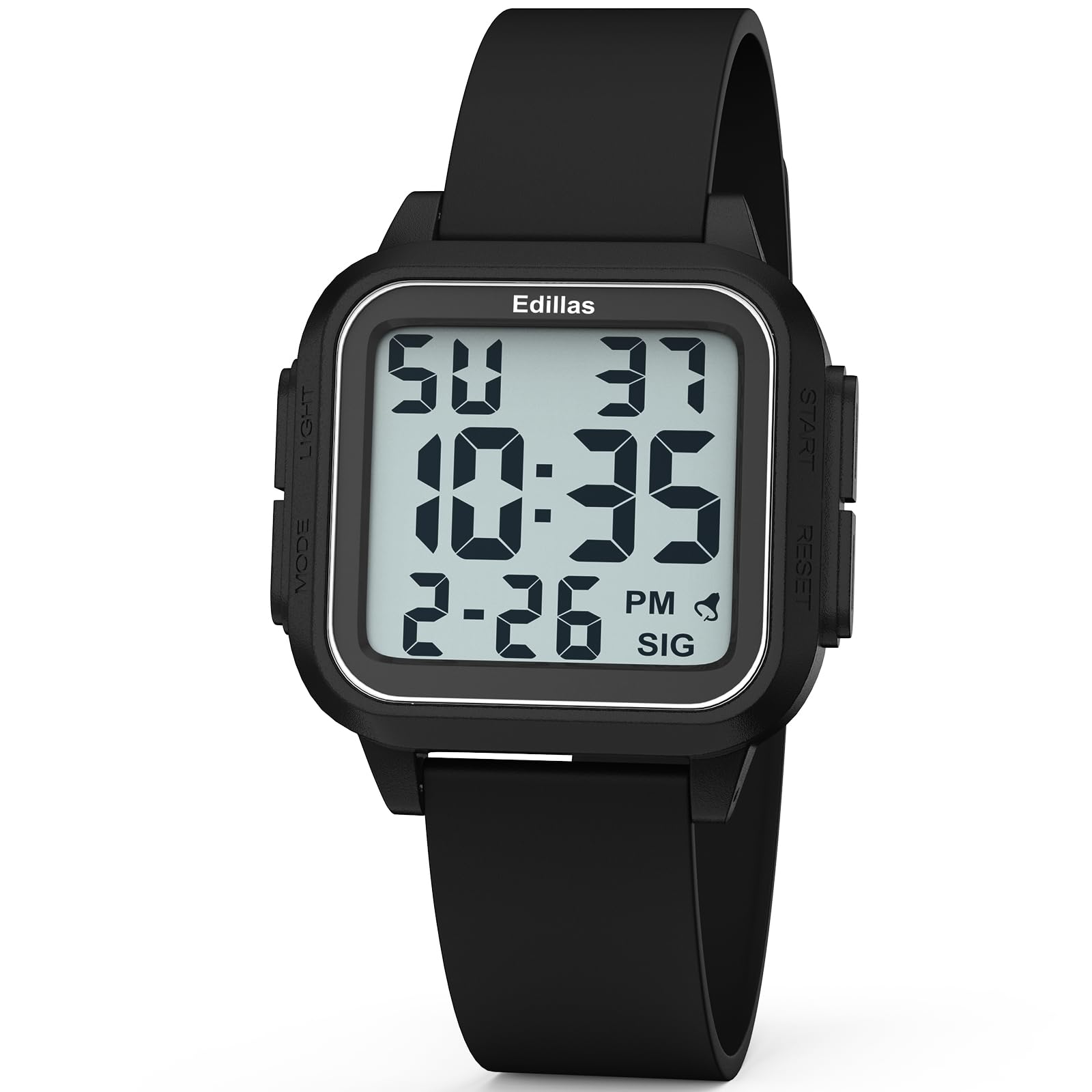
Front view of the Edillas 461D Square Digital Sport Watch, showcasing its large digital display and black silicone strap.
Watch Components and Controls
Familiarize yourself with the watch's buttons and display elements for optimal use.

This diagram illustrates the various components and controls of the Edillas 461D watch, including the Mode, Light, Start, and Reset buttons, and display indicators for week, hour, minute, second, month, date, alarm, and hourly chime.
- MODE Button: Used to cycle through different modes (Time, Stopwatch, Alarm).
- LIGHT Button: Activates the EL backlight for visibility in low-light conditions.
- START Button: Used to start/pause functions (e.g., stopwatch) or adjust settings.
- RESET Button: Used to reset functions (e.g., stopwatch) or switch between setting parameters.
Setup and Time Setting
Setting the Time and Date
- From the normal time display mode, press the MODE button three times to enter time setting mode. The seconds digits will flash.
- Press the RESET button to advance to the next setting: hours, minutes, month, date, day of the week.
- While a digit is flashing, press the START button to adjust its value.
- To switch between 12-hour and 24-hour format, adjust the hour setting past 12 or 24.
- Once all settings are adjusted, press the MODE button to exit the time setting mode.
12/24-Hour Format
The watch supports both 12-hour (AM/PM) and 24-hour (military time) formats. This can be toggled during the time setting process by adjusting the hour past 12 or 24.
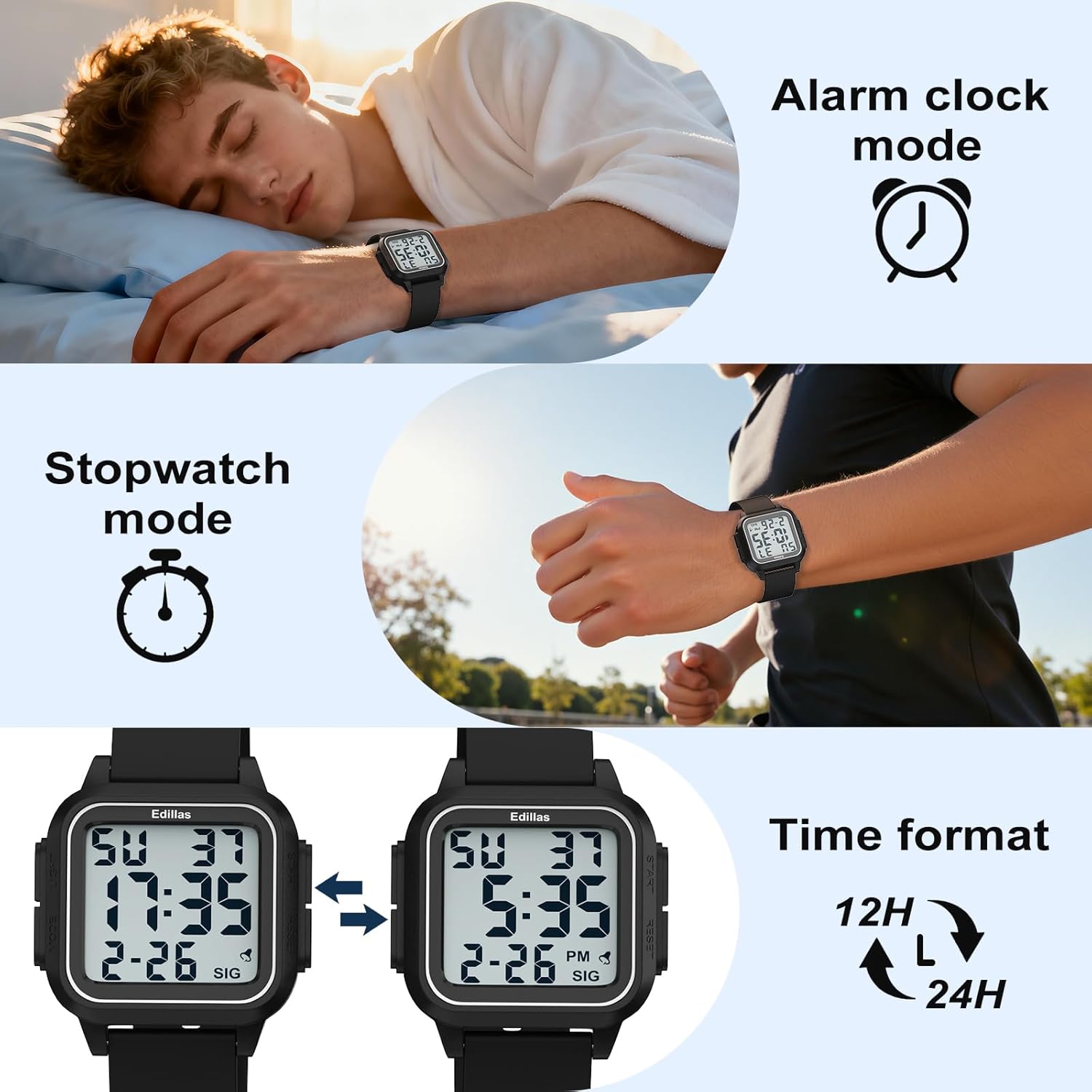
The watch display showing both 12-hour and 24-hour time formats, illustrating the flexibility in time representation.
Operating Instructions
Alarm Function
The watch features an alarm and an hourly chime. Follow these steps to set and manage the alarm:
- Press the MODE button twice to enter the alarm mode.
- Press the START button to toggle the alarm and hourly chime on or off. A bell icon indicates the alarm is on, and "SIG" indicates the hourly chime is active. If neither is visible, both are off.
- To set the alarm time, press the RESET button. The hour digits will flash.
- Press the START button to adjust the hour.
- Press the RESET button to switch to minute setting, then press the START button to adjust the minutes.
- After setting the minutes, press RESET to confirm.
- Press the MODE button to exit the alarm setting mode.
Video demonstrating how to use the alarm function on the Edillas 461D watch, including setting the alarm time and activating/deactivating the alarm and hourly chime.
Stopwatch Function
The stopwatch function allows for precise timing of activities.
- Press the MODE button once to enter stopwatch mode.
- Press the START button to begin timing.
- Press the START button again to pause the stopwatch.
- While paused, press the START button again to resume timing.
- To use the SPL (Split) mode while the stopwatch is running, press the RESET button. The current timing data will be frozen and displayed, while the stopwatch continues running in the background. This is useful for recording lap times.
- Pressing the RESET button again will exit SPL mode and display the current running time.
- To reset the stopwatch, first pause it by pressing the START button, then press the RESET button to return it to its initial state (00:00:00).
- Press the MODE button once to exit the stopwatch mode.
Video demonstrating how to use the stopwatch function on the Edillas 461D watch, including starting, pausing, resuming, and resetting the timer, as well as utilizing the split (SPL) mode.
Backlight Function
The watch is equipped with an EL backlight for easy reading in dark environments.
- Press the LIGHT button (typically located on the top-left side) to activate the backlight.
- The backlight will illuminate the display for a few seconds, then automatically turn off.

The Edillas 461D watch display illuminated by its backlight, showing clear visibility in low-light conditions.
Water Resistance Guidelines
The Edillas 461D watch is rated 5ATM (50 meters) water-resistant. Please adhere to the following guidelines to maintain its water resistance:
- Suitable for daily water resistance such as splashes, rain, and shallow-water swimming.
- Suitable for cold showers.
- DO NOT press any buttons while the watch is submerged in water.
- Avoid exposure to hot water, steam, or high temperatures (e.g., hot showers, saunas, hot tubs) as this can compromise the seals.
- Not suitable for diving, snorkeling, or high-speed water sports.

The Edillas 461D watch partially submerged in water, illustrating its 50M water resistance for activities like swimming.
Maintenance and Care
- Cleaning: Wipe the watch with a soft, damp cloth. Avoid harsh chemicals or abrasive cleaners.
- Storage: Store the watch in a cool, dry place away from direct sunlight and extreme temperatures when not in use.
- Battery: The watch uses a CR2025 battery. Battery replacement should ideally be performed by a qualified technician to ensure water resistance is maintained.
- Strap Care: The silicone strap can be cleaned with mild soap and water. Ensure it is completely dry before wearing.
- Protective Film: The watch comes with a high-definition, scratch-resistant protective film that does not need to be removed.

A close-up view of the Edillas 461D watch face, highlighting its high-definition, scratch-resistant protective film.
Troubleshooting
| Problem | Possible Cause | Solution |
|---|---|---|
| Display is blank or dim. | Low or dead battery. | Replace the CR2025 battery. |
| Time is incorrect. | Time not set correctly or accidental button press. | Re-set the time and date following the "Setup and Time Setting" instructions. |
| Alarm does not sound. | Alarm is turned off or set incorrectly. | Ensure the alarm is activated (bell icon visible) and the time is set correctly in alarm mode. |
| Water inside the watch. | Buttons pressed underwater or exposure to hot water/steam. | Immediately take the watch to a professional for inspection and repair. Avoid further water exposure. |
Specifications
| Feature | Detail |
|---|---|
| Model Number | 461D |
| Display Type | Digital |
| Case Material | ABS (with Stainless Steel Case Back) |
| Band Material | Silicone |
| Water Resistance Depth | 50 Meters (5ATM) |
| Case Diameter | 1.5 Inches (approx. 3.81 cm) |
| Case Thickness | 0.47 Inches (approx. 1.2 cm) |
| Band Length | 9.45 Inches (approx. 24 cm) |
| Band Width | 0.86 Inches (approx. 2.2 cm) |
| Item Weight | 0.07 Kilograms (approx. 40g) |
| Battery Type | 1 C battery (CR2025 included) |
| Additional Features | Alarm, Stopwatch, EL Backlight, Date, Day, 12/24-hour format |

A detailed diagram illustrating the dimensions (case diameter, thickness, band length, band width) and weight of the Edillas 461D watch.
Warranty and Support
The Edillas 461D watch comes with a Lifetime Warranty. For any inquiries, missing parts, or issues, please contact customer support.
- Warranty: Lifetime Warranty.
- After-Sales Service: 2-year after-sales support.
- Returns: 30-day no-reason return policy.
- Customer Service: 12-hour online customer service.
- Contact Email: yadelaiaftersale@163.com

Image detailing buyer support information, including warranty, return policy, and contact email for Edillas products.