
Introduction
The POPOSOAP P2326D Pond Filter with Fountain Kit is an all-in-one solution designed to maintain clean and clear water in your outdoor pond while adding aesthetic appeal. This compact unit integrates a powerful 660GPH energy-efficient pump, multi-stage filtration, and remote-controlled RGB LED lighting. It effectively removes debris, prevents clogging, and promotes a healthy environment for fish and aquatic plants.
Safety Information
- Always disconnect the power supply before performing any maintenance or cleaning.
- Ensure the power cord is not damaged and is properly routed to prevent tripping hazards.
- Do not operate the pump dry; ensure it is fully submerged in water during operation.
- Keep children and pets away from the pond and electrical components during operation and maintenance.
- This product is designed for outdoor pond use only.
Package Contents
Verify that all components are present in the package:
- 1 x Filter Box
- 1 x 660GPH Pond Pump
- 1 x RGB LED Lights with Remote Controller
- 1 x Fountain Nozzles & Hose Kit (includes 3 fountain nozzles and a diverter valve)
- 2 x Filter Pads
- 10 x Bio-Balls
- 500g x Bio-Ceramic Rings
- 1 x User Manual

This image provides a visual overview of all included components and their dimensions, along with key specifications such as pump power (40W), max flow (660GPH/2500L/H), max lift height (8.2ft), and wire length (10ft).
Setup Instructions
Follow these steps to assemble and install your pond filter system:
- Place the Pump: Open the filter box and place the 660GPH pond pump inside, securing it in the designated cable slots.
- Add Filter Media: Arrange the filter pads, bio-balls, and bio-ceramic rings within the filter box. Ensure they are properly seated for optimal filtration.
- Connect Lights and Close Lid: Connect the RGB LED lights to the pump. Securely close the filter box lid using the easy-access clips.
- Install Light over Control Valve: Place the automatic light component over the control valve pipe.
- Attach Nozzle: Select your desired fountain nozzle from the three options provided and attach it to the extension tube. Then, connect the extension tube assembly to the diverter valve on the filter box.
- Position and Power: Carefully place the assembled filter box into your pond, ensuring the pump is fully submerged. Connect the power cord to a suitable outdoor power outlet.

A six-step visual guide illustrating the easy installation process: 1. Placing the pump in the box, 2. Adding filter media, 3. Connecting the light and locking the lid, 4. Placing the light over the control valve pipe, 5. Installing the nozzle, and 6. Placing the unit in water and connecting power.

An exploded view diagram detailing the internal components of the pond filter kit. It labels the spray nozzle, extension tube, filter box with sloped lid, 660GPH water pump, 500g bio ceramic rings, 10 bio-balls, 2 filter pads, automatic light, and diverter valve.

This image showcases the three interchangeable fountain nozzles included with the kit, demonstrating their distinct spray patterns. It also highlights the adjustable height feature of the fountain pipe and the control for spray size and water flow.
Operating Instructions
Pond Pump and Fountain Operation
- Once powered on, the pump will begin circulating water and creating the fountain effect.
- Adjust the height of the fountain by extending or retracting the extension tube.
- Use the diverter valve to control the water flow. You can direct water to the fountain, to an external feature like a waterfall (using a hose, not included), or a combination of both.
- The pump itself has an adjustment for intake flow, allowing you to fine-tune the overall water movement.
RGB LED Lights Operation
Use the included remote control to manage the RGB LED lights:
- Power Button: Turn the lights on or off.
- Color Selection: Choose from multiple static colors.
- Brightness Adjustment: Increase or decrease the light intensity.
- Lighting Modes: Cycle through various dynamic lighting effects (e.g., flash, strobe, fade, smooth).
- Timer Function: Program automatic timers (1-24 hours) for the lights to operate.

This image displays the multi-color RGB LED lighting feature of the pond filter, showing different light colors (red, blue, green, purple, yellow) illuminating the fountain at night. The remote control for adjusting colors, brightness, and modes is also visible.
Official product video from POPOSOAP demonstrating the pond filter with pump fountain and RGB lights in action.
Another official product video from POPOSOAP showcasing the pond filter with pump fountain and RGB LED lights.
Maintenance
Regular maintenance is crucial for the longevity and optimal performance of your pond filter system. We recommend cleaning the pump, filter pads, and spray nozzles every 15 days.
Cleaning Steps:
- Disconnect Power: Always unplug the unit from the power source before cleaning.
- Remove from Pond: Carefully lift the filter box out of the pond.
- Open Filter Box: Use the easy-access clips to open the lid of the filter box.
- Clean Filter Media: Remove the filter pads, bio-balls, and bio-ceramic rings. Rinse them thoroughly with pond water (not tap water, to preserve beneficial bacteria) to remove accumulated debris. Replace filter pads if they are heavily soiled or damaged.
- Clean Pump: Disassemble the pump impeller cover and clean any debris from the impeller and pump housing.
- Clean Nozzles: Remove the fountain nozzles and rinse them to clear any blockages.
- Reassemble: Reassemble all components in reverse order, ensuring all connections are secure and the lid is properly latched.
- Return to Pond: Place the unit back into the pond and reconnect power.
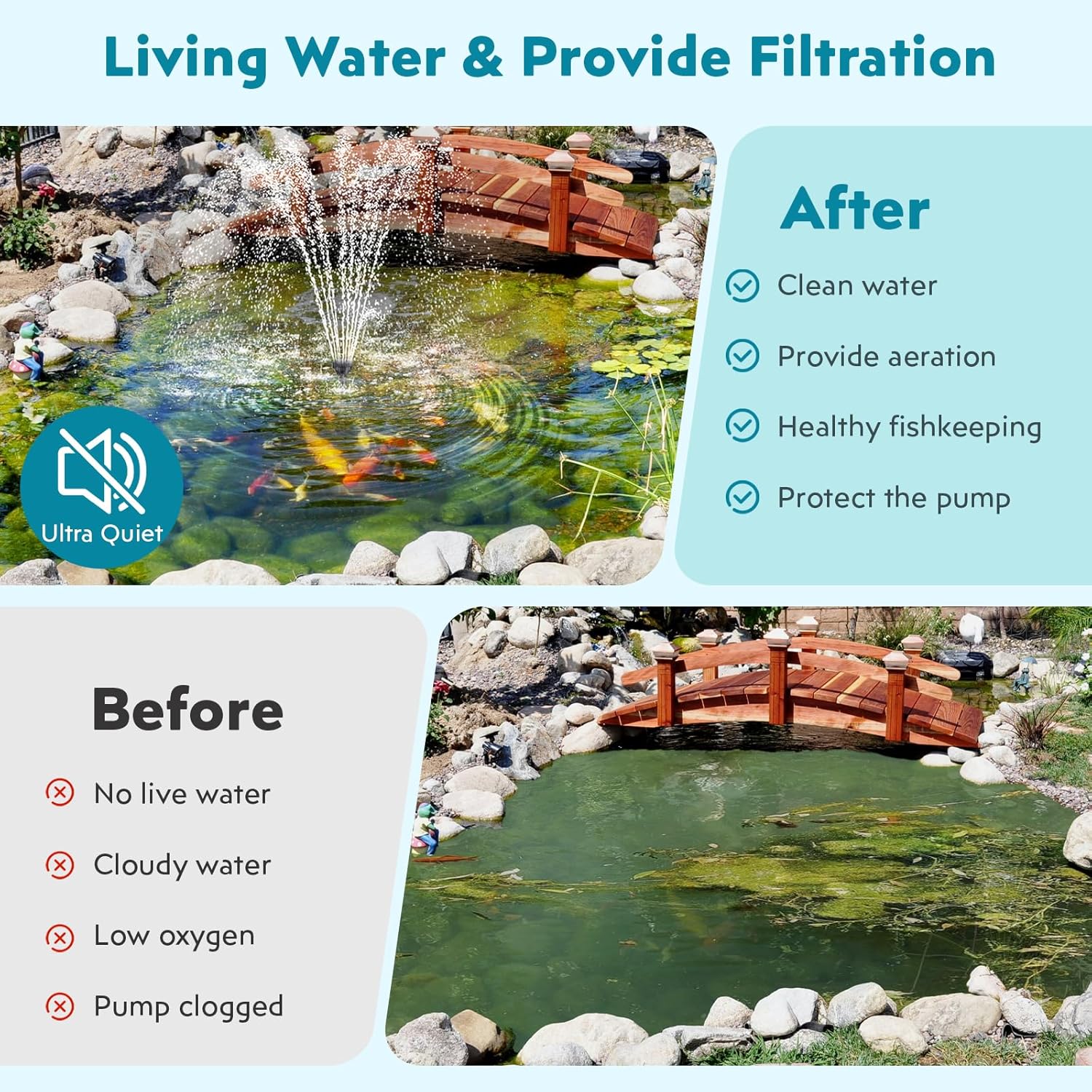
This image illustrates the effectiveness of the pond filter system, showing a pond with cloudy, stagnant water before installation and clear, aerated water with a fountain after installation. It highlights improved water quality and aeration.
Troubleshooting
| Problem | Possible Cause | Solution |
|---|---|---|
| Pump not running or weak flow |
|
|
| Fountain spray is uneven or weak |
|
|
| RGB LED lights not working |
|
|
| Pond water remains cloudy |
|
|
Specifications
| Feature | Detail |
|---|---|
| Brand | POPOSOAP |
| Model Number | P2326D |
| Pump Power | 40W |
| Maximum Flow Rate | 660 GPH (2500 liters per hour) |
| Maximum Lifting Height | 8.2 feet |
| Voltage | 110 volts AC |
| Product Dimensions (L x W x H) | 12" x 7" x 6" |
| Material | Acrylonitrile Butadiene Styrene (ABS) |
| Color | Black |
| Filtration Media | Filter sponges, bio-balls, bio-ceramic rings |
| Lighting | RGB LED with Remote Control |
Warranty & Support
Warranty Information
This POPOSOAP product is backed by a 1-year manufacturer's warranty from the date of purchase. This warranty covers defects in materials and workmanship under normal use. It does not cover damage caused by misuse, neglect, improper installation, accidents, or unauthorized modifications.
Customer Support
For technical assistance, warranty claims, or any questions regarding your POPOSOAP Pond Filter with Fountain Kit, please contact our customer support team. Refer to the contact information provided on the product packaging or the official POPOSOAP website.

