
Introduction
Thank you for choosing the Nature Power Solar Motion LED Security Lights. This 4-pack of security lights provides powerful illumination and enhanced security for your property. Each light features 205 LED bulbs, delivering 1600 lumens of brightness, and includes a separate solar panel for optimal sun exposure. This manual provides detailed instructions for installation, operation, and maintenance to ensure optimal performance and longevity of your security lights.

Image: Four Nature Power Solar Motion LED Security Lights, each with its associated solar panel, ready for installation.
Safety Information
- Read all instructions carefully before installation and operation.
- Do not attempt to disassemble or modify the product. This may void the warranty and cause damage or injury.
- Ensure the mounting surface is stable and can support the weight of the light fixture.
- Keep the solar panel clean to ensure efficient charging.
- Do not stare directly into the LED lights when they are active, as this may cause eye strain.
- Dispose of batteries (if replaceable) according to local regulations.
Package Contents
Your Nature Power Solar Motion LED Security Light package (Model 22244) should contain the following items:
- 4 x LED Security Light Units
- 4 x Solar Panels with 16ft (4.8m) connecting wire
- Mounting Hardware (screws, wall anchors)
- Instruction Manual
Setup
Proper placement and installation are crucial for the optimal performance of your solar security lights.
1. Choose a Location
- For the Solar Panel: Select a location that receives direct sunlight for at least 6-8 hours per day. Avoid areas shaded by trees, buildings, or other obstructions. The 16-foot wire allows flexibility in placing the solar panel away from the light unit for maximum sun exposure.
- For the Light Unit: Mount the light unit in the desired area for illumination, ensuring the motion sensor has a clear line of sight to the area you wish to monitor.
2. Mount the Solar Panel
- Position the solar panel bracket on the chosen surface.
- Mark the drilling points through the holes in the bracket.
- Drill pilot holes and insert wall anchors if necessary.
- Secure the solar panel bracket using the provided screws.
- Adjust the angle of the solar panel to face the sun directly.
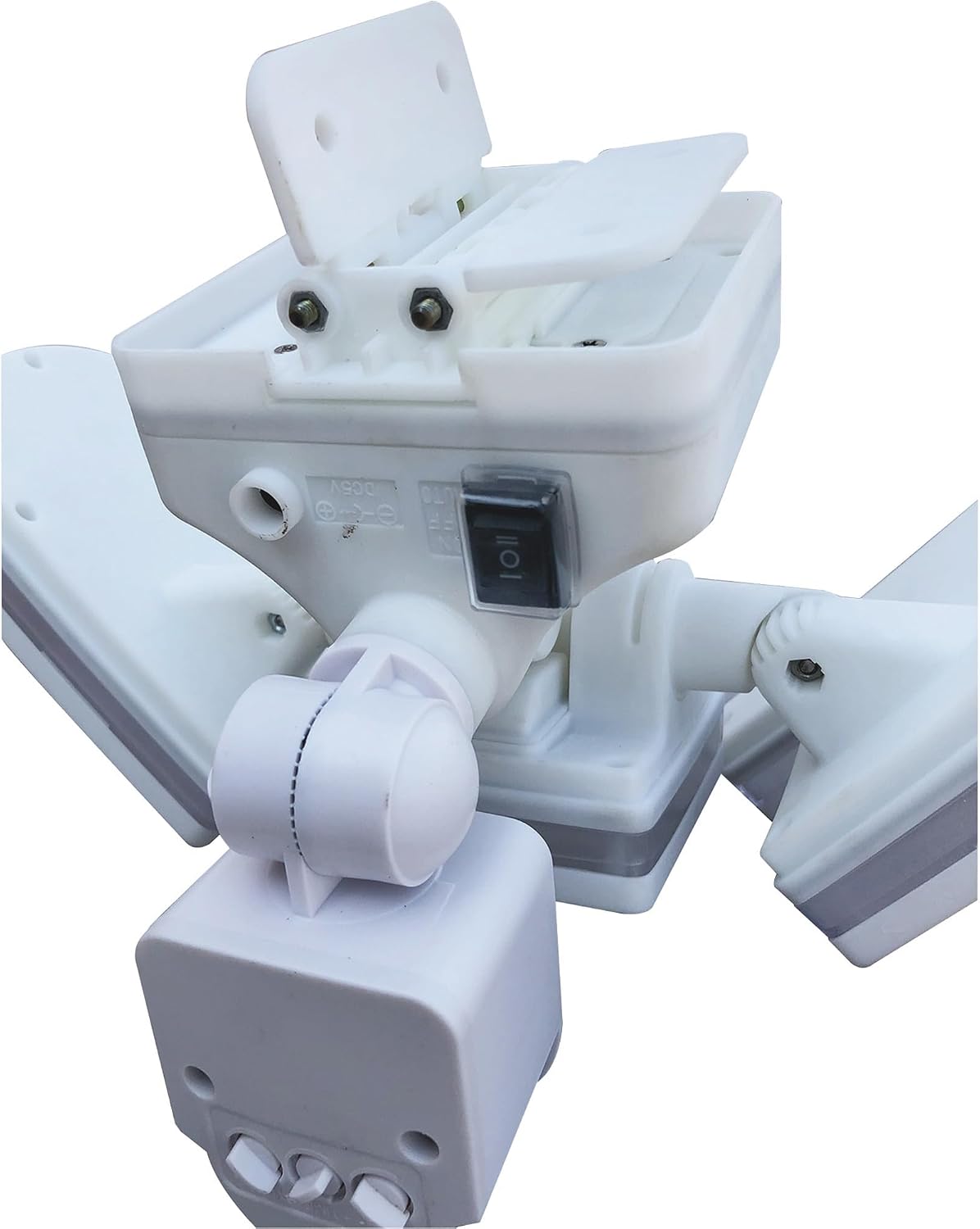
Image: A close-up view of the solar panel, showing its surface, mounting bracket, and the coiled 16-foot connecting wire.
3. Mount the Light Unit
- Position the light unit bracket on the chosen surface.
- Mark the drilling points.
- Drill pilot holes and insert wall anchors if necessary.
- Secure the light unit bracket using the provided screws.
- Adjust the light heads and motion sensor to cover the desired area.

Image: A single Nature Power LED security light unit shown alongside its solar panel, illustrating the connection and overall design.
4. Connect the Solar Panel to the Light Unit
Plug the connecting wire from the solar panel into the input port on the light unit. Ensure the connection is secure.
5. Initial Charge
Allow the solar panel to charge the light's internal battery for at least 24-48 hours in direct sunlight before first use. This ensures the battery is fully charged for optimal performance.
Operating Instructions
Your Nature Power Solar Motion LED Security Light features adjustable settings to customize its operation.

Image: A close-up view of the underside of the light unit, showing the three adjustable control dials for motion distance, light sensitivity, and light duration.
Adjustable Settings:
- Motion Distance (SENS): This dial controls the sensitivity of the motion sensor, determining how far away it can detect movement. Adjust from low to high sensitivity. The sensor detects motion within a 120-degree angle and up to 40 feet.
- Light Sensitivity (LUX): This dial determines the ambient light level at which the motion sensor becomes active. Set it to activate only in darkness, or during dusk/dawn conditions.
- Light Time Duration (TIME): This dial sets how long the light remains on after motion is detected and stops. Adjust from a few seconds to several minutes.
Night Mode:
The light also features a 10 Lumen night mode, which provides a low level of continuous illumination after dusk. When motion is detected, the light will switch to its full 1600 Lumen output for the set duration, then return to the 10 Lumen night mode.
Automatic Operation:
Once the settings are configured and the unit is charged, the light sensor automatically activates at dusk. The motion sensor will then trigger the full 1600 Lumen output when movement is detected within its range.

Image: A Nature Power security light installed on the side of a house, brightly illuminating the front yard and driveway at night, with two people walking nearby.
Maintenance
Regular maintenance ensures the longevity and efficiency of your solar security lights.
- Clean Solar Panel: Periodically wipe the solar panel with a soft, damp cloth to remove dust, dirt, and debris. A clean panel ensures maximum sunlight absorption and efficient battery charging.
- Clean Light Heads: Gently clean the LED light covers to maintain optimal light output.
- Inspect Connections: Occasionally check the wire connection between the solar panel and the light unit to ensure it remains secure and free from corrosion.
- Battery Care: While the internal battery is designed for long life, extreme temperatures can affect its performance. Ensure the unit is installed in an area that avoids prolonged exposure to excessively high or low temperatures.
Troubleshooting
If your Nature Power Solar Motion LED Security Light is not functioning as expected, try the following solutions:
| Problem | Possible Cause | Solution |
|---|---|---|
| Light does not turn on at night. | Insufficient solar panel charge. | Ensure the solar panel receives 6-8 hours of direct sunlight daily. Clean the solar panel. Allow 24-48 hours for initial charge. |
| Light stays on constantly or does not turn off. | Motion sensor continuously triggered. | Adjust the motion sensor (SENS) sensitivity. Reposition the light to avoid constant triggers from moving objects (e.g., trees, traffic). |
| Light does not detect motion. | Motion sensor sensitivity too low or obstructed. | Increase the motion sensor (SENS) sensitivity. Ensure the sensor is not obstructed and has a clear view of the desired area. |
| Light turns on during daylight. | Light sensitivity (LUX) setting is too high. | Adjust the LUX dial to a lower setting so the light only activates in darker conditions. |
| Light duration is too short or too long. | Light time duration (TIME) setting is incorrect. | Adjust the TIME dial to your preferred duration. |
Specifications
- Model: 22244
- Light Output: 1600 Lumens (full brightness), 10 Lumens (night mode)
- LEDs per Light: 205
- Motion Detection Angle: 120 degrees
- Motion Detection Distance: Up to 40 feet (12 meters)
- Solar Panel Wire Length: 16 feet (4.8 meters)
- Item Weight (4-pack): Approximately 18 pounds (8.16 kg)
- Package Dimensions: 19.4 x 19.4 x 10.3 inches (49.3 x 49.3 x 26.2 cm)
- Country of Origin: China

Image: A close-up view of one of the LED security light units, with its three panels illuminated, showcasing the individual LED bulbs.
Warranty and Support
Your Nature Power Solar Motion LED Security Lights (Model 22244) come with a 1-Year Limited Warranty. This warranty covers defects in materials and workmanship under normal use.
For warranty claims or technical support, please refer to the contact information provided on your product packaging or the official Nature Power website. Please have your model number (22244) and proof of purchase available when contacting support.


