
1. Introduction
Thank you for choosing the Acezoe P30 Foldable Treadmill. This manual provides essential information for the safe and effective operation, maintenance, and troubleshooting of your new fitness equipment. Please read this manual thoroughly before first use and retain it for future reference.
The Acezoe P30 is designed for home use, offering a versatile workout experience with its automatic incline, powerful motor, and compact foldable design. It supports various activities from walking to jogging, making it suitable for different fitness levels and environments, including under-desk use.
2. Safety Information
WARNING: To reduce the risk of serious injury, read all instructions and warnings before using this treadmill.
- Always place the treadmill on a level, stable surface.
- Ensure adequate clear space (at least 2 meters behind and 0.6 meters on each side) around the treadmill during operation.
- Keep children and pets away from the treadmill during operation.
- Wear appropriate athletic footwear and clothing.
- Do not operate the treadmill if it has a damaged cord or plug, or if it is not working properly.
- Always attach the safety key clip to your clothing before starting a workout. The treadmill will stop if the safety key is disengaged.
- Start at a slow speed and gradually increase as you become comfortable.
- Do not step on or off the treadmill while the belt is moving.
- Consult a physician before starting any exercise program.
3. What's in the Box
Upon unpacking, please verify that all components are present:
- Acezoe P30 Foldable Treadmill Unit
- Remote Control
- Safety Key
- Tool Kit
- User Manual (this document)
4. Setup
The Acezoe P30 Treadmill comes fully assembled and ready to use out of the box. No complex assembly is required.
4.1 Placement
- Choose a flat, stable surface for the treadmill.
- Ensure the area is free from obstructions and has sufficient ventilation.
- Connect the power cord to a grounded electrical outlet.
4.2 Unfolding and Folding
To unfold the treadmill for use, gently lift the handle bar until it locks into position. To fold, release the locking mechanism and carefully lower the handle bar. The built-in transport wheels allow for easy movement and storage in small spaces.
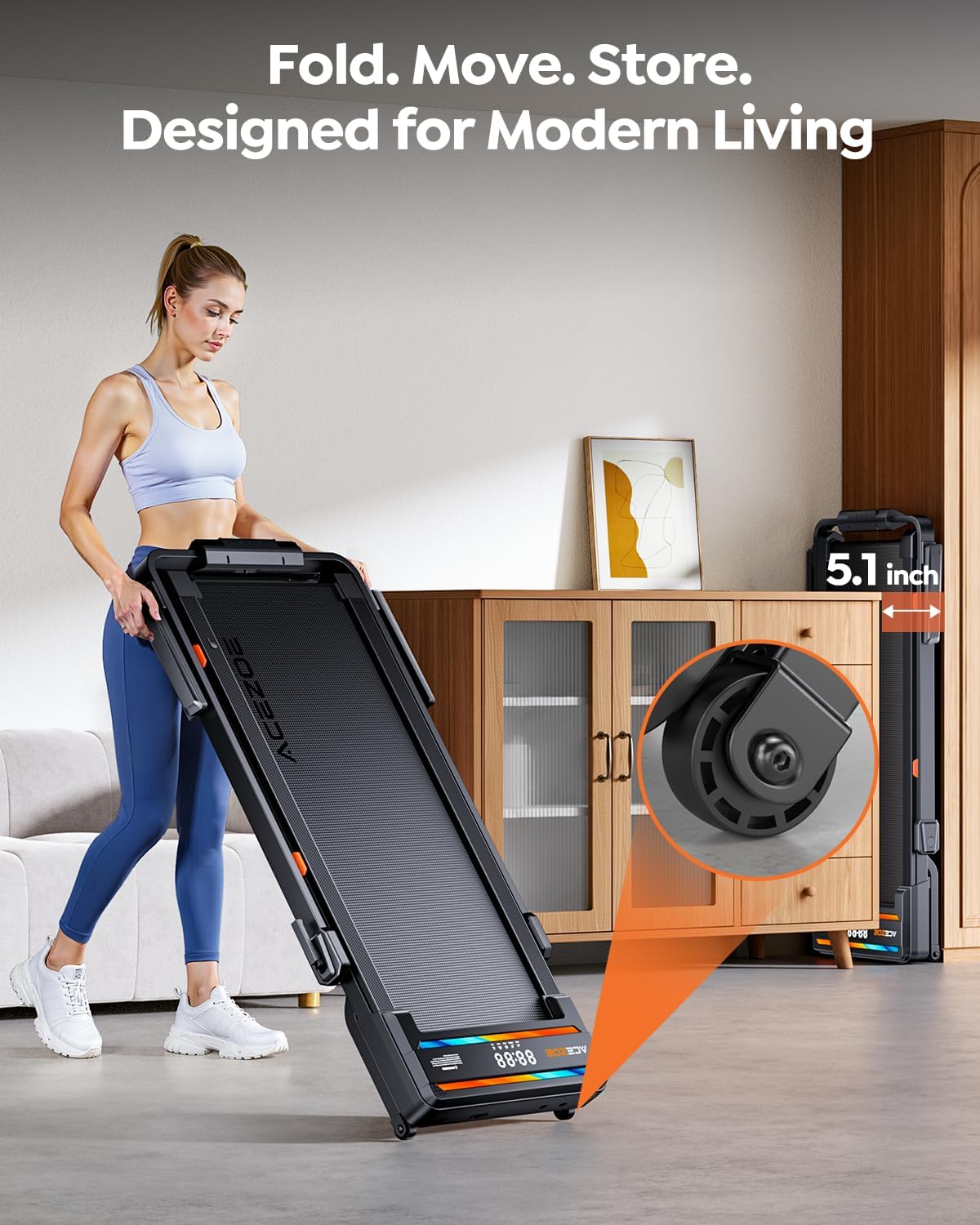
Image: The Acezoe P30 treadmill in its folded position, illustrating its compact storage capability and transport wheels.
5. Operating Instructions
5.1 Power On/Off
- Plug the power cord into a suitable outlet.
- Flip the main power switch located near the front of the treadmill to the 'ON' position.
- Attach the safety key to the designated area on the console and clip the other end to your clothing.
- Press the 'START' button on the control panel or remote control to begin.
- To stop, press the 'STOP' button or pull the safety key.
5.2 Speed Adjustment
The treadmill offers a speed range from 0.6 to 7.6 miles per hour (mph).
- Use the '+' and '-' buttons on the control panel or remote to increase or decrease speed.
- For quick adjustments, some models may have preset speed buttons.
5.3 Incline Adjustment
The Acezoe P30 features an automatic incline system with 9 adjustable levels, ranging from 0% to 15%.
- Use the incline '+' and '-' buttons on the control panel or remote to adjust the incline level.
- Adjusting the incline can increase calorie burning and simulate uphill walking or climbing.

Image: Visual representation of the treadmill's automatic incline feature, showing how different incline levels impact calorie expenditure.
5.4 Control Options
The treadmill can be controlled via three methods:
- Control Panel: Integrated into the treadmill, featuring dual LED displays for real-time data.
- Remote Control: Provides convenient access to speed and incline adjustments.
- Mobile App: Connect via Bluetooth to the dedicated fitness app for advanced control, tracking, and workout programs.

Image: The treadmill's dual LED display and smartphone integration for app control and workout tracking.
5.5 Bluetooth Speaker
Connect your device to the treadmill's built-in Bluetooth speaker to enjoy music during your workout. Refer to your device's Bluetooth settings to pair with 'ACEZOE' or a similar name.
6. Features
- Automatic Incline: 0-15% with 9 adjustable levels to simulate varied terrains and enhance calorie burn.
- Powerful & Quiet Motor: Equipped with a 3.0HP motor, providing smooth operation with noise levels below 45dB, suitable for home and office environments.
- Advanced Shock Absorption: Features 8 silicone shock-absorbing pads, a 7-layer tough running belt, and 2 soft cushions to protect knees and joints.
- Wider Running Belt: A spacious 43.5" x 16.5" running belt provides ample room for comfortable walking or running.
- Dual LED Display: Clearly shows real-time workout data including speed, time, distance, and calories burned.
- App Control: Compatible with various fitness applications for personalized workouts and progress tracking.
- Space-Saving Foldable Design: Easily folds flat and includes transport wheels for convenient storage under a bed, sofa, or desk.
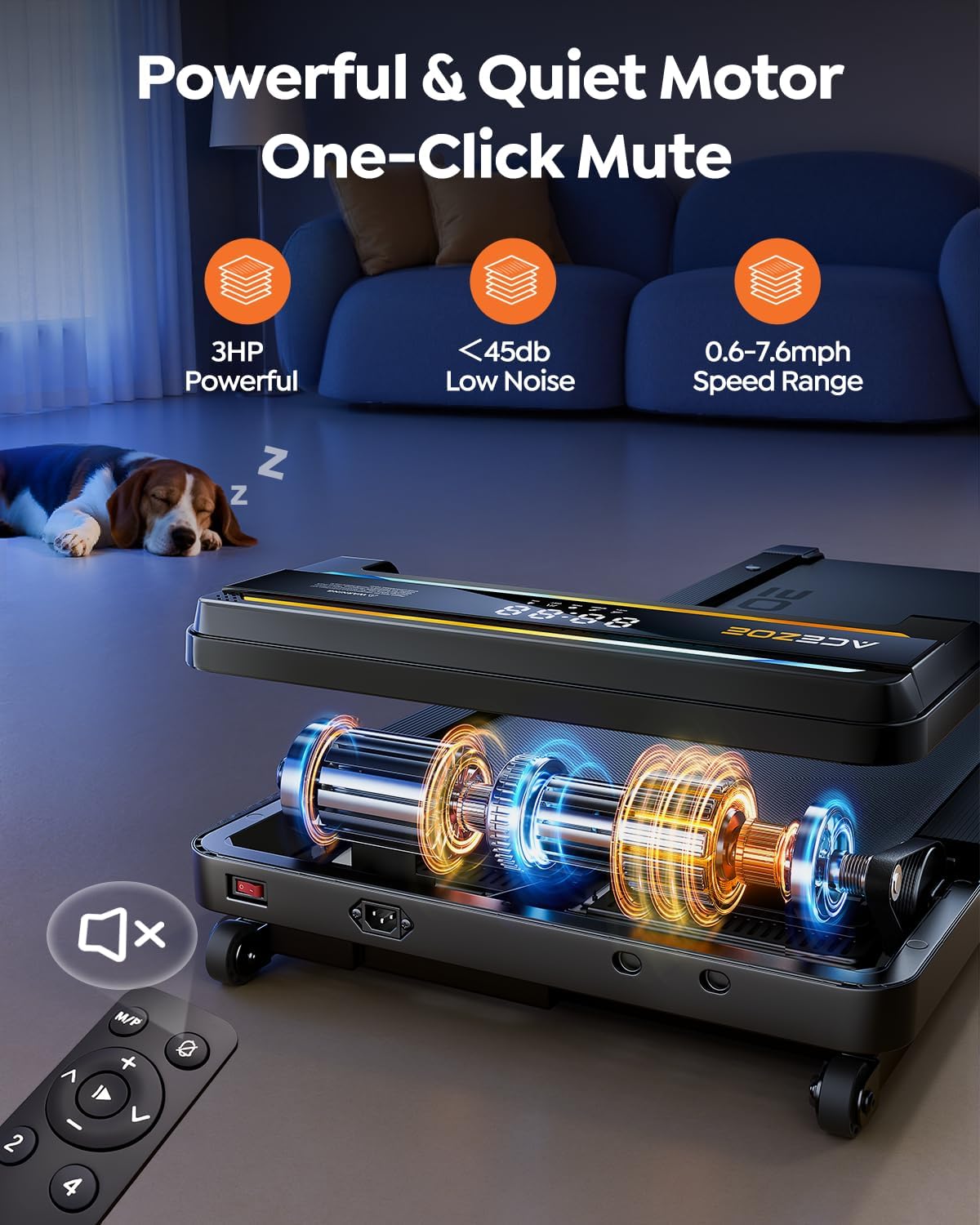
Image: Detailed view of the treadmill's 3.0HP motor, emphasizing its quiet performance.
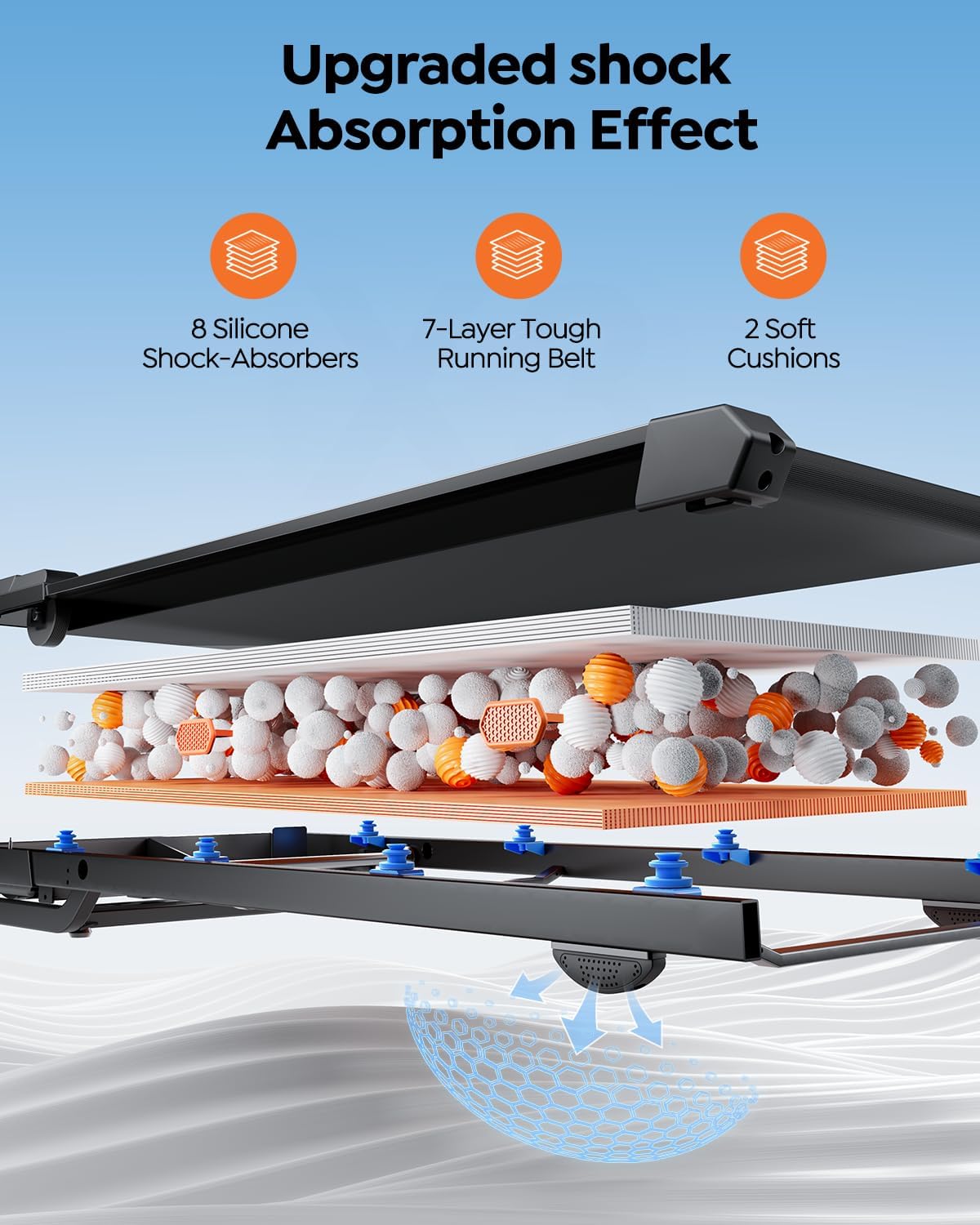
Image: Exploded view of the multi-layer shock absorption system for enhanced comfort and joint protection.

Image: A user exercising on the treadmill, showcasing the generous dimensions of the running belt.
7. Maintenance
Regular maintenance ensures the longevity and optimal performance of your treadmill.
7.1 Cleaning
- Wipe down the treadmill surfaces with a damp cloth after each use to remove sweat and dust.
- Do not use abrasive cleaners or solvents.
7.2 Belt Lubrication
The running belt requires periodic lubrication to reduce friction and extend its lifespan. Refer to the included tool kit for lubricant and instructions. Lubricate every 3-6 months depending on usage.
7.3 Belt Tension and Alignment
If the running belt feels loose or drifts to one side, it may need adjustment. Use the provided tool kit to adjust the tension and alignment screws at the rear of the treadmill. Adjust in small increments (quarter turns) and test after each adjustment.
8. Troubleshooting
| Problem | Possible Cause | Solution |
|---|---|---|
| Treadmill does not power on. | Power cord not plugged in; Power switch off; Safety key not in place. | Ensure power cord is securely plugged in; Turn power switch ON; Place safety key correctly. |
| Running belt stops or slips. | Belt too loose; Excessive friction; Overload. | Adjust belt tension; Lubricate belt; Reduce user weight or speed. |
| Unusual noise during operation. | Loose parts; Belt friction; Motor issue. | Check and tighten all bolts and screws; Lubricate belt; Contact customer support if noise persists. |
| Incline not adjusting. | Obstruction; Motor issue. | Check for any obstructions under the treadmill; Ensure power is stable; Contact customer support. |
If you encounter issues not listed here or if solutions do not resolve the problem, please contact Acezoe customer support.
9. Specifications
| Feature | Detail |
|---|---|
| Brand | Acezoe |
| Model Name | P30 |
| Product Dimensions (LxWxH) | 52.09" x 27.05" x 46.69" |
| Folded Size (LxWxH) | 58.07" x 27.05" x 6.18" |
| Item Weight | 78 Pounds |
| Maximum Weight Recommendation | 300 Pounds |
| Material | Alloy Steel |
| Maximum Horsepower | 3.0 HP |
| Speed Range | 0.6 - 7.6 Miles per Hour |
| Maximum Incline Percentage | 15% (9 levels) |
| Running Belt Dimensions | 43.5" x 16.5" |
| Display Type | LED (Dual Displays) |
| Connectivity Technology | Bluetooth |
| Special Features | Adjustable Speed, Auto Incline, Built-In Speaker, Compact Design, Foldable |
| Metrics Measured | Speed, Distance, Time, Calories Burned |
10. Warranty and Support
The Acezoe P30 Foldable Treadmill comes with a 1 Year Manufacturer Warranty.
For warranty claims, technical support, or any questions regarding your product, please contact Acezoe customer service. Please have your purchase receipt and product model number (P30) ready when contacting support.
Contact information can typically be found on the Acezoe official website or through your retailer's support channels.


