
Introduction
The Jectse Vibrating Metronome Watch is a versatile wearable device designed to provide precise rhythmic vibrations for both musical practice and fitness activities. Its strong vibration ensures you feel the beat even in noisy environments, making it an ideal tool for musicians and athletes alike.
Key Features:
- Wearable Metronome: Delivers subtle yet precise rhythmic vibrations, up to 5 times stronger than a typical smartphone, ensuring clear perception of the beat.
- Metronome Mode: Adjustable speed (40-240 BPM), various beat types (1/4, 2/4, 3/4, 4/4), and rhythm types (rock, jazz, classical, etc.) suitable for diverse musical instruments.
- Sport Mode: Functions as a sports assistance watch, allowing users to set vibration frequency (40-240 times/minute) to regulate breathing and enhance endurance during exercise.
- Versatile Applications: Ideal for beginners, musicians in loud environments, and as a daily fitness aid.
- Practical Design: Compact, lightweight, made of ABS with a detachable silicone strap, LCD display, and simple interface.

Figure 1: The Jectse Vibrating Metronome Watch in use, displaying tempo and beat information.
Setup
1. Unboxing and Initial Inspection
Carefully remove the Jectse Vibrating Metronome Watch and its accessories from the packaging. Inspect all components for any signs of damage. The package should include:
- 1 x Vibrating Metronome Watch
- 1 x USB Charging Cable
- 1 x User Manual
2. Charging the Device
Before first use, ensure the device is fully charged. Connect the provided USB charging cable to the charging contacts on the back of the watch and to a standard USB power adapter (not included) or a computer's USB port. The display will indicate charging status. A full charge typically takes approximately 1-2 hours.

Figure 2: Rear view of the watch, highlighting the charging contacts.
3. Wearing the Watch
Adjust the silicone strap to fit comfortably on your wrist. Ensure it is snug enough to allow the vibrations to be clearly felt, but not so tight as to restrict circulation.

Figure 3: The metronome watch comfortably worn on a wrist.
Operating Instructions
The Jectse Vibrating Metronome Watch features two primary modes: Metronome Mode and Sport Mode. Use the side button and rotating crown to navigate and adjust settings.
1. Power On/Off
Press and hold the side button for a few seconds to power the device on or off.
2. Switching Modes
From the main screen, use the rotating crown or short presses of the side button (depending on the specific firmware) to cycle between Metronome Mode and Sport Mode. The display will clearly indicate the active mode.

Figure 4: Close-up of the watch display and control crown.

Figure 5: Side view of the watch, highlighting the control button and crown.
3. Metronome Mode
In Metronome Mode, you can customize the tempo, beat, and rhythm type.
- Adjusting Speed (BPM): Rotate the crown to set the desired BPM (Beats Per Minute). The range is 40-240 BPM, with 1 BPM precision.
- Setting Beat Type: Press the side button briefly to cycle through beat types such as 1/4, 2/4, 3/4, and 4/4.
- Selecting Rhythm Type: Further presses or rotations (refer to on-screen prompts) allow selection of various rhythm types, including rock, jazz, and classical.
Once settings are configured, the watch will begin vibrating according to the selected rhythm. This mode is ideal for practicing musical instruments like guitar, piano, or drums.
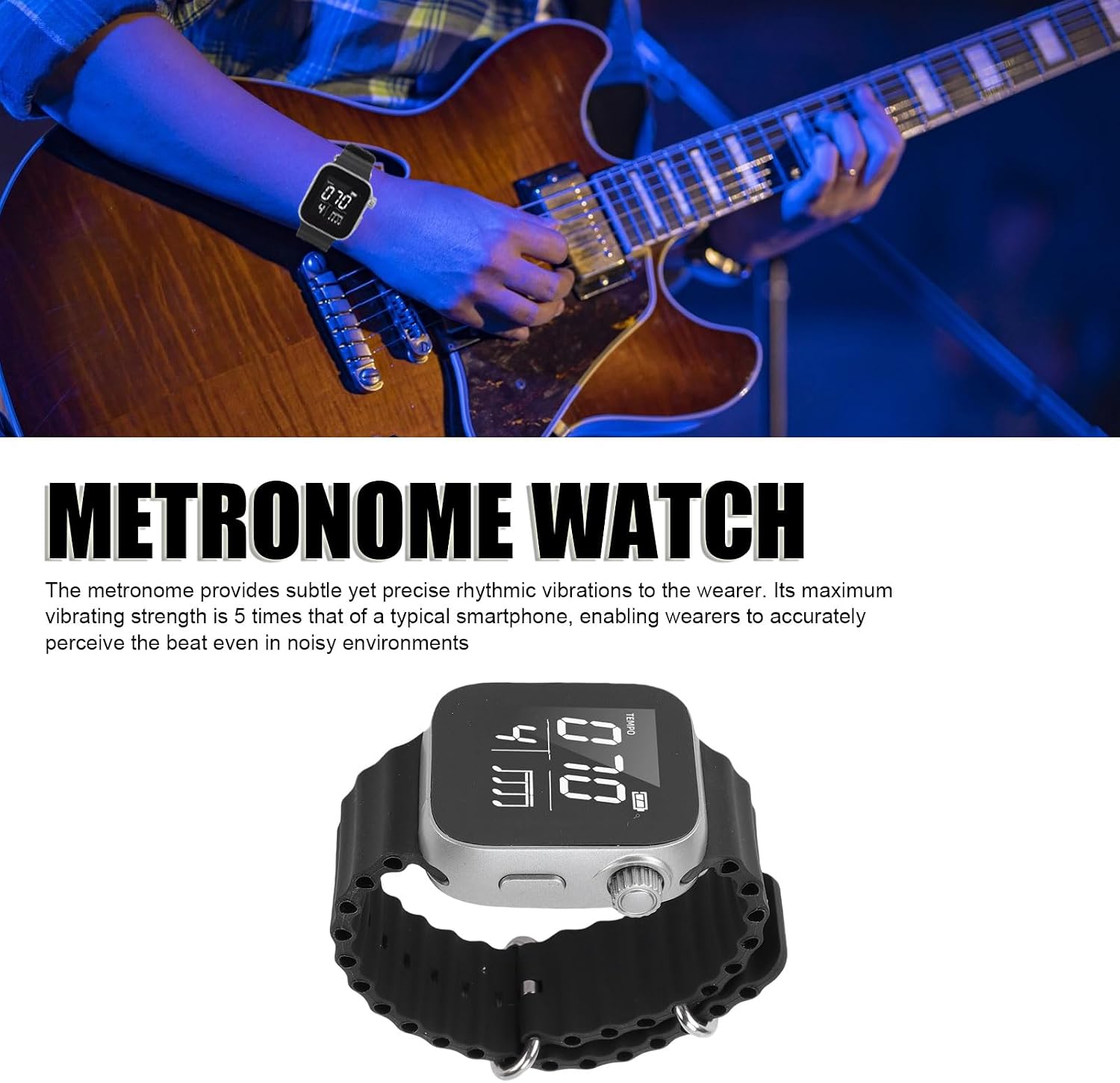
Figure 6: Using the metronome watch during guitar practice.

Figure 7: Using the metronome watch during piano practice.
4. Sport Mode
In Sport Mode, the watch assists with maintaining a consistent pace for physical activities.
- Adjusting Vibration Frequency: Rotate the crown to set the desired vibration frequency per minute (40-240 times/minute).
Follow the rhythmic vibrations to regulate your breathing and improve endurance during activities such as running or jumping rope.
Maintenance
1. Cleaning
Wipe the watch and strap regularly with a soft, damp cloth. Avoid using harsh chemicals or abrasive materials, which can damage the device. Ensure the charging contacts are clean and dry before charging.
2. Storage
When not in use for extended periods, store the watch in a cool, dry place. Avoid extreme temperatures and direct sunlight. It is recommended to charge the device periodically (e.g., every 3 months) to maintain battery health.
3. Strap Replacement
The silicone strap is detachable. If replacement is needed, gently detach the current strap and attach a compatible replacement. Refer to the product's official website or contact customer support for compatible strap options.
Troubleshooting
| Problem | Possible Cause | Solution |
|---|---|---|
| Device does not power on. | Low battery. | Charge the device using the provided USB cable. |
| No vibration. | Vibration intensity set too low or device in standby. | Check settings in Metronome/Sport Mode. Ensure device is active and not in a paused state. |
| Display is unresponsive. | Temporary software glitch. | Try restarting the device by holding the power button. If unresponsive, allow battery to drain completely and then recharge. |
| Inaccurate tempo/frequency. | Incorrect settings. | Verify BPM/frequency settings in the respective mode. |
If you encounter issues not listed here or if the problem persists, please contact Jectse customer support.
Specifications
| Product Type | Vibrating Metronome Watch |
| Model Number | Jectselbe08mkwj1-11 |
| Material | ABS, Silicone |
| Battery | 300 mAh Polymer Lithium-ion Battery (built-in) |
| Metronome Mode Speed (BPM) | 40-240 BPM (adjustable, 1 BPM precision) |
| Metronome Mode Beat Types | 1/4, 2/4, 3/4, 4/4, and others |
| Metronome Mode Rhythm Types | Multiple built-in rhythms (rock, jazz, classical, etc.) |
| Sport Mode Frequency | 40-240 times/minute (adjustable) |
| Color | BLACK |
| Weight | 96 g |
| Package Dimensions | 10 x 9 x 5 cm |
Warranty Information
Jectse products are manufactured to high quality standards. This product comes with a standard manufacturer's warranty against defects in materials and workmanship from the date of purchase. Please retain your proof of purchase for warranty claims.
The warranty does not cover damage caused by misuse, accident, unauthorized modification, or normal wear and tear. For specific warranty terms and conditions, please refer to the warranty card included in your product packaging or visit the official Jectse website.
Customer Support
For technical assistance, troubleshooting, or general inquiries about your Jectse Vibrating Metronome Watch, please contact our customer support team.
- Online Support: Visit the official Jectse website for FAQs, support articles, and contact forms.
- Email Support: Refer to your product packaging or the official website for the customer support email address.
- Phone Support: Check the official Jectse website for available phone support numbers and operating hours.
When contacting support, please have your product model number (Jectselbe08mkwj1-11) and proof of purchase readily available.