
Introduction
Thank you for choosing the Sanag B60S Bone Conduction Sports Headphones. These headphones are designed to provide a comfortable and safe audio experience, especially during sports and water activities. This manual provides essential information on how to set up, operate, maintain, and troubleshoot your device.
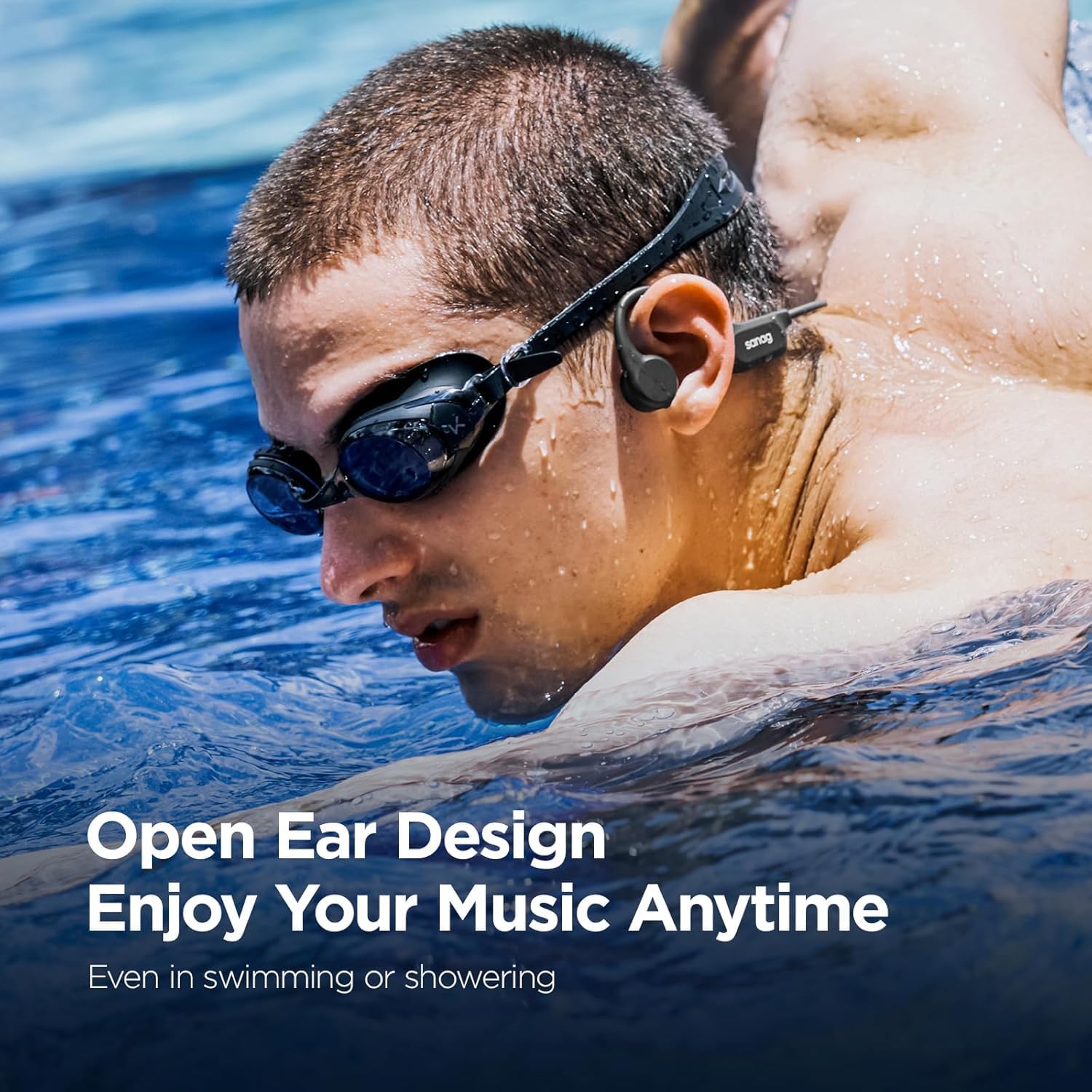
Image: Sanag B60S Bone Conduction Sports Headphones, showcasing their design.
Package Contents
- Sanag B60S Bone Conduction Sports Headphones
- Charging Cable
- User Manual
Setup
1. Initial Charging
Before first use, fully charge the headphones. Connect the magnetic charging cable to the charging port on the headphones and the other end to a USB power adapter (not included). The charging indicator will show the charging status. A full charge typically takes approximately 2 hours.
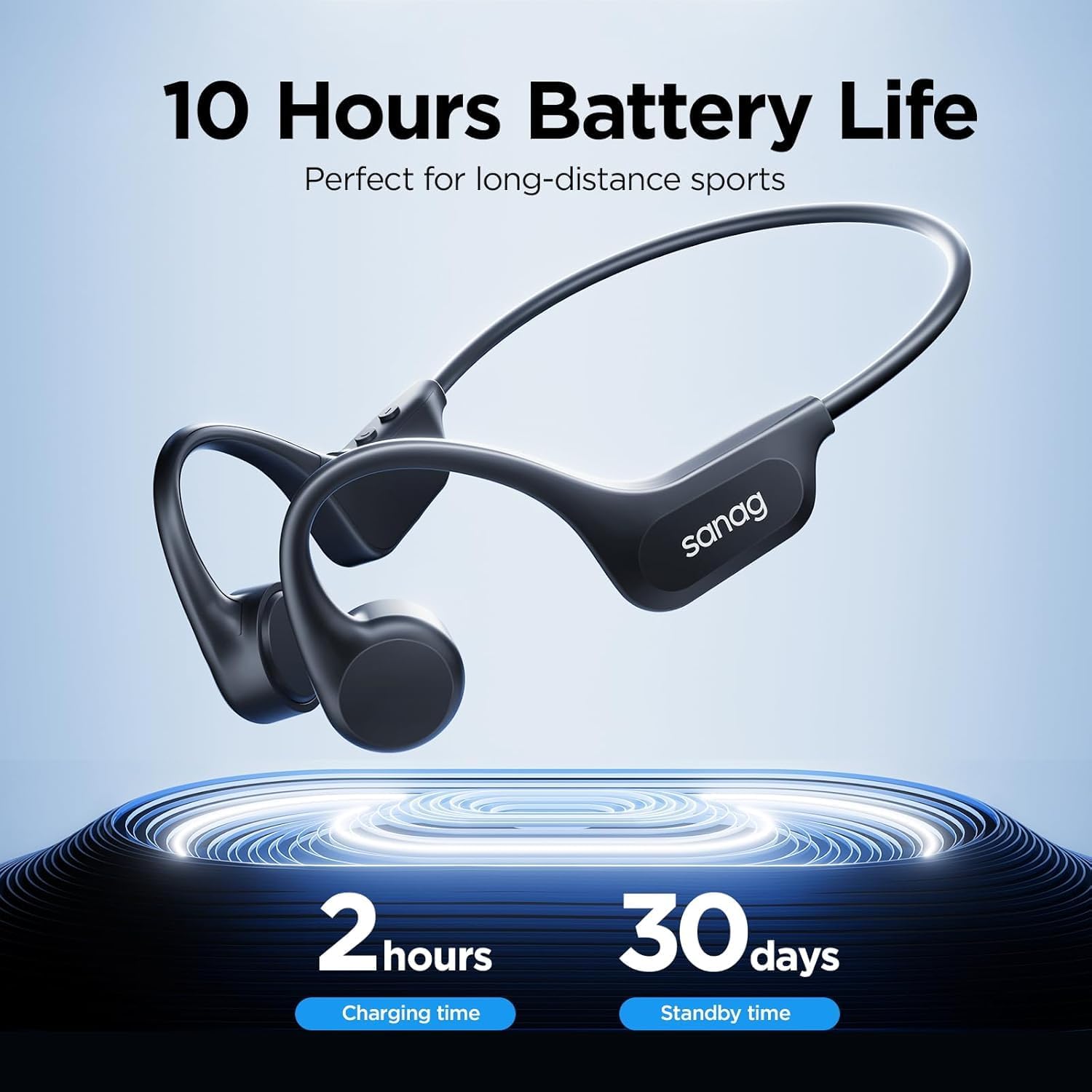
Image: Graphic illustrating 10 hours of battery life, 2 hours charging time, and 30 days standby time.

Image: Illustration of magnetic quick charge feature and battery life details.
2. Power On/Off
- Power On: Long press the Power button for 3 seconds.
- Power Off: Long press the Power button for 3 seconds.
3. Bluetooth Pairing
When powered on for the first time, the headphones will automatically enter Bluetooth pairing mode. The indicator light will flash, indicating it is ready to pair.
- Ensure the headphones are powered on.
- On your device (smartphone, tablet, etc.), enable Bluetooth.
- Search for available devices and select "Sanag B60S" from the list.
- Once connected, the indicator light will stop flashing.

Image: Graphic highlighting Bluetooth 5.3 for high-speed and stable transmission.
4. MP3 Mode and File Transfer (64GB Internal Storage)
The Sanag B60S features 64GB of built-in storage for MP3 playback, ideal for use where Bluetooth connectivity is limited or unavailable, such as underwater.
- File Transfer: Connect the headphones to your computer using the charging cable. The headphones will appear as a removable drive. Drag and drop your audio files (MP3 format recommended) directly into the drive.
- Switching to MP3 Mode: While the headphones are on, double-tap the middle button (Power/Multi-function button) to switch between Bluetooth mode and MP3 mode.

Image: Comparison of Bluetooth mode (no memory card) and Bluetooth & MP3 mode (with 64GB memory card), showing ability to listen underwater in MP3 mode.

Image: Headphones connected to a laptop, illustrating the process of downloading audio files to the earphones for MP3 mode.
Operating Instructions
Button Functions

Image: Diagram showing the location of buttons and their corresponding functions.
- Power On/Off: Long press for 3 seconds.
- Play/Pause Music: Short press the Power/Multi-function button.
- Volume Up: Short press the Volume + button.
- Volume Down: Short press the Volume - button.
- Next Song: Double press the Volume + button.
- Previous Song: Double press the Volume - button.
- Answer/Hang Up Call: Short press the Power/Multi-function button.
- Reject Call: Long press the Power/Multi-function button for 1 second.
- Activate Voice Assistant (Siri/Google Assistant): Long press the Volume + button for 1 second.
- Switch to MP3 Mode: Double press the Power/Multi-function button.
Wearing the Headphones
Position the bone conduction transducers on your cheekbones, just in front of your ears. The band should rest comfortably around the back of your head. This open-ear design allows you to hear your surroundings while enjoying audio.

Image: A person wearing the Sanag B60S headphones while cycling, demonstrating the open-ear design for situational awareness.

Image: A woman wearing the Sanag B60S headphones during a workout, highlighting comfort and secure fit.

Image: Collage showing individuals using the Sanag B60S headphones during running, working, driving, and surfing, illustrating versatility.
Maintenance
Waterproof Design (IPX8)
The Sanag B60S headphones are IPX8 waterproof, meaning they can be submerged in water up to 2 meters deep for up to two hours. This makes them suitable for swimming and other water sports.
- For Swimming: Always switch to MP3 mode when using the headphones underwater, as Bluetooth signals do not transmit effectively through water.
- After Water Exposure: After use in water, gently wipe the headphones dry with a soft cloth. Ensure the charging port is completely dry before connecting the charging cable.

Image: A person swimming while wearing the Sanag B60S headphones, emphasizing the IPX8 waterproof rating.

Image: Graphic comparing IPX5 (low waterproof rating, not suitable for swimming) with IPX8 (high waterproof rating, perfect for swimming, use MP3 mode in water).
Cleaning and Storage
- Clean the headphones with a soft, damp cloth. Do not use harsh chemicals or abrasive materials.
- Store the headphones in a cool, dry place away from direct sunlight and extreme temperatures.
Troubleshooting
| Problem | Possible Cause | Solution |
|---|---|---|
| Headphones do not power on. | Low battery. | Charge the headphones for at least 2 hours. |
| No sound or low volume. | Volume too low, not paired, incorrect mode. | Increase volume on headphones and connected device. Ensure proper Bluetooth pairing or switch to MP3 mode if using internal storage. |
| Cannot pair with device. | Headphones not in pairing mode, device Bluetooth off, interference. | Ensure headphones are powered on and in pairing mode (flashing indicator). Turn Bluetooth off and on on your device. Move closer to the device. |
| Sound quality is poor. | Improper placement, bone conduction characteristics. | Adjust the placement of the transducers on your cheekbones for optimal sound. Bone conduction technology naturally differs from in-ear audio. |
| MP3 files not playing. | Incorrect file format, not in MP3 mode. | Ensure audio files are in MP3 format. Double-tap the Power/Multi-function button to switch to MP3 mode. |
Specifications
| Feature | Detail |
|---|---|
| Model Name | B60S |
| Connectivity Technology | Bluetooth |
| Bluetooth Version | 5.3 |
| Water Resistance Level | IPX8 (Waterproof) |
| Internal Storage | 64GB (for MP3 Player) |
| Battery Life | Up to 10 hours (Music time) |
| Charging Time | 2 Hours |
| Item Weight | 4.8 ounces |
| Ear Placement | Open Ear |
| Audio Driver Type | Bone Conduction Driver |
| Frequency Response | 20 Hz |
| Sensitivity | 96 dB |
| Impedance | 32 Ohms |
| Bluetooth Range | 33 Feet |
| Control Type | Built-in, Touch, On-ear Controls |
| Material | Plastic, Silicone |
Warranty and Support
Warranty Information
Sanag products are typically covered by a limited warranty against manufacturing defects. Please refer to the warranty card included with your product or visit the official Sanag website for detailed warranty terms and conditions specific to the B60S model.
Customer Support
For technical assistance, troubleshooting not covered in this manual, or warranty claims, please contact Sanag customer support through their official website or the contact information provided in your product packaging.
Official Product Videos
No official product videos were found in the provided product data.


