
Important Safeguards
Please read all instructions carefully before using this appliance to ensure safe operation and to prevent injury or damage.
- Always place the dispenser on a level, stable surface.
- Do not operate the dispenser with a damaged cord or plug.
- Keep the dispenser away from direct sunlight and heat sources.
- Ensure proper ventilation around the unit. Maintain at least 4 inches of clearance from walls.
- Do not immerse the dispenser, cord, or plug in water or other liquids.
- Unplug the dispenser before cleaning or performing any maintenance.
- Supervise children when they are near the dispenser, especially when dispensing hot water.
Product Overview
The SOOPYK LYCZ628NBK is a versatile bottom-loading water cooler dispenser with an integrated nugget ice maker. It provides hot, cold, and room temperature water, along with chewable nugget ice, designed for convenience and efficiency in your home or office.
Key Features
- Three Temperature Settings: Dispenses hot water at 203°F (95°C), cold water at 43°F (6°C), and room temperature water.
- Self-Cleaning Function: Activated by pressing and holding the ice-making button for 3 seconds, it automatically cleans the unit in 10 minutes.
- Built-in Nugget Ice Maker: Produces up to 33 lbs of nugget ice daily and stores up to 2.76 lbs in an internal container. Note: The ice storage is not designed to keep ice frozen long-term.
- Stainless Steel Weld Tank: Features a durable stainless steel tank and tubing for reliability and longevity.
- Child-Safety Lock: Hot water dispenser includes a child safety lock to prevent accidental burns.
- Nightlight Feature: Illuminates the water spouts for visibility during nighttime use.
- Empty Bottle Alert: An indicator light notifies you when the water bottle needs replacement.
- Removable Drip Tray: Easy to remove and clean for hygiene.

Figure 1: Overall view of the SOOPYK LYCZ628NBK Water Cooler Dispenser.
Setup
Unpacking
- Carefully remove the dispenser from its packaging.
- Inspect the unit for any signs of damage. If damaged, do not operate and contact customer support.
- Remove all packing materials, including any protective films or tapes.
Placement
- Place the dispenser on a hard, level surface capable of supporting its weight when full.
- Ensure there is adequate space (at least 4 inches) between the back of the dispenser and the wall for proper ventilation.
- Avoid placing the unit in direct sunlight or near heat-generating appliances.
Water Bottle Installation (Bottom Loading)
This dispenser features a convenient bottom-loading design, eliminating the need to lift heavy water bottles onto the top of the unit.
- Open the lower cabinet door of the dispenser.
- Remove the cap from a standard 3 or 5-gallon water bottle.
- Insert the probe (with the metal tube) into the water bottle. Ensure the probe is securely seated.
- Slide the water bottle into the lower cabinet.
- Close the cabinet door securely.
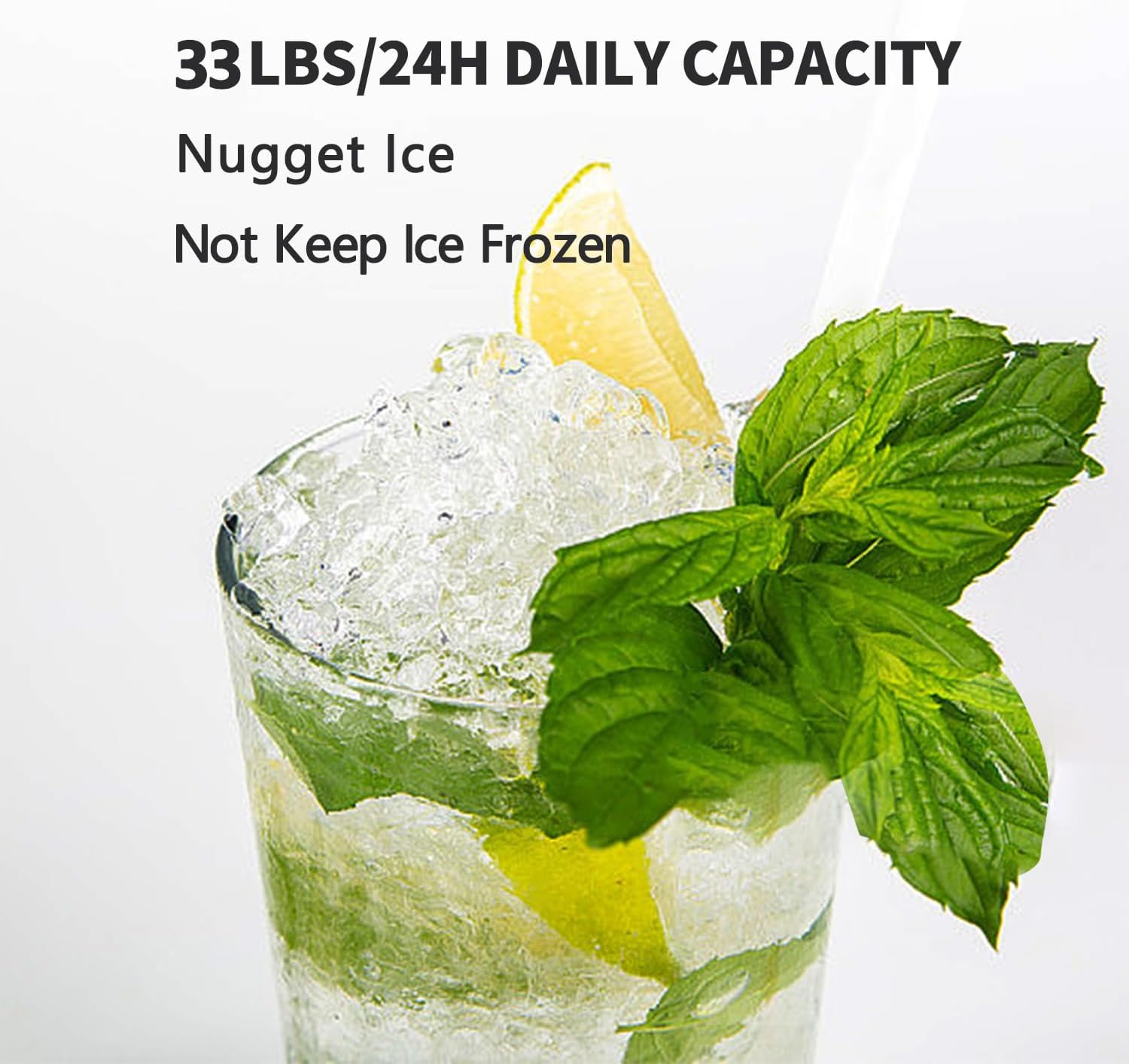
Figure 2: Illustrates the bottom-loading mechanism for water bottle installation.
Video 1: Demonstrates the bottom-loading water bottle installation process for the VECYS 2-in-1 Water Dispenser with Ice Maker.
Operating Instructions
Powering On
- Plug the dispenser into a grounded electrical outlet.
- Allow the unit to sit for at least 30 minutes before turning on the heating or cooling functions to allow the refrigerant to settle.
- Press the ON/OFF button on the control panel to activate the unit.
- The indicator lights for hot and cold water will blink until the desired temperatures are reached, then they will remain steady.
Dispensing Water (Hot, Cold, Room Temperature)
The dispenser features a touch screen operation for selecting your desired water temperature.
- Place your cup or container on the drip tray beneath the dispenser spout.
- For cold water, press the 'Cold Water' icon. The cold water will begin to dispense. Press again to stop.
- For room temperature water, press the 'Fresh Water' icon. The room temperature water will begin to dispense. Press again to stop.
- For hot water, first press the 'Child Lock' icon, then press the 'Hot Water' icon. The hot water will begin to dispense. Press again to stop.
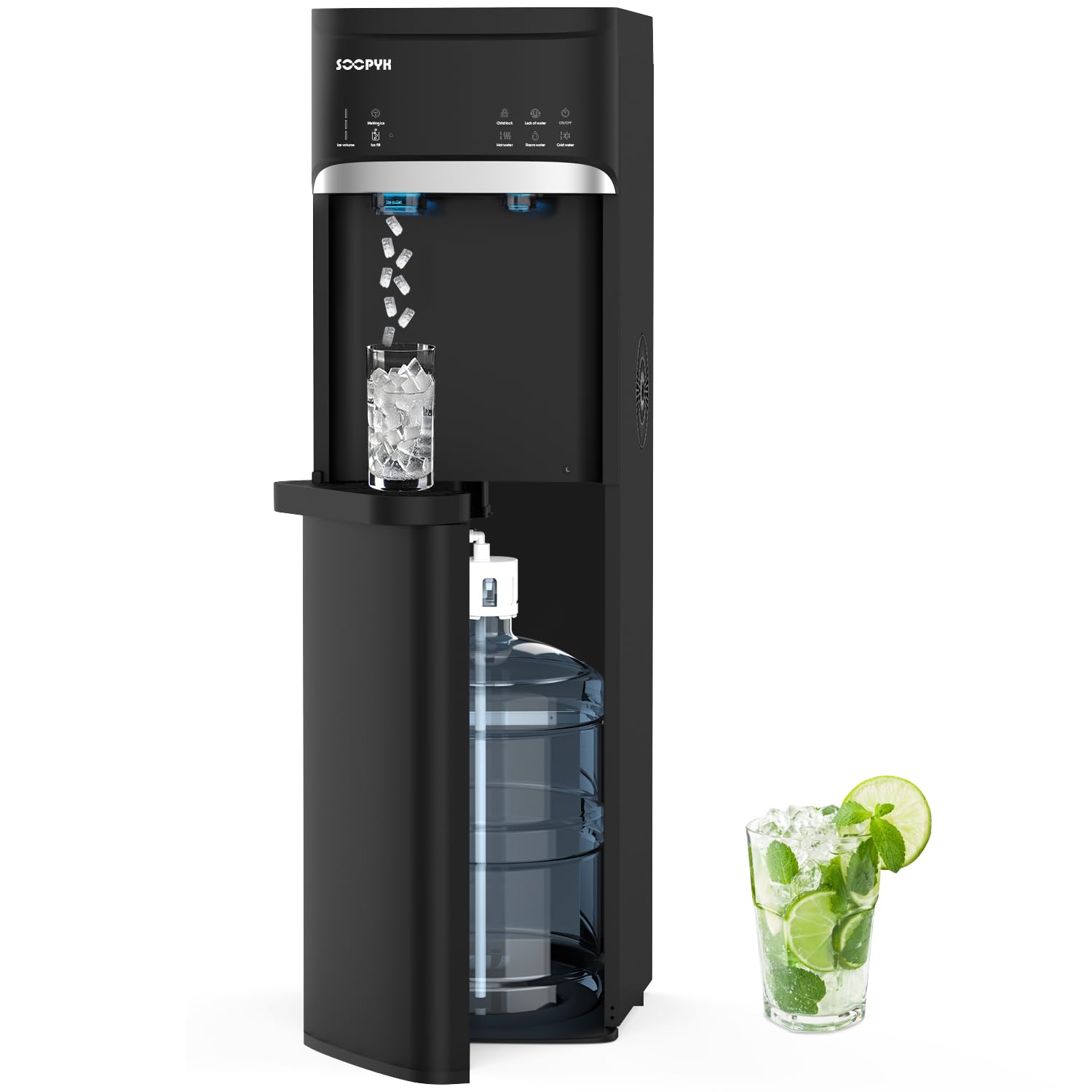
Figure 3: Touch screen control panel for selecting water temperatures and ice making.
Video 2: Shows the general operation of the SOOPYK Nugget Ice Maker Water Cooler, including water and ice dispensing.
Child Safety Lock
The hot water dispenser is equipped with a child safety lock to prevent accidental dispensing of hot water. To dispense hot water, you must first press the 'Child Lock' icon, then immediately press the 'Hot Water' icon. The child lock will automatically re-engage after dispensing.
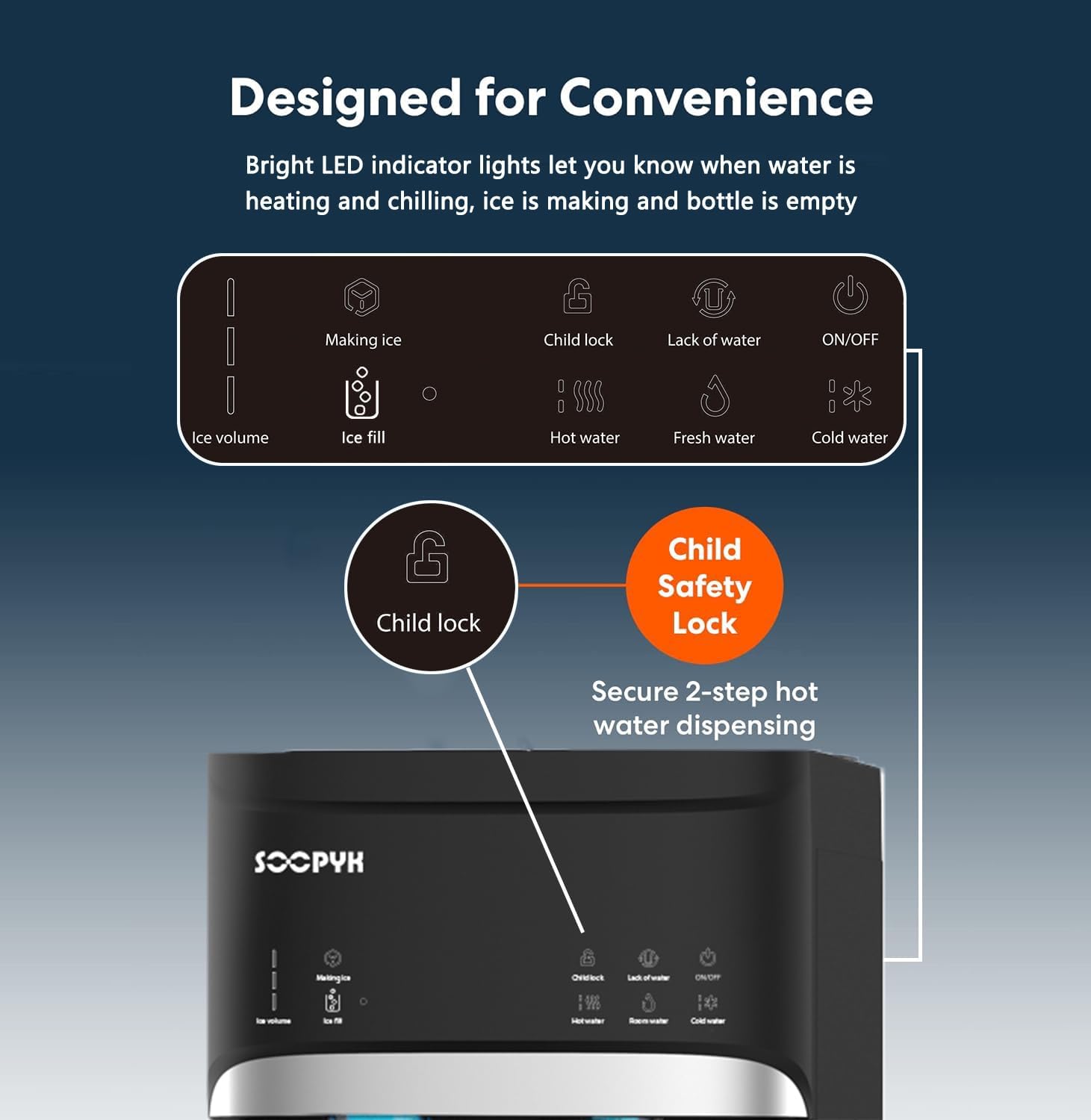
Figure 4: Close-up of the control panel highlighting the child safety lock for hot water.
Ice Making Function
The integrated nugget ice maker provides chewable ice on demand.
- Ensure the unit is powered on and has sufficient water.
- Press the 'Making Ice' icon on the control panel to start the ice production. The ice indicator will blink.
- When the ice bin is full (capacity up to 2.76 lbs), the machine will beep three times and stop making ice.
- To dispense ice, place your cup under the ice dispenser and press the ice dispensing paddle.

Figure 5: Nugget ice being dispensed into a glass, illustrating the ice making function.
Video 3: Shows the ice dispensing function of the VECYS 2-in-1 Water Dispenser with Ice Maker.
Nightlight Feature
The dispenser includes a nightlight that illuminates the water and ice spouts, making it easy to use in low-light conditions. The nightlight activates automatically when dispensing water or ice.
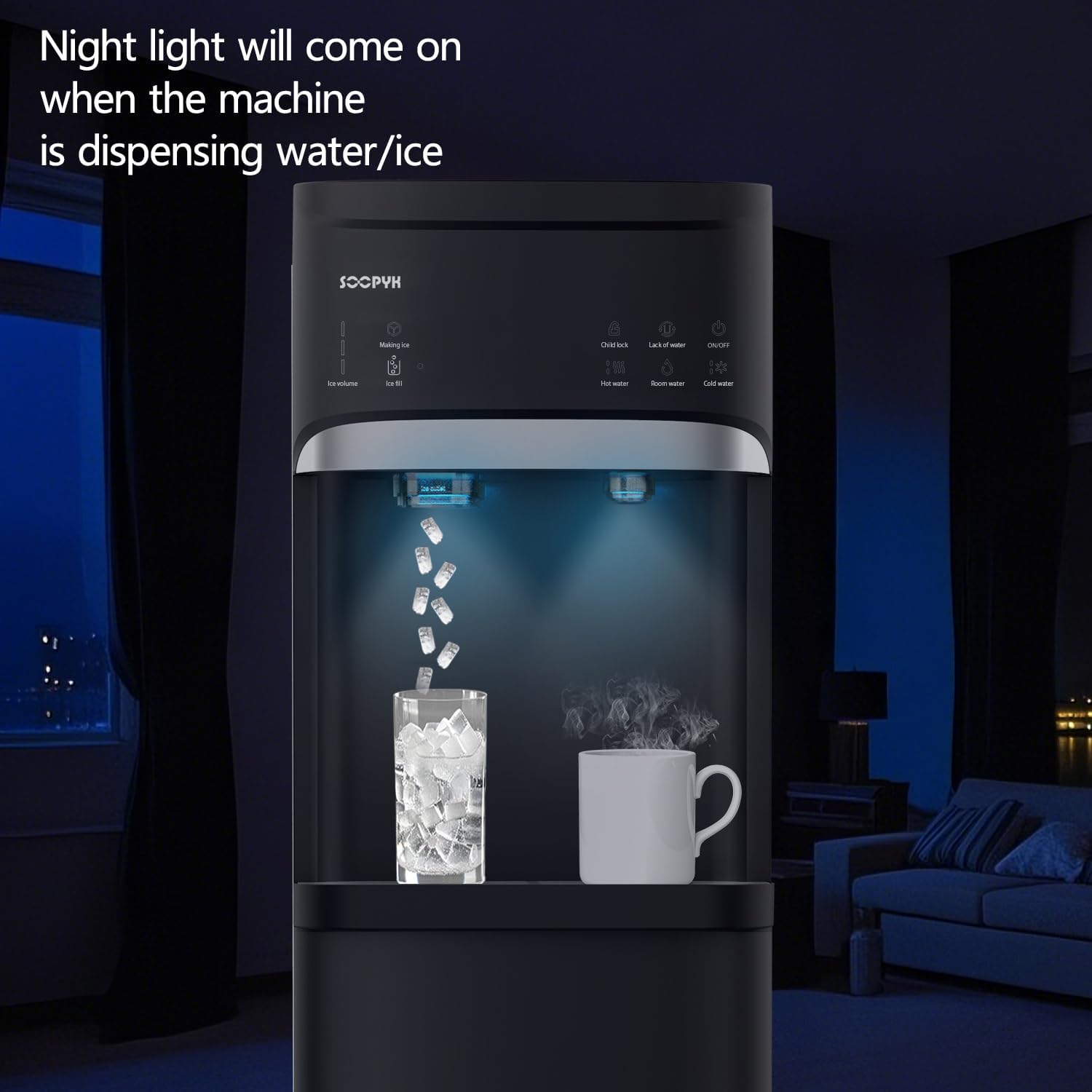
Figure 6: The nightlight feature illuminating the dispensing area for convenience.
Maintenance
Self-Cleaning Function
The self-cleaning function helps maintain the hygiene of your dispenser's internal water lines.
- Turn off the machine using the ON/OFF button.
- Press and hold the 'Making Ice' button for 3 seconds to activate the self-cleaning function.
- The ice indicator will blink, and the power light will remain on during the 10-minute cleaning cycle.
- Once the cycle is complete, the unit will return to normal operation.
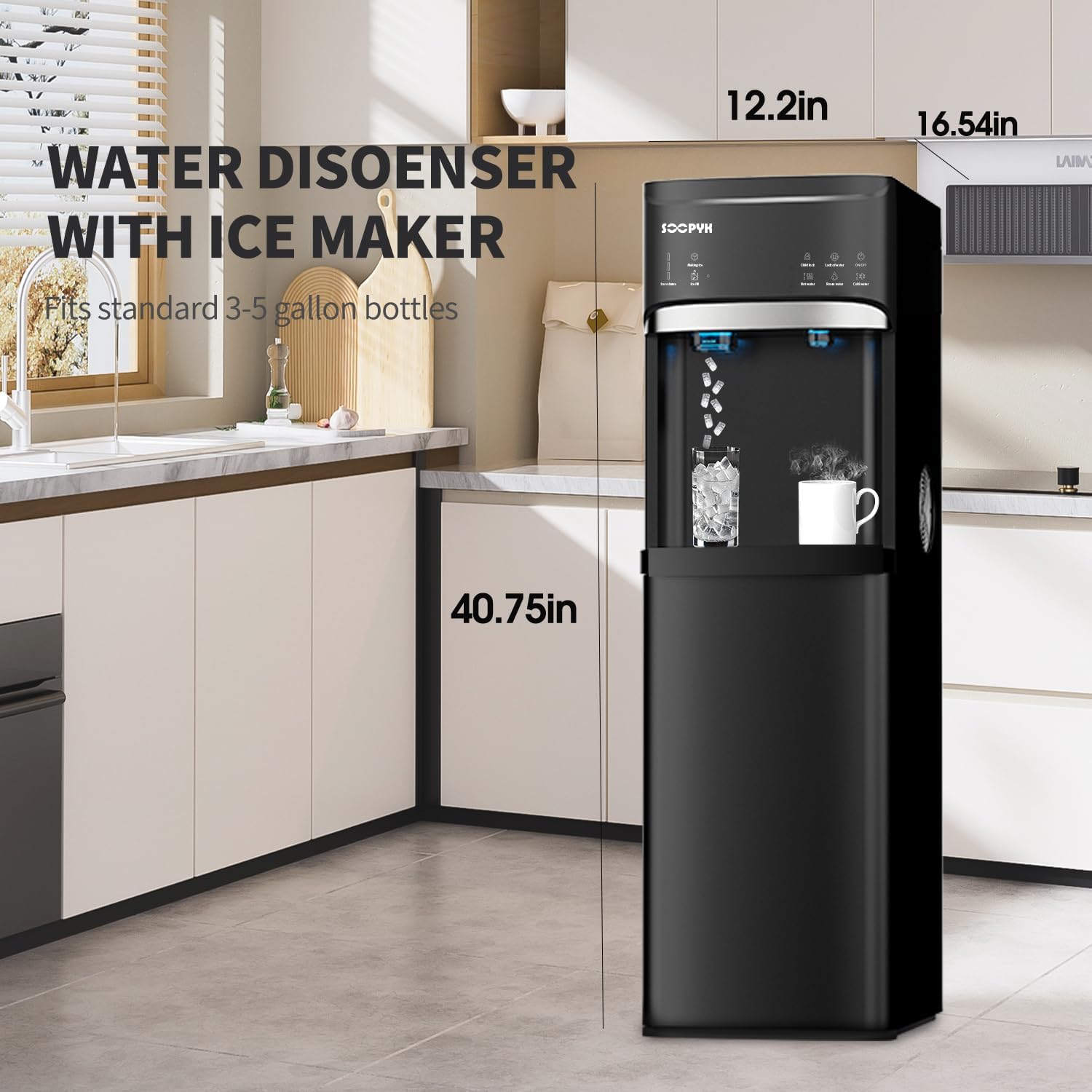
Figure 7: The self-cleaning function is activated to maintain internal hygiene.
Drip Tray Cleaning
The removable drip tray should be cleaned regularly to prevent water overflow and maintain hygiene.
- Gently pull the drip tray forward to remove it from the dispenser.
- Empty any accumulated water.
- Wash the drip tray with mild soap and warm water.
- Rinse thoroughly and dry completely before reinserting it into the dispenser.
Troubleshooting
| Problem | Possible Cause | Solution |
|---|---|---|
| No water dispensing | Water bottle empty or not properly installed. | Check the 'Empty Bottle Alert' indicator. Replace or properly install the water bottle. |
| Water not hot/cold enough | Heating/cooling function not activated or recently refilled. | Ensure the unit is plugged in and the respective temperature function is active. Allow time for water to reach temperature after bottle change. |
| Ice maker not producing ice | Ice making function not activated, water bottle empty, or ice bin full. | Activate 'Making Ice' function. Check water bottle. Empty ice bin if full. |
| Unit is noisy | Normal operation sounds (compressor, pump) or unit not level. | Ensure the unit is on a level surface. Some operational noise is normal. |
Specifications
| Feature | Detail |
|---|---|
| Model Number | LYCZ628NBK |
| Color | Black |
| Material | Stainless Steel |
| Product Dimensions | 16.5"D x 12.2"W x 40.7"H |
| Item Weight | 40 pounds |
| Hot Water Temperature | 203°F (95°C) |
| Cold Water Temperature | 43°F (6°C) |
| Ice Making Capacity | 33 lbs per day |
| Ice Storage Capacity | 2.76 lbs |
| Installation Type | Freestanding |
| Power Source | Corded Electric |
Warranty and Support
For warranty information, technical support, or service inquiries, please refer to the warranty card included with your product or contact SOOPYK customer service directly. Keep your purchase receipt as proof of purchase for warranty claims.