
Meifigno C09 plus
Meifigno 5-in-1 Wireless Charging Station C09 Plus User Manual
Model: C09 Plus
Introduction
Thank you for choosing the Meifigno 5-in-1 Wireless Charging Station C09 Plus. This device integrates a fast wireless charger for your smartphone, smartwatch, and earbuds, along with a Bluetooth speaker, alarm clock, and an adjustable night light. Please read this manual carefully to ensure proper use and optimal performance.

Image: The Meifigno 5-in-1 Wireless Charging Station C09 Plus, showcasing its multiple functions.
Important Safety Information
- Use only the included 45W PD adapter and USB C-C cable. Using unauthorized adapters may damage the device or cause malfunction.
- Do not expose the device to water, moisture, or extreme temperatures.
- Avoid dropping or subjecting the device to strong impacts.
- Do not disassemble, repair, or modify the device yourself. Contact customer support for assistance.
- Keep the device away from medical implants (e.g., pacemakers) to avoid interference.
- Ensure proper ventilation around the charging station during use.
- For magnetic wireless charging, a compatible magnetic case is required for your phone.
- Compatibility Note: This device is not compatible with Galaxy Watch 9 or Galaxy Watch Ultra 2. Please confirm your watch model before use.
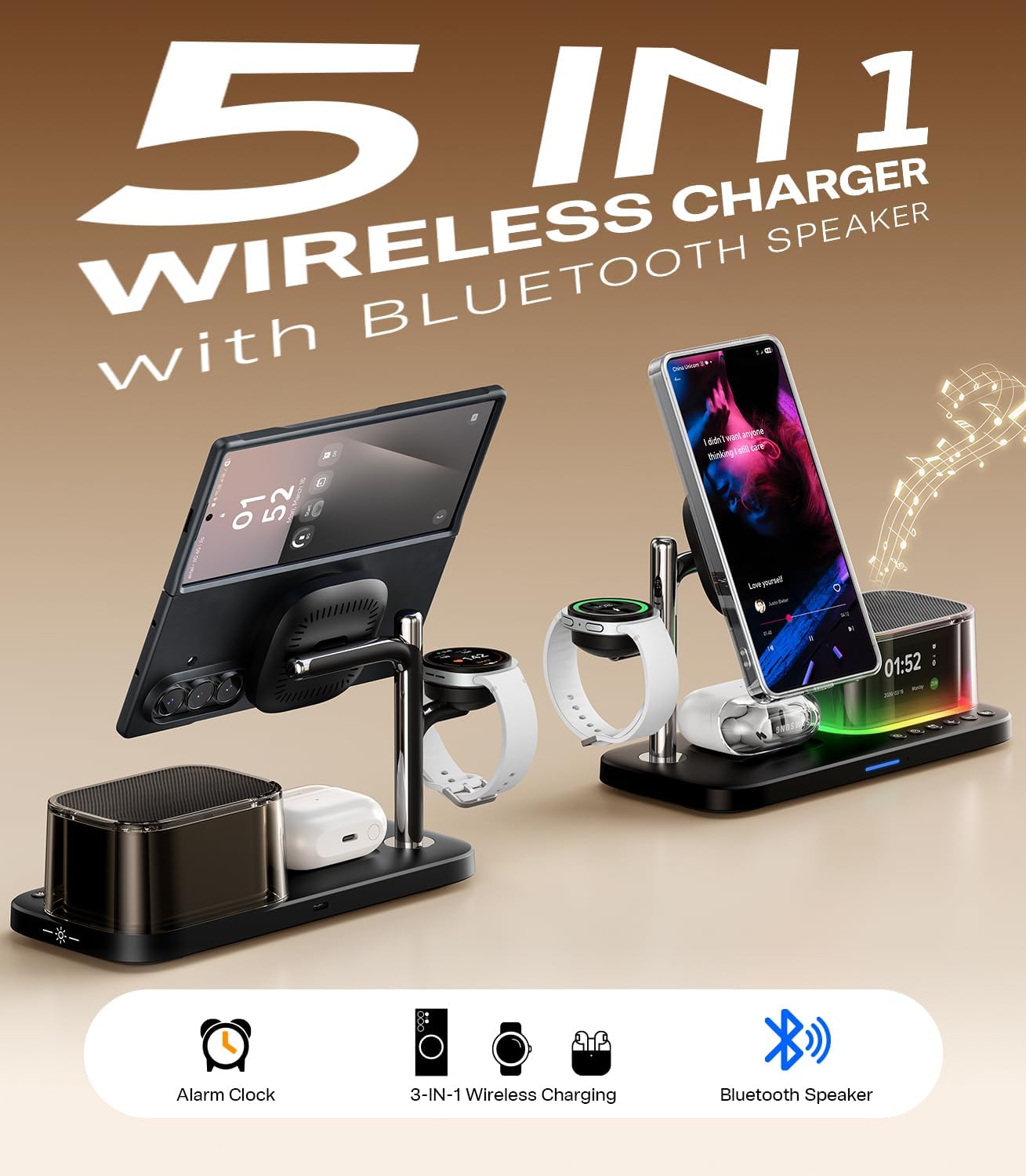
Image: Visual reminder of incompatibility with Galaxy Watch 9 and Ultra 2.
Package Contents
Please check the package for the following items:
- Meifigno 5-in-1 Wireless Charging Station C09 Plus
- 45W PD Power Adapter
- USB C-C Charging Cable
- User Manual
Product Overview
Familiarize yourself with the components of your charging station:
- Magnetic Phone Charging Pad (Adjustable & Rotatable)
- Smartwatch Charging Pad
- Earbuds Wireless Charging Area
- Bluetooth Speaker
- Alarm Clock Display
- Night Light Base
- Control Buttons (for time, alarm, light, volume)
- USB-C Input Port

Image: Front view of the charging station highlighting its various features.
Setup Guide
1. Power Connection
- Connect the provided USB C-C cable to the USB-C input port on the back of the charging station.
- Plug the other end of the cable into the included 45W PD power adapter.
- Plug the power adapter into a wall outlet. The display will light up, indicating the device is powered on.

Image: Connecting the charging station to power using the included 45W adapter and USB-C cable.
2. Bluetooth Pairing & Time Synchronization
The charging station's clock can automatically synchronize with your phone's time after Bluetooth pairing.
- Ensure Bluetooth is enabled on your smartphone.
- Search for Bluetooth devices and select "C09PLUS" from the list.
- Confirm pairing on your phone. Once connected, the charging station's display will automatically update to your phone's current time.
Video: Demonstrates how to connect Bluetooth and synchronize the time.
Operating Instructions
1. Charging Your Devices
- Smartphone: Place your compatible smartphone (with a magnetic case for optimal performance) onto the magnetic charging pad. The pad supports 360° rotation and 25° tilt for adjustable viewing angles.
- Smartwatch: Place your compatible Galaxy Watch onto the dedicated smartwatch charging pad.
- Earbuds: Place your wireless charging compatible earbuds case onto the earbuds charging area.
- Ensure devices are properly aligned for charging to begin. The charging station features heat dissipation to maintain stable charging.

Image: Overview of charging compatibility and speeds for phones, watches, and earbuds.

Image: Illustrates the requirement for a magnetic phone case for secure and efficient charging.
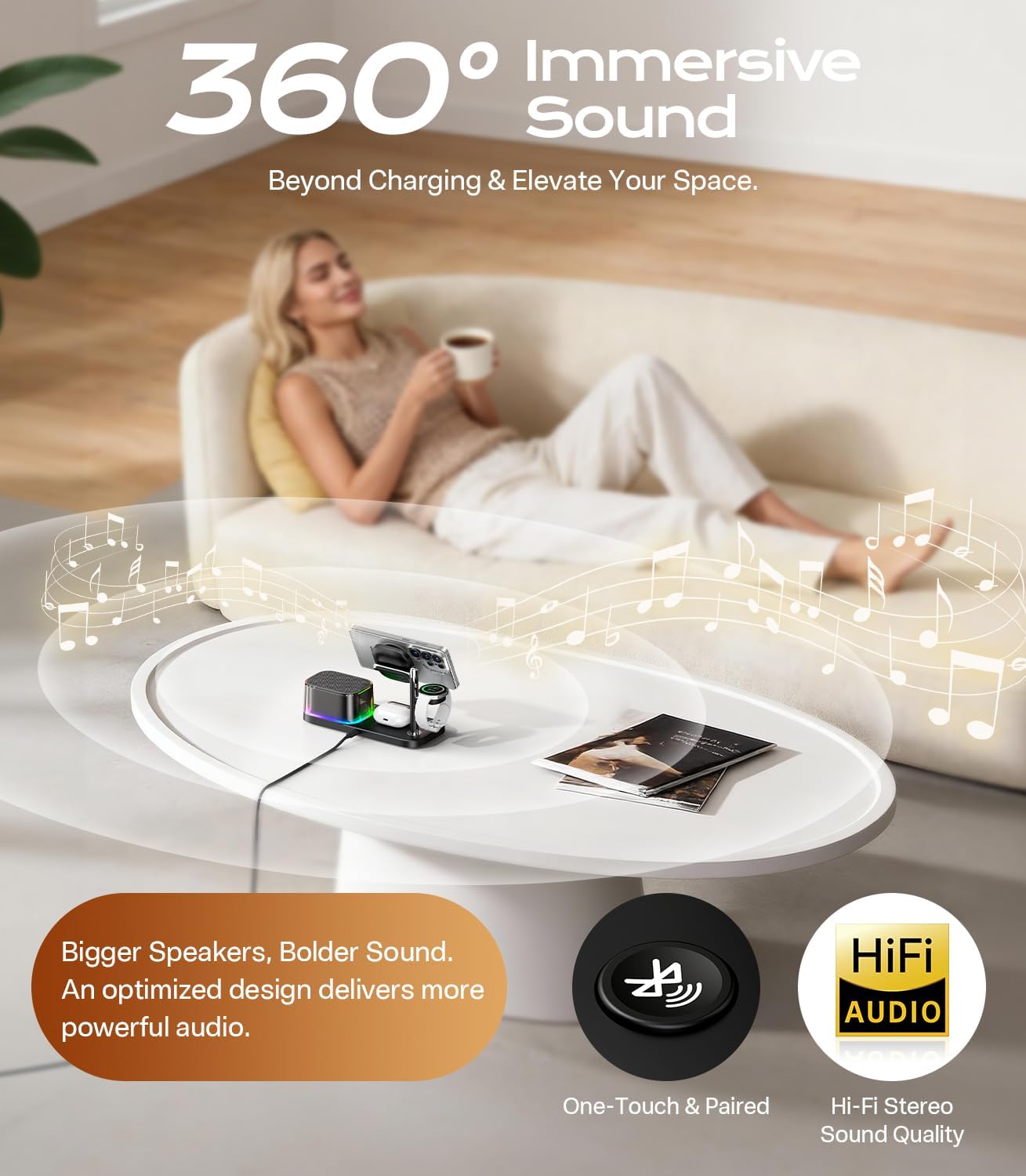
Image: Shows the adjustable viewing angles of the phone charging pad.
2. Setting the Alarm Clock
The alarm time must be set manually on the charging station.
- Press the "Alarm" button (often indicated by a bell icon). The clock's hour digits will flash.
- Use the "+" or "-" buttons to adjust the hour.
- Press the "Alarm" button again to switch to minute adjustment. The minute digits will flash.
- Use the "+" or "-" buttons to adjust the minutes.
- Press the "Alarm" button once more to confirm and activate the alarm.
- To disable the alarm, long-press the "Alarm" button.
- The alarm will sound for 1 minute. Press any button to stop it.
Video: Demonstrates how to set the alarm on the charging station.
3. Adjusting Night Light & Display Brightness
- Night Light: Use the dedicated touch dimmer button (often indicated by a light bulb icon) to cycle through 8 vibrant colors (Red, Orange, Yellow, Green, Cyan, White, Blue, Purple) and a colorful gradient mode. Touch and hold to turn off the light.
- Display Brightness: The display features 3 brightness levels. Press the brightness control button to adjust for comfortable viewing day or night.

Image: Illustrates the adjustable display brightness and the 8-color night light feature.
4. Using the Bluetooth Speaker
After successful Bluetooth pairing (see Setup Guide), you can play audio through the integrated speaker.
- Control playback and volume directly from your connected smartphone.
- The speaker provides clear, well-balanced sound for music or alarms.

Image: Demonstrates the Bluetooth speaker in use, providing an immersive sound experience.
Maintenance
- Cleaning: Disconnect the power before cleaning. Use a soft, dry cloth to wipe the surface of the charging station. Do not use liquid cleaners or abrasive materials.
- Storage: When not in use for extended periods, store the device in a cool, dry place away from direct sunlight.
Troubleshooting
| Problem | Possible Cause | Solution |
|---|---|---|
| Device not powering on. | Power adapter not connected, or not using the correct adapter. | Ensure the 45W PD adapter and USB C-C cable are securely connected to a working power outlet. |
| Wireless charging is slow or not working. | Incorrect phone case, device misalignment, foreign objects, or incompatible device. |
|
| Bluetooth speaker not connecting. | Bluetooth not enabled on phone, incorrect device selected, or too far from the station. |
|
| Alarm clock time is incorrect. | Time not synchronized or manually set incorrectly. |
|
| Night light or display not working. | Device not powered, or settings need adjustment. |
|
Specifications
| Feature | Detail |
|---|---|
| Model Number | C09 plus |
| Input Voltage | 15V |
| Input Amperage | 2.5A |
| Total Wattage | 45W (with included adapter) |
| Output Current | 2.5A |
| Phone Wireless Charging | Up to 25W (Qi2.2 compatible, magnetic case required) |
| Watch Wireless Charging | Up to 2.5W (for compatible Galaxy Watches) |
| Earbuds Wireless Charging | Up to 5W (for compatible wireless charging cases) |
| Connectivity | Bluetooth 5.3 (for speaker and time sync) |
| Night Light | 8 colors, dimmable, gradient mode |
| Display | Time, Weekday, 3 brightness levels |
| Color | BLACK |
Warranty and Support
Warranty Information
Meifigno products are designed and manufactured to the highest quality standards. For specific warranty details, please refer to the warranty card included with your product or contact Meifigno customer support.
Customer Support
If you have any questions, concerns, or require assistance with your Meifigno 5-in-1 Wireless Charging Station C09 Plus, please contact us through Amazon's Message Center. Our support team is available to help you.
For further information, you may also visit the official Meifigno Store on Amazon: Meifigno Store
Ask a question about this manual
Ask about setup, troubleshooting, compatibility, parts, safety, or missing instructions. Manuals+ will review the question and use this page’s manual context to help answer it.