
Introduction
Thank you for choosing the Inkbird Cordless Electric Lunch Box. This device is designed to provide warm meals on the go, featuring a 16000mAh rechargeable battery, 1.5L capacity, and 5-sided heating technology. Please read this manual thoroughly before use to ensure proper operation and maintenance.
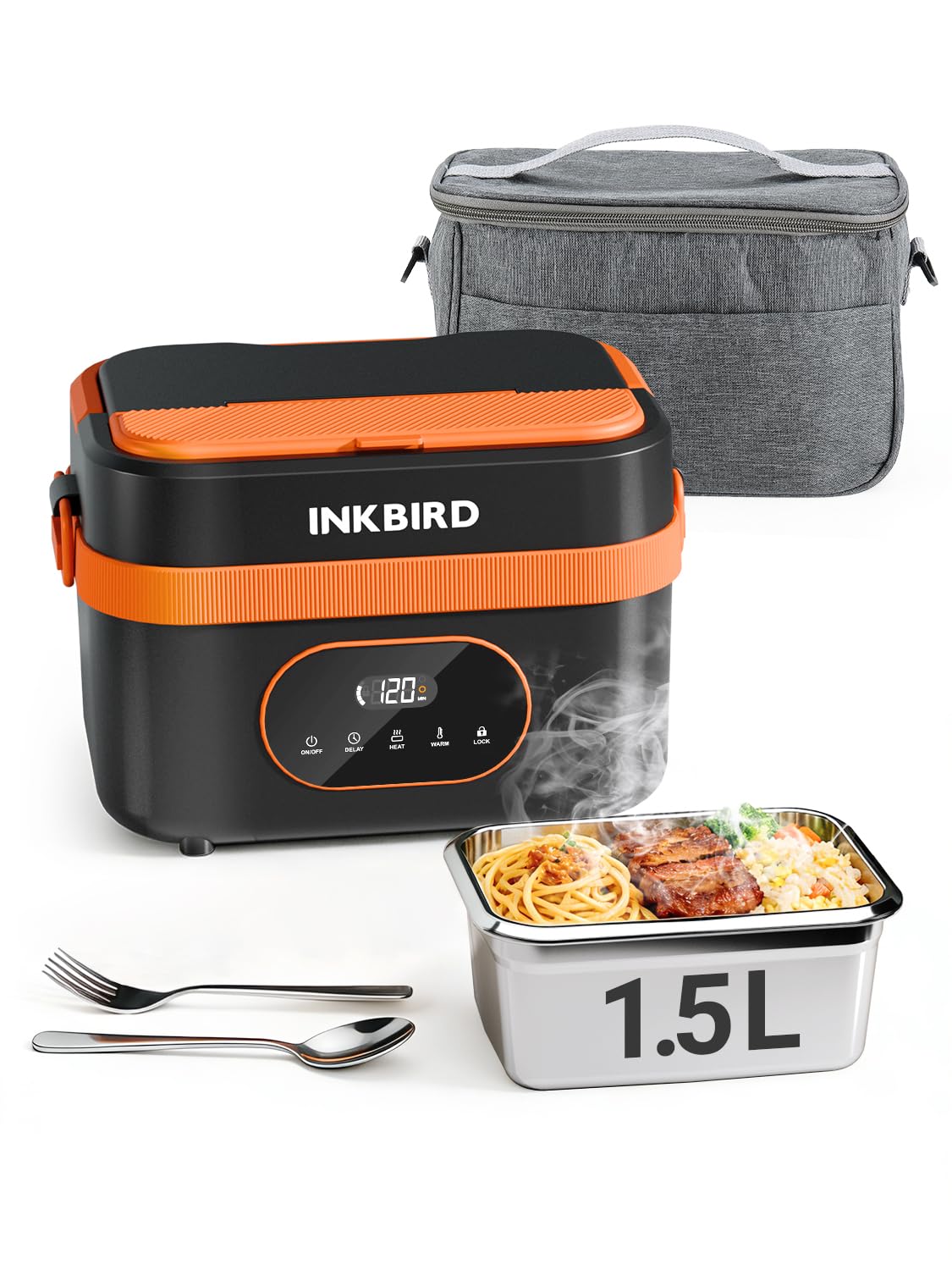
Image: The Inkbird Cordless Electric Lunch Box, showcasing its design and a heated meal.
Product Overview
Package Contents
The package includes the following items:
- Cordless Lunch Box (1)
- TYPE-C Charging Cable (1)
- Adapter (1)
- Instruction Manual (1)
- Rice Spoon (1)
- Fork (1)

Image: All components included in the Inkbird Cordless Electric Lunch Box package.
Key Features
- Cordless Operation: Integrated 16000mAh rechargeable battery for heating without an external power source.
- Efficient Heating: 5-sided heating technology ensures even warming of food.
- Smart Timer: Programmable heating from 1 to 8 hours.
- Generous Capacity: 1.5L (approximately 6 cups) stainless steel food container.
- Easy to Clean: Removable, dishwasher-safe stainless steel container.
- Spill-Resistant Design: Secure lid and leak-proof seal to prevent spills.
- Portable Power Bank Function: TYPE-C port allows charging of other devices.
Setup
Initial Charging
Before first use, fully charge the lunch box battery. Connect the provided TYPE-C charging cable to the lunch box and the adapter to a power outlet. A full charge typically takes 3-4 hours. The LED display will indicate charging status.

Image: The lunch box being charged via its TYPE-C port, also illustrating its ability to charge a mobile phone.
Preparing the Food Container
Wash the stainless steel food container and lid thoroughly before placing food inside. Ensure the leak-proof seal is properly seated on the lid to prevent spills during transport.
Operating Instructions
Placing Food
Place your prepared meal into the stainless steel container. If desired, use the removable divider to separate different food items. Secure the lid firmly onto the container, then place the container into the main heating unit.

Image: The removable tray divider, demonstrating flexible meal storage options.
Heating Modes
The lunch box offers two primary modes: Heat and Keep Warm.
- Heat Mode: Designed to actively heat food from room temperature to a hot level. This process requires at least 30 minutes. Heating times can be adjusted (e.g., 30, 40, 50, 60 minutes).
- Keep Warm Mode: Maintains the temperature of already warm food. This mode will not actively heat cold food to a hot level. Keep warm times can be adjusted (e.g., 30, 60, 90, 120 minutes).

Image: Visual representation of the Heat and Warm modes and their respective time options.
Using the Smart Timer (Delayed Heating)
The smart timer allows you to set a delayed start for heating, ensuring your meal is ready when you need it. You can set the timer for 1 to 8 hours. After setting the delay, the lunch box will automatically begin heating at the programmed time.

Image: The delay timer function, allowing users to schedule heating up to 8 hours in advance.
Power Bank Function
The integrated 16000mAh battery can also be used to charge other devices via the TYPE-C port. Connect your device to the TYPE-C port on the lunch box to begin charging.
Cleaning and Maintenance
Cleaning the Food Container
The stainless steel food container is removable and dishwasher safe for easy cleaning. The lid should also be washed thoroughly after each use.

Image: The dishwasher-safe stainless steel container for convenient cleaning.
Cleaning the Main Unit
The main heating unit is not waterproof. Do not immerse it in water or wash it under running water. Wipe the exterior with a damp cloth and ensure it is completely dry before storage or next use.

Image: Cleaning the removable container, with a crucial reminder that the main unit is not waterproof.
Troubleshooting
| Problem | Possible Cause | Solution |
|---|---|---|
| Food is not heating sufficiently. |
|
|
| Lunch box does not turn on. |
|
|
| Food spills during transport. |
|
|
Specifications
| Feature | Detail |
|---|---|
| Brand | Inkbird |
| Model | B0GCMDQ7FF |
| Color | Black & Orange |
| Material | Acrylonitrile Butadiene Styrene (ABS) |
| Capacity | 1.5 Liters |
| Battery | 16000mAh Rechargeable |
| Power | 60W |
| Product Dimensions (D x W x H) | 6.14" x 6.14" x 6.14" |
| Number of Compartments | 1 (with optional divider) |
| Special Feature | Heat Resistant, Portable Power Bank |
| Care Instructions | Hand Wash Only (main unit), Dishwasher Safe (stainless steel container) |
Safety Information
- Do not immerse the main heating unit in water or any other liquid.
- Ensure the lunch box is fully charged before extended use to avoid unexpected power loss during heating.
- Keep out of reach of children.
- Do not use if the product appears damaged.
- Always ensure the lid is securely closed before transport to prevent spills.
- Heating requires time; plan accordingly. Do not expect instant heating of cold food.
- Do not place the insulated cover over the lunch box while heating, as this can affect thermal efficiency and potentially cause damage.
Official Product Videos
Inkbird Cordless Electric Lunch Box: Operation Guide
Video: A detailed guide on how to operate the Inkbird Cordless Electric Lunch Box, including setting heating modes and timers.
Inkbird Cordless Lunch Box, Portable, Silent & Easy Clean
Video: Demonstrates the portability, quiet operation, and ease of cleaning for the Inkbird Cordless Electric Lunch Box.
Warranty and Support
For warranty information or technical support, please refer to the contact details provided in the included instruction manual or visit the official Inkbird website. Keep your purchase receipt for warranty claims.
You can also visit the Inkbird Store on Amazon for more product information and support resources.