
1. Introduction and Overview
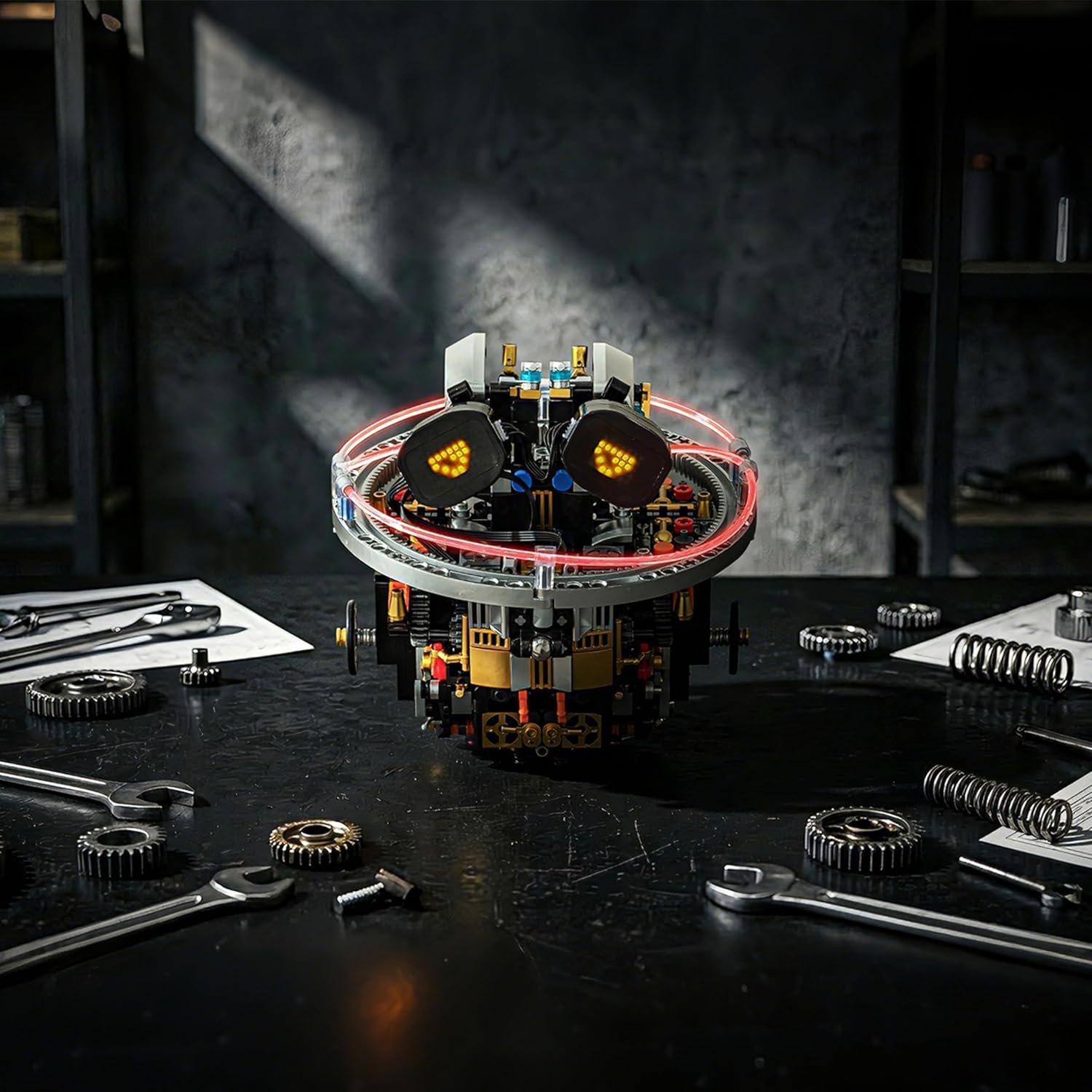
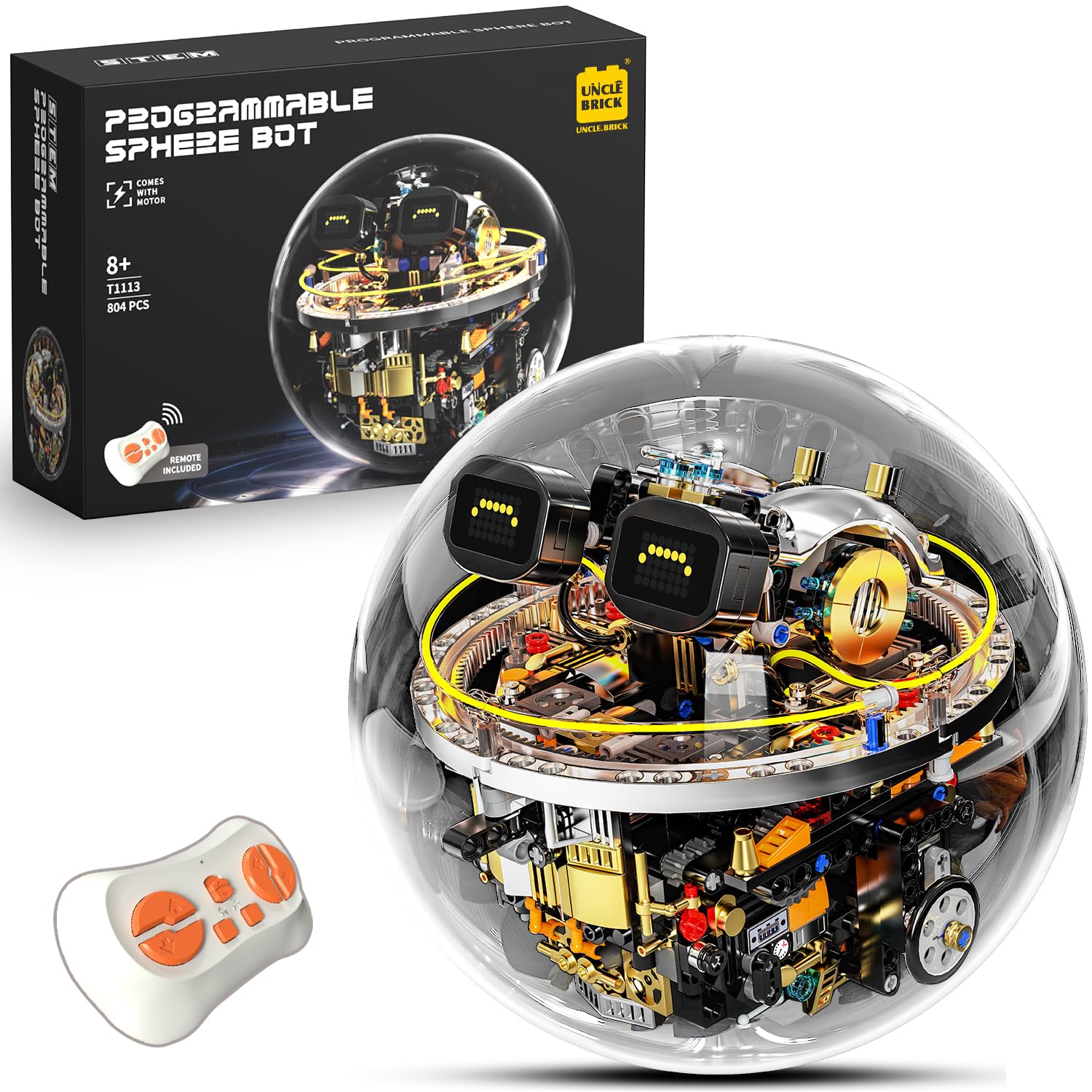
The UNCLE BRICK Transparent Spherical Robot STEM Block Set is a programmable, remote-controlled building toy designed to engage users aged 8-13. This innovative set features an LED expression display and dynamic cyberpunk lighting effects, offering both construction challenge and interactive play. The complete set contains 804 building blocks.
2. Safety Information
WARNING: CHOKING HAZARD - Small Parts.
This product contains small parts and is not suitable for children under 3 years of age. Adult supervision is recommended during assembly and play, especially for younger users within the recommended age range.
3. What's in the Box
Upon opening your UNCLE BRICK Transparent Spherical Robot Building Block Set, please verify that all components are present:
- 804 Building Blocks (various shapes and sizes)
- Main Robot Module (includes internal motor, circuit board, and battery compartment)
- Transparent Spherical Shell (two halves)
- Remote Control Unit
- LED Display Screens (pre-assembled into robot eyes)
- Instruction Manual (this document)
- USB Charging Cable
Note: 2 AAA batteries for the remote control are not included and must be purchased separately.
4. Setup and Assembly
Follow the detailed, full-color instruction manual included in your set for step-by-step assembly. The building blocks are typically organized into numbered bags corresponding to sections of the manual. It is recommended to open only the bags specified for the current assembly step to avoid mixing pieces.
- Unpack Components: Carefully remove all parts from the packaging.
- Follow Manual: Begin assembly by following the instructions in the provided manual. Each step is illustrated to guide you through the construction process.
- Internal Module Assembly: Focus on building the central robot module first, which houses the motor, control board, and LED eye components.
- Spherical Shell Integration: Once the internal module is complete, carefully enclose it within the transparent spherical shell. Ensure the two halves of the sphere align correctly and snap securely into place.
- Optional Ball Bearing Upgrade: The kit may include an optional ball bearing for enhanced movement. If desired, install this during the relevant assembly step as indicated in the manual.
5. Operating Instructions
5.1 Powering On/Off
The robot's main power switch is located inside the spherical shell, beneath the LED eye displays. To access it, gently separate the two halves of the transparent sphere. Once the robot is powered on, re-secure the sphere halves.
5.2 Remote Control Operation
Insert 2 AAA batteries into the remote control unit. The remote allows for directional movement of the robot. Due to its spherical design, movement may involve a slight wobble. Use small, precise inputs for optimal control.

5.3 App Control and Programming
Download the official UNCLE BRICK app from your device's app store. The app allows you to connect to the robot via Bluetooth and program custom movement paths. Follow the in-app instructions for pairing and programming.

5.4 LED Expression Display
The robot features two LED screens that can display up to six different facial expressions (e.g., smiling, happy, cute, funny, squinting). These expressions can be cycled through using specific buttons on the remote control, as detailed in the main assembly manual.

5.5 Cyberpunk Lighting Effects
The robot is equipped with an automatic lighting system that cycles through colors in a gradient, creating a cyberpunk aesthetic. This lighting activates when the robot is powered on.
6. Media Integration
6.1 Official Product Videos
Video: An official demonstration of the UNCLE BRICK spherical programmable robot in action, showcasing its movement and features.
Video: An official overview of the UNCLE BRICK Spherical Programmable Robot Building Block Set, highlighting its design and capabilities.
7. Maintenance
- Cleaning: To clean the robot, gently wipe its surfaces with a dry, soft cloth. Avoid using abrasive cleaners or harsh chemicals, as these can damage the plastic blocks or electronic components.
- Storage: When not in use, store the robot in a cool, dry place away from direct sunlight and extreme temperatures. If disassembling, keep all blocks and components organized to prevent loss.
- Battery Charging: The robot's internal battery is rechargeable. To charge, open the spherical shell and connect the provided USB charging cable to the charging port on the main module.
- Remote Control Batteries: Replace the 2 AAA batteries in the remote control unit when its performance diminishes.
8. Troubleshooting
| Problem | Possible Cause / Solution |
|---|---|
| Robot does not move or respond to controls. |
|
| Robot movement is imprecise or erratic. |
|
| Difficulty opening or closing the transparent sphere. |
|
| Missing or damaged building blocks. |
|
9. Specifications
| Feature | Detail |
|---|---|
| Brand | UNCLE BRICK |
| Model Name | T1113 |
| Number of Blocks | 804 |
| Material Type | Acrylonitrile Butadiene Styrene (ABS) |
| Item Dimensions | Approximately 8 x 8 x 8 inches |
| Target Audience | Ages 8-13 |
| Control Methods | 2.4G Remote Control, Mobile App Programming |
| Special Features | LED Expression Display, Cyberpunk Gradient Lighting |
| Power Source (Robot) | Internal Rechargeable Battery (USB charged) |
| Power Source (Remote) | 2 x AAA Batteries (not included) |
10. Warranty and Support
For detailed warranty information, product support, or to inquire about replacement parts, please refer to the contact information provided in the product packaging. You may also visit the official UNCLE BRICK website for further assistance and frequently asked questions.
Keep your purchase receipt as proof of purchase for any warranty claims.