
Introduction
The SMSL DA100 is a compact yet powerful Class D audio amplifier designed to deliver high-fidelity sound for various home audio setups. Featuring dual TI TAS5827 digital amplifier chips, it provides clear audio with low distortion. This amplifier supports a 2.1 channel system with adjustable crossover points for both high and low pass frequencies, along with independent subwoofer volume control. Multiple connectivity options including Bluetooth 5.3, USB, Optical, HDMI ARC, and Line-in make it a versatile hub for your audio sources. Advanced EQ presets and phase control allow for personalized sound tuning.
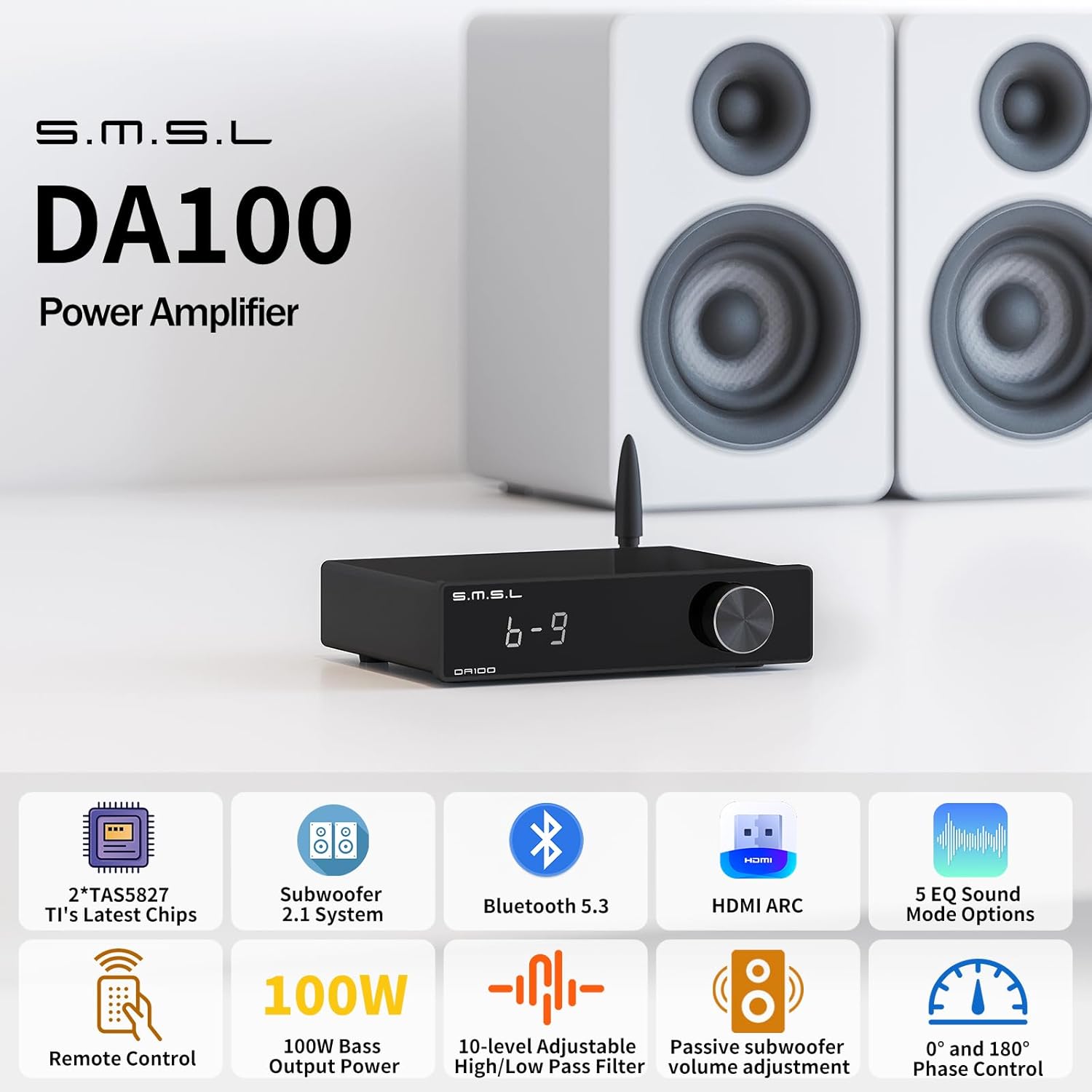
Figure 1: SMSL DA100 Audio Amplifier connected to a stereo speaker setup.
This manual provides detailed instructions for setting up, operating, and maintaining your DA100 amplifier, along with troubleshooting tips and technical specifications.
Package Contents
Before proceeding with the setup, please verify that all items are present in the package:
- 1x SMSL DA100 Amplifier
- 1x Bluetooth Antenna
- 1x AC Power Cord
- 1x USB Cable
- 1x HDMI Cable
- 1x Remote Control
- 1x User Manual

Figure 2: Included accessories and components in the DA100 package.
Setup
1. Connecting Speakers and Subwoofer
Connect your passive speakers to the speaker terminals on the rear panel. Ensure correct polarity (positive to positive, negative to negative). For a 2.1 channel setup, connect a passive subwoofer to the dedicated subwoofer output. Banana plugs are recommended for ease of connection to the speaker terminals.

Figure 3: Speaker and subwoofer connection points on the DA100.
2. Input Connections
The DA100 offers multiple input options:
- USB Input: Connect to a PC or other USB audio source using the provided USB cable. For Windows systems, installing the recommended driver may enhance performance.
- HDMI (ARC) Input: Connect to your TV's HDMI ARC port using the provided HDMI cable. This allows the amplifier's volume to synchronize with the TV for unified control. Ensure your TV supports HDMI ARC.
- Optical Input: Connect to devices with an optical audio output. Supports audio up to 24-bit/192kHz.
- Line-in Input: Connect analog audio sources using a 3.5mm to RCA cable (not included).
- Bluetooth 5.3: For wireless audio streaming from smartphones, tablets, or other Bluetooth-enabled devices. Attach the Bluetooth antenna to the rear panel.

Figure 4: Overview of available input connections on the DA100.

Figure 5: Connecting the DA100 to a TV via HDMI ARC.
3. Power Connection
Connect the AC power cord to the amplifier's power input and then to a suitable power outlet. The amplifier will power on automatically or can be turned on using the remote control.
Operating Instructions
1. Basic Operation
The DA100 can be operated using the front panel knob or the included remote control.
- Power ON/OFF: Use the power button on the remote or press and hold the front panel knob.
- Volume Control: Rotate the front panel knob or use the Volume +/- buttons on the remote.
- Input Selection: Press the MENU/OK button on the remote or short-press the front panel knob to cycle through input modes (Bluetooth, USB, HDMI ARC, Optical, Line-in).
- Mute: Press the Mute button on the remote to temporarily silence the audio.

Figure 6: Functions of the SMSL DA100 remote control.
2. Bluetooth Pairing
To connect a Bluetooth device:
- Select Bluetooth as the input source on the DA100. The display will indicate Bluetooth mode.
- On your mobile device, search for available Bluetooth devices and select "SMSL DA100".
- Once paired, audio from your device will stream wirelessly to the amplifier.

Figure 7: Bluetooth 5.3 connectivity for wireless audio streaming.
3. Sound Adjustments (EQ, Bass, Treble, Crossover)
The DA100 allows for extensive sound customization:
- EQ Presets: The amplifier includes 5 EQ presets (Direct, Tabebuia, Bass, Super Bass, Rock, Soft). Use the FN button on the remote or navigate through the menu with the front knob to select an EQ mode.
- Bass/Treble Control: Adjust bass and treble levels independently from -9 to +9. Short-press the knob when the device is powered on to access these settings.
- High/Low Pass Filter: For 2.1 channel setups, adjust the high-pass and low-pass crossover points (10 adjustable points) to optimize sound distribution between main speakers and the subwoofer.
- Subwoofer Phase Control: A subwoofer phase switch (0°/180°) helps ensure smooth bass integration and prevents cancellation issues.

Figure 8: EQ presets available on the DA100 amplifier.

Figure 9: Bass and Treble adjustment interface.
Maintenance
To ensure the longevity and optimal performance of your SMSL DA100 amplifier, follow these maintenance guidelines:
- Cleaning: Use a soft, dry cloth to clean the exterior of the amplifier. Avoid using liquid cleaners or abrasive materials, as they may damage the finish.
- Ventilation: Ensure the amplifier is placed in a well-ventilated area. Do not block any ventilation openings.
- Power Off When Not in Use: If the amplifier will not be used for an extended period, it is recommended to power it off and unplug it from the power outlet.
- Handle with Care: Avoid dropping or subjecting the amplifier to strong impacts.
Troubleshooting
If you encounter issues with your SMSL DA100 amplifier, refer to the following common troubleshooting steps:
| Problem | Possible Cause | Solution |
|---|---|---|
| No sound output | Incorrect input selected; loose speaker connections; amplifier muted; source device not playing audio. | Verify the correct input is selected. Check all speaker and input cable connections. Ensure the amplifier is not muted. Confirm the source device is playing audio. |
| Distorted or poor sound quality | Input signal too high; damaged cables; incorrect EQ settings; speaker impedance mismatch. | Reduce the volume on the source device. Check and replace any damaged cables. Reset EQ settings to default or adjust them. Ensure speakers are compatible with the amplifier's impedance. |
| Bluetooth connection issues | Device not in pairing mode; out of range; interference. | Ensure the DA100 is in Bluetooth input mode. Move the device closer to the amplifier. Disconnect other Bluetooth devices to reduce interference. Try re-pairing the device. |
| Remote control not working | Dead batteries; obstructed signal path; remote not pointed correctly. | Replace batteries in the remote control. Remove any obstacles between the remote and the amplifier. Point the remote directly at the amplifier's IR receiver. |
| Channel imbalance (one speaker louder than the other) | Faulty speaker cable; speaker issue; amplifier internal issue. | Swap speaker cables between left and right channels to determine if the cable is at fault. Test with different speakers if possible. If the issue persists, contact customer support. |
If the problem persists after attempting these solutions, please contact customer support for further assistance.
Specifications

Figure 10: SMSL DA100 Technical Specifications.
| Feature | Detail |
|---|---|
| Inputs | Bluetooth, USB, HDMI (ARC), Optical, Line-in |
| Output Power (Main Channel) | 67W x 2 (4Ω, 2ch driven) |
| Output Power (Subwoofer) | 100W (2Ω, 1ch driven) |
| Input Sensitivity | -6dB |
| SNR (Signal-to-Noise Ratio) | 112dB |
| Frequency Response | 20Hz-20kHz |
| THD+N (Total Harmonic Distortion + Noise) | 0.007% |
| Channel Separation | 104dB (1kHz) |
| Bass or Treble Gain | -9dB ~ +9dB |
| Power Consumption | 36W |
| Standby Power | <0.5W |
| Dimensions (WxHxD) | 139 x 35.5 x 126mm |
| Weight | 0.30kg |
Warranty and Support
The SMSL DA100 amplifier is covered by a manufacturer's warranty. During the coverage period and under normal use, quality issues will be addressed with replacement or repair services, covering related costs. For specific warranty terms and conditions, please refer to the documentation included with your product or contact the seller, FINE MUSIC.
For technical support, troubleshooting assistance beyond this manual, or warranty claims, please contact FINE MUSIC customer service. Their team of experts can provide deep knowledge and experience in audio equipment to help resolve any issues you may encounter.
Contact information for support can typically be found on the seller's Amazon page or through the included warranty card.


