
Introduction
This manual provides comprehensive instructions for the Lamicall Phone Tripod & Selfie Stick, Model STTP08-US-BK-GM. This versatile device combines the functionality of a phone tripod and a selfie stick, designed for enhanced stability and flexibility in capturing photos and videos. It features a unique tap-to-open mechanism, an extendable telescopic pole, a wireless remote control, and a cold shoe mount for accessories.
What's in the Box
- 1 × Lamicall Phone Tripod & Selfie Stick
- 1 × Bluetooth Remote Control
- 1 × User Manual
Setup
1. Unfolding the Tripod Legs (Tap-to-Open Design)
The Lamicall Phone Tripod features an innovative tap-to-open mechanism for quick deployment. To activate the tripod legs:
- Hold the device vertically with the base facing downwards.
- Gently tap the base onto a flat surface. The three legs will automatically deploy, forming a stable triangular base.
- To retract the legs, simply pull the telescopic pole upwards from the base. The legs will fold back into the handle.

Image: The "Tap-to-Open" design allows for automatic deployment of the tripod legs by gently tapping the base on a surface.
2. Extending the Telescopic Pole
To extend the selfie stick or adjust the tripod height:
- Hold the base firmly.
- Grasp the top section of the pole and pull upwards to extend it to your desired length. The pole can extend up to 65 inches.
- To retract, push the pole back down into the handle until it is fully collapsed.
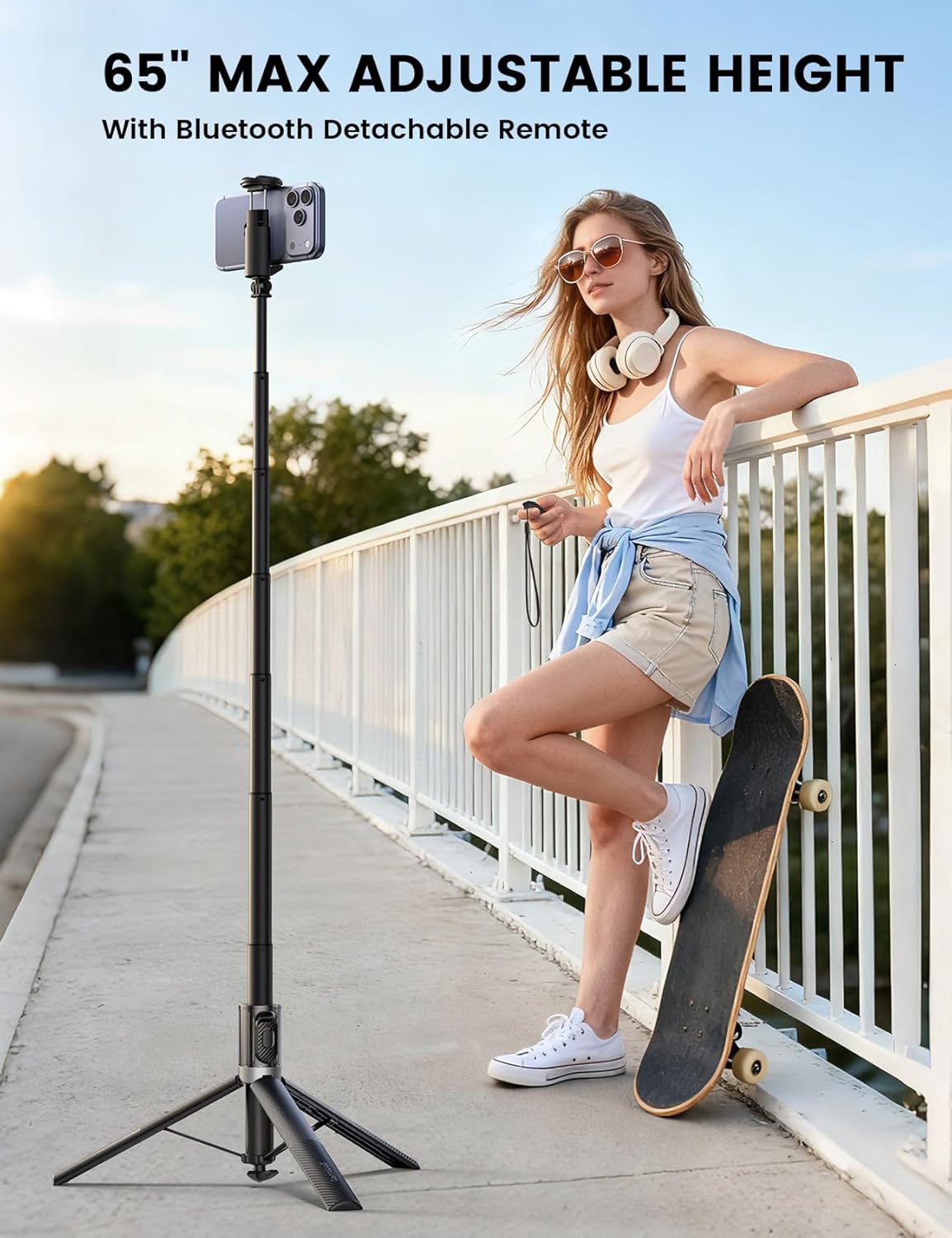
Image: The telescopic pole extends up to 65 inches for various shooting heights.
3. Attaching Your Phone
The phone clamp is designed to securely hold smartphones with widths between 1.6 and 3.4 inches.
- Gently pull apart the two sides of the phone clamp.
- Insert your smartphone into the clamp, ensuring it is centered and held firmly by the silicone pads.
- The clamp provides a secure grip to prevent slips and scratches.

Image: The adjustable phone clamp accommodates devices from 1.6 to 3.4 inches wide, ensuring wide compatibility.
4. Pairing the Wireless Remote Control
The included wireless remote control is compatible with both iOS and Android devices.
- Locate the remote control, which is stored in a dedicated slot on the selfie stick handle. Slide it out to remove.
- Turn on the remote control using the small switch on its side. A blue indicator light will flash, indicating it's in pairing mode.
- On your smartphone, go to Settings > Bluetooth.
- Select "T1-1" from the list of available devices to pair. The indicator light on the remote will stop flashing once successfully paired.
- To store the remote, slide it back into its slot on the handle.

Image: The wireless remote control detaches from the handle for convenient hands-free operation.
Operating Instructions
1. Switching Between Modes (Selfie Stick & Tripod)
The device supports instant switching between handheld selfie stick mode and standalone tripod mode.
- Selfie Stick Mode: Keep the tripod legs folded into the handle and extend the telescopic pole to your desired length. Use the remote for hands-free photo/video capture.
- Tripod Mode: Deploy the tripod legs as described in the setup section. Extend the telescopic pole to the desired height for stable, stationary shots.

Image: The device is suitable for diverse applications such as live streaming, outdoor travel, and content creation.
2. Adjusting Angles and Orientation
The phone holder offers flexible adjustments for various shooting perspectives:
- 360° Rotation: The phone holder can rotate a full 360 degrees, allowing for easy switching between landscape and portrait orientations without removing the phone.
- 180° Tilt Adjustment: The holder can tilt 180 degrees, enabling overhead, low-angle, and other dynamic shots.

Image: Multi-directional adjustments, including 180° tilt and 360° rotation, allow for versatile filming scenarios.
3. Using the Cold Shoe Mount
The phone holder includes a cold shoe interface on top, designed for attaching external accessories.
- To attach an accessory (e.g., a microphone or fill light), slide its cold shoe adapter into the mount on the phone holder.
- Ensure the accessory is securely fastened before use.
4. Using the Wireless Remote
Once paired, the wireless remote allows you to capture photos and start/stop video recording from a distance.
- Open your smartphone's camera application.
- Press the button on the remote control to trigger the camera shutter or start/stop video recording.
Maintenance
- Cleaning: Wipe the device with a soft, dry cloth. Avoid using harsh chemicals or abrasive materials.
- Storage: Store the tripod/selfie stick in a cool, dry place when not in use. Ensure the telescopic pole is fully retracted and the tripod legs are folded.
- Battery: The remote control uses a replaceable button cell battery. If the remote stops responding, replace the battery.
Troubleshooting
- Remote not pairing: Ensure the remote is charged (if applicable) or has a fresh battery. Turn off and on your phone's Bluetooth, then try pairing again. Make sure no other devices are actively connected to the remote.
- Tripod legs not deploying/retracting smoothly: Check for any obstructions in the mechanism. Ensure the device is tapped firmly on a flat surface for deployment or pulled upwards completely for retraction.
- Phone not fitting securely: Verify your phone's width is within the 1.6-3.4 inch range. Remove any bulky phone cases if necessary.
Specifications
| Feature | Detail |
|---|---|
| Model Name | STTP08-US-BK-GM |
| Brand | Lamicall |
| Material | Acrylonitrile Butadiene Styrene (ABS), Aluminum |
| Maximum Height | 65 Inches |
| Minimum Height | 14.17 Inches |
| Folded Size | 14.17 inches |
| Item Weight | 13.7 ounces |
| Compatible Devices | iPhone 17/16/15/14 Pro Max, iPhone 17/16/15/14 Plus, iPhone 17/16/15/14, iPhone 17/16e, iPhone 17 Air, iPhone 14 mini, iPhone 13/13 mini/13 Pro/13 Pro Max, iPhone 12 mini/12/12 Pro/12 Pro Max, Samsung S25 Ultra Plus 24 series, Pixel 10 Series, and other smartphones up to 3.4 inches wide. |
| Special Features | Cold shoe mount, Remote Control, Selfie stick/tripod dual mode, Tap-to-Open design, Telescopic structure |
Official Product Video
Video: An official Lamicall video demonstrating the features and usage of the Phone Tripod & Selfie Stick.
Warranty and Support
For warranty information or technical support, please refer to the contact details provided in the product packaging or visit the official Lamicall website. Keep your purchase receipt for warranty claims.
