
1. Introduction
The GRECELL Acc2400 Portable Power Station is a high-capacity power solution designed for both off-grid outdoor scenarios and home emergency backup. With a large 1843.2Wh capacity and 2400W high power output, it can power a wide range of devices from small electronics to high-wattage appliances.
This unit features a durable LiFePO4 battery, multiple output ports, and an intelligent UPS function for seamless power switching during outages. Its compact and portable design makes it suitable for camping, RV trips, jobsite workflow, and general home use.
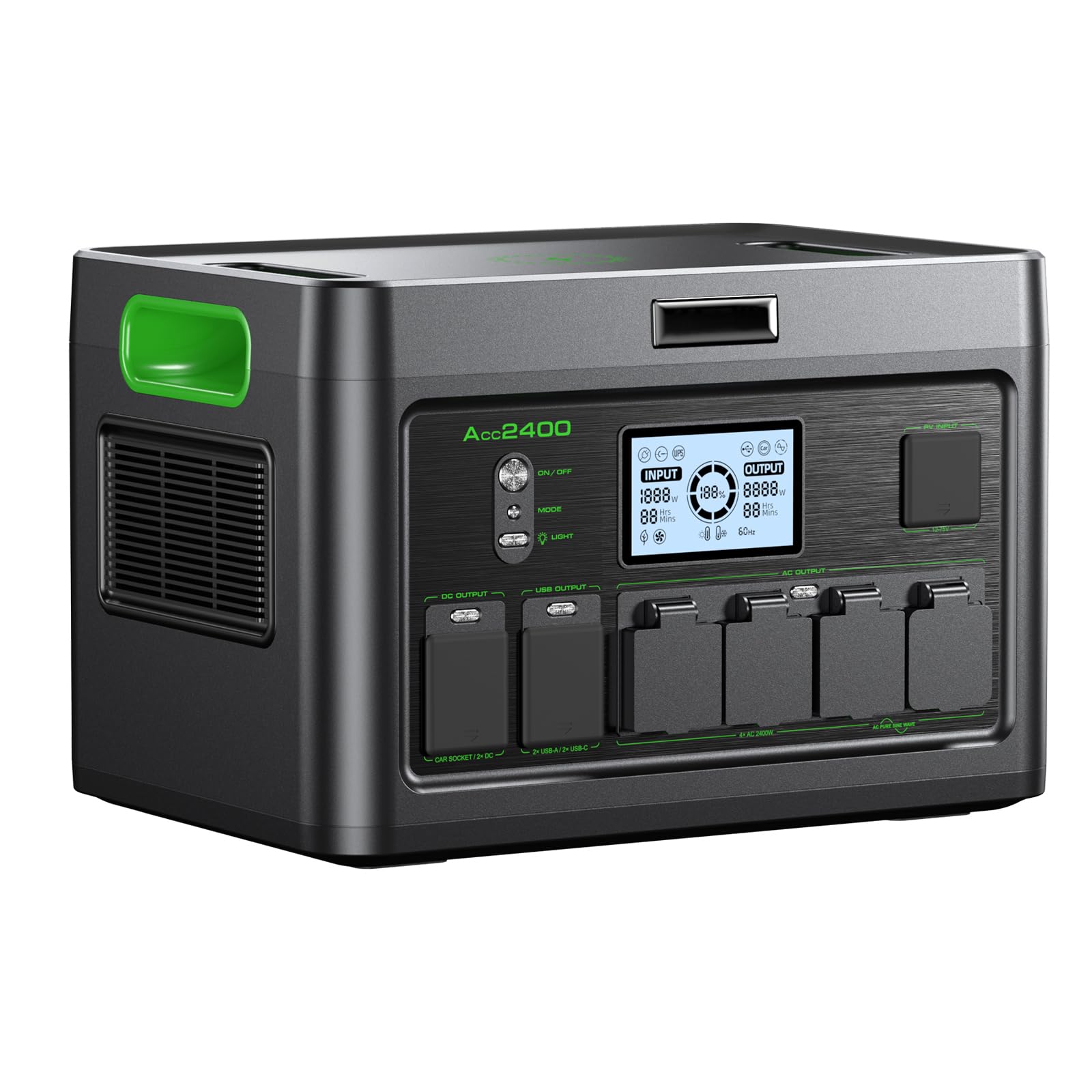
Image 1.1: The GRECELL Acc2400 Portable Power Station, showcasing its compact design.
2. Package Contents
Before using your GRECELL Acc2400, please ensure all items are present in the package:
- 1 x GRECELL Acc2400 Portable Power Station
- 1 x AC Charger
- 1 x Anderson Cable
- 1 x Car Charger Cable
- 1 x User Manual
- 1 x Cable Storage Bag
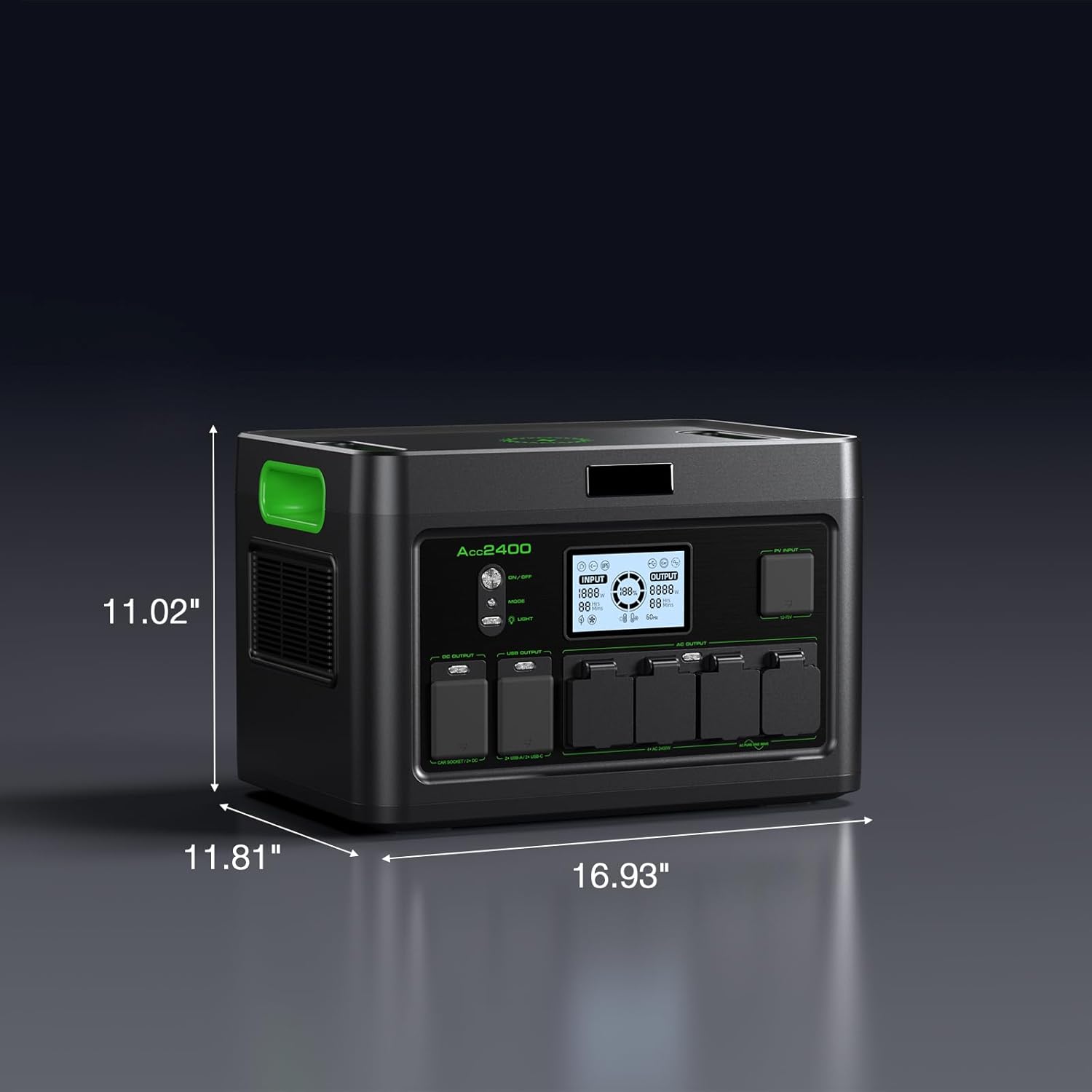
Image 2.1: All components included in the GRECELL Acc2400 package.
3. Setup
3.1 Initial Charging
It is recommended to fully charge the power station before first use. Connect the provided AC charger to the power station's input port and then to a wall outlet. The display will indicate the charging status. The Acc2400 can reach 100% charge in under 2 hours.

Image 3.1: The power station connected to an AC outlet for charging.
3.2 Solar Charging (Optional)
For solar charging, connect compatible solar panels (up to 800W) to the power station using the Anderson cable. Position the solar panels in direct sunlight for optimal charging efficiency. A full charge via 800W solar input can take approximately 3 hours on a sunny day.
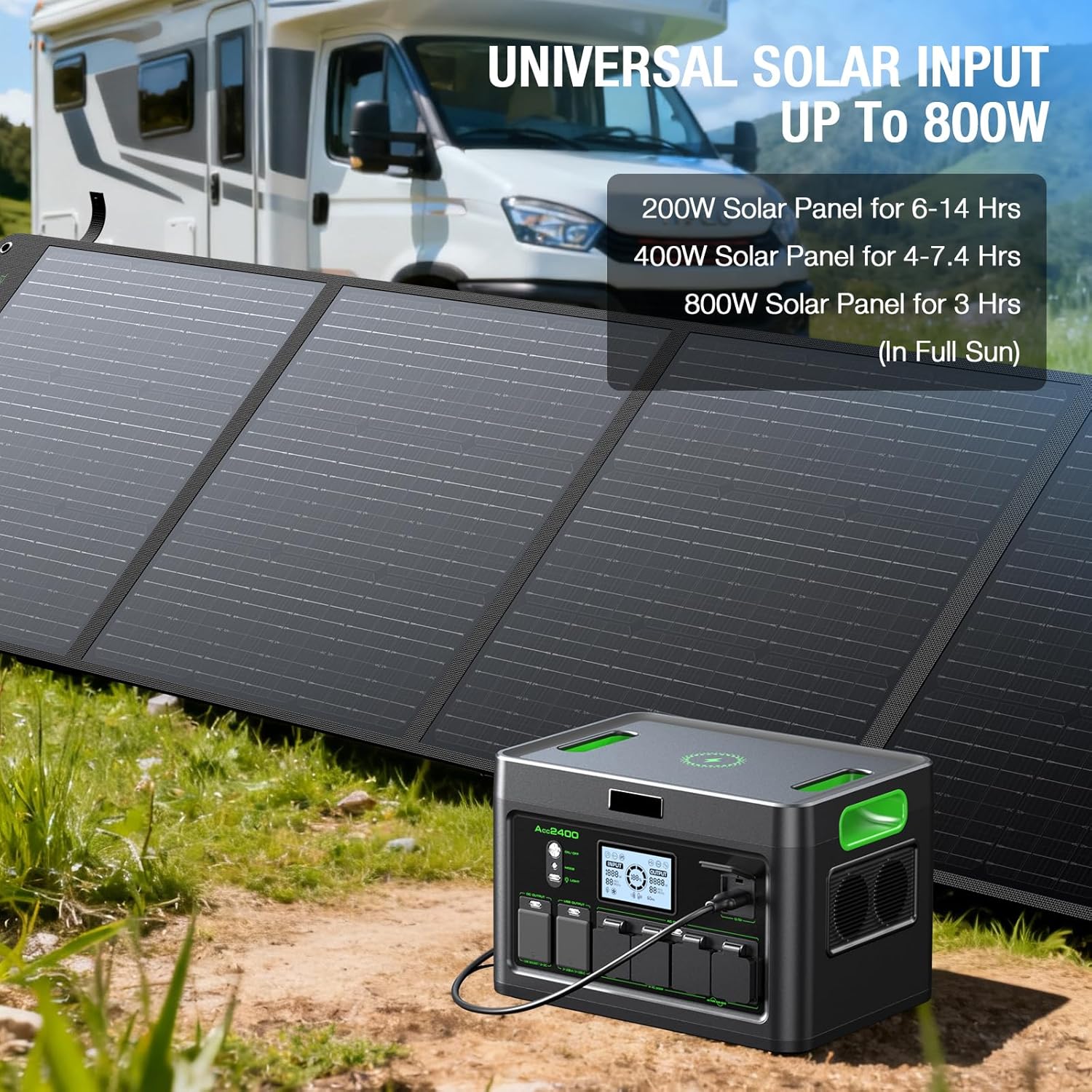
Image 3.2: The power station being charged by solar panels in an outdoor setting.
4. Operating Instructions
4.1 Powering On/Off
Press and hold the main power button to turn the unit on or off. The LCD display will illuminate, showing battery level, input/output wattage, and active ports.
4.2 Using Output Ports
The Acc2400 features 12 output ports:
- 4 x AC Outlets (2400W max): For household appliances. Press the AC button to activate.
- 2 x USB-A Ports: For standard USB devices.
- 2 x USB-C Ports (PD100W): For fast charging compatible devices like laptops and smartphones.
- 2 x DC Ports: For 12V DC devices.
- 1 x Car Port (12V/10A): For car-powered devices.
- 1 x Wireless Charging Pad: For Qi-compatible devices.
Activate the specific output group (AC, DC, USB) by pressing its corresponding button. The display will show the active output power.

Image 4.1: Overview of the 12 output ports available on the power station.
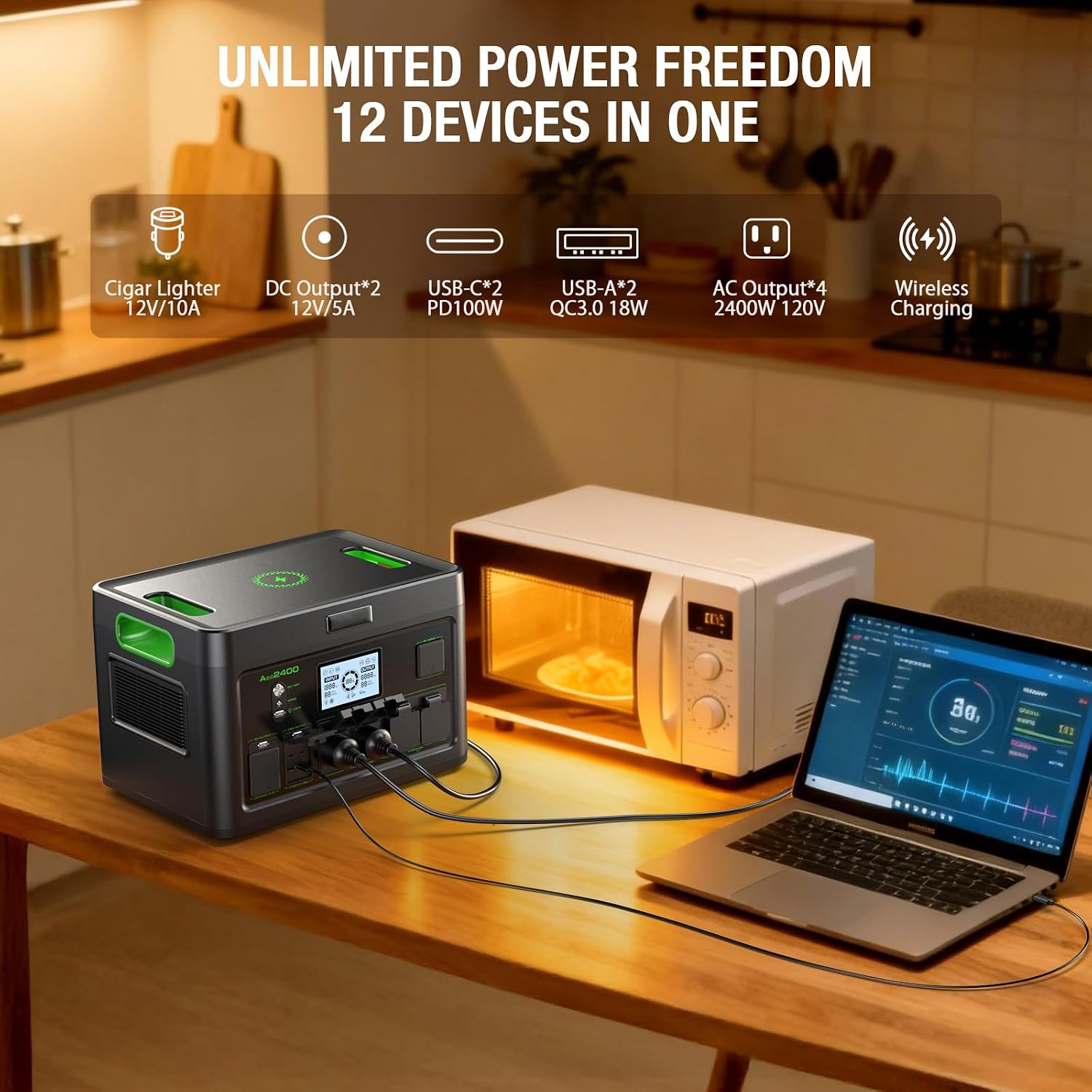
Image 4.2: The power station simultaneously charging a laptop, smartphone, and powering a microwave.
4.3 UPS Function
The intelligent emergency power supply (UPS) mode allows the Acc2400 to switch to backup power in just 0.1 seconds during a blackout. This prevents data loss for connected computers and other sensitive devices. To use, connect the power station to a wall outlet and then connect your devices to the power station's AC outlets.

Image 4.3: The power station acting as an uninterruptible power supply (UPS) for home electronics.
4.4 LED Light Modes
The built-in LED light has 4 modes: Half Bright, Full Bright, Strobe, and SOS. Press the light button to cycle through the modes. This feature is useful for camping illumination and emergency signaling.
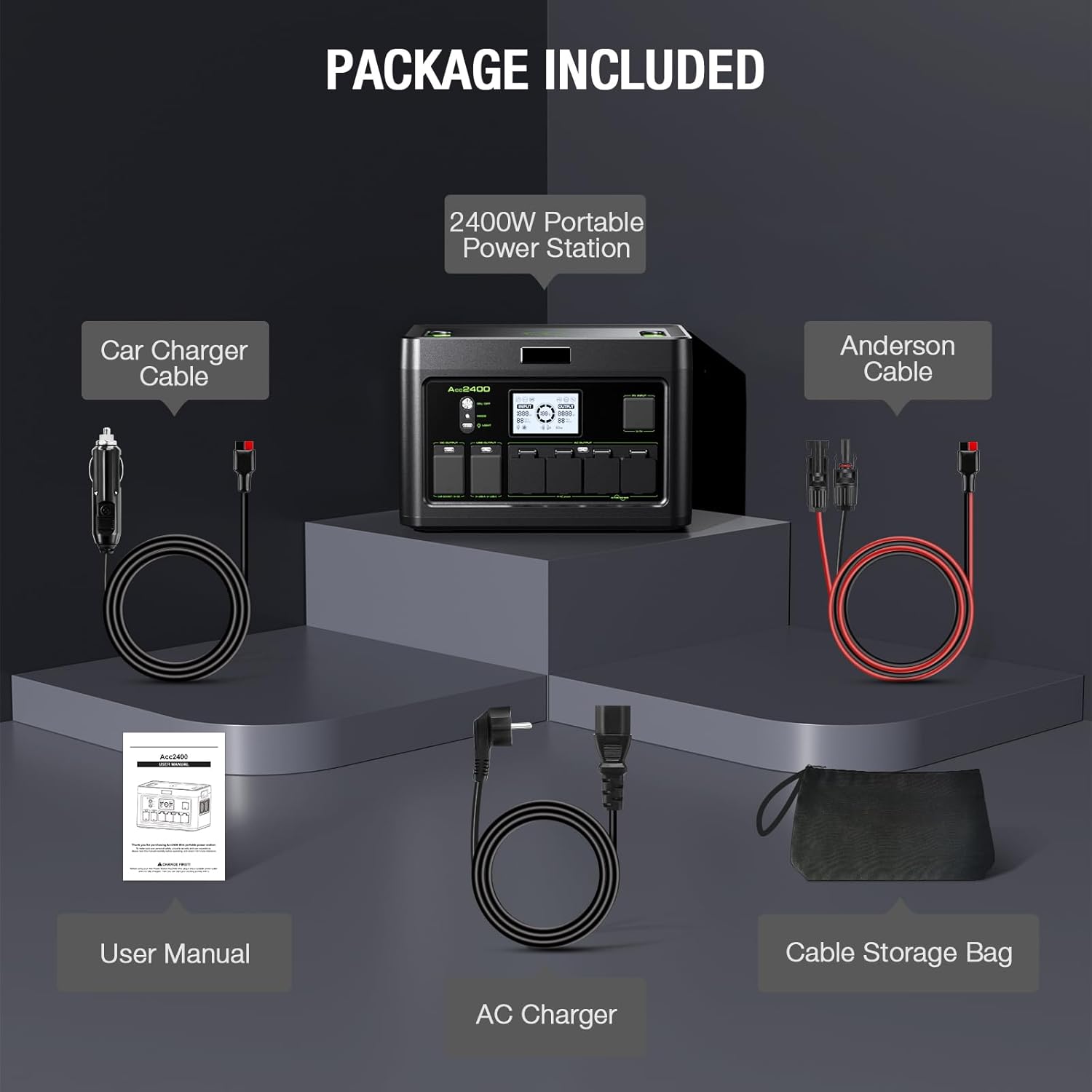
Image 4.4: The power station's LED light providing illumination.
5. Maintenance
5.1 Battery Care
The Acc2400 uses outdoor-specific lithium iron phosphate (LiFePO4) batteries, known for their durability. These batteries support over 3500 charge-discharge cycles and have a service life of more than 10 years. To maximize battery lifespan, avoid prolonged storage at extremely low or high charge levels. Recharge the unit at least once every 3-6 months if not in regular use.
5.2 Safety Features
The power station includes a built-in Battery Management System (BMS) that provides comprehensive protection against:
- Overcharging
- Over-discharging
- Short circuits
- Over current
- Overload
- High temperatures
- Over voltage
Additionally, the unit features a built-in heat dissipation design that increases cooling efficiency by 30%, preventing overheating during extended use.

Image 5.1: Diagram illustrating the internal LiFePO4 battery and safety features of the power station.
6. Troubleshooting
If you encounter issues with your GRECELL Acc2400, please refer to the following general troubleshooting steps:
- Unit Not Powering On: Ensure the battery is charged. If not, connect to an AC outlet for charging.
- No Output from Ports: Verify that the specific output group (AC, DC, USB) is activated by pressing its corresponding button. Check if the device being charged is functioning correctly.
- Overload Protection Triggered: If the unit shuts down or an overload indicator appears, disconnect some devices to reduce the total power draw. Restart the unit.
- Slow Charging: Ensure the charging cable and power source are adequate. For solar charging, ensure panels are in direct sunlight and correctly connected.
- Unusual Noise or Smell: Immediately power off the unit and disconnect all devices and charging cables. Contact customer support.
For persistent issues or further assistance, please contact GRECELL customer support.
7. Specifications
| Feature | Detail |
|---|---|
| Brand | GRECELL |
| Model Name | Acc2400 |
| Wattage | 2400 watts |
| Running Wattage | 2400 Watts |
| Starting Wattage | 2400 Watts |
| Fuel Type | Solar (also AC) |
| Power Source | Battery Powered |
| Item Weight | 55 Pounds |
| Special Features | Digital Display, Overload Protection, Portable, USB Port, UPS Function |
| Total Power Outlets | 12 (4 AC, 2 USB-A, 2 USB-C, 2 DC, 1 Car Port, 1 Wireless Charging) |
| Item Dimensions (L x W x H) | 16.93"L x 11.8"W x 11"H |
| Battery Type | LiFePO4 |
| Battery Capacity | 1843.2Wh |
| Solar Input | Up to 800W |
| AC Input | 1200W Max |
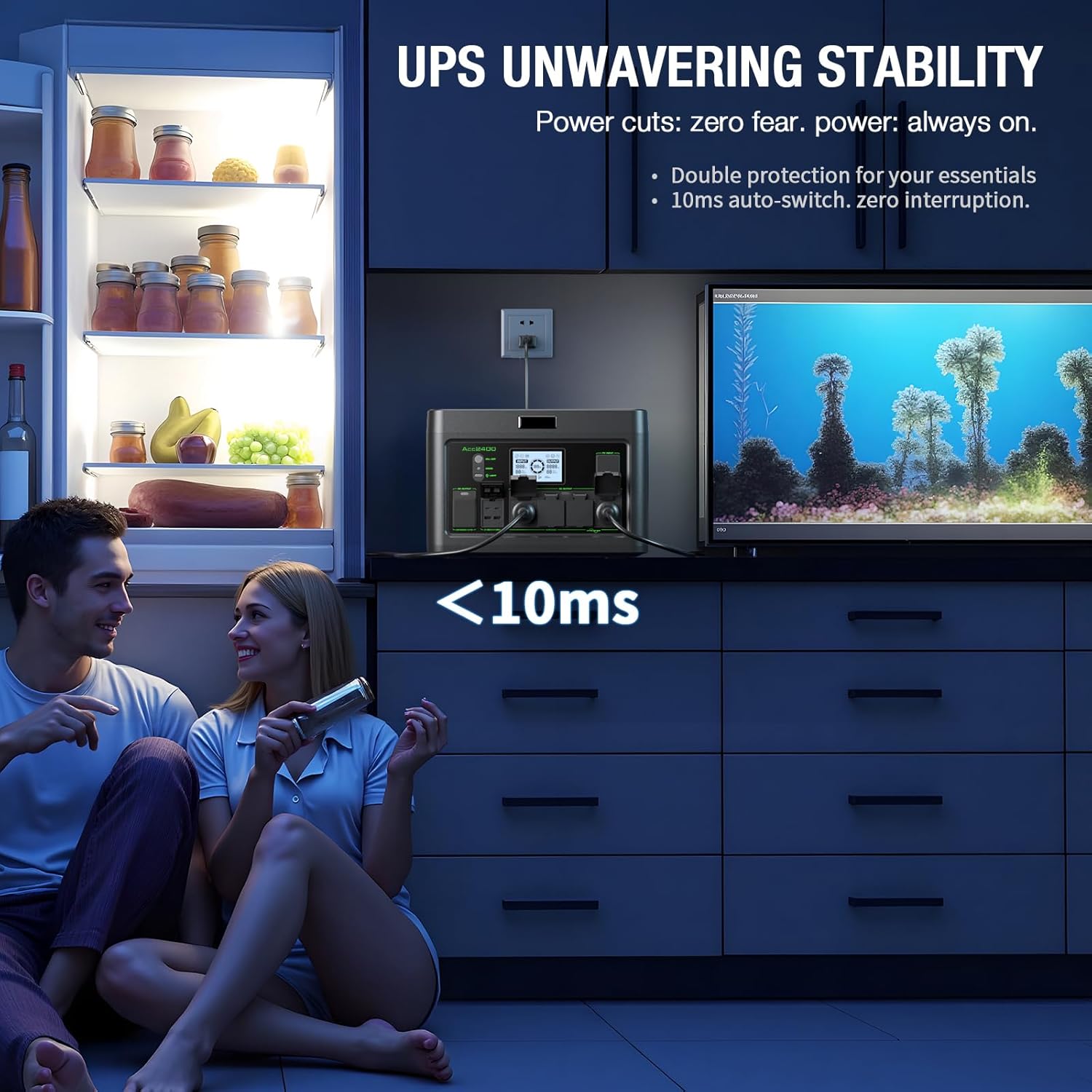
Image 7.1: Dimensions of the GRECELL Acc2400 Portable Power Station.
8. Warranty and Support
The GRECELL Acc2400 Portable Power Station comes with a 2-year warranty. For warranty claims, technical support, or any product-related inquiries, please visit the official GRECELL store or contact their customer service.
Official GRECELL Store: Visit the GRECELL Store


