
1. Introduction
This manual provides essential information for the operation and maintenance of your Woneligo Smart Watch DR06. Please read it thoroughly before using the device to ensure proper function and to maximize your user experience.
The Woneligo Smart Watch DR06 features a 1.57-inch HD AMOLED touchscreen, comprehensive health monitoring, over 120 sport modes, Bluetooth calling, and smart notifications. It is designed to seamlessly integrate with both iOS and Android smartphones.
2. What's in the Box
- Woneligo Smart Watch DR06 (with pre-installed silicone strap)
- Additional Leather Strap
- Magnetic Charging Cable
- User Manual
3. Product Overview
The Woneligo Smart Watch DR06 features a round metal case and a vibrant 1.57-inch AMOLED display. It includes a side button for navigation and control, and sensors on the back for health monitoring.
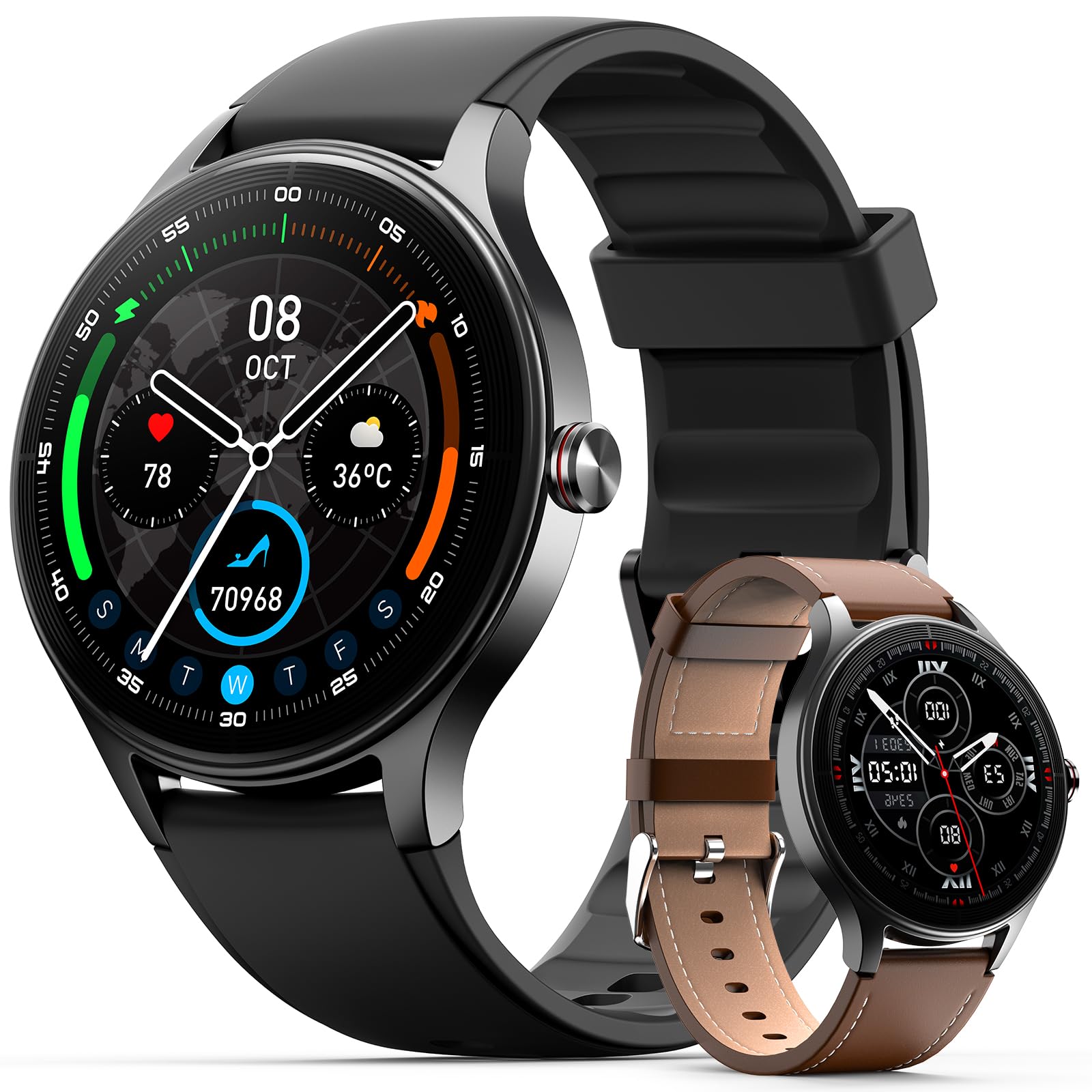
Figure 3.1: Woneligo Smart Watch DR06 (Black variant shown).

Figure 3.2: The 1.57-inch HD AMOLED Touch Screen offers a clear and responsive interface.
Changing Straps
The watch comes with two interchangeable straps: a silicone strap for sports and a leather strap for everyday wear. To change the strap, locate the quick-release pins on the underside of the watch where the strap connects to the watch body. Slide the pin to detach the current strap and attach the new one by aligning the pins with the holes and releasing them.

Figure 3.3: The watch includes both flexible silicone and leather straps for versatile styling.
4. Setup
4.1 Initial Charging
Before first use, fully charge your smartwatch. Connect the magnetic charging cable to the charging points on the back of the watch. Connect the USB end of the cable to a power adapter (not included) or a computer's USB port. The watch will display a charging indicator.

Figure 4.1: Connecting the magnetic charging cable to the smartwatch.
4.2 App Download and Pairing
- Download the App: Scan the QR code displayed on the watch screen or search for "VeryFit" in your smartphone's app store (Apple App Store for iOS, Google Play Store for Android).
- Install and Register: Install the "VeryFit" app and follow the on-screen instructions to create an account or log in.
- Pair the Device: Open the VeryFit app, navigate to the device section, and select "Add Device" or "Pair Device." The app will search for nearby devices. Select "ID208 Plus" or the corresponding device name. Confirm the pairing request on both your phone and the watch.
- Grant Permissions: Allow the app to access necessary health data and notifications for full functionality.
Video 4.2: Official Woneligo Smart Watch overview, demonstrating features and app pairing process.
5. Operating Instructions
5.1 Basic Navigation
- Swipe Up/Down: Scroll through menus and notifications.
- Swipe Left/Right: Access quick functions or different widgets.
- Tap: Select an item or confirm an action.
- Press Side Button: Return to the home screen or wake the device.
5.2 Customizing Watch Faces
The watch offers over 200 pre-loaded watch faces. You can also personalize your watch face by uploading your own photos through the VeryFit app. To change the watch face directly on the watch, long-press the home screen and swipe left or right to select a new face.

Figure 5.1: Explore over 200 watch faces or create your own custom design.
6. Health Monitoring
The Woneligo Smart Watch DR06 is equipped with advanced sensors to track various health metrics. All data is for general wellness and fitness purposes only and is not intended for medical use.
- Heart Rate Monitoring: Continuously tracks your heart rate throughout the day.
- Blood Oxygen (SpO2) Monitoring: Measures your blood oxygen saturation levels.
- Sleep Monitoring: Records your sleep patterns, including deep sleep, light sleep, and REM sleep, to help you understand and improve your sleep quality.
- Stress Level Monitoring: Checks your personal stress levels and provides insights. (Supports 24-hour continuous measure, 5 minutes/time).
- Menstrual Cycle Tracking: Provides insights and predictions for menstrual cycles.
- Reminders: Set up medication reminders, sedentary reminders, hand-washing reminders, and drink water reminders through the app.

Figure 6.1: All-day wellness tracking for heart rate and blood oxygen.

Figure 6.2: Detailed sleep monitoring to help improve sleep quality.

Figure 6.3: Monitor your stress levels and receive advice for reduction.
7. Sport Modes & Activity Tracking
The Woneligo Smart Watch DR06 supports over 120 sport modes, accurately recording your calories burned, distance, steps, and exercise duration. It is IP68 waterproof, making it suitable for various activities.
- 120+ Sport Modes: Track a wide range of activities including running, swimming, yoga, and more.
- 24/7 Activity Tracking: Continuously records steps, distance, and calories burned.
- IP68 Waterproof: Resistant to sweat, rain, and splashes. Suitable for swimming up to 30 meters.

Figure 7.1: Track your performance across 120+ sport modes.

Figure 7.2: Continuous activity tracking helps you understand your daily health.

Figure 7.3: The watch is 3ATM waterproof, suitable for swimming and daily use.
8. Smart Notifications & Calls
Stay connected with Bluetooth 5.3. The smartwatch allows you to make and receive calls directly from your wrist and receive real-time notifications from your smartphone.
- Bluetooth Calls: Make, answer, and refuse calls with the built-in DSP noise-reduction chip for clear audio.
- Message Notifications: Receive alerts from text messages, emails, and social media apps directly on your watch.
- AI Voice Assistant: Use your phone's smart voice assistant (like Siri or Google Assistant) through the watch for convenient control.

Figure 8.1: Receive smart notifications from your favorite apps.

Figure 8.2: Make and answer calls directly from your wrist with Bluetooth 5.3.

Figure 8.3: Utilize the AI Voice Assistant for hands-free control.
9. Battery Life
The Woneligo Smart Watch DR06 is designed for extended use on a single charge.
- Charging Time: Approximately 1.5 hours for a full charge.
- Average Usage: Up to 7 days.
- Standby Time: Up to 30 days.
Figure 9.1: Enjoy long-lasting battery performance with quick charging.
10. Additional Features
The smartwatch includes a variety of other useful functions:
- Music Control: Control music playback on your smartphone.
- Camera Control: Use the watch as a remote shutter for your phone's camera.
- Weather Forecast: Get real-time weather updates.
- Alarm Clock & Timer: Set alarms and timers directly from your wrist.
- Find Phone: Locate your misplaced smartphone.
- Games & Calculator: Enjoy simple games and a calculator function.
- Flashlight: A convenient built-in flashlight function.
- Breathing Exercises: Guided breathing sessions for relaxation.

Figure 10.1: Access a wide array of multi-functions directly from your watch.
11. Maintenance
- Cleaning: Regularly clean the watch and straps with a soft, dry cloth. For silicone straps, a damp cloth with mild soap can be used, then rinse and dry thoroughly.
- Avoid Chemicals: Do not use harsh chemicals, cleaning solvents, or strong detergents, as they may damage the watch's finish or components.
- Storage: Store the watch in a cool, dry place when not in use.
- Water Exposure: While IP68 waterproof, avoid prolonged submersion in water, hot water, or steam. Dry the watch thoroughly after exposure to water.
12. Troubleshooting
| Issue | Possible Solution |
|---|---|
| Watch does not turn on | Ensure the watch is fully charged. Connect to the charger for at least 10 minutes. |
| Cannot pair with phone | Ensure Bluetooth is enabled on your phone. Keep the watch close to your phone. Restart both devices. Check app permissions. |
| Inaccurate health data | Ensure the watch is worn snugly on your wrist, not too tight or too loose. Clean the sensors on the back of the watch. |
| Notifications not received | Check app notification settings on your phone and in the VeryFit app. Ensure the watch is connected via Bluetooth. |
13. Specifications
| Feature | Detail |
|---|---|
| Display | 1.57-inch AMOLED Touchscreen (360x360 resolution, 600 Nit brightness) |
| Connectivity | Bluetooth 5.3 |
| Battery Capacity | 290 Milliamp Hours |
| Battery Life (Typical) | 7 days |
| Charging Time | 1.5 Hours |
| Water Resistance | IP68 (Waterproof up to 30 meters) |
| Sport Modes | 120+ |
| Health Monitoring | Heart Rate, SpO2, Sleep, Stress, Menstrual Cycle Tracking |
| Compatibility | iOS 9.0+ and Android 6.0+ |
| Band Material | Silicone, Leather |
| Case Material | Metal |
14. Warranty & Support
The Woneligo Smart Watch DR06 comes with a 3-year guarantee and lifetime technical support. For any issues or inquiries, please contact Woneligo customer service.
Note: All health data provided by this device is for general wellness and fitness purposes only and is not intended for medical use. Consult a medical professional for any health concerns.


