
1. Product Overview
The Ulefone Rugking Pad 2 Pro is a rugged 4G tablet designed for durability and performance. It features a 10.1-inch Corning Gorilla Glass display, powered by an Octa-core processor with 16GB RAM and 256GB storage, running on Android 16. Key features include a 10200mAh battery, 48MP rear camera, built-in eSIM, and IP68/IP69K/MIL-STD-810H certifications for extreme environments.
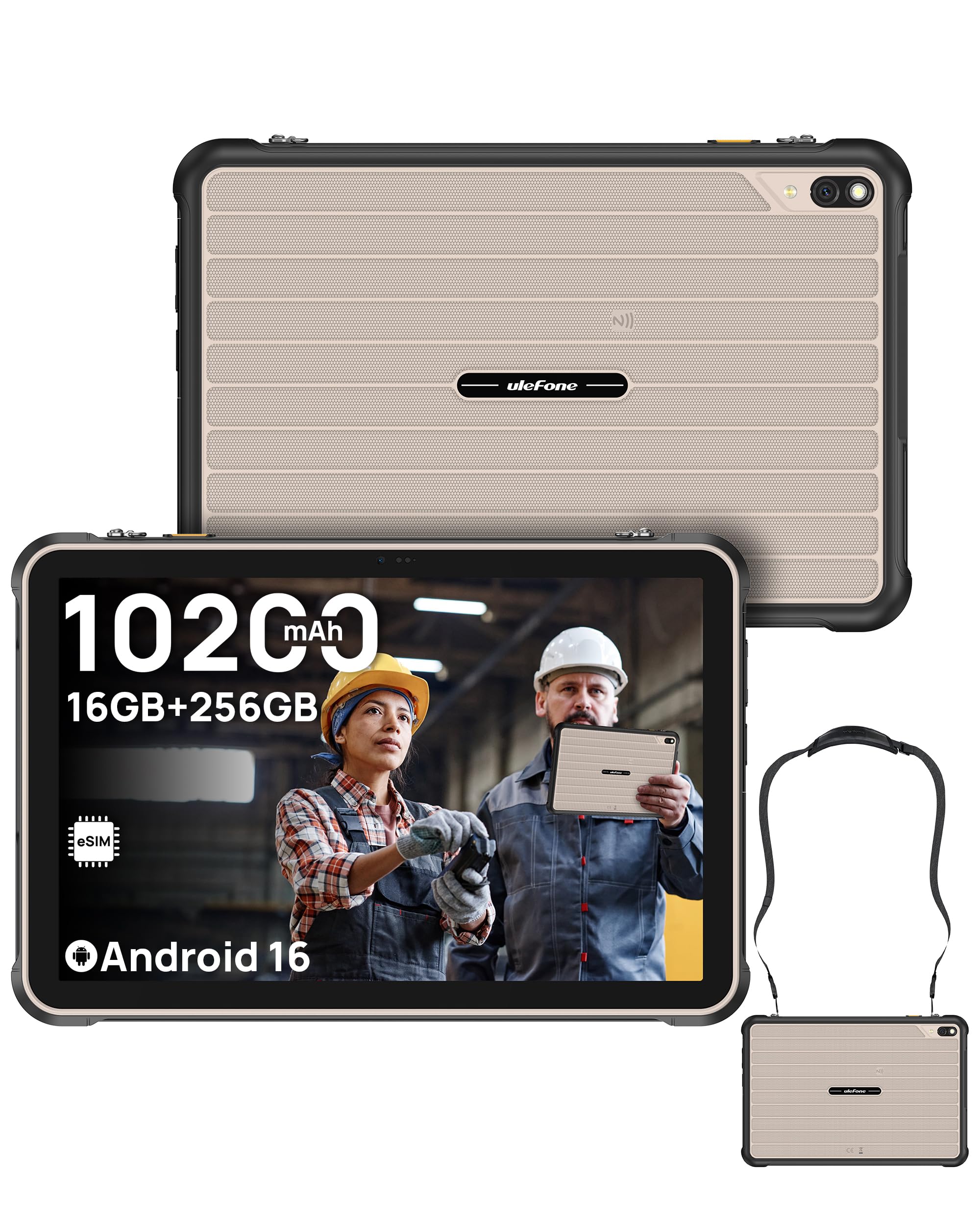
Image: Ulefone Rugking Pad 2 Pro tablet, showcasing its robust design.
2. What's in the Box
- 1x Ulefone Rugking Pad 2 Pro Tablet
- 1x AC Power Charger (100~240V)
- 1x Type-C to Type-C Data Cable (100cm)
- 1x Wearable Strap
- 2x Screws
- 1x Protective Film (Pre-installed)
- 1x Multi-language User Manual
- 1x Charging Instruction Card
- 1x Safety Prompt Statement

Image: All items included in the Ulefone Rugking Pad 2 Pro package.
3. Setup
3.1 Initial Power On
- Press and hold the Power button located on the side of the tablet until the Ulefone logo appears.
- Follow the on-screen prompts to select your language, region, and connect to a Wi-Fi network.
3.2 SIM Card and eSIM Setup
The Rugking Pad 2 Pro supports dual 4G SIM cards and a built-in eSIM for flexible connectivity.
- Physical SIM Card: Use the provided tool to open the SIM card tray. Insert up to two Nano SIM cards and one MicroSD card into their respective slots. Ensure the tray is securely closed to maintain water and dust resistance.
- Built-in eSIM: The integrated eSIM allows you to download local data plans without physical SIM cards. Before activating, confirm support and eligibility with your cellular carrier, as service varies by region. (Note: Not compatible with AT&T or Cricket.)

Image: Visual representation of eSIM technology for global connectivity.
3.3 Charging the Device
Connect the provided AC power charger and Type-C cable to the tablet's charging port. The tablet also supports 18W dock charging (dock sold separately).

Image: The Ulefone Rugking Pad 2 Pro being charged via a pogo pin dock (sold separately).
4. Operating Instructions
4.1 Display and Navigation
The 10.1-inch HD+ display offers a 90Hz refresh rate and 600 nits maximum brightness for clear visuals. It is protected by Corning Gorilla Glass 3 for enhanced scratch resistance.

Image: The 10.1-inch 90Hz display of the Rugking Pad 2 Pro.
4.2 Camera Usage
Capture moments with the 48MP rear camera and take selfies or video calls with the 8MP front camera. The 120LM Super Torch assists in low-light conditions.

Image: Details of the 48MP rear camera and 8MP front camera.
4.3 Battery Management
The tablet is equipped with a 10200mAh battery, providing extended usage. It can also function as a power bank to reverse charge other devices. For optimal battery life, avoid extreme temperatures and use the provided charger.

Image: Illustration of the 10200mAh battery capacity and usage times.
4.4 Water-Lock Mode
Activate Water-Lock mode to disable the touchscreen in wet conditions, preventing accidental touches and 'ghost inputs'. This ensures reliable operation even when the device is wet.
4.5 uSmart Expansion Connector
The uSmart Expansion Connector allows for stable connection with a rich accessory ecosystem, including endoscopes (E01/E02) and microscopes (C01), which are sold separately. These peripherals enhance the tablet's functionality for critical inspection tasks.

Image: The uSmart Expansion Connector and examples of compatible accessories like endoscopes and microscopes.
4.6 Other Features
- Custom Key: Program the custom key for single click, double click, or long press actions.
- NFC: Utilize NFC for contactless payments and data transfer.
- GPS: Integrated GPS + GLONASS + Galileo + BeiDou + QZSS for accurate positioning.
- Dual Speakers: Enjoy clear and balanced audio output.
- Glove Mode: Enables touchscreen operation while wearing gloves.
- Widevine L1: Supports high-definition streaming from various platforms.

Image: Overview of additional features including Widevine L1, Custom Key, Face Unlock, Fingerprint ID, Outdoor Toolbox, Gloves Mode, 3.5mm Headphone Jack, and GPS systems.
5. Maintenance
5.1 Durability and Protection
The Rugking Pad 2 Pro is certified IP68, IP69K, and MIL-STD-810H, making it resistant to dust, water submersion, high-pressure water jets, shocks, vibrations, and extreme temperatures. Ensure all port covers are securely closed to maintain water and dust resistance.

Image: The Rugking Pad 2 Pro showcasing its IP68, IP69K, and MIL-STD-810H certifications for extreme durability.
5.2 Cleaning
To clean the tablet, wipe it with a soft, damp cloth. Avoid using harsh chemicals or abrasive materials that could damage the screen or casing.
6. Troubleshooting
- Device not turning on: Ensure the battery is charged. Connect the charger and wait a few minutes before attempting to power on again.
- Screen unresponsive: Try restarting the device by holding the power button. If unresponsive, perform a forced restart (refer to the device's quick start guide for specific instructions).
- Connectivity issues: Check Wi-Fi and cellular settings. For eSIM, verify carrier compatibility and activation status.
7. Specifications
| Brand | Ulefone |
| Model Name | Ulefone Rugking Pad 2 Pro |
| Memory Storage Capacity | 256 GB |
| RAM Memory Installed | 16 GB (8GB + 8GB adjustable RAM) |
| Screen Size | 10.1 Inches |
| Display Resolution Maximum | 1280 x 800 HD+ Pixels |
| Display Refresh Rate | 90 Hz |
| Maximum Display Brightness | 600 Nit |
| Operating System | Android 16 |
| Processor Brand | Unisoc |
| CPU Model Number | T7250 |
| Battery Capacity | 10200 Milliamp Hours |
| Rear Camera | 48MP |
| Front Camera | 8MP |
| Connectivity Technology | Bluetooth, LTE, NFC, USB, Wi-Fi |
| Cellular Technology | 4G |
| Ruggedness Certifications | IP68, IP69K, MIL-STD-810H |
| Other Special Features | 120LM Super Torch, Built-in eSIM, Dual 4G Network, Water-Lock Mode, uSmart Expansion Connector |
8. Warranty and Support
The Ulefone Rugking Pad 2 Pro comes with a 1 Year Warranty. For technical support, warranty claims, or further assistance, please visit the official Ulefone website or contact their customer service. Keep your purchase receipt as proof of purchase for warranty services.
9. Official Product Videos
9.1 Ulefone Rugking Pad 2 Pro Product Overview
Video: An official overview of the Ulefone Rugking Pad 2 Pro, highlighting its features and capabilities.
9.2 Ulefone Rugking Pad 2 Pro Unboxing Video
Video: An official unboxing video of the Ulefone Rugking Pad 2 Pro, showing the contents of the package.


