
Introduction
This manual provides essential information for the safe and effective use of your Metasources 2-Prong 29V AC/DC Adapter. This power supply is designed for compatibility with various electric recliners and adjustable beds, including models from GRP, Okin, and Rize. Please read these instructions carefully before use and retain them for future reference.
Safety Information
Your safety is paramount. Please observe the following precautions:
- Indoor Use Only: This adapter is designed for indoor use in dry locations. Do not expose it to water, rain, or excessive humidity.
- Proper Voltage: Ensure the input voltage (100-240V AC, 50/60Hz) matches your local power supply.
- Overcurrent Protection (OCP): The adapter features built-in overcurrent protection to prevent damage from excessive current draw.
- Short-Circuit Protection (SCP): Integrated short-circuit protection safeguards against electrical shorts.
- Overvoltage Protection (OVP): The unit includes overvoltage protection to shield connected devices from voltage spikes.
- FCC Approved: This device complies with FCC regulations, ensuring safe operation.
- Do not disassemble or modify the adapter. Refer all servicing to qualified personnel.
- Keep out of reach of children.
Package Contents
Verify that all items are present in the package:
- 1 x Metasources 29V AC/DC Adapter
- 1 x AC Power Cord (2-Prong)
Product Overview
The Metasources 2-Prong 29V AC/DC Adapter is a reliable power supply designed for various compatible devices. It provides a stable 29V DC output with a current rating of 1.8A to 2.0A, suitable for devices requiring up to 58W of power.

Image: The Metasources 29V AC/DC Adapter shown with its detachable 2-prong AC power cord. The adapter is black and rectangular, and the cord is coiled neatly beside it.

Image: A close-up view of the Metasources 29V AC/DC Adapter and its separate 2-prong AC power cord. The adapter's DC output connector is visible, along with the AC input plug.
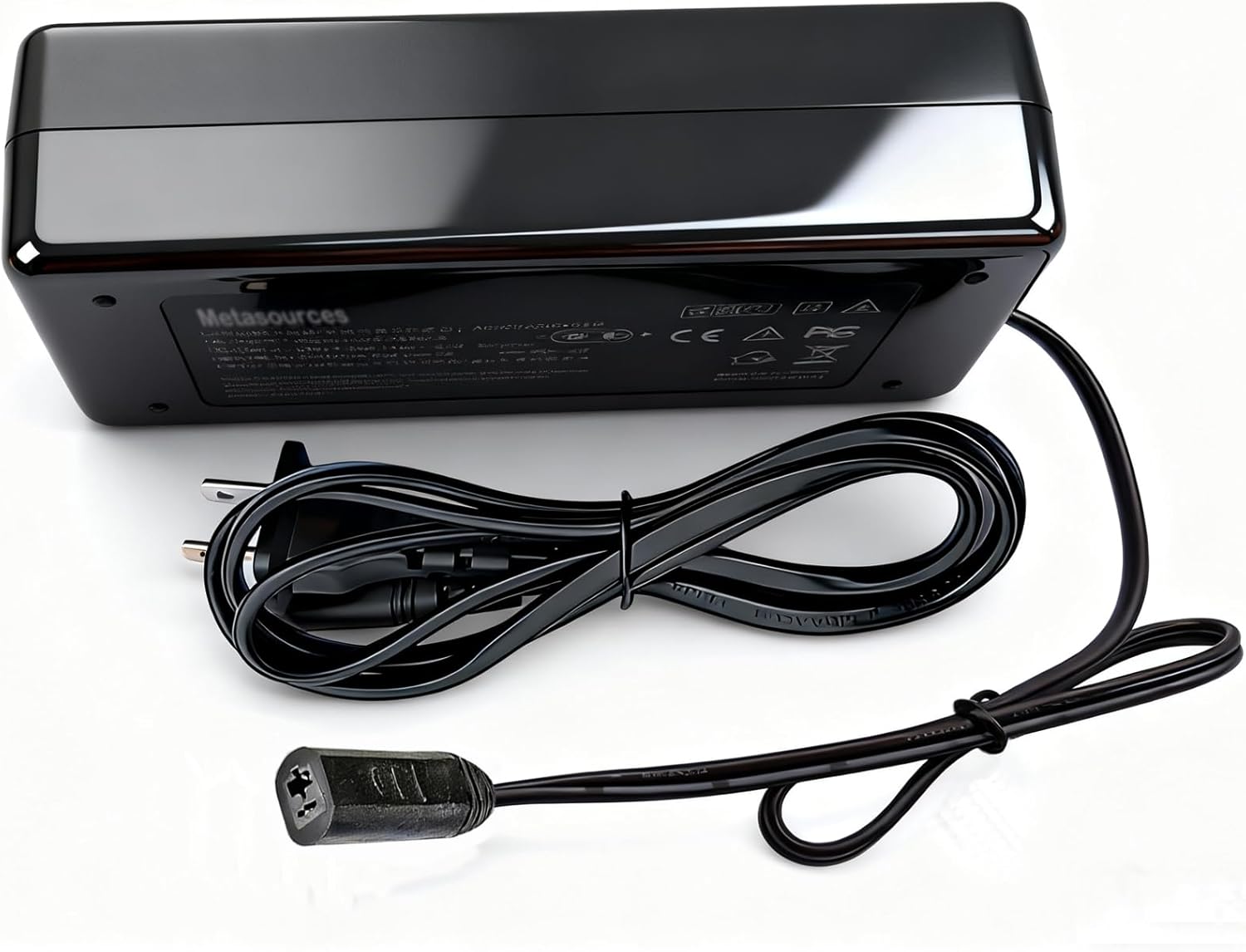
Image: The underside of the Metasources 29V AC/DC Adapter, displaying its technical specifications, safety certifications (CE, FCC), and manufacturing details. The 'Metasources' brand name is clearly visible.
Setup Instructions
- Inspect the Adapter: Before connecting, visually inspect the adapter and power cord for any signs of damage. Do not use if damaged.
- Connect AC Power Cord: Plug the 2-prong AC power cord into the adapter's AC input port. Ensure a firm connection.
- Connect to Device: Plug the DC output connector of the adapter into the corresponding power input port of your compatible device (e.g., electric sofa, adjustable bed, lift chair). Ensure the connector type matches (2-pin / 2-prong).
- Connect to Wall Outlet: Plug the 2-prong AC power cord into a standard 100-240V AC wall outlet.
- Verify Connection: Confirm all connections are secure before operating your device.
Operating Instructions
Once the adapter is properly connected as described in the Setup section:
- The adapter will supply power to your connected device.
- Operate your electric sofa, adjustable bed, or lift chair according to its own instruction manual.
- The adapter is designed for continuous use within its specified limits.
Maintenance
To ensure the longevity and optimal performance of your adapter:
- Cleaning: Disconnect the adapter from the power outlet and the device before cleaning. Use a soft, dry cloth to wipe the surface. Do not use liquid cleaners or solvents.
- Storage: When not in use, store the adapter in a cool, dry place away from direct sunlight and extreme temperatures.
- Cable Care: Avoid bending or crimping the power cord excessively. Do not place heavy objects on the cord.
- Regular Inspection: Periodically check the adapter and cables for any signs of wear, cuts, or damage. Replace immediately if damage is found.
Troubleshooting
| Problem | Possible Cause | Solution |
|---|---|---|
| Device not receiving power. | Loose connection, faulty outlet, damaged adapter/cord, incompatible device. | Check all connections. Try a different wall outlet. Inspect adapter and cord for damage. Ensure device compatibility. |
| Adapter feels excessively hot. | Overload, poor ventilation, internal fault. | Ensure the device's power requirements do not exceed the adapter's specifications. Provide adequate ventilation around the adapter. Discontinue use if overheating persists and contact support. |
| Device functions intermittently. | Loose connection, power fluctuations, internal adapter issue. | Secure all connections. Test with a different power outlet. If the issue continues, the adapter may need replacement. |
Specifications
| Brand | Metasources |
| Model Number | GS05802900180 Power Supply |
| Input Voltage | 100-240V AC, 50/60Hz |
| Output Voltage | 29V DC |
| Output Current | 1.8A - 2.0A |
| Power Output | 58W |
| Connector Type | 2-Prong Connector (DC output) |
| Product Dimensions | 6 x 4 x 2 inches |
| Item Weight | 9 ounces |
| Special Features | Short Circuit Protection (SCP), Overcurrent Protection (OCP), Overvoltage Protection (OVP) |
| Included Components | 1 AC Adapter, 1 AC Power Cord |
Warranty and Support
This Metasources AC/DC Adapter is backed by a 24-month exchange warranty. If you experience any issues with your product within this period, please contact Metasources customer support for assistance. For further support or inquiries, please refer to the contact information provided with your purchase or visit the Metasources official website.