
Introduction
This manual provides essential instructions for the proper setup, operation, maintenance, and troubleshooting of your CyberDyne Cybersight Sentinel HD 5-25x Digital Day | Night Vision Scope. Please read this manual thoroughly before using the device to ensure safe and effective operation.
Setup
1. Unboxing and Inspection
Carefully remove all components from the packaging. Inspect the scope and accessories for any signs of damage. If any components are missing or damaged, contact customer support immediately.
Included Components:
- Cybersight Sentinel HD Scope
- Mount
- Hardware
- USB Cable
- Batteries
- Cleaning Cloth
- User Manual
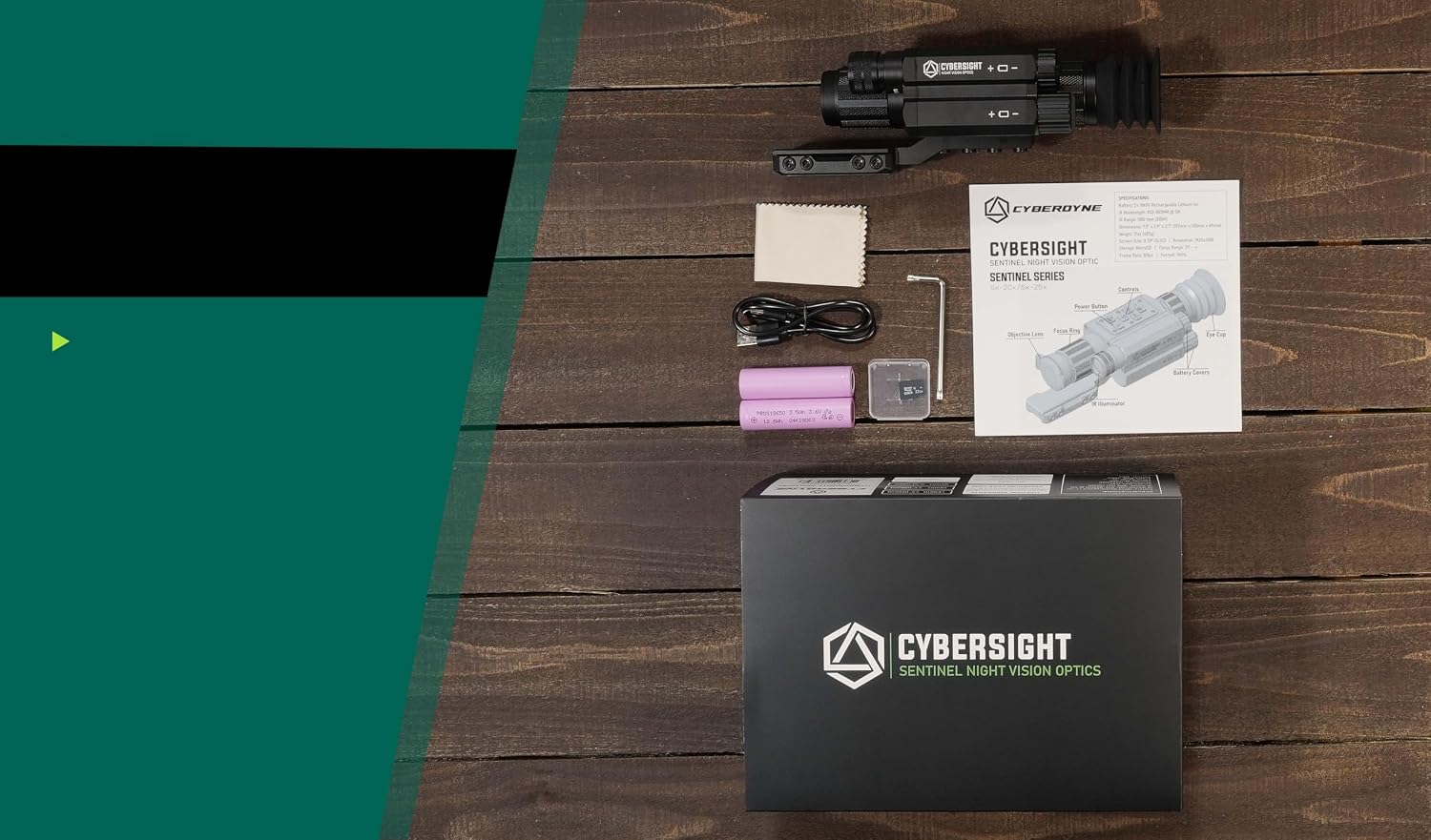
Image: The complete contents of the CyberDyne Cybersight Sentinel HD package, laid out for inspection.
Video: An unboxing demonstration of the CyberDyne Cybersight Sentinel HD scope, showing how to unpack and identify all included components.
2. Battery Installation
Locate the battery compartment, typically on the side or bottom of the scope. Insert the provided batteries according to the polarity indicators (+/-). Ensure the compartment cover is securely closed to prevent moisture ingress.
3. Mounting the Scope
Attach the scope to your firearm using the provided Picatinny mount. Ensure the mount is aligned correctly and all screws are tightened firmly, but do not overtighten. Refer to your firearm's manual for specific mounting recommendations.

Image: A detailed view of the scope properly mounted on a Picatinny rail.
Operating Instructions
1. Controls Overview
The CyberDyne Cybersight Sentinel HD features intuitive controls for easy operation. Familiarize yourself with the buttons and dials located on the top and sides of the unit.
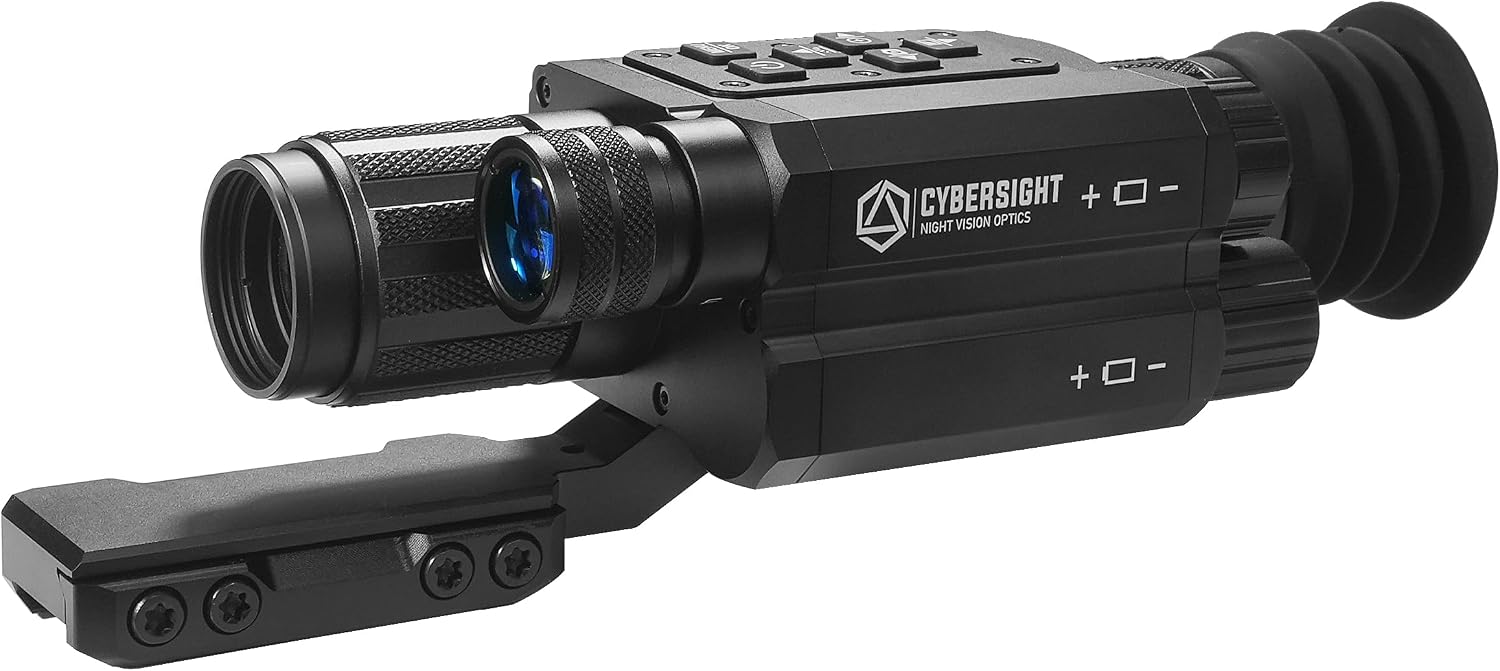
Image: Front view of the scope, showing the main control panel and objective lens.
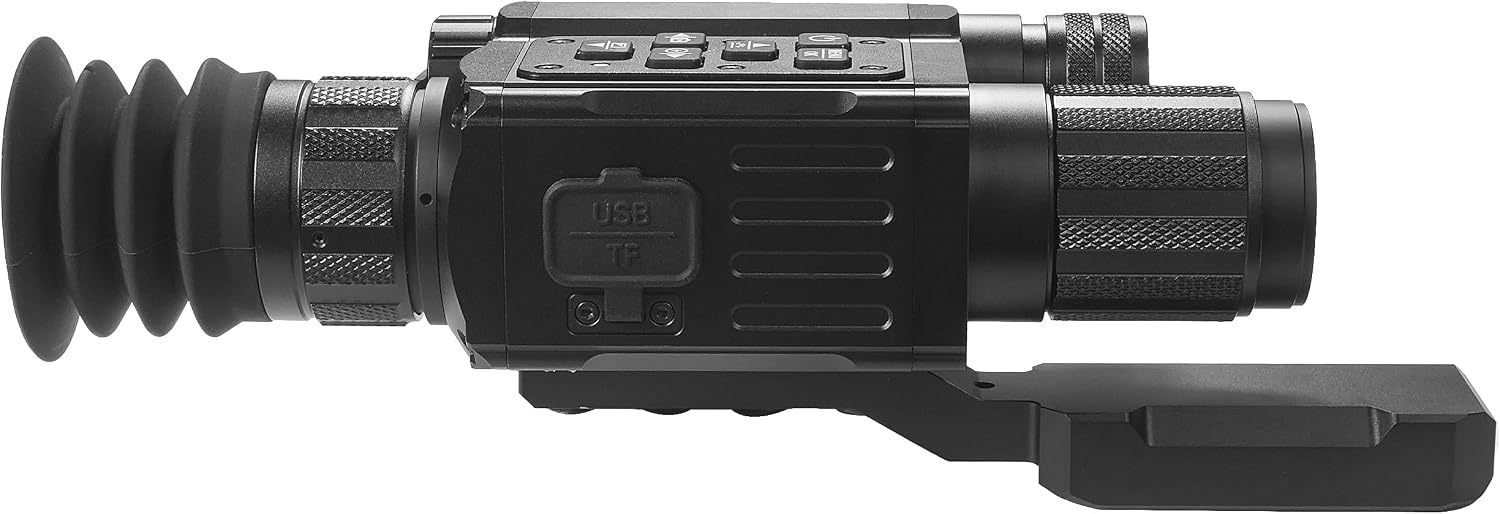
Image: Side view of the scope, indicating the USB and TF card slots for data transfer and storage.
Video: A detailed explanation of the basic functions and controls of the NVCS525S scope.
2. Power On/Off
- To Power On: Press and hold the power button (usually marked with a power symbol) for approximately 3 seconds until the display illuminates.
- To Power Off: Press and hold the power button again for 3 seconds. The display will shut down.
3. Day and Night Vision Modes
The scope automatically transitions between day and night vision modes based on ambient light. You can manually switch modes if needed via the menu or a dedicated button (refer to the on-screen interface for specific prompts).
4. Digital Zoom Adjustment
Use the zoom buttons (typically marked '+' and '-') to adjust the digital magnification from 5x to 25x. Short presses provide fine adjustments, while long presses allow for quicker changes.
5. Infrared (IR) Illuminator
The built-in IR illuminator enhances visibility in low light or complete darkness. Activate the IR illuminator via the menu or a dedicated button. Adjust its intensity to optimize image clarity without overexposure.
6. Video and Photo Recording
The scope allows for direct recording of video footage and still images to internal storage. Press the 'REC' button to start/stop video recording or to capture a photo. Ensure a compatible memory card is inserted if external storage is desired.
Maintenance
1. Cleaning
- Lenses: Use the provided cleaning cloth or a soft, lint-free cloth specifically designed for optics. Gently wipe the lens surfaces. For stubborn smudges, use a small amount of lens cleaning solution.
- Body: Wipe the scope's body with a soft, damp cloth. Avoid abrasive cleaners or solvents.
2. Storage
When not in use, store the scope in a cool, dry place, away from direct sunlight and extreme temperatures. Remove batteries if storing for extended periods to prevent leakage.
3. Battery Care
Use only recommended battery types. Rechargeable batteries should be charged regularly, but avoid overcharging. Dispose of depleted batteries responsibly.
Troubleshooting
| Problem | Possible Cause | Solution |
|---|---|---|
| Scope does not power on | Dead or incorrectly installed batteries | Replace batteries or ensure correct polarity. Charge rechargeable batteries. |
| Image is blurry or unclear | Lens is dirty; focus is incorrect; environmental factors | Clean lenses. Adjust the focus ring. Ensure proper lighting for day/night mode. |
| Cannot record video/photo | Memory card full or missing; recording function not activated | Insert a memory card or clear existing data. Ensure recording mode is selected. |
| IR illuminator not working | IR is off; low battery | Activate IR in settings. Check battery level. |
Specifications
| Feature | Detail |
|---|---|
| Brand | CYBERDYNE |
| Model Name | Cybersight Sentinel HD 5-25x |
| Model Number | NVCS525S |
| Color | Black |
| Magnification | 5x - 25x Digital Zoom |
| Night Vision | Yes, Full HD with STARVIS 2 Sensor |
| Display | 1080p Micro-OLED Display, 60Hz |
| IR Illuminator | Integrated High-Power Infrared Illuminator |
| Recording | Built-in Video + Photo Capture |
| Material | Aluminum |
| Item Weight | 2.3 Pounds |
| Mounting Type | Picatinny Mount |
| Reticle Type | Digital Multi Reticle |
Warranty Information
The CyberDyne Cybersight Sentinel HD 5-25x Digital Day | Night Vision Scope is backed by a Lifetime Warranty. For details regarding warranty claims or service, please refer to the official CyberDyne website or contact customer support.
Support
For further assistance, technical support, or inquiries not covered in this manual, please visit the official CyberDyne support website or contact their customer service department. Contact information can typically be found on the product packaging or the manufacturer's website.