
Introduction
Thank you for choosing the Hzuaneri Mobile File Cabinet. This manual provides essential information for the safe assembly, proper operation, and effective maintenance of your new file cabinet. Please read these instructions carefully before use and retain them for future reference.
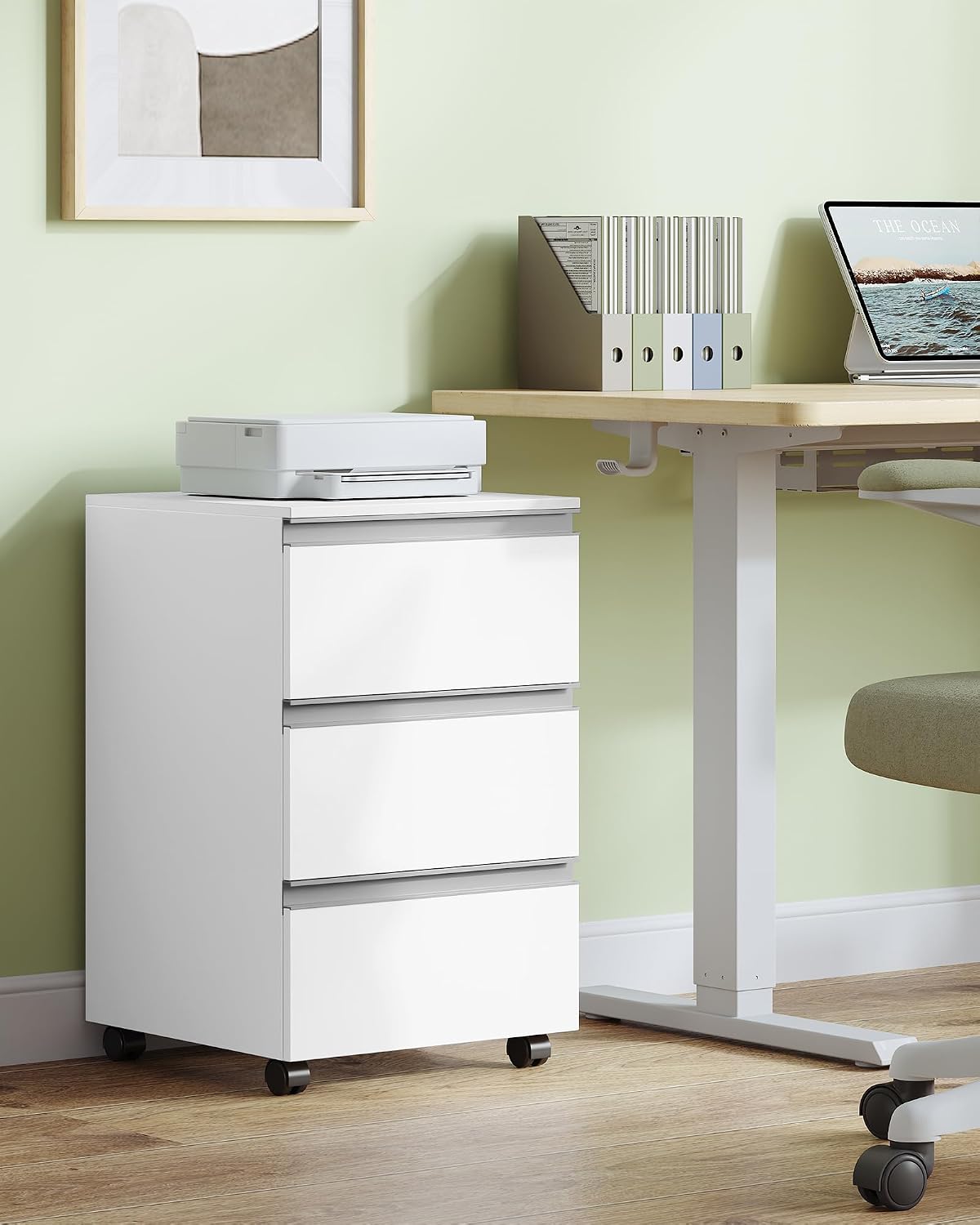
Image: The Hzuaneri Mobile File Cabinet (Model FC55303X) in a modern office environment, positioned next to a desk with a printer on its top surface.
Safety Information
- Ensure all parts are present and undamaged before assembly. Do not use if any parts are missing or broken.
- Assemble the unit on a soft, clean surface to prevent scratches.
- Do not overtighten screws during assembly to avoid damaging the material.
- Keep small parts away from children during assembly to prevent choking hazards.
- Do not exceed the maximum load capacity of 50 kg (110 lbs) for the entire unit.
- Distribute weight evenly across drawers to maintain stability.
- Always lock the casters when the cabinet is in a stationary position to prevent accidental movement.
Package Contents
Before beginning assembly, please verify that all components listed below are included in your package:
- 1 x File Cabinet (disassembled parts)
- 1 x Instruction Manual
- 1 x Accessory Pack (screws, dowels, tools if provided)
If any parts are missing or damaged, please contact customer support.
Setup and Assembly
The Hzuaneri Mobile File Cabinet is designed for easy and quick assembly. All parts are labeled, and clear diagrams are provided in the included instruction manual.
- Unpack Components: Carefully remove all parts from the packaging. Lay them out on a clean, soft surface to prevent damage.
- Identify Parts: Match each part to the corresponding labels and diagrams in the separate assembly guide.
- Assemble Frame: Follow the step-by-step instructions to connect the main frame components using the provided hardware. Ensure all connections are secure but do not overtighten.
- Install Drawer Rails: Attach the smooth-gliding drawer rails to the cabinet frame according to the diagrams.
- Assemble Drawers: Construct the three drawers, ensuring the bases are properly seated and the front panels are correctly aligned.
- Insert Drawers: Carefully slide the assembled drawers onto their respective rails.
- Attach Casters: Secure the four 360° swivel casters to the bottom of the cabinet. Ensure the two lockable casters are positioned at the front for easy access.

Image: An illustrative diagram detailing the assembly process of the file cabinet, highlighting labeled parts and connection points.
Operating Instructions
Using the Drawers
The cabinet features three large drawers with smooth-gliding rails. These are suitable for storing office supplies, cosmetics, books, and various other items. To open a drawer, gently pull the integrated handle. To close, push until it is fully seated.

Image: The file cabinet with its drawers open, illustrating its capacity for documents, stationery, and books.
Mobility and Stability
The cabinet is equipped with four 360° swivel casters for easy movement. Two of these casters are lockable to ensure stability when the cabinet is in a desired position.
- To Move: Unlock the two front casters by flipping their levers. Gently push or pull the cabinet to its new location.
- To Secure: Once the cabinet is in place, lock the two front casters by flipping their levers down. This prevents accidental rolling.

Image: Detail of the cabinet's casters, showing both the 360° swivel and lockable features.
Top Surface Usage
The top surface of the cabinet can support a small printer, laptop, or serve as an additional mobile workspace. Ensure items placed on top do not exceed the overall weight capacity and are stable.
Maintenance
To ensure the longevity and appearance of your Hzuaneri Mobile File Cabinet, follow these maintenance guidelines:
- Cleaning: The melamine resin veneer makes the cabinet water-resistant and easy to clean. Wipe surfaces with a soft, damp cloth. Avoid abrasive cleaners or harsh chemicals that could damage the finish.
- Caster Care: Periodically check the casters for any accumulated dust or debris that might hinder smooth movement. Clean as necessary.
- Hardware Check: Occasionally inspect all screws and connections to ensure they remain tight. Retighten if necessary, but do not overtighten.
- Avoid Direct Sunlight: Prolonged exposure to direct sunlight can cause fading or discoloration of the finish.

Image: A hand wiping water droplets from the cabinet surface, illustrating its easy-to-clean, water-resistant properties.
Troubleshooting
If you encounter any issues with your Hzuaneri Mobile File Cabinet, refer to the following common problems and solutions:
| Problem | Possible Cause | Solution |
|---|---|---|
| Drawers are stiff or do not slide smoothly. |
|
|
| Cabinet is wobbly or unstable. |
|
|
| Casters do not roll freely. |
|
|
If the problem persists, please contact Hzuaneri customer support for further assistance.
Specifications
| Feature | Detail |
|---|---|
| Model Number | FC55303X |
| Brand | Hzuaneri |
| Color | White |
| Material | Engineered Wood, Alloy Steel |
| Product Dimensions (D x W x H) | 40 cm x 40 cm x 65.5 cm (15.75" x 15.75" x 25.79") |
| Item Weight | 13.16 kg (29 lbs) |
| Max Load Capacity | 50 kg (110 lbs) |
| Number of Drawers | 3 |
| Special Features | Mobile with 360° swivel casters (2 lockable), Water-resistant melamine veneer, Smooth-gliding drawer rails, FSC-certified wood |
| Assembly Required | Yes |

Image: A diagram illustrating the precise dimensions of the file cabinet and its drawers.
Warranty Information
The Hzuaneri Mobile File Cabinet (Model FC55303X) comes with a 2-year warranty from the date of purchase. This warranty covers manufacturing defects and material flaws under normal use. It does not cover damage resulting from improper assembly, misuse, accidents, or unauthorized modifications.
Please retain your proof of purchase for warranty claims.
Customer Support
For any questions, concerns, or assistance with your Hzuaneri Mobile File Cabinet, please contact our customer support team. You can also visit the official Hzuaneri store for more information and products: