
1. Product Overview
The Cheerble Wicked Ball Duo2 is an interactive cat toy designed to engage indoor cats with dual interchangeable shells, offering both rolling ball and spinning top play. It features multiple interactive modes, chirping sounds, and LED lights to stimulate your cat's natural hunting instincts.

Image: The Cheerble Wicked Ball Duo2 in its rolling ball configuration, showcasing its compact design.
2. What's in the Box
Verify that all components are present in the package:
- Wicked Ball Duo2 Core
- Rolling Ball Shells (pre-installed)
- Spinning Top Shells
- Tail attachment
- USB Type-C Charging Cable
- User Manual
- Storage Bag

Image: All included components: Wicked Ball Duo2 core, rolling ball shells, spinning top shells, tail, USB-C charging cable, user manual, and storage bag.
Video: Unboxing the Cheerble Wicked Ball Duo2, showing how to open the package and reveal its contents.
3. Product Features
- Dual Interchangeable Shells: Easily switch between a rolling ball and a spinning top design for varied play.
- Three Interactive Modes: Customizable play settings (Gentle, Standard, Active) to suit your cat's energy level.
- Realistic Prey Movements: Mimics erratic rolling, sudden pauses, and tail-whipping to trigger hunting instincts.
- Multi-Sensory Enrichment: Combines chirping sounds, LED lights, soft furry texture, and a teasing tail for immersive play.
- USB-C Rechargeable: Provides 40-110 minutes of playtime on a full charge.
- Durable Design: Made from Acrylonitrile Butadiene Styrene, Polycarbonate, Synthetic Fiber, and Thermoplastic Polyurethane.

Image: A white cat engaging with the Wicked Ball Duo2, highlighting its multi-sensory features like sound, light, and movement.
4. Setup & Assembly
Changing Shells
The Wicked Ball Duo2 comes with two interchangeable shells: a rolling ball shell and a spinning top shell. You can easily switch between them.
- Remove the Tail: Gently pull out the tail vertically from the current shell. Do not rotate the tail, as it can only be removed by pulling straight up.
- Separate Shells: Use your thumb or a coin to carefully pry open and remove the two halves of the current shell, exposing the core.
- Insert Core: Place the core into the desired new shell (either rolling ball or spinning top). Ensure the core is aligned with the slots inside the shell.
- Close Shells: Snap the two halves of the new shell together around the core.
- Attach Tail: Insert the tail vertically into the designated slot on the assembled shell until secure.
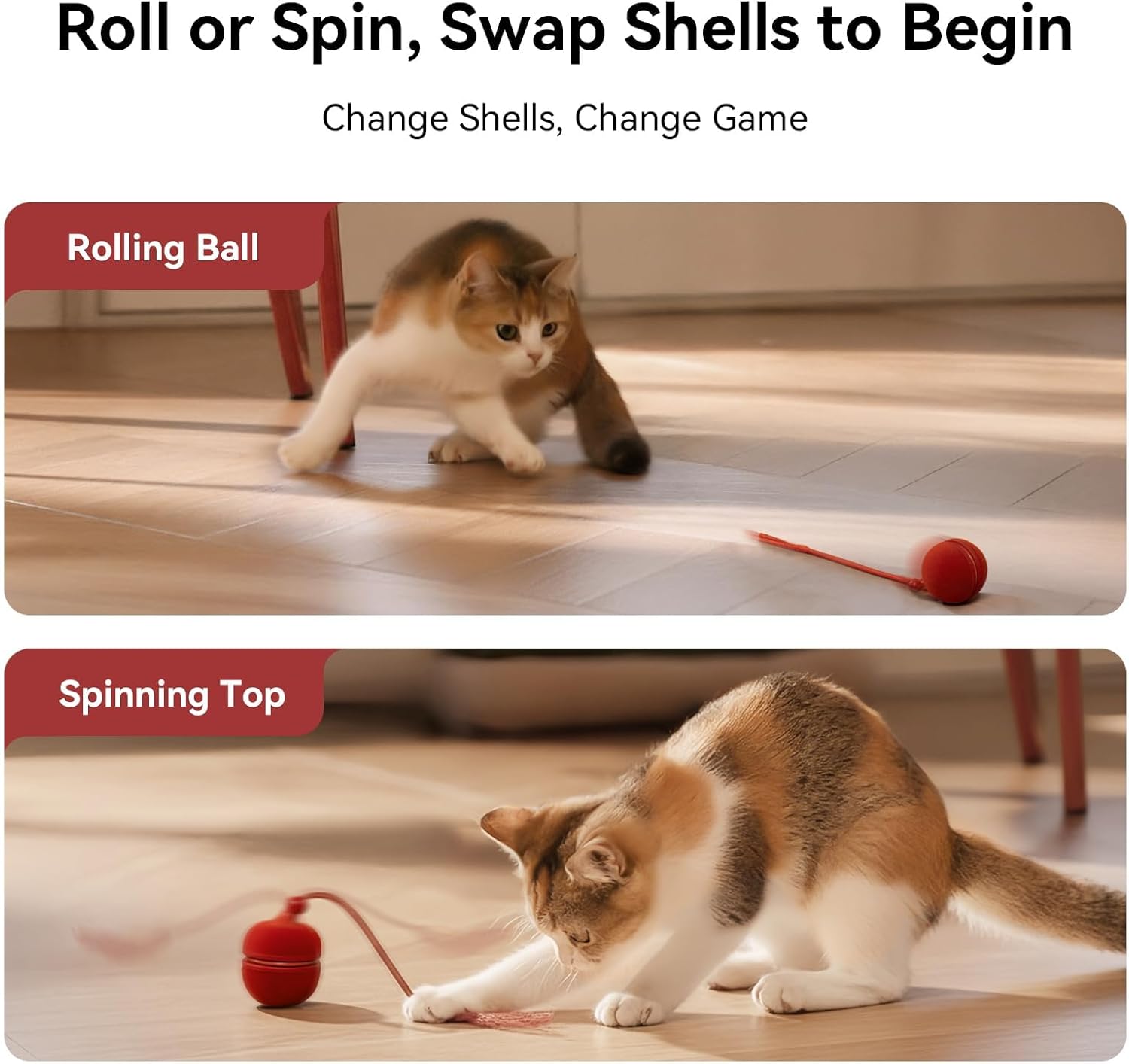
Image: Visual guide on how to swap between the rolling ball and spinning top shells.
Video: Detailed instructions on how to switch the shells of the Cheerble Wicked Ball Duo2.
5. Operating Instructions
Power On/Off
- To Power On: Press and hold the power button for 3 seconds. The LED indicator will light up.
- To Power Off: Press and hold the power button for 3 seconds.
Switching Modes
The Wicked Ball Duo2 has three interactive modes: Gentle, Standard, and Active. Each mode offers different movement patterns and interactivity levels.
- To Switch Modes: Short press the power button once. The LED indicator color will change to reflect the current mode:
- Purple: Gentle Mode (soft movement, ideal for timid cats)
- Blue: Standard Mode (random movements, great for curious cats)
- Green: Active Mode (high activity, designed for energetic cats)
Sound On/Off
- To Toggle Sound: Short press the power button twice quickly.
Activating the Toy
Once powered on, the toy can be activated in two ways:
- Shake the Wicked Ball Duo2.
- Wait for 5 seconds after powering on.

Image: Instructions for powering on, switching modes, and toggling sound using the power button.

Image: Visual representation of the three interactive modes (Standard, Active, Gentle) and their corresponding play styles.

Image: A diagram illustrating the performance of each mode, showing how interactivity and noise levels increase from Gentle to Active.

Image: The toy's suitability for different indoor surfaces, including hardwood, tile, and thin carpet (pile up to 15mm for Active Mode in Rolling Ball Shell).
Video: Demonstrates how to use the Cheerble Wicked Ball Duo2, including powering on, switching modes, and activation.
6. Charging
To ensure continuous playtime, charge the Wicked Ball Duo2 when the battery is low.
- Low Battery Indication: The LED indicator will flash red when the battery is low.
- Remove Core: Separate the shells and remove the core.
- Connect Charger: Plug the USB Type-C charging cable into the charging port on the core.
- Charging Indication: The LED indicator will flash yellow while charging.
- Fully Charged: The LED indicator will turn solid green when fully charged.
A full charge takes approximately 52 minutes and provides 40-110 minutes of playtime.

Image: The Wicked Ball Duo2 core being charged via its USB-C port, showing the charging indicator.
7. Maintenance
- Cleaning: If the cat toy moves slowly or stops moving, clean any hairs tangled around the product's moving parts.
- Storage: Store the toy and its components in the provided storage bag when not in use to protect them from dust and damage.
8. Troubleshooting
- Toy not moving or moving slowly: Check for tangled hairs around the toy's mechanism and clean them. Ensure the toy is fully charged.
- Toy not turning on: Ensure the toy is fully charged. Press and hold the power button for 3 seconds.
- Shells difficult to remove: If shells cannot be removed with thumbs, use a coin or a similar flat tool for assistance, as shown in the setup video.
- Cat is not interested: Try switching to a different interactive mode (e.g., Gentle mode for shy cats). Ensure the sound feature is enabled if your cat responds to chirping sounds.
9. Specifications
| Attribute | Detail |
|---|---|
| Model Number | CWJ04 |
| Item Weight | 5.3 ounces |
| Item Dimensions (LxWxH) | 2.1 x 1.48 x 2.6 inches |
| Material | Acrylonitrile Butadiene Styrene, Polycarbonate, Synthetic Fiber, Thermoplastic Polyurethane |
| Color | Red |
| Battery Life | 40-110 minutes (after full charge) |
| Charging Time | Approx. 52 minutes |
10. Warranty and Support
Your satisfaction is a top priority for Cheerble. For any product issues, please utilize Amazon's "Contact Seller" feature within your order details. The support team monitors messages 24/7 and aims to respond within 12 hours to assist with returns, replacements, or technical support.
- 7-Day Free No-Return Replacement: Any damage during use qualifies for a free replacement within 7 days, no return needed.
- 60-Day Satisfaction Window: Hassle-free support for undamaged products within 60 days.
- 12-Month Cheerble Care: Enjoy peace of mind with coverage against product issues for 12 months.

Image: Overview of Cheerble's commitment to customer satisfaction, including replacement, satisfaction window, and care program details.


