
1. Important Safety Information
Before operating your Riuiio G01Lite Electric Scooter, please read all safety warnings and instructions carefully. Failure to follow these instructions may result in serious injury or property damage.
- Always wear a helmet and appropriate safety gear (knee pads, elbow pads) when riding.
- Do not ride in wet conditions, heavy rain, or on slippery surfaces.
- Ensure all bolts and fasteners are tightened before each ride.
- Observe local laws and regulations regarding electric scooter use.
- Do not perform stunts or sudden maneuvers.
- Maximum weight limit: 264 lbs (120 kg).
- Recommended age: 13+ years.
2. Product Overview
The Riuiio G01Lite is a lightweight, foldable electric scooter designed for commuting and recreational use. It features a 350W motor, a top speed of 19 MPH, and a range of up to 15 miles.

Figure 2.1: Riuiio G01Lite Electric Scooter highlighting its main features.
3. Setup and Assembly
3.1 Unfolding the Scooter
Your scooter comes pre-assembled and folded. To unfold:
- Place the scooter on a flat surface.
- Release the folding mechanism latch located near the base of the handlebar stem.
- Carefully lift the handlebar stem until it locks into the upright position. Ensure the locking mechanism is securely engaged.
- Adjust the handlebar height if necessary and secure the quick-release clamp.

Figure 3.1: The scooter's portable folding design allows for easy transport and storage.
3.2 Initial Charging
Before first use, fully charge the scooter's battery. The 36V 5.2Ah battery typically takes approximately 5 hours to fully charge.
- Locate the charging port on the scooter.
- Connect the charger to the charging port, then plug the charger into a power outlet.
- The indicator light on the charger will change (e.g., red to green) when charging is complete.
- Do not overcharge the battery. Unplug the charger once charging is complete.

Figure 3.2: The scooter is equipped with a 36V 5.2Ah battery for extended range.
3.3 Connecting to the Smart App
Enhance your riding experience by connecting your scooter to the dedicated smart app.
- Download the Riuiio app from your smartphone's app store.
- Turn on your scooter and enable Bluetooth on your smartphone.
- Open the app and follow the on-screen instructions to pair with your scooter.
- Once connected, you can access features like cruise control, zero start mode, anti-theft lock, and real-time riding statistics.

Figure 3.3: The smart app provides advanced control and monitoring features.
4. Operating Instructions
4.1 Powering On/Off
Press and hold the power button on the handlebar to turn the scooter on or off.
4.2 Speed Modes
The Riuiio G01Lite offers three distinct speed modes to suit different riding preferences and environments:
- ECO Mode (7 MPH): Ideal for beginners or conserving battery life.
- D Mode (11 MPH): Suitable for daily commutes and balanced performance.
- S Mode (19 MPH): For maximum speed and power.
Switch between modes using the control panel or the smart app.

Figure 4.1: Select from three speed modes for varied riding experiences.

Figure 4.2: The scooter accommodates various riders with its adjustable speed settings.
4.3 Acceleration and Braking
To accelerate, gently press the throttle lever. To slow down or stop, use the dual braking system:
- Electronic Brake: Activated by the handlebar lever.
- Rear Foot Brake: Press down on the rear fender with your foot.
Always apply brakes smoothly to avoid sudden stops. The scooter is equipped with a 350W motor for confident power and a 15° hill climb capability.
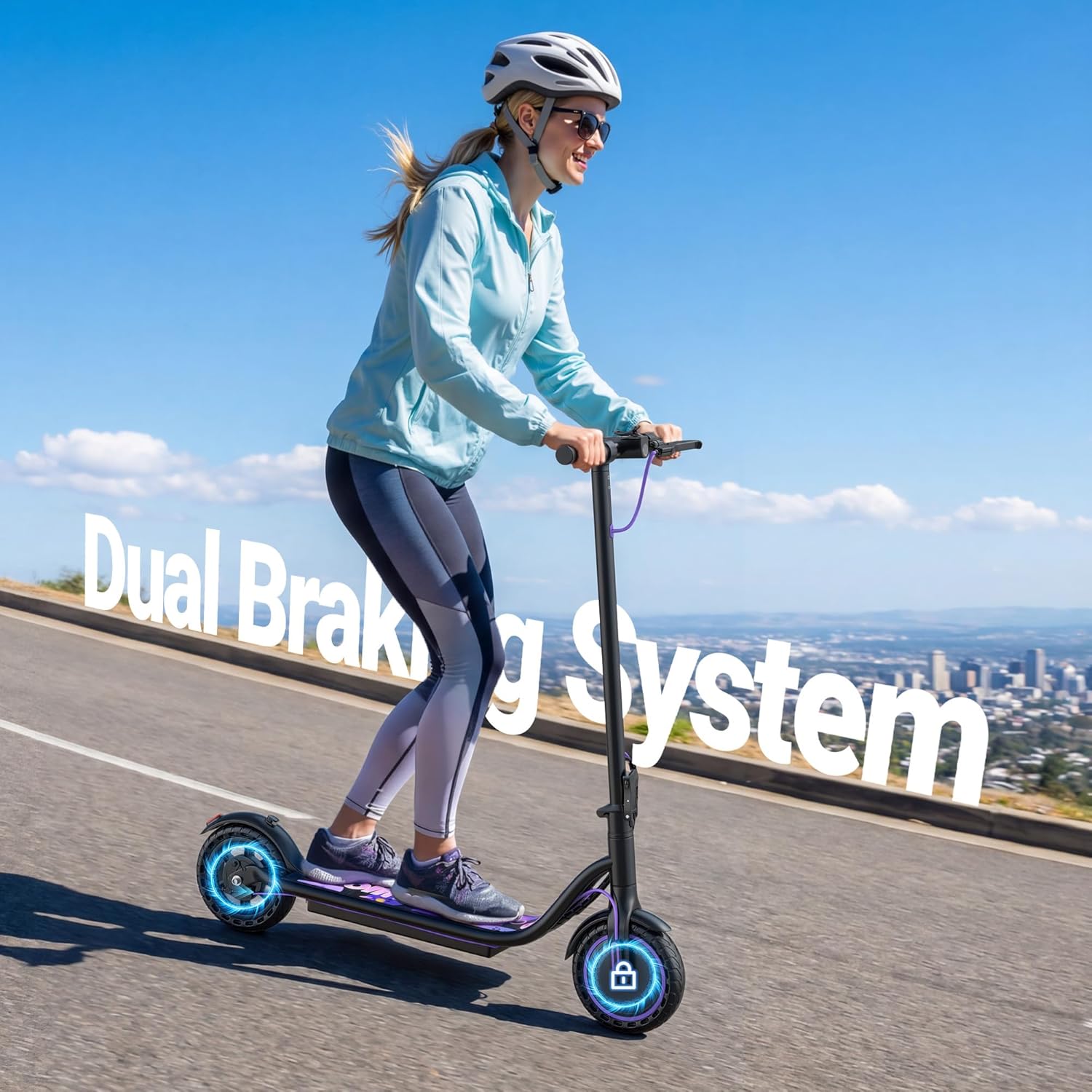
Figure 4.3: The dual braking system ensures reliable stopping power.

Figure 4.4: The 350W brushless motor provides smooth acceleration and hill-climbing ability.
4.4 Lights
The scooter features a front headlight and a rear taillight for enhanced visibility, especially during night rides. Activate them via the control panel or the smart app.

Figure 4.5: Front and rear lights ensure visibility during low-light conditions.
5. Maintenance
5.1 General Care
- Regularly clean the scooter with a damp cloth. Do not use high-pressure water or immerse the scooter in water.
- Check all screws and bolts periodically to ensure they are tight.
- Store the scooter in a dry, cool place away from direct sunlight when not in use.
5.2 Tires
The Riuiio G01Lite is equipped with 8.5-inch solid rubber tires, which are maintenance-free and offer anti-slip properties, durability, and better grip.

Figure 5.1: The 8.5-inch solid tires require no inflation and offer enhanced durability.
5.3 Battery Care
- Charge the battery regularly, even if the scooter is not used for extended periods, to maintain battery health.
- Avoid completely draining the battery before recharging.
- The battery features overcharge protection, but it is still recommended to disconnect the charger once fully charged.
6. Troubleshooting
This section addresses common issues you might encounter with your Riuiio G01Lite Electric Scooter.
| Problem | Possible Cause | Solution |
|---|---|---|
| Scooter does not power on. | Low battery; loose connections; power button malfunction. | Charge the battery; check all visible connections; contact support if issue persists. |
| Error Code E2 displayed. | Motor or controller communication error. | Turn off the scooter, wait 30 seconds, then restart. If the error persists, contact customer support. |
| Reduced range or speed. | Low battery charge; riding uphill frequently; heavy load; cold weather. | Ensure battery is fully charged; adjust riding style; consider environmental factors. |
| Brakes feel weak or unresponsive. | Brake cable adjustment needed; worn brake pads (if applicable); electronic brake issue. | Inspect brake levers and cables. If issues persist, contact support. |
| App connection issues. | Bluetooth off; app not updated; scooter not discoverable. | Ensure scooter is on and Bluetooth is enabled on phone. Restart app and scooter. |
7. Specifications
| Feature | Detail |
|---|---|
| Brand | Riuiio |
| Model Name | G01Lite |
| Motor Power | 350W |
| Max Speed | 19 MPH (30.5 km/h) |
| Max Range | 15 Miles (24 km) |
| Battery | 36V 5.2Ah (188WH) |
| Charging Time | Approx. 5 hours |
| Weight Limit | 264 Pounds (120 kg) |
| Scooter Weight | 27.8 lbs (12.6 kg) |
| Wheel Size | 8.5 Inches |
| Wheel Type | Solid Rubber |
| Braking System | Dual (Electronic + Rear Foot Brake) |
| Special Features | Foldable, Portable, Front Headlight, Rear Taillight, Smart App Control |
| Age Range | Adult (suitable for teens 13+) |
8. Warranty and Support
8.1 Warranty Information
The Riuiio G01Lite Electric Scooter comes with a 1-year warranty from the date of purchase, covering manufacturing defects. This warranty does not cover damage caused by misuse, accidents, unauthorized modifications, or normal wear and tear.
Please retain your proof of purchase for warranty claims.
8.2 Customer Support
For technical assistance, warranty claims, or any questions regarding your Riuiio G01Lite Electric Scooter, please contact our customer support team:
- Email: support@riuiio.com
- Phone: 1-800-XXX-XXXX (Available Monday-Friday, 9 AM - 5 PM EST)
- Website: www.riuiio.com/support
When contacting support, please have your model number (G01Lite) and purchase date ready.