
Introduction
This manual provides detailed instructions for the safe and efficient use of your SWOFY M4 128GB MP3 Player. Please read this manual thoroughly before operating the device and retain it for future reference.
Safety Information
- Do not expose the device to extreme temperatures, direct sunlight, or high humidity.
- Avoid dropping or subjecting the device to strong impacts.
- Do not attempt to disassemble or repair the device yourself. Contact qualified service personnel.
- Use only the provided USB Type-C cable for charging.
- Keep the device away from water and other liquids.
Package Contents
Verify that all items are present in your package:
- SWOFY M4 128GB MP3 Player
- USB Type-C Cable
- User Manual (this document)
- Wired Earphones
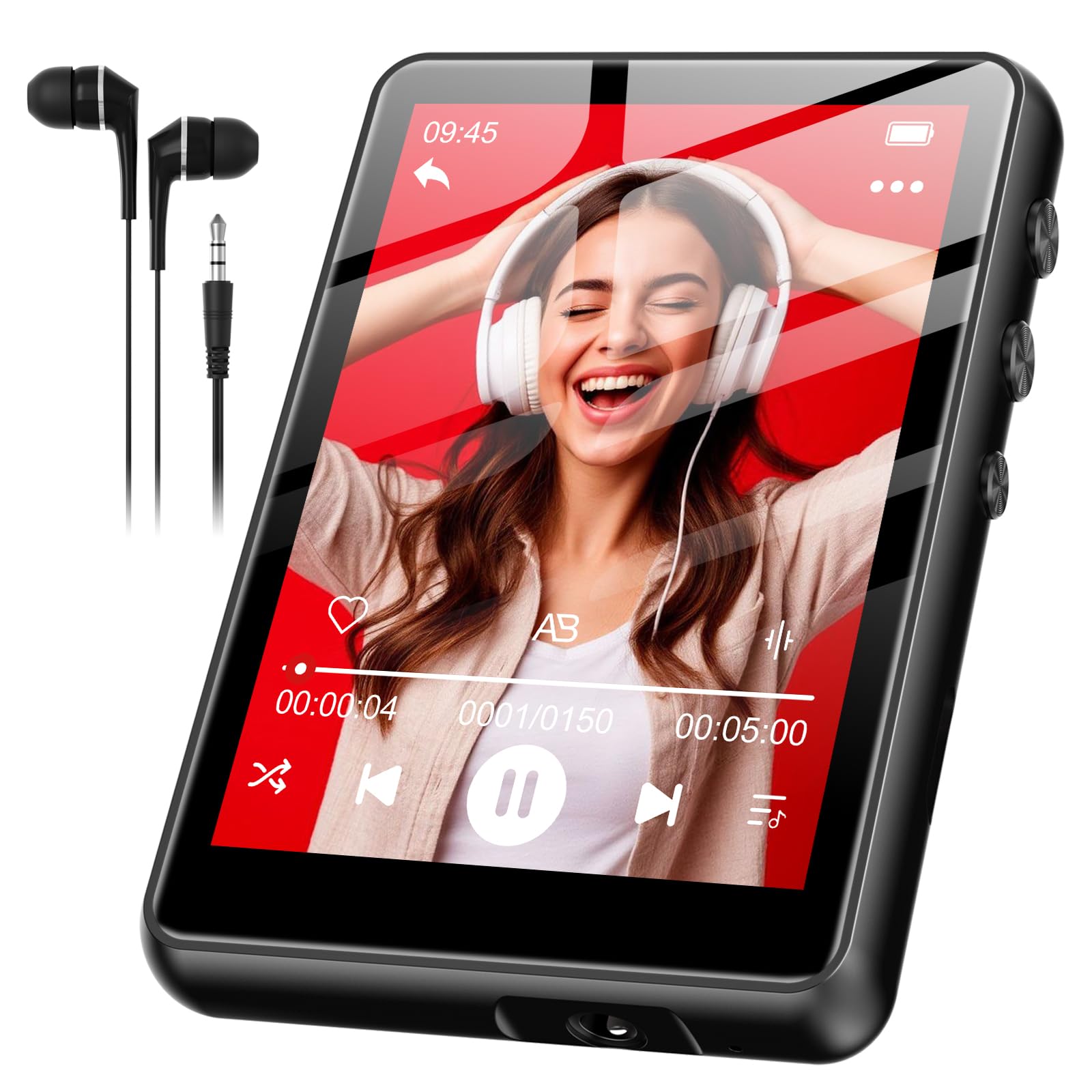
Image: SWOFY M4 MP3 Player with its USB Type-C cable, wired earphones, and user manual, laid out on a surface.
Product Overview
The SWOFY M4 MP3 Player features a 2.4-inch screen and a compact design. It includes three physical buttons for basic control, in addition to its touch screen functionality.
Controls and Ports
- Power Button: Long press to turn on/off. Short press to lock/unlock screen.
- Volume Buttons (+/-): Adjust audio volume.
- USB Type-C Port: For charging and data transfer.
- 3.5mm Headphone Jack: For wired earphones.
Note: Specific button locations may vary slightly. Refer to the device's physical layout.
Setup
- Charging the Device:
Before first use, fully charge your MP3 player. Connect the provided USB Type-C cable to the device's charging port and the other end to a USB power adapter (not included) or a computer's USB port. The device fully charges in approximately 2 hours. The battery indicator on the screen will show charging status.
- Powering On/Off:
To power on, press and hold the Power button until the screen illuminates. To power off, press and hold the Power button until a power-off option appears on the screen, then confirm.
- Setting the Language:
Upon first power-on, or if the language is not set to English, navigate through the menus to find the "Settings" or "System Settings" option. Look for a "Language" setting. Select "English" from the available options. This is crucial for proper device operation and understanding menu options.
- Transferring Music Files:
Connect the MP3 player to your computer using the USB Type-C cable. The device should appear as a removable disk drive. Drag and drop your music files (e.g., MP3, WMA, FLAC) into the designated music folder on the player. Safely eject the device from your computer before disconnecting the cable.
Operating Instructions
Basic Navigation
The SWOFY M4 features a 2.4-inch touch screen for navigation. You can also use the physical buttons for certain functions:
- Touch Screen: Tap icons to select, swipe to scroll through lists or pages.
- Power Button: Short press to return to the previous menu or home screen (functionality may vary by context).
- Volume Buttons: Adjust playback volume.
Playing Music
- From the main menu, tap the "Music" icon.
- Browse your music by Artist, Album, Songs, or Playlists.
- Tap on a song to begin playback.
- During playback, you can use the on-screen controls to pause/play, skip tracks, or adjust volume.
Bluetooth Pairing
To connect your SWOFY M4 to Bluetooth headphones or speakers:
- Ensure your Bluetooth audio device is in pairing mode.
- On the MP3 player, go to "Settings" and then "Bluetooth".
- Turn Bluetooth "On" and tap "Search for Devices".
- Select your device from the list to pair. Once paired, audio will stream wirelessly.
FM Radio
To use the FM Radio function:
- Connect the wired earphones to the 3.5mm jack. The earphones act as an antenna.
- From the main menu, tap the "FM Radio" icon.
- Use the on-screen controls to scan for stations or manually tune.
- The device supports up to 7.5 hours of FM radio recording. Consult the on-screen menu for recording options.
Maintenance
- Cleaning: Use a soft, dry, lint-free cloth to clean the screen and body of the device. Do not use liquid cleaners or aerosols.
- Battery Care: To prolong battery life, avoid fully discharging the battery frequently. Charge the device regularly, especially if it will be stored for an extended period. The 300mAh lithium polymer battery is designed for long-lasting performance.
- Storage: Store the MP3 player in a cool, dry place away from direct sunlight and extreme temperatures.
Troubleshooting
If you encounter issues with your SWOFY M4 MP3 Player, refer to the following common solutions:
| Problem | Solution |
|---|---|
| Device does not power on. | Ensure the battery is charged. Connect the device to a power source and allow it to charge for at least 15 minutes before attempting to power on again. |
| Screen menus are not in English. | Navigate to the "Settings" or "System Settings" menu (often represented by a gear icon). Locate the "Language" option (it may be represented by a globe icon or text in the current language). Select "English" from the list. |
| Cannot delete songs. | Ensure the device is not connected to a computer. Navigate to the music library, select the song(s) you wish to delete, and look for an "Options" or "Delete" function within the music playback or file management menu. If connected to a computer, delete files directly from the device's storage via the computer. |
| Touch screen is unresponsive or inaccurate. | Restart the device. Ensure the screen is clean and dry. If the issue persists, perform a factory reset (see below). |
| Device is frozen or unresponsive. | Press and hold the Power button for approximately 10-15 seconds to force a restart. If this does not work, locate a small reset pinhole (if present) and use a paperclip to press it. |
| Bluetooth device will not pair. | Ensure both devices are in pairing mode and within range. Turn Bluetooth off and on again on both devices. Try pairing with another Bluetooth device to confirm the MP3 player's Bluetooth functionality. |
Factory Reset
A factory reset will erase all data and settings on your device and restore it to its original factory state. Use this as a last resort for persistent issues.
- Go to "Settings" > "System Settings" (or similar).
- Look for "Reset" or "Factory Reset" option.
- Confirm the reset. The device will restart after the process is complete.
Specifications
| Feature | Detail |
|---|---|
| Model Number | SF-M4US-128GB-NA2 |
| Brand | SWOFY |
| Memory Storage Capacity | 128 GB |
| Screen Size | 2.4 Inches |
| Battery Type | 300mAh Lithium Polymer |
| Charging Time | Approximately 2 hours |
| Wired Earphone Playback | Up to 50 hours |
| FM Radio Recording | Up to 7.5 hours |
| Connectivity | Bluetooth, USB Type-C |
| Included Components | MP3 Player, USB Type-C Cable, User Manual, Wired Earphones |
| Parcel Dimensions | 14.81 x 14.6 x 1.9 cm |
| Weight | 181 g |
Warranty and Support
SWOFY products are designed for reliability and performance. For warranty information or technical support, please refer to the contact details provided on the product packaging or visit the official SWOFY website. Keep your purchase receipt as proof of purchase for warranty claims.
For further assistance, you may also contact the retailer where the product was purchased.


