
Introduction
Thank you for purchasing the Casaottima 48-Inch Computer Desk with 8 Fabric Drawers. This manual provides detailed instructions for assembly, operation, maintenance, and troubleshooting to ensure safe and efficient use of your new desk. Please read this manual thoroughly before assembly and retain it for future reference.
Safety Information
- Always assemble the desk on a soft, clean surface to prevent scratches.
- Ensure all screws and fasteners are securely tightened before use. Periodically check and re-tighten as necessary.
- Do not overload the desk or drawers. Refer to specifications for weight limits.
- Keep small parts away from children during assembly to avoid choking hazards.
- Use the desk on a level surface to prevent tipping. Adjustable feet are provided for stability.
- Avoid placing hot items directly on the desk surface without protection.
Parts List
Before beginning assembly, verify that all components listed below are present and undamaged. If any parts are missing or damaged, please contact customer support.
- Desktop Panel (1)
- Metal Frame Sections (various)
- Fabric Drawers (8)
- Drawer Handles (8)
- Adjustable Feet (4)
- Assembly Hardware (screws, bolts, Allen wrench)
- Headphone Hook (1) - If included with your model
Setup and Assembly
Follow these step-by-step instructions for proper assembly. It is recommended to have two people for certain steps.
Step 1: Unpack and Identify Components
Carefully remove all parts from the packaging. Lay them out on a soft, clean surface. Compare the parts with the provided parts list to ensure everything is accounted for.
Step 2: Assemble the Metal Frame
Connect the various metal frame sections using the provided screws and Allen wrench. Do not fully tighten screws until all frame sections are loosely assembled.

Image: Overview of the desk structure, showing the metal frame and drawer sections.
Step 3: Attach the Desktop Panel
Carefully place the desktop panel onto the assembled metal frame. Align the pre-drilled holes on the desktop with the holes on the frame. Secure the desktop using the appropriate screws. Fully tighten all screws on the frame and desktop.
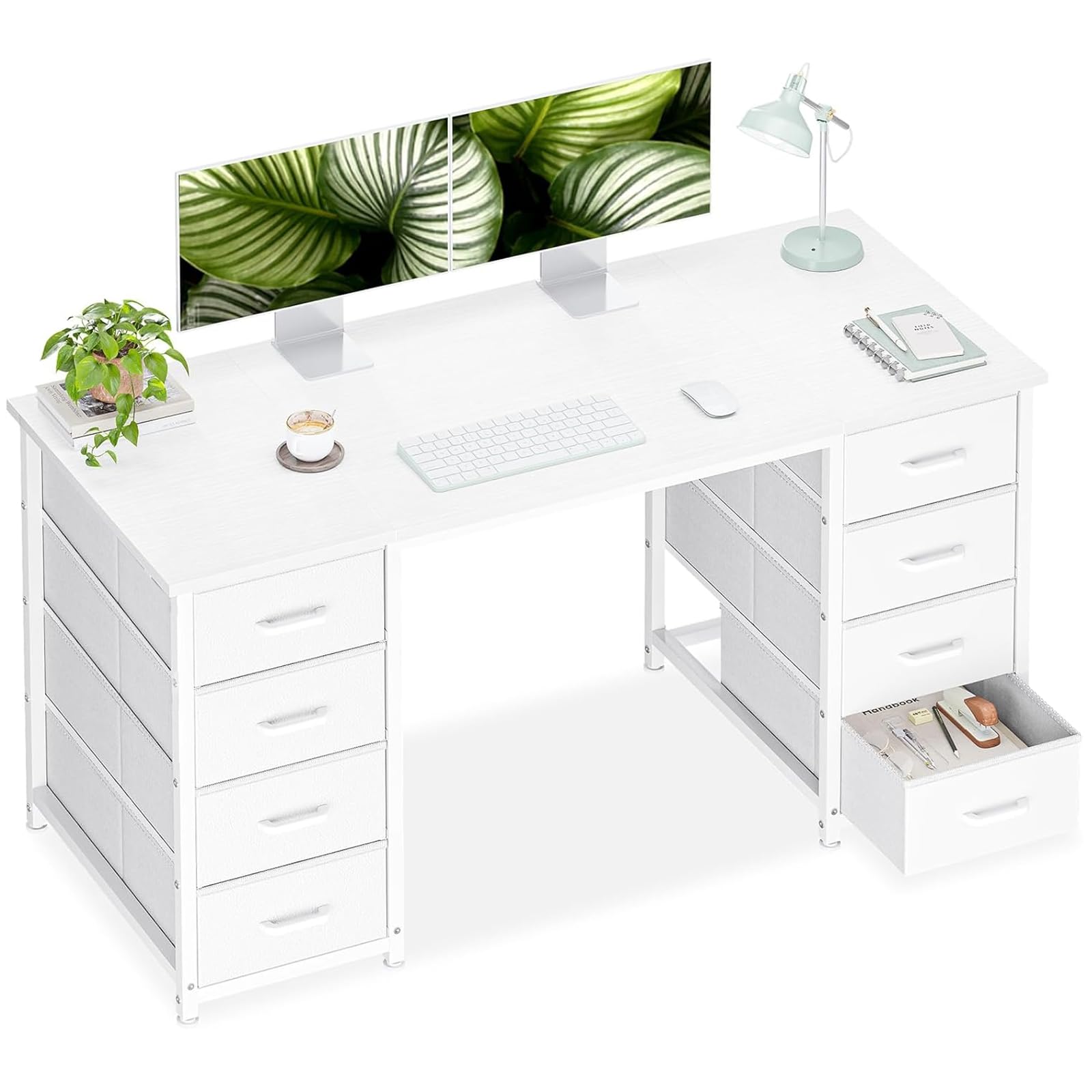
Image: The fully assembled Casaottima 48-inch computer desk in white.
Step 4: Install Fabric Drawers
Unfold each fabric drawer and insert the bottom panel to give it shape. Attach the handles to the front of each drawer. Slide the assembled drawers into their respective slots in the desk frame.

Image: A fabric drawer pulled out, demonstrating its storage capacity.
Step 5: Adjust Feet and Attach Headphone Hook
Screw the adjustable feet into the bottom of the desk legs. Adjust them to ensure the desk is stable and level on your floor. If included, attach the headphone hook to the side of the desk frame as desired.

Image: Detail of an adjustable foot, showing its leveling mechanism.

Image: A headphone hook attached to the side of the desk, holding headphones.
Operating Instructions
Using the Fabric Drawers
The desk features 8 fabric drawers designed for organized storage. To open a drawer, gently pull the handle. To close, push the drawer back into its slot until it is flush with the desk frame. Avoid forcing drawers if they feel stuck; ensure they are properly aligned.

Image: The desk with several drawers open, illustrating storage capacity for various items.
Utilizing the Desktop Space
The spacious desktop provides ample room for computers, monitors, and other office essentials. Ensure even weight distribution to maintain stability. The desk is designed for use as a computer desk, study desk, or general workspace.
Maintenance and Care
- Cleaning the Desktop: Wipe the engineered wood surface with a soft, damp cloth. Avoid abrasive cleaners or harsh chemicals that may damage the finish.
- Cleaning Fabric Drawers: For light cleaning, use a lint roller or a soft brush to remove dust. For stains, spot clean with a mild fabric cleaner and a damp cloth, then air dry. Do not machine wash the fabric drawers.
- Frame Care: The metal frame can be wiped clean with a damp cloth.
- Regular Checks: Periodically inspect all screws and connections to ensure they remain tight. Re-tighten if necessary to maintain stability.
Troubleshooting
| Problem | Possible Cause | Solution |
|---|---|---|
| Desk is wobbly. | Uneven floor or loose connections. | Adjust the leveling feet at the bottom of the desk legs. Ensure all assembly screws are fully tightened. |
| Drawers do not slide smoothly. | Drawer not properly inserted or obstruction. | Remove the drawer and re-insert it, ensuring it is aligned correctly. Check for any items obstructing the drawer's path. |
| Missing parts during assembly. | Packaging error. | Contact Casaottima customer support with your purchase details and the specific missing parts. |
Specifications

Image: Detailed product dimension diagram.
- Brand: Casaottima
- Model Number: B01141901001
- Product Dimensions (Overall): 18.9"D x 47.2"W x 29.8"H
- Desktop Material: Engineered Wood
- Frame Material: Metal
- Number of Drawers: 8 (Fabric)
- Color: White
- Item Weight: 34.2 pounds
- Special Features: Adjustable Feet, Headphone Hook (may vary by model)
Warranty Information
Casaottima products are manufactured to high-quality standards. For specific warranty details regarding your purchase, please refer to the warranty card included in your product packaging or contact Casaottima customer support. Keep your proof of purchase for warranty claims.
Customer Support
If you have any questions, require assistance with assembly, or need to report missing/damaged parts, please contact Casaottima customer support. Please have your model number (B01141901001) and purchase date ready when contacting support.
For further assistance, you may visit the official Casaottima store on Amazon: Casaottima Store
Product Videos
Modern Desk with Plenty Storage
Video: A detailed overview of the Casaottima desk, highlighting its modern design and ample storage features. This video demonstrates the desk's functionality and aesthetic appeal in a home office setting.
Stylish and Functional
Video: This video showcases the stylish design and functional aspects of the desk, including how the drawers can be used for various items.