
1. Introduction
Thank you for choosing the Huhomco Cordless Pressure Washer, Model DJ-810. This manual provides essential information for the safe and efficient operation, maintenance, and troubleshooting of your new pressure washer. Please read this manual thoroughly before first use and keep it for future reference.
2. Product Components
The Huhomco Cordless Pressure Washer DJ-810 comes with a comprehensive set of accessories to facilitate various cleaning tasks. Please ensure all components are present before assembly.
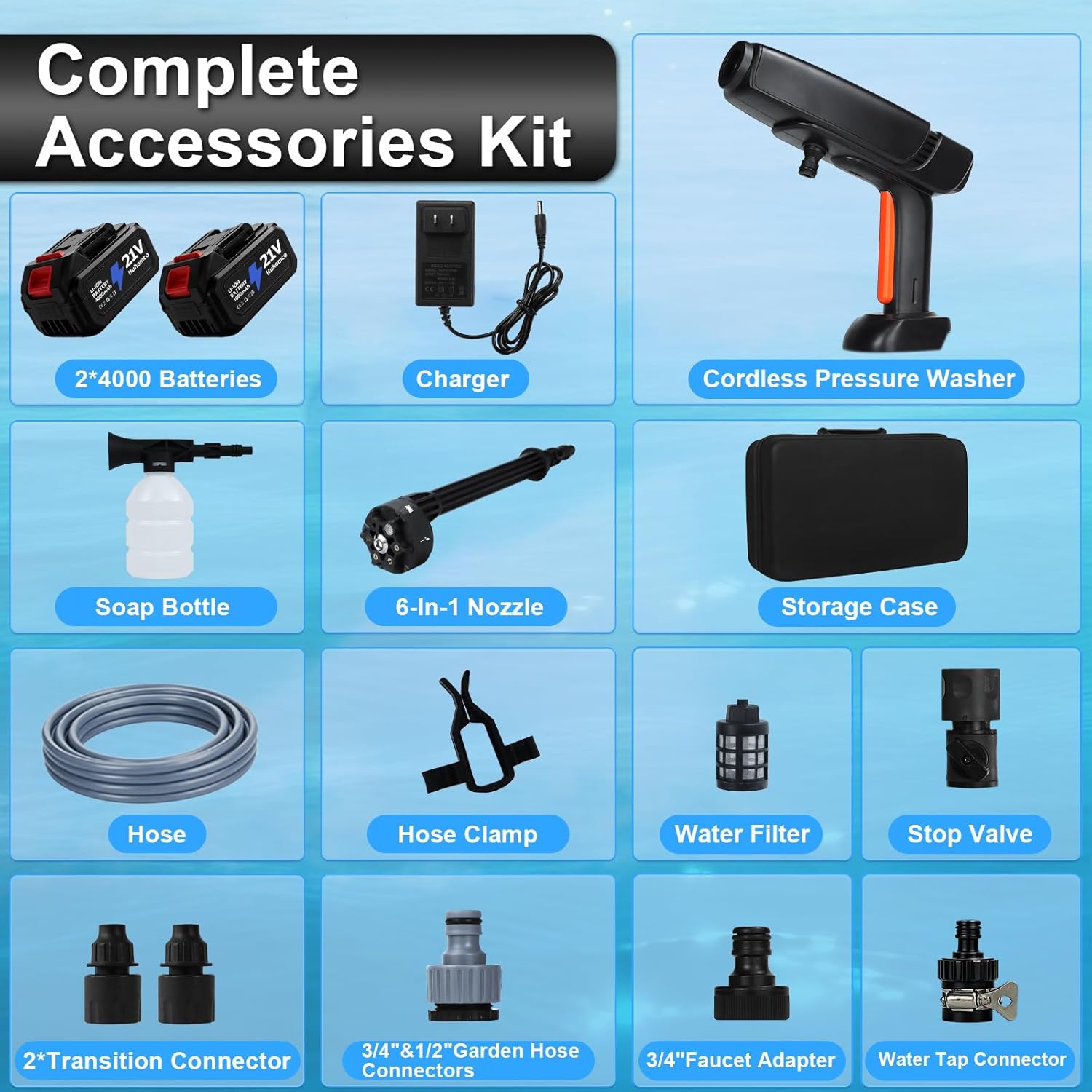
Image: Overview of the complete accessories kit, including the pressure washer unit, batteries, charger, nozzles, and hoses.
- Cordless Pressure Washer Unit: The main handheld device.
- 2 x 4000mAh Batteries: Rechargeable power sources for extended operation.
- Charger: For recharging the batteries.
- Soap Bottle: For applying cleaning solutions.
- 6-in-1 Nozzle: Multi-functional nozzle for various spray patterns.
- Storage Case: For organized storage and transport of the unit and accessories.
- Hose (16.4FT): Kink-free hose for water intake.
- Hose Clamp: To secure the hose.
- Water Filter: To prevent impurities from entering the pump.
- Stop Valve: Controls water flow.
- 2 x Transition Connectors: For various hose connections.
- 3/4" & 1/2" Garden Hose Connectors: For standard garden hose connections.
- 3/4" Faucet Adapter: For connecting to faucets.
- Water Tap Connector: Additional tap connection accessory.
3. Setup Instructions
Follow these steps to set up your Huhomco Cordless Pressure Washer for operation.

Image: Visual guide for connecting the nozzle, hose, and battery to the pressure washer.
- Attach the Nozzle: Connect the desired 6-in-1 nozzle or foam pot to the pressure washer unit. Ensure it clicks securely into place.
- Connect Water Source:
- For faucet connection: Use the tap connector and appropriate adapters (3/4" Faucet Adapter/Transition Connector) to draw water directly from a faucet.
- For bucket/lake/pool connection: Attach the water filter to the end of the 16.4FT hose. Submerge the filtered end into your water source (bucket, lake, or pool). The filter traps impurities to protect the pump.
- Connect the other end of the hose to the pressure washer unit, ensuring the stop valve and transition connector are properly installed.
- Insert Battery: Fully charge both 4000mAh batteries before first use. Insert a charged battery into the battery slot on the pressure washer handle until it locks into place.
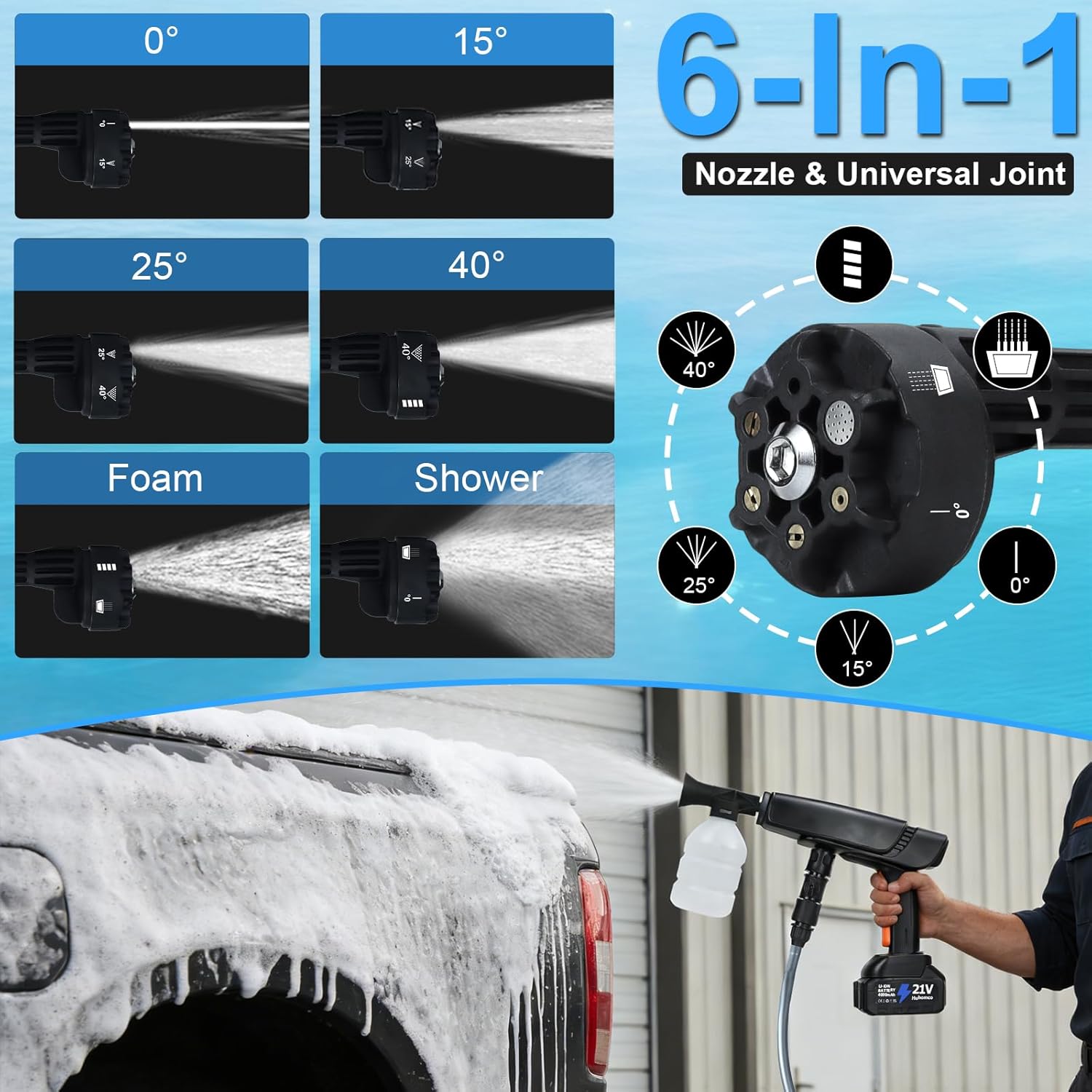
Image: Demonstrates the versatility of drawing water from various sources like faucets, buckets, rivers, and swimming pools.
Your pressure washer is now ready for operation.
4. Operating Instructions
Understand how to effectively use your Huhomco Cordless Pressure Washer for various cleaning tasks.
4.1 Powering On and Motor Operation
The pressure washer is equipped with a 400W brushless motor, providing efficient and powerful cleaning. To start, ensure a charged battery is inserted and the water source is connected. Press the power button to activate the unit.
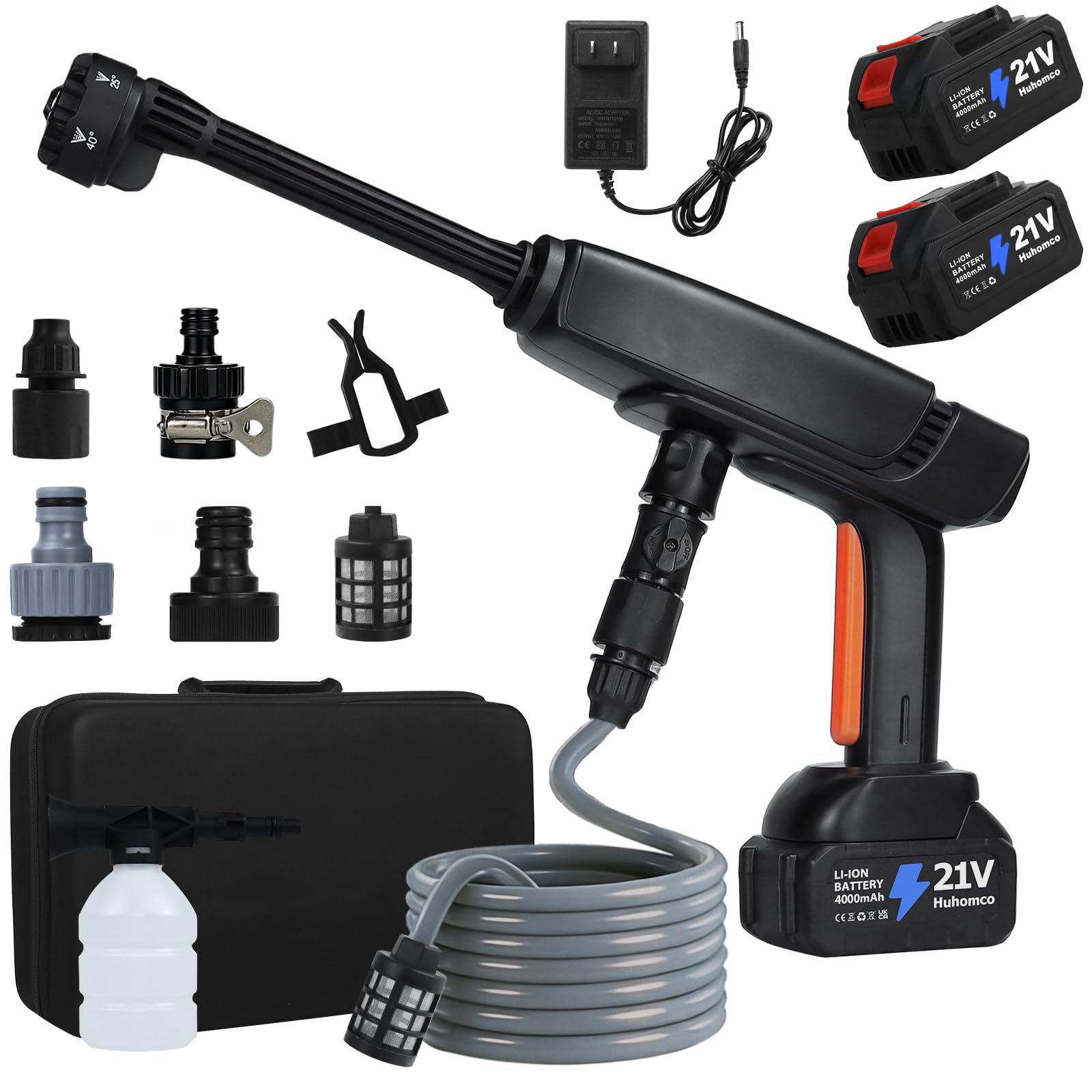
Image: Detailed view of the 400W brushless motor, highlighting its advanced design for powerful performance.
4.2 Battery and Power Monitoring
The unit comes with dual 4.0Ah batteries for extended runtime. An intuitive LED screen on the unit displays the real-time battery level and allows you to select from 3 pressure speeds. External indicators provide quick checks of the battery status.
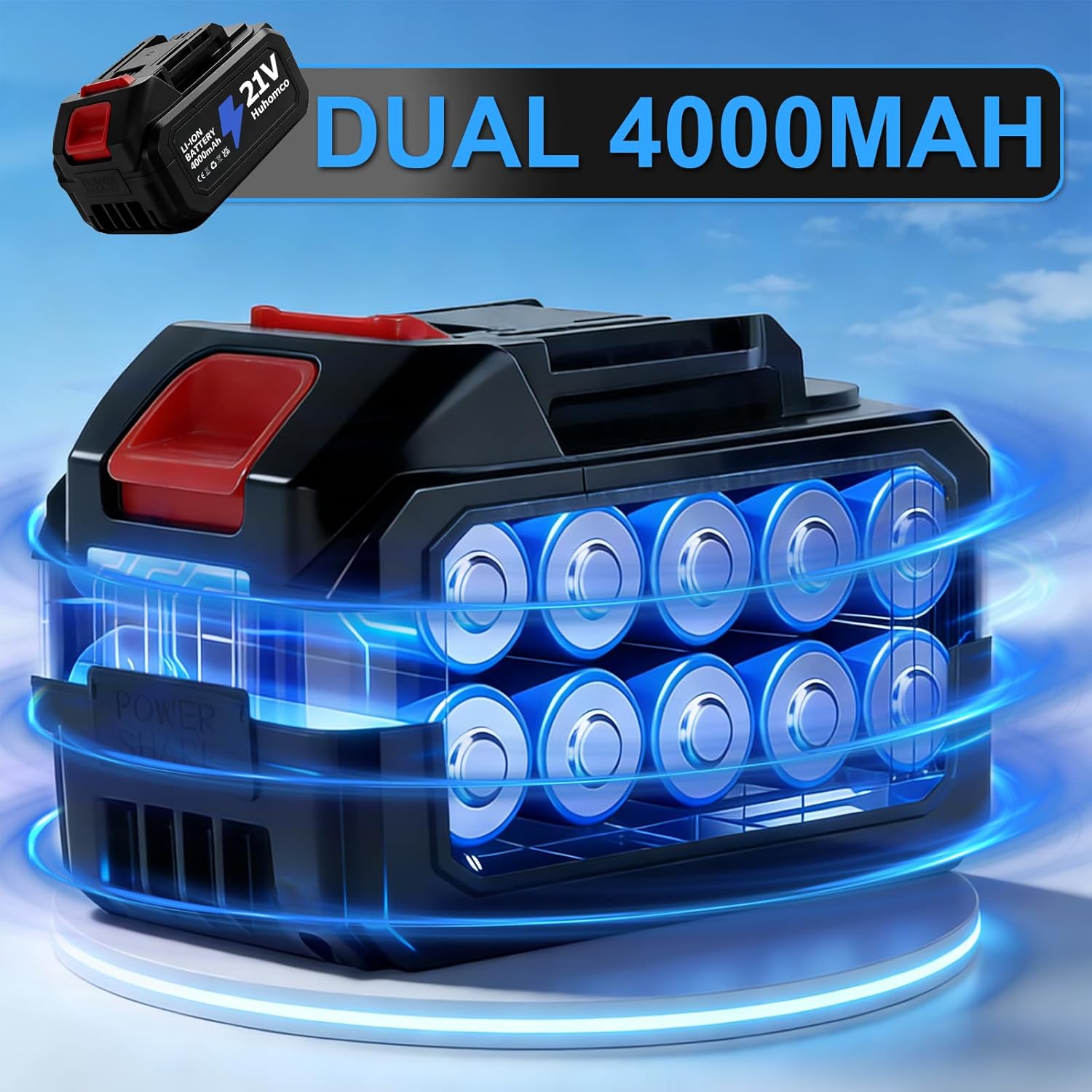
Image: Illustration of the dual 4000mAh battery system, designed for prolonged use.

Image: Close-up of the LED visual power management display, indicating pressure level and battery status.
4.3 Using the 6-in-1 Nozzle and Foam Cannon
The 6-in-1 nozzle offers versatile spray patterns for different cleaning needs. Rotate the nozzle head to select the desired pattern:
- 0° Jet: For concentrated, high-impact cleaning on tough spots.
- 15°, 25°, 40° Fan: For general cleaning, rinsing, and wider coverage.
- Foam: Use with the foam cannon for applying detergent.
- Shower: For gentle rinsing, such as watering plants.
The included high-output foam cannon produces dense suds for deep cleaning, especially useful for vehicles.
Image: Visual representation of the 6-in-1 nozzle's various spray settings.

Image: Demonstrates the foam cannon in action, covering a car with thick suds for effective cleaning.
4.4 General Cleaning Applications
This cordless pressure washer is suitable for a wide range of indoor and outdoor cleaning tasks, including:
- Car and bike washing
- Window cleaning
- Patio and deck cleaning
- Fence cleaning
- Garden watering (using the shower setting)

Image: Examples of the pressure washer being used for diverse cleaning tasks like washing cars, windows, floors, and motorcycles.
Video: A demonstration of the Huhomco Cordless Pressure Washer in use, showcasing its effectiveness in cleaning various surfaces, including car wheels and body panels.
5. Maintenance
Proper maintenance ensures the longevity and optimal performance of your pressure washer.
5.1 Cleaning and Storage
- After each use, disconnect the water source and battery. Run the unit briefly to clear any remaining water from the pump and hose.
- Clean the exterior of the unit with a damp cloth. Do not use harsh chemicals.
- Regularly check and clean the water filter to prevent blockages and protect the pump.
- Store the pressure washer and all accessories in the provided sturdy storage case in a dry, cool place, away from direct sunlight and freezing temperatures.
5.2 Battery Care
- Always use the original charger provided to charge the batteries.
- Do not expose batteries to extreme temperatures or moisture.
- If storing for an extended period, charge the batteries to approximately 50% and recharge every 3-6 months to maintain battery health.
6. Troubleshooting
If you encounter issues with your pressure washer, refer to the following common problems and solutions.
| Problem | Possible Cause | Solution |
|---|---|---|
| Unit does not turn on | Battery not charged or improperly inserted. | Ensure battery is fully charged and correctly inserted. Check battery contacts. |
| Low pressure output | Insufficient water supply, clogged filter, or incorrect nozzle setting. | Check water source for adequate flow. Clean the water filter. Select an appropriate nozzle setting. |
| Water leakage | Loose connections or damaged O-rings. | Tighten all hose and nozzle connections. Inspect O-rings for wear and replace if necessary. |
| Unit stops during operation | Battery depleted or motor overheating. | Replace with a charged battery. Allow the unit to cool down if it has been running continuously for a long period. |
If the problem persists after attempting these solutions, please contact customer support.
7. Specifications
Technical details for the Huhomco Cordless Pressure Washer DJ-810.
| Feature | Specification |
|---|---|
| Brand | Huhomco |
| Model Number | DJ-810 |
| Power Source | Battery Powered |
| Motor Power | 400W Brushless Motor |
| Maximum Pressure | 1500 PSI (Pound per Square Inch) |
| Maximum Flow Rate | 2.6 GPM (Gallons Per Minute) |
| Battery Capacity | Dual 4.0Ah (4000mAh) |
| Hose Length | 5 Meters (16.4 Feet) |
| Item Weight | 7 Pounds |
| Product Dimensions (L x W x H) | 10.24" x 6.3" x 17.56" |
| Color | Black |
8. Warranty and Support
This product is covered by a manufacturer's warranty. Please refer to the warranty card included in your packaging for specific terms and conditions. For technical support, replacement parts, or any inquiries not covered in this manual, please contact Huhomco customer service through the retailer where the product was purchased or visit the official Huhomco website.