
LEKATO WS-300
Contents
LEKATO WS-300 Wireless Guitar System
User Manual
Introduction
Thank you for choosing the LEKATO WS-300 Wireless Guitar System. This system provides a reliable and high-quality wireless connection for your electric guitar, bass, and other compatible instruments, offering freedom of movement without compromising sound. Please read this manual carefully to ensure proper use and optimal performance of your device.

Image: An overview of the LEKATO WS-300 wireless guitar system, showing the transmitter, receiver, and charging case, highlighting key specifications like signal-to-noise ratio, latency, frequency response, and transmission range.
Package Contents
Verify that all items listed below are included in your package:
- 1 x LEKATO WS-300 Transmitter
- 1 x LEKATO WS-300 Receiver
- 1 x Portable Charging Case
- 1 x USB Type-C Charging Cable
- 1 x User Manual

Image: Contents of the LEKATO WS-300 package, including the transmitter, receiver, charging case, USB-C cable, and user manual.
Product Overview and Features
The LEKATO WS-300 system is designed for convenience and high-fidelity audio transmission.
- Portable Charging Case: The included charging case features an LED battery indicator and a storage pouch. It can recharge the transmitter and receiver twice, providing up to 18 hours of total operating time (6 hours per charge for transmitter/receiver, plus 12 hours from the case).
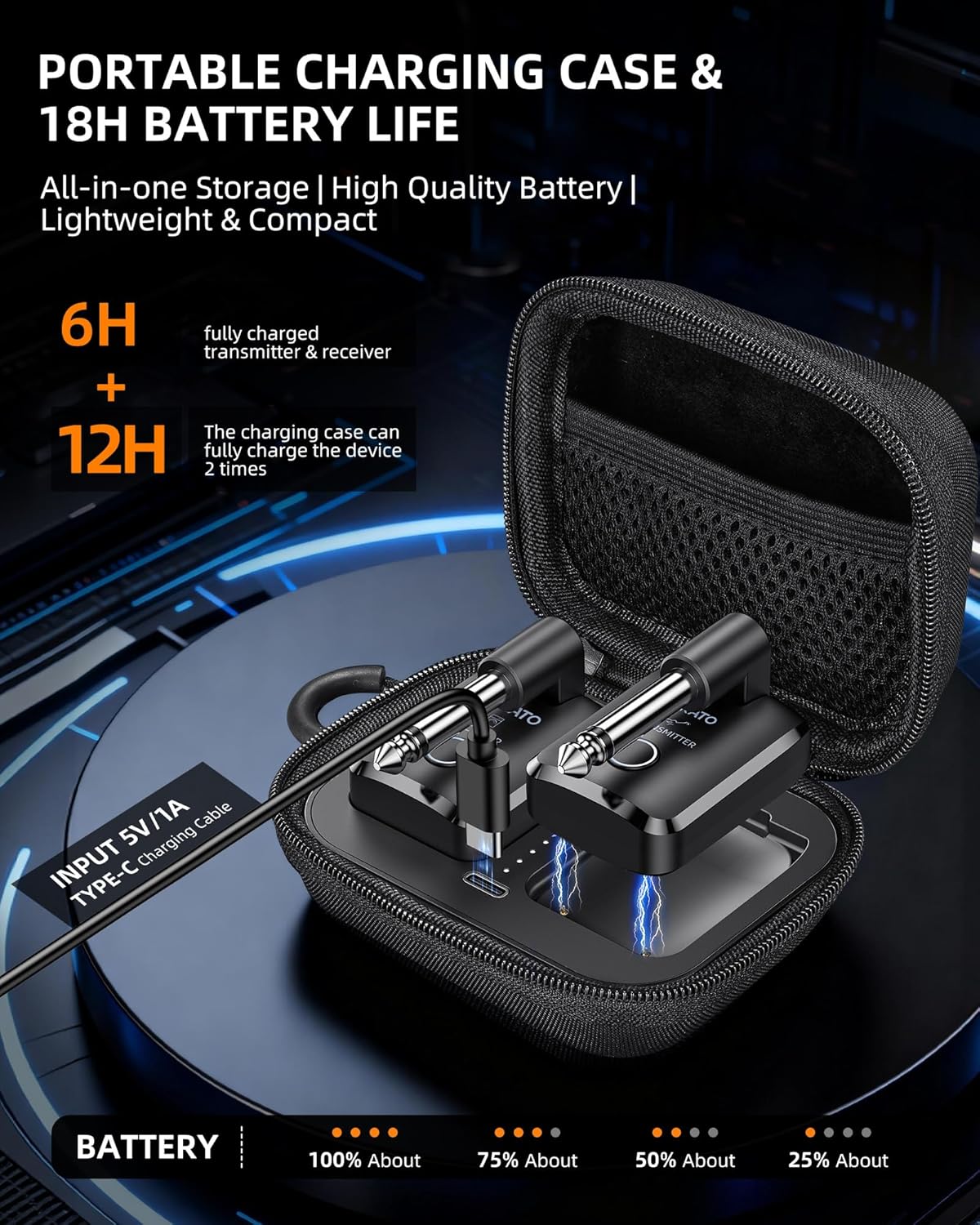
Image: The LEKATO WS-300 transmitter and receiver charging inside the portable charging case, with battery indicators visible.
- Plug & Play Operation: Automatic pairing for quick setup. A solid white LED indicates a successful connection, while a red LED signals low battery.
- Uncompressed Signal Transmission: Utilizes 2.4 GHz automatic frequency hopping for stable, uncompressed audio with less than 9 ms latency and a transmission range of over 20 meters (65 feet).

Image: Diagram illustrating the 20-meter (65 feet) transmission range of the LEKATO WS-300 wireless system between a guitar and an amplifier.
- 220° Rotatable Plug: The 6.35mm jack features a 220° rotation, allowing compatibility with various instrument input positions, including Stratocaster, Telecaster, Les Paul, and bass guitars.

Image: Close-up of the LEKATO WS-300 transmitter plugged into an electric guitar, demonstrating the 220-degree rotatable jack for flexible positioning.
- Multi-System Support: Up to 4 systems can operate simultaneously without interference, making it suitable for band use.

Image: Illustration showing how up to four LEKATO WS-300 wireless systems can be used simultaneously with different guitars and amplifiers without interference.
- Wide Compatibility: Compatible with electric guitars, basses, pedals, audio devices, and other instruments with a 6.35mm jack.
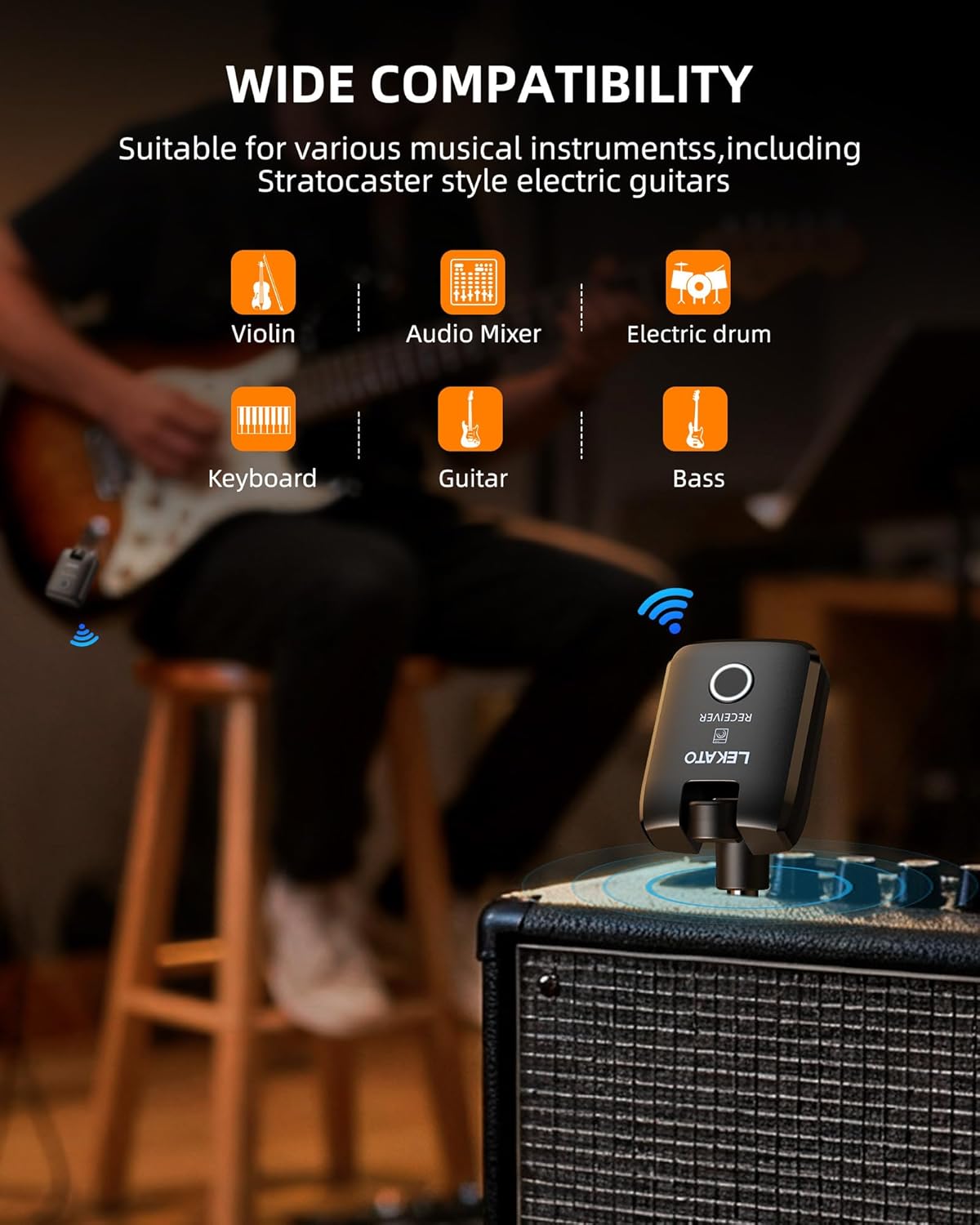
Image: A guitar player using the LEKATO WS-300 receiver plugged into an amplifier, with icons indicating compatibility with various instruments like violin, audio mixer, electric drum, keyboard, guitar, and bass.
Setup Guide
1. Initial Charging
Before first use, ensure both the transmitter, receiver, and charging case are fully charged.
- Place the transmitter and receiver into the charging slots within the portable charging case.
- Connect the USB Type-C charging cable to the charging case and a 5V/1A USB power adapter (not included).
- The LED indicators on the charging case will show the charging status. Allow sufficient time for a full charge.

Image: Graphic illustrating the 18-hour total battery life (6 hours from devices + 12 hours from charging case) and the USB Type-C charging input.
2. Connecting the System (Plug & Play)
The WS-300 system features automatic pairing for ease of use.
- Plug the transmitter into your instrument's 6.35mm output jack. Adjust the 220° rotatable plug for optimal positioning.
- Plug the receiver into the input jack of your amplifier, pedal, or audio device.
- Press and hold the power button on both the transmitter and receiver for approximately 3 seconds to turn them on.
- The devices will automatically pair. A solid white LED light on both units indicates a successful connection.

Image: A LEKATO WS-300 transmitter plugged into an electric guitar, with a wireless signal icon indicating automatic channel setup and cable-free operation.
Operating Instructions
Power On/Off
- To turn on: Press and hold the power button for 3 seconds.
- To turn off: Press and hold the power button for 3 seconds.
Battery Indicator
The LED indicator on the transmitter and receiver provides battery status:
- Solid White: Sufficient battery.
- Solid Red: Low battery. Recharge the device promptly.

Image: Two LEKATO WS-300 units, one showing a white LED for normal operation and the other showing a red LED indicating low battery, prompting a recharge.
Using Multiple Systems
The LEKATO WS-300 supports up to four sets operating simultaneously without interference. Each transmitter-receiver pair will automatically establish its own connection.
Maintenance
- Cleaning: Use a soft, dry cloth to clean the devices. Do not use liquid cleaners or solvents.
- Storage: When not in use, store the transmitter and receiver in the charging case to protect them and keep them charged.
- Battery Care: To prolong battery life, avoid fully discharging the units frequently. Recharge them when the low battery indicator appears. If storing for extended periods, charge the units to about 50% every few months.
- Environmental Conditions: Avoid exposing the devices to extreme temperatures, humidity, or direct sunlight.
Troubleshooting
| Problem | Possible Cause | Solution |
|---|---|---|
| No sound or intermittent sound. |
|
|
| Red LED indicator. | Low battery. | Recharge the unit using the charging case and USB Type-C cable. |
| Cannot turn on device. | Battery completely drained. | Charge the device for at least 30 minutes before attempting to power on. |
Specifications
| Feature | Detail |
|---|---|
| Brand | LEKATO |
| Model Name | WS-300 |
| Color | Black |
| Compatible Devices | Guitar, Bass, Pedals, Audio Devices |
| Power Source | Battery Powered |
| Number of Output Channels | 1 |
| Amplifier Type | Digital Modeling |
| Connector Type | 6.35mm Jack |
| Audio Output Mode | Uncompressed Audio |
| Transmission Frequency | 2.4 GHz |
| Latency | < 9 ms |
| Transmission Range | > 20 meters (65 feet) |
| Battery Life (Transmitter/Receiver) | Up to 6 hours per charge |
| Battery Life (with Charging Case) | Up to 18 hours total (2 full recharges from case) |
| Rotatable Plug Angle | 220° |
| Country of Origin | China |
Warranty and Support
Warranty Information
LEKATO offers a one-year return or exchange service from the date of purchase. This warranty covers manufacturing defects and ensures that each unit undergoes strict quality controls.
Customer Support
If you have any questions, encounter issues, or require assistance with your LEKATO WS-300 Wireless Guitar System, please contact our customer support team. Our team is always ready to assist you.
For support, please refer to the contact information provided on the official LEKATO website or your purchase platform.
Documents and downloads
Ask a question about this manual
Ask about setup, troubleshooting, compatibility, parts, safety, or missing instructions. Manuals+ will review the question and use this page’s manual context to help answer it.