
Insta360 CINSFAVE
Insta360 Snap Selfie Screen with Light User Manual
Model: CINSFAVE
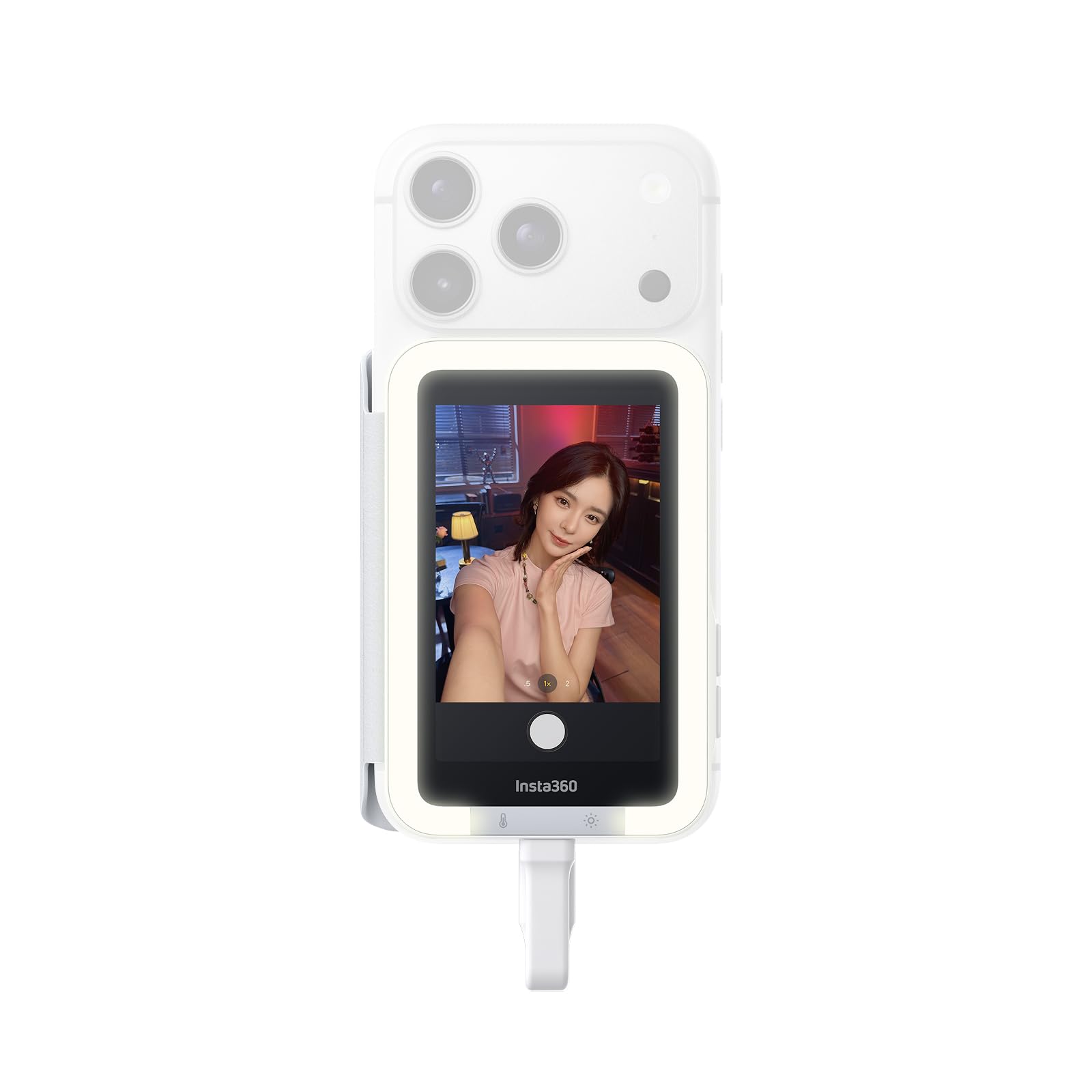
The Insta360 Snap Selfie Screen with Light, showcasing its compact design and integrated lighting.
1. Product Overview
The Insta360 Snap Selfie Screen with Light is a 3.5-inch high-resolution touchscreen monitor designed to enhance your mobile photography and videography experience. It allows you to use your phone's superior rear camera for selfies and vlogging with real-time preview and full touchscreen control. This Light Edition also features adjustable professional lighting for optimal illumination in various conditions.

The Insta360 Snap Selfie Screen provides a real-time preview from your phone's rear camera, ensuring precise framing for high-quality photos and videos.

The device is ultra-thin and portable, designed to integrate seamlessly with your phone without adding significant bulk.
2. Setup
2.1 What's in the Box
- 1× Insta360 Snap Selfie Screen with Light
- 1× Magnetic Ring
2.2 Initial Connection
- Attach the Selfie Screen: The Insta360 Snap attaches magnetically to the back of your phone. For iPhones with MagSafe, it will snap directly. For most Android phones or iPhones without MagSafe, use the included Magnetic Ring for secure attachment.
- Connect via USB-C: Plug the integrated USB-C cable from the selfie screen into your phone's USB-C port. The selfie screen will power on automatically.
- iPhone Users (Zoom Feature): To enable touchscreen functionality on the selfie screen, navigate to your iPhone's Settings > Accessibility > Zoom and turn it on. If the screen appears zoomed in, double-tap with three fingers simultaneously to return to standard view.
- Android Users (Cast Screen): If a "Cast your screen?" prompt appears upon connection, tap "Allow" to mirror your phone's display to the selfie screen.

The Insta360 Snap offers instant plug-and-play connectivity via USB-C, requiring no charging.

Magnetic snap-and-shoot mounting ensures a secure connection to your phone.
3. Operating Instructions
3.1 Basic Operation
- Power On/Off: The selfie screen powers on automatically when connected. Short-press the Power button on the side to turn it on or off at any time.
- Screen Rotation: Use the dedicated button on the side to rotate the screen orientation.
- Mirror Mode: Press the Mirror button on the side to adjust screen mirroring for a better preview. Long-press the Mirror button to switch to full-screen preview.

Experience real-time preview with minimal latency for a smooth shooting experience.
3.2 Touchscreen Controls
The 3.5-inch high-res touchscreen provides full control over your phone's camera functions directly from the selfie screen.
- Tap: Adjust settings, switch modes (photo/video), tweak exposure, and review or magnify footage with ease.
- Slide: Capture wide-angle selfies by sliding to access the 0.5x lens, ensuring everyone is in the frame.
- Mirror: Switch to mirror view to see yourself as you usually do, helping you look your best in every shot.

Total touchscreen control allows for perfect framing and setting adjustments.

Tap the screen to adjust settings and frame your shots.

Slide to capture wide-angle selfies and ensure everyone is included.

Switch to mirror view to see yourself as you usually do, ensuring you look your best.
3.3 Adjustable Lighting (Light Edition Only)
Co-developed with beauty-tech experts AMIRO, the Light Edition offers professional lighting with 3 color temperatures and 5 brightness levels.
- Brightness Adjustment: Short-press the brightness button to cycle through 5 levels of brightness.
- Color Temperature Adjustment: Short-press the color temperature button to switch between cool, warm, and natural light modes.
- Power Off Light: Long-press the brightness button for 3 seconds to turn off the fill light.

Adjustable professional lighting with 3 color temperatures and 5 brightness levels for flattering illumination.
3.4 App Compatibility
The Insta360 Snap Selfie Screen works seamlessly with your favorite third-party camera and social media apps, allowing you to combine high-resolution hardware with creative software for stunning results.

Compatible with popular third-party camera and social media applications.
4. Maintenance
4.1 Protective Cover
The Insta360 Snap comes with a premium cover that protects the screen from scratches during storage. It also cleverly secures the USB-C cable when not in use and can prevent accidental touches on your phone's screen.

The travel-ready cover protects the screen and secures the cable.
5. Troubleshooting
- Why is the touchscreen not working after connecting to my iPhone?
To enable touch functionality, the Zoom feature must be turned on. After unlocking your iPhone, go to Settings > Accessibility > Zoom and turn it on. Then simply double-tap the screen with three fingers to return to the standard view. Once Zoom is enabled, you can access the camera directly from the selfie screen even while your iPhone is locked for future use. - Why does my iPhone screen look zoomed in or huge? How to fix it?
This is a standard iOS feature. When Zoom is enabled to allow touch on the selfie screen, you might accidentally trigger magnification. To disable, go to Settings > Accessibility > Zoom and turn it off. Note: Zoom must be enabled for touch functionality to work on the selfie screen. - Will the wired connection drain my phone's battery? How significant is the power consumption?
Using Insta360 Snap Selfie Screen with Light for ten minutes of continuous shooting (over 200 photos) consumes only about 6% of your phone's battery. If you use it only intermittently, the power drain is barely noticeable. To minimize unnecessary battery consumption, we recommend turning off the screen or disconnecting the USB-C connection when Insta360 Snap is not in use. It is not recommended for live streaming or other power-intensive use. - My iPhone has a Lightning port. Is it compatible or can I use an adapter?
Insta360 Snap Selfie Screen currently does not support direct connection to Lightning ports. Unfortunately, it also cannot be used with a Lightning adapter.
6. Specifications
| Feature | Detail |
|---|---|
| Brand | Insta360 |
| Model Number | CINSFAVE |
| Screen Size | 3.5 Inches |
| Screen Resolution | 480x800 pixels |
| Item Weight | 0.05 Kilograms |
| Materials | Plastic, artificial leather |
| Operating Temperature | -4°F to 104°F (-20°C to 40°C) |
| Power Output | USB-C |
| Video Protocol | USB-C video output (DP Alt Mode supported) |
| Included Components | 1× Insta360 Snap Selfie Screen with Light, 1× Magnetic Ring |
6.1 Compatible Devices
The Insta360 Snap Selfie Screen is designed for both iPhone and Android phones with a USB-C connection. Please refer to the official website for the most up-to-date compatibility list.

A comprehensive list of compatible iPhone and Android devices.
7. Official Tutorial Video
Official tutorial video demonstrating how to use the Insta360 Snap Selfie Screen, including setup, mirroring, and light adjustments.
8. Warranty
The Insta360 Snap Selfie Screen with Light comes with a 12-month warranty.
9. Support & Firmware Updates
For the best experience and to ensure your device is up-to-date, please visit the official Insta360 website for the latest firmware and support resources. Firmware updates often include optimized landscape display for front camera preview on various phone models.
Official Website: www.insta360.com
Related documentsCINSFAVE


Ask a question about this manual
Ask about setup, troubleshooting, compatibility, parts, safety, or missing instructions. Manuals+ will review the question and use this page’s manual context to help answer it.