
OPPO Reno15 5G
OPPO Reno15 5G User Manual
Model: Reno15 5G
1. Introduction
This manual provides essential information for using your new OPPO Reno15 5G smartphone. Please read it carefully to ensure proper operation and to maximize your device's capabilities. The OPPO Reno15 5G features 5G cellular technology, a 6.59-inch AMOLED display with a 120Hz refresh rate, a 50MP main camera, and is powered by a Snapdragon 7 Gen 4 processor with 12GB RAM and 256GB storage.
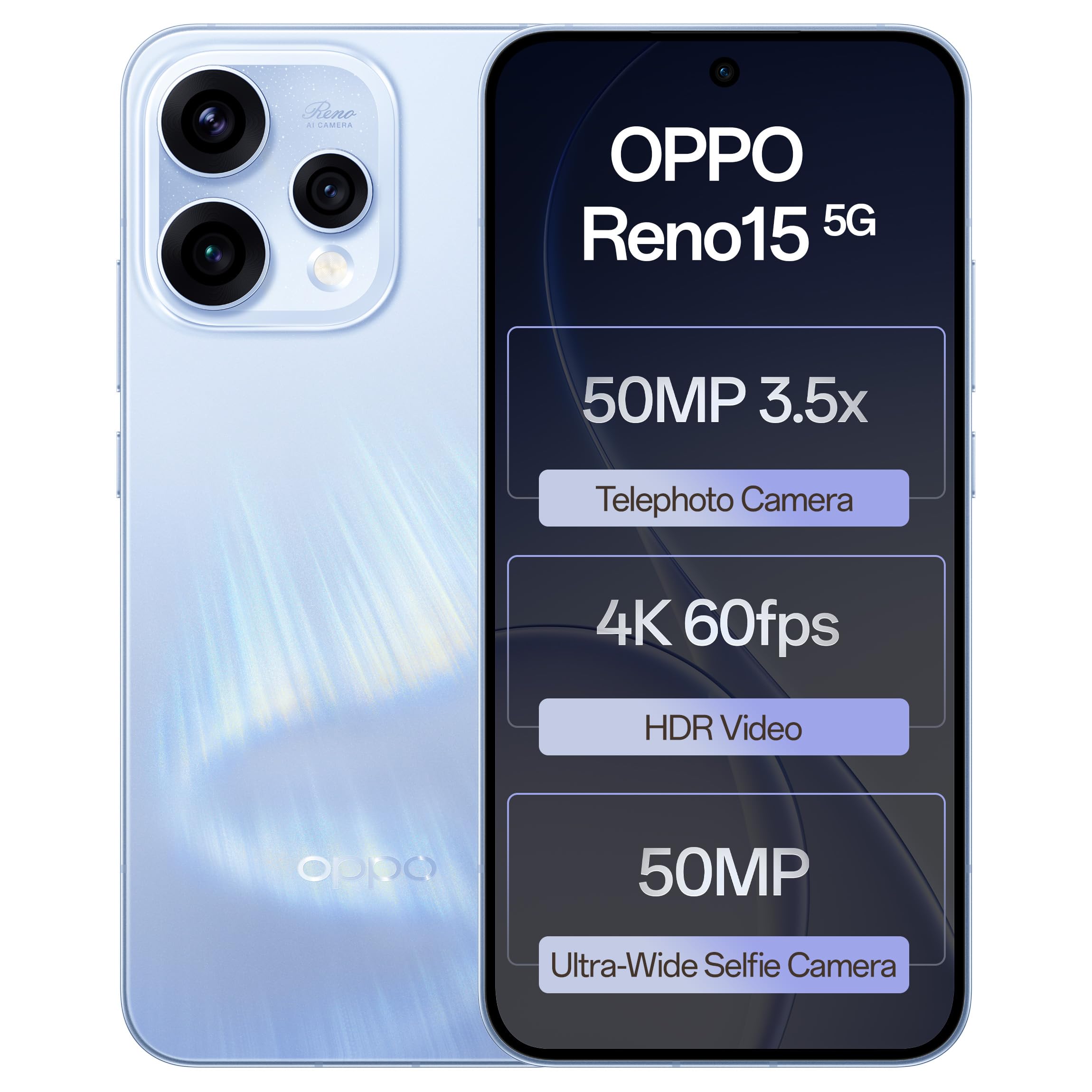
Image: Front view of the OPPO Reno15 5G smartphone.
2. Initial Setup
2.1 Box Contents
Verify that your package contains the following items:
- OPPO Reno15 5G Smartphone
- Power Adapter
- USB Cable
- Phone Case
- SIM Tray Ejector
2.2 SIM Card Installation
- Locate the SIM card tray on the side of your device.
- Insert the SIM tray ejector tool into the small hole next to the tray and press gently until the tray pops out.
- Place your Nano-SIM card(s) into the tray with the gold contacts facing down. This device supports Dual SIM.
- Carefully reinsert the tray into the phone.
Image: Side view of the OPPO Reno15 5G, indicating the SIM card tray location.
2.3 Powering On and Initial Configuration
- Press and hold the Power button until the OPPO logo appears.
- Follow the on-screen instructions to select your language, connect to a Wi-Fi network, and set up your Google account.
- Configure security features such as fingerprint recognition and a screen lock (PIN, pattern, or password).
2.4 Charging the Device
Connect the USB cable to the phone's USB Type-C port and the power adapter. Plug the adapter into a power outlet. The device supports 80W SuperVOOC fast charging.
3. Operating Your Device
3.1 Basic Navigation
- Touch: Tap icons to open apps, select items, or confirm actions.
- Swipe: Move your finger across the screen to scroll through content or switch between screens.
- Pinch: Use two fingers to zoom in or out on photos and web pages.
- Gestures: The device supports various gestures for navigation, which can be configured in Settings.
3.2 Biometric Security
The OPPO Reno15 5G includes fingerprint recognition for secure unlocking and authentication. To set up, navigate to Settings > Security & privacy > Fingerprint unlock and follow the instructions.
3.3 Connectivity
- Wi-Fi: Connect to wireless networks for internet access. Go to Settings > Wi-Fi.
- Bluetooth: Pair with other Bluetooth devices like headphones or speakers. Go to Settings > Bluetooth.
- 5G Cellular: The device supports 5G network connectivity for faster data speeds. Ensure your SIM card and plan support 5G.
- USB Type-C: Use the USB Type-C port for charging and data transfer.
3.4 Operating System: Android 15 with ColorOS 16
Your OPPO Reno15 5G runs on Android 15, customized with ColorOS 16. ColorOS 16 provides a smart and smooth user experience with enhanced features and optimizations.

Image: Visual representation of ColorOS 16 interface.
4. Camera Features
The OPPO Reno15 5G is equipped with a versatile triple-camera system designed to capture high-quality photos and videos.
- Main Camera: 50MP sensor with optical image stabilization for clear, steady shots.
- Telephoto Camera: 50MP camera with 3.5x optical zoom for detailed distant subjects.
- Wide-Angle Lens: For capturing broader scenes and group photos.
- AI Enhancements: The camera system automatically optimizes colors, details, and lighting based on scene recognition (e.g., portraits, landscapes, food).

Image: Camera interface demonstrating the "Popout" feature for creative photography.

Image: Comparison of 1x and 3.5x zoom capabilities of the camera.
5. Display
The device features a large 6.59-inch AMOLED display, providing vibrant colors and deep blacks. The 120Hz refresh rate ensures smooth scrolling and fluid animations, enhancing the visual experience for all content.
6. Performance
Powered by the Snapdragon 7 Gen 4 processor and 12GB of RAM, the OPPO Reno15 5G delivers reliable speed for daily applications, social media, entertainment, and casual gaming. It is designed for smooth multitasking and efficient operation.
7. Battery Management
The OPPO Reno15 5G is equipped with a 6500mAh battery, providing extended usage time. For rapid recharging, the device supports 80W SuperVOOC fast charging technology.
8. Maintenance and Care
8.1 Cleaning Your Device
To clean your phone, use a soft, lint-free cloth. Avoid abrasive materials, solvents, or aerosol sprays. Disconnect the device from all power sources before cleaning.
8.2 Water and Dust Resistance
The OPPO Reno15 5G features IP69 water and dust resistance. While designed to withstand splashes and dust, it is not fully waterproof. Avoid intentional submersion in water or exposure to high-pressure water jets. Damage caused by liquid exposure is not covered under warranty.

Image: The OPPO Reno15 5G demonstrating its IP69 water and dust resistance.
8.3 Software Updates
Regular software updates are released to improve performance, add features, and enhance security. To check for updates, go to Settings > About device > Software update.
9. Troubleshooting
This section addresses common issues you might encounter with your OPPO Reno15 5G.
9.1 Device Not Turning On
- Ensure the battery is charged. Connect the phone to the charger for at least 15 minutes.
- Press and hold the Power button for 10-15 seconds to perform a forced restart.
9.2 Network Connectivity Issues
- Check if Airplane Mode is off (Settings > Connection & sharing > Airplane mode).
- Verify that your SIM card is correctly inserted and active.
- Restart the device.
- Reset network settings (Settings > System settings > Back up and reset > Reset phone > Reset network settings).
9.3 Apps Crashing or Freezing
- Close and reopen the app.
- Clear the app's cache and data (Settings > Apps > App management > [App Name] > Storage usage > Clear cache / Clear data).
- Ensure the app is updated to its latest version.
- Restart the phone.
10. Specifications
| Feature | Specification |
|---|---|
| Brand | OPPO |
| Model | Reno15 5G |
| Operating System | Android 15 |
| RAM | 12 GB |
| Storage Capacity | 256 GB |
| Screen Size | 6.59 Inches |
| Display Type | AMOLED |
| Refresh Rate | 120 Hz |
| SIM Card Slot Count | Dual SIM |
| Connector Type | USB Type C |
| Biometric Security | Fingerprint Recognition |
| Water Resistance Level | IP69 Water and Dust Resistant |
| Rear Camera Resolution | 50 MP (Main) |
| Battery Capacity | 6500 mAh |
| Item Weight | 197 Grams |
| Item Dimensions | 15.8 x 7.5 x 0.7 Centimeters |
| Cellular Technology | 5G |
| Wireless Connectivity | Bluetooth, USB, Wi-Fi |
| Model Year | 2026 |
| Country of Origin | India |
11. Warranty and Support
11.1 Warranty Information
Your OPPO Reno15 5G comes with a warranty of 12 Months on the Handset and 6 Months on the Adapter & Cable from the date of purchase. Please retain your proof of purchase for warranty claims. The warranty covers manufacturing defects but does not cover damage caused by misuse, accidents, or unauthorized repairs.
11.2 Customer Support
For technical assistance, service, or further inquiries, please contact OPPO customer support:
- Manufacturer: OPPO MOBILES INDIA PVT LTD.
- Address: 5th FLOOR, Tower B, BUILDING, N-8, DLF Cyber City, DLF Phase 2, Gurugram, Haryana 122002
- Toll-Free Number: 18001032777
- You can also visit the official OPPO website for support resources and FAQs.
Related documentsReno15 5G


Ask a question about this manual
Ask about setup, troubleshooting, compatibility, parts, safety, or missing instructions. Manuals+ will review the question and use this page’s manual context to help answer it.