
SanJie DA10-B
SanJie DA10-B Door Alarm User Manual
Model: DA10-B
Introduction
The SanJie DA10-B Door Alarm is a versatile security device designed to provide alerts for open doors or windows. It features both instant and delayed alert modes, adjustable volume up to 125dB, and is easy to install without tools. This manual provides detailed instructions for setup, operation, and maintenance to ensure optimal performance and security for your home or property.
The alarm offers instant and delayed alerts. Mode 1 provides instant alarm and chime. Modes 2-5 offer delayed alerts (30 seconds, 1 minute, 2 minutes, 4 minutes). All modes feature intermittent alerts (e.g., sounds for 10 seconds, pauses for 10 seconds, then repeats) until the door is closed or any button on the alarm sensor is pressed. This device is ideal for monitoring children's access, preventing cold air loss from refrigerators, and enhancing home security against intruders.

The SanJie DA10-B Door Alarm consists of a main alarm unit and a smaller magnet sensor.
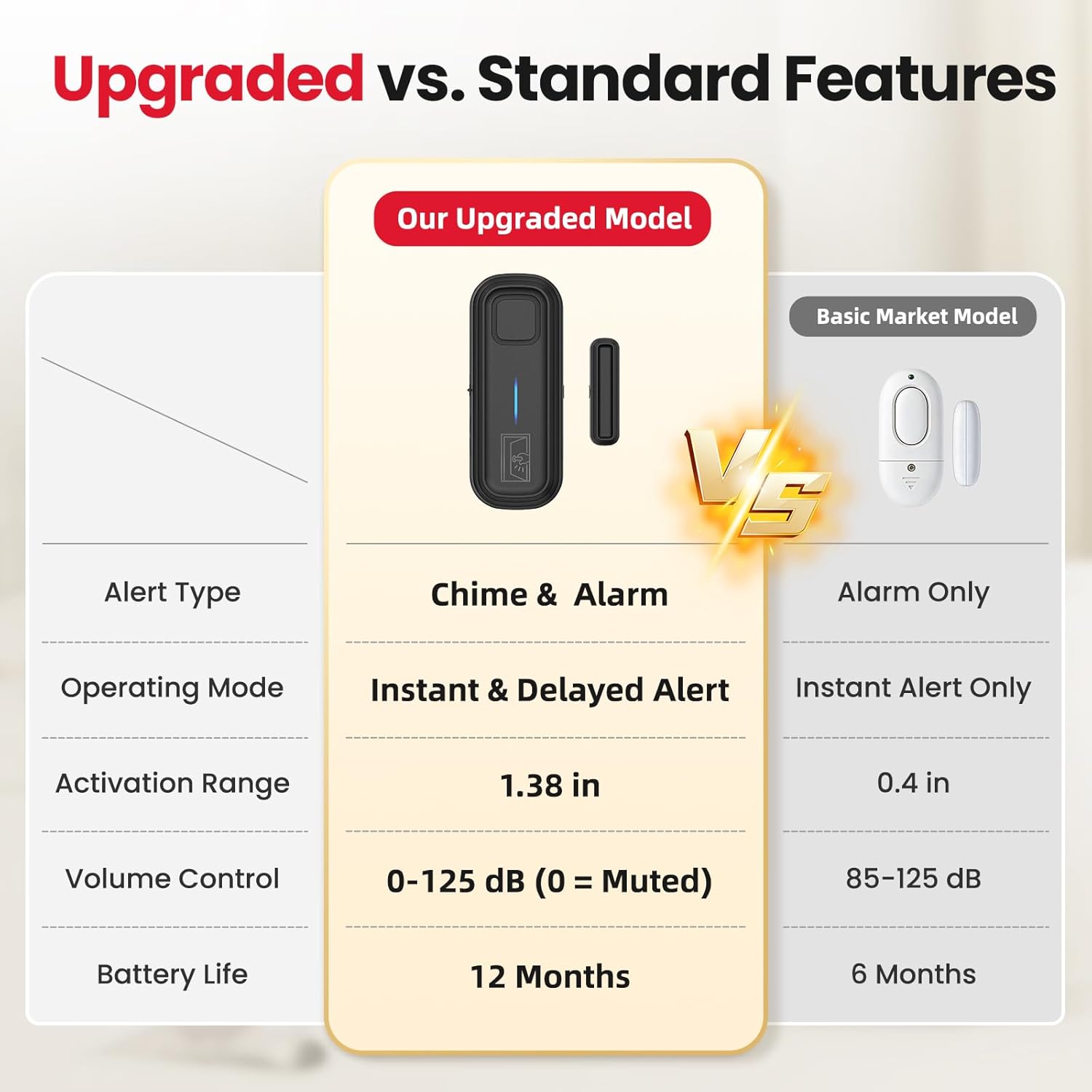
This table highlights the advanced features of the SanJie DA10-B, including chime and alarm alert types, instant and delayed operating modes, wider activation range, adjustable volume, and longer battery life compared to standard models.
Setup and Installation
Components Overview

This diagram illustrates the components of the alarm, including the buzzer, LED indicator, Chime/Alarm/OFF switch, volume control, work mode set key, and the battery compartment for two AAA 1.5V batteries.
Each SanJie DA10-B Door Alarm includes:
- Main Alarm Unit
- Magnet Sensor
- 2 x AAA 1.5V Batteries (included)
Battery Installation
The alarm comes with batteries pre-installed or requires simple installation:
- Locate the battery compartment on the back of the main alarm unit.
- Slide the cover open.
- Insert two AAA 1.5V batteries, ensuring correct polarity (+/-).
- Close the battery compartment cover securely.
Mounting Instructions (Tool-Free)
The SanJie DA10-B Door Alarm uses strong 3M adhesive tape for easy, tool-free installation. Indoor installation is recommended.

Installation is tool-free: 1. Clean the surface. 2. Peel off the adhesive tape. 3. Align the main unit and magnet within 1.38 inches and press to secure. 4. The alarm triggers if separation exceeds 1.38 inches.
- Step 1: Clean Surface - Clean the dust and debris from the door frame or window surface where the alarm will be mounted. Ensure the surface is dry.
- Step 2: Apply Adhesive - Peel off the protective film from the 3M double-sided tape on the back of both the main alarm unit and the magnet sensor.
- Step 3: Align and Secure - Align the triangle alignment icons on the main unit and magnet. Mount them on the door/window and its frame, ensuring the distance between them is less than the specified maximum (see spacing guidelines below). Press firmly for 10 seconds to secure.
- Step 4: Test Activation - Open the door/window to test if the alarm triggers when the main unit and magnet separate beyond the activation distance.
Installation Spacing Guidelines
Proper spacing between the main unit and the magnet sensor is crucial for correct operation.

The alarm activates when the main unit and magnet separate beyond a certain distance: less than 1.38 inches for non-metal surfaces and less than 0.98 inches for metal surfaces.
- For Metal Doors/Surfaces: The distance between the main unit and the magnet strip should be less than 0.98 inches (2.5 cm).
- For Non-Metal Doors/Surfaces: The distance between the main unit and the magnet strip should be less than 1.38 inches (3.5 cm).
Operating Instructions
Power On/Off
Locate the Chime/Alarm/OFF switch on the side of the main unit. Slide it to the 'OFF' position to power down the device. Slide it to 'Chime' or 'Alarm' to activate the respective alert type.
Mode Selection (Instant & Delayed Alerts)
The SanJie DA10-B offers five operating modes, including instant and delayed alerts. Use the 'Work Mode Set Key' to cycle through these modes.

The Work Mode Set Key allows you to cycle through the operating modes: Mode 1 for Instant Alarm and Modes 2-5 for Delayed Alarm.
- Mode 1: Instant Alarm & Chime - Triggers immediately when the door/window opens. A single beep confirms activation. Beeps every 10 seconds for 10 seconds if the door remains open. Ideal for immediate alerts, such as monitoring children or home security.
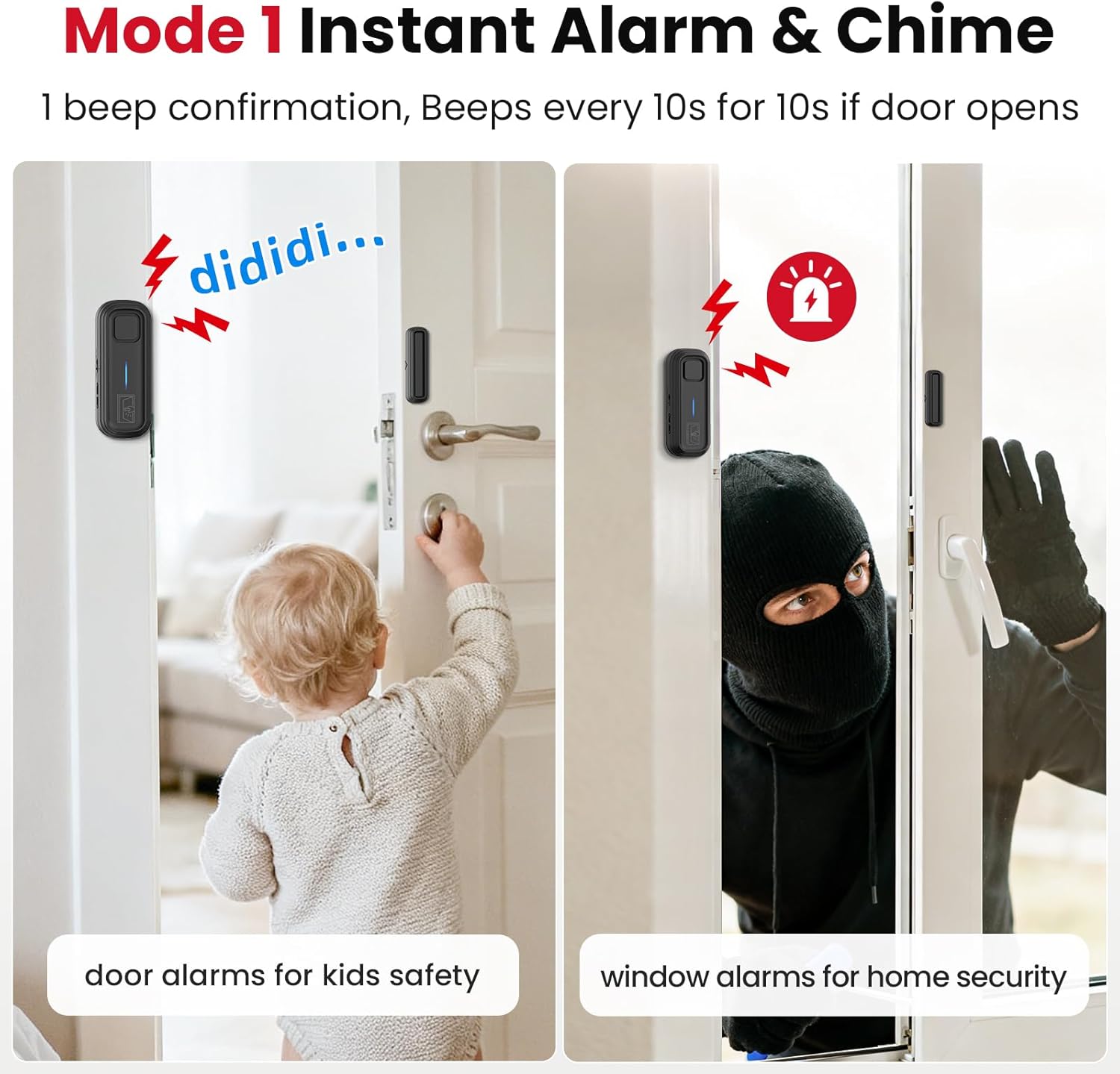
Mode 1 provides instant alerts, suitable for monitoring children's access to areas like bedrooms or for immediate security alerts on windows.
- Modes 2-5: Delayed Alarm & Chime - The alarm triggers after a preset delay if the door/window remains open. These modes are suitable for applications where immediate alerts are not desired, such as refrigerators or frequently used doors.
- Mode 2: Triggers after 30 seconds. (2 beep confirmation)
- Mode 3: Triggers after 1 minute. (3 beep confirmation)
- Mode 4: Triggers after 2 minutes. (4 beep confirmation)
- Mode 5: Triggers after 4 minutes. (5 beep confirmation)

Modes 2 through 5 offer delayed alerts (30s, 1min, 2min, 4min) ideal for situations where immediate alarms are not desired, such as monitoring a refrigerator door.
Volume Adjustment
The alarm features an adjustable volume control, allowing you to set the alert sound level from 0dB (muted) to 125dB.

The alarm features adjustable volume settings, allowing users to select from 0dB (muted) up to 120dB to suit different environments and needs.
- Locate the volume control button/switch on the side of the main unit.
- Press or slide to cycle through the available volume levels (e.g., 120dB, 85dB, 65dB, 45dB, Mute).
- Select the desired volume for your environment.
Alert Types (Chime & Alarm)
The device can produce two types of alerts: a gentle chime or a loud alarm siren.

The alarm offers both chime and siren sounds.
- Use the Chime/Alarm/OFF switch to select between 'Chime' for a softer alert or 'Alarm' for a loud siren.
Maintenance
Battery Replacement
The SanJie DA10-B Door Alarm uses two AAA 1.5V batteries, which typically last up to 12 months. Replace batteries when the alarm's sound becomes weak or the LED indicator no longer lights up.

To replace batteries: 1. Push the alarm in the opposite direction of the back cover. 2. Remove the alarm. 3. Replace with two AAA 1.5V batteries, observing polarity. 4. Push the alarm back in the same direction as the back cover opens.
- Step 1: Push Alarm - Gently push the main alarm unit in the opposite direction of its back cover to release it from the mounting plate.
- Step 2: Remove Alarm - Carefully remove the alarm unit from its mounted position.
- Step 3: Replace Batteries - Open the battery compartment. Remove the old AAA 1.5V batteries and insert new ones, ensuring correct polarity.
- Step 4: Re-mount Alarm - Push the alarm unit back onto the mounting plate in the same direction as the back cover opens, ensuring it clicks securely into place.
Troubleshooting
| Problem | Possible Cause | Solution |
|---|---|---|
| Alarm does not sound when door/window opens. |
|
|
| Alarm sounds too quiet or too loud. |
|
|
| Alarm triggers intermittently or falsely. |
|
|
| Delayed mode does not work as expected. |
|
|
Specifications
| Feature | Detail |
|---|---|
| Brand | SanJie |
| Model Number | DA10-B |
| Power Source | Battery Powered (2 x AAA 1.5V batteries, included) |
| Product Dimensions | 4.57"L x 2.52"W x 1.3"H |
| Audible Noise | Up to 125 dB |
| Mounting Type | Door Mount, Window Mount (Adhesive) |
| Sensor Technology | Contact Sensor |
| Item Weight | 0.43 kg |
| Battery Life | Up to 12 months |
Warranty Information
Please refer to the product packaging or the retailer's website for specific warranty details. Typically, SanJie products come with a limited warranty covering manufacturing defects from the date of purchase. Keep your purchase receipt as proof of purchase for any warranty claims.
Customer Support
For further assistance, technical support, or inquiries regarding your SanJie DA10-B Door Alarm, please contact SanJie customer service through the retailer's platform or the official SanJie website. Provide your product model number (DA10-B) and purchase details when seeking support.
You can often find support contact information on the product packaging or by visiting the SanJie Store on Amazon.
Ask a question about this manual
Ask about setup, troubleshooting, compatibility, parts, safety, or missing instructions. Manuals+ will review the question and use this page’s manual context to help answer it.