
Introduction
The Behringer WING Compact is a 48-channel, 28-bus full stereo digital mixing console designed for professional audio applications. This manual provides essential information for setting up, operating, maintaining, and troubleshooting your WING Compact console, including details on the bundled SKB iSeries Case.
Key features include 24 Midas PRO series microphone preamplifiers, 3 AES50 ports, USB 2.0 (48x48 ch audio/MIDI I/O), and an expansion card interface for 64x64 channel audio. The console features a 10.1" capacitive touchscreen, 12+1 motorized faders, and 16 fully assignable backlit buttons for intuitive control. It utilizes 40-bit floating-point signal processing and includes 16 true-stereo internal effects engines.
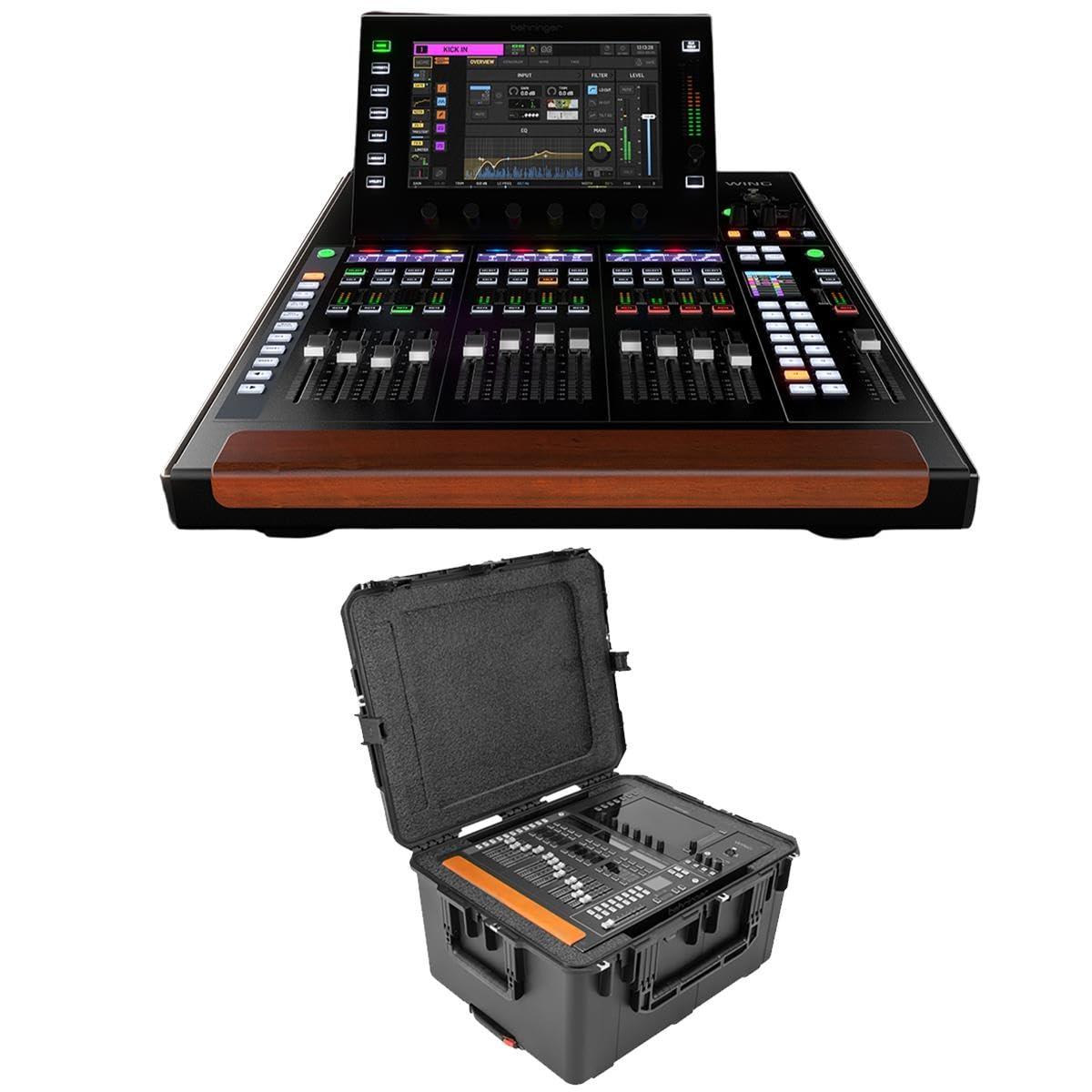
Image: The Behringer WING Compact Digital Mixing Console, featuring its large touchscreen and fader bank.
Setup
1. Unpacking and Inspection
Carefully unpack the Behringer WING Compact console and the SKB iSeries Case. Inspect all components for any signs of damage during transit. Retain all packaging materials for future transport or service.

Image: The SKB iSeries Case, designed for secure transport of the WING Compact console.
2. Console Placement and Case Usage
Place the WING Compact console on a stable, level surface. If using the SKB iSeries Case for transport, ensure the console is properly seated within the custom-cut foam interior to prevent movement and damage. The case provides enhanced portability and protection.

Image: The Behringer WING Compact console securely placed inside its SKB iSeries Case.
3. Power Connection
Connect the included power cord to the console's power input and then to a suitable AC power outlet. Ensure the power supply is stable and meets the console's voltage requirements.
4. Audio Connections
Connect your microphones and other audio sources to the 24 Midas PRO series microphone preamplifiers. Utilize the 3 AES50 ports for configurable 144 input and output signals. Connect monitoring systems and other output devices to the console's outputs.
5. USB and Expansion Card Setup
For computer connectivity, use the USB 2.0 port for 48x48 channel audio/MIDI I/O. The expansion card interface supports 64x64 channel audio, allowing for integration with various digital audio networks like Audinate Dante and Waves SoundGrid via an optional internal AoIP module.
Operating the Console
1. Powering On and Initial Screen
Press the power button to turn on the console. The 10.1" capacitive touchscreen will display the main interface. Allow the system to fully boot up before making any adjustments.
2. Navigating the Touchscreen Interface
The touchscreen provides intuitive control over all console functions. Use touch gestures to navigate menus, adjust parameters, and access various settings. Rotary controls adjacent to the screen offer fine-tuning capabilities.
3. Channel Configuration
The WING Compact offers flexible channel configuration. You can set any of the 48 channels and 28 buses to mono, stereo, or M/S mode without affecting the total channel count or performance. Access channel settings via the touchscreen or dedicated channel strip controls.
4. Using Motorized Faders and Assignable Buttons
The 12+1 motorized faders provide precise level control and instant recall of scenes. The 16 fully assignable backlit buttons can be customized for quick access to frequently used functions, mute groups, or scene changes.
5. Effects Processing
The console includes 16 true-stereo internal effects engines. Access and configure these effects through the touchscreen interface. Stereo insert effects can be added to any channel with a single click.
6. Live Recording and Playback
Utilize the dual-SD card live recorder/player for up to 64 tracks of recording and playback. Markers can be used to identify specific song positions within your recordings.
Maintenance
1. Cleaning the Console
Regularly clean the console's surfaces, especially the touchscreen and faders, with a soft, dry, lint-free cloth. For stubborn marks, a slightly damp cloth with a mild, non-abrasive cleaner can be used, ensuring no liquid enters the console's openings. Avoid harsh chemicals or solvents.
2. Firmware Updates
Periodically check the Behringer website for firmware updates. Keeping your console's firmware up-to-date ensures optimal performance, new features, and bug fixes. Follow the instructions provided with the firmware update carefully.
3. SKB iSeries Case Care
The SKB iSeries Case is designed for durability. Clean the exterior with soap and water as needed. Inspect latches and hinges regularly for proper function. Ensure the foam interior remains intact to provide maximum protection for the console.
Troubleshooting
No Power
- Verify the power cord is securely connected to both the console and a working power outlet.
- Check the power switch on the console.
- Test the power outlet with another device to ensure it is functional.
No Audio Output
- Ensure all input sources are connected correctly and are active.
- Check fader levels for all channels, buses, and the main output.
- Verify mute groups and solo functions are not engaged inadvertently.
- Confirm output routing is correctly configured in the console's software.
- Check external monitoring systems for proper connection and power.
Touchscreen Unresponsive
- Attempt a soft reset by powering the console off and on.
- Ensure the screen is clean and free of debris or moisture.
- If the issue persists, contact Behringer support.
System Freezes or Crashes
- Perform a power cycle (turn off, wait 30 seconds, turn on).
- Ensure the console's firmware is up to date.
- If recurring, document the steps leading to the freeze and contact support.
Specifications
| Feature | Detail |
|---|---|
| Channels | 48 Stereo Input Channels, 28 Stereo Aux Buses |
| Preamplifiers | 24 Midas PRO Series Microphone Preamps |
| Outputs | 8 Midas PRO Outputs |
| Touchscreen | 10.1" Capacitive Touchscreen |
| Faders | 12+1 Motorized Faders |
| Effects Engines | 16 True-Stereo Internal Effects Engines |
| AES50 Ports | 3 (Configurable 144 input/output signals) |
| USB Audio/MIDI I/O | 48x48 Channels (USB 2.0) |
| Expansion Card Interface | 64x64 Channels (for optional AoIP modules) |
| Signal Processing | 40-bit Floating-Point |
| Live Recorder/Player | Dual-SD card (up to 64 tracks) |
| Item Weight | 78.5 pounds |
| Product Dimensions | 29.5 x 23.5 x 15.5 inches |
Warranty and Support
Warranty Information
This product bundle includes an Adorama 1-Year Limited Warranty. Please refer to the warranty documentation provided with your purchase for specific terms and conditions. Keep your proof of purchase for warranty claims.
Technical Support
For technical assistance, troubleshooting beyond this manual, or service inquiries, please contact Behringer customer support. You can typically find support contact information and resources on the official Behringer website:


