
Introduction
Thank you for choosing the TRAUSI T6 IPX7 Waterproof Stereo Earphones. This manual provides detailed instructions for the proper use, setup, and maintenance of your earphones. Please read this manual thoroughly before use to ensure optimal performance and longevity of your device.
What's in the Box?
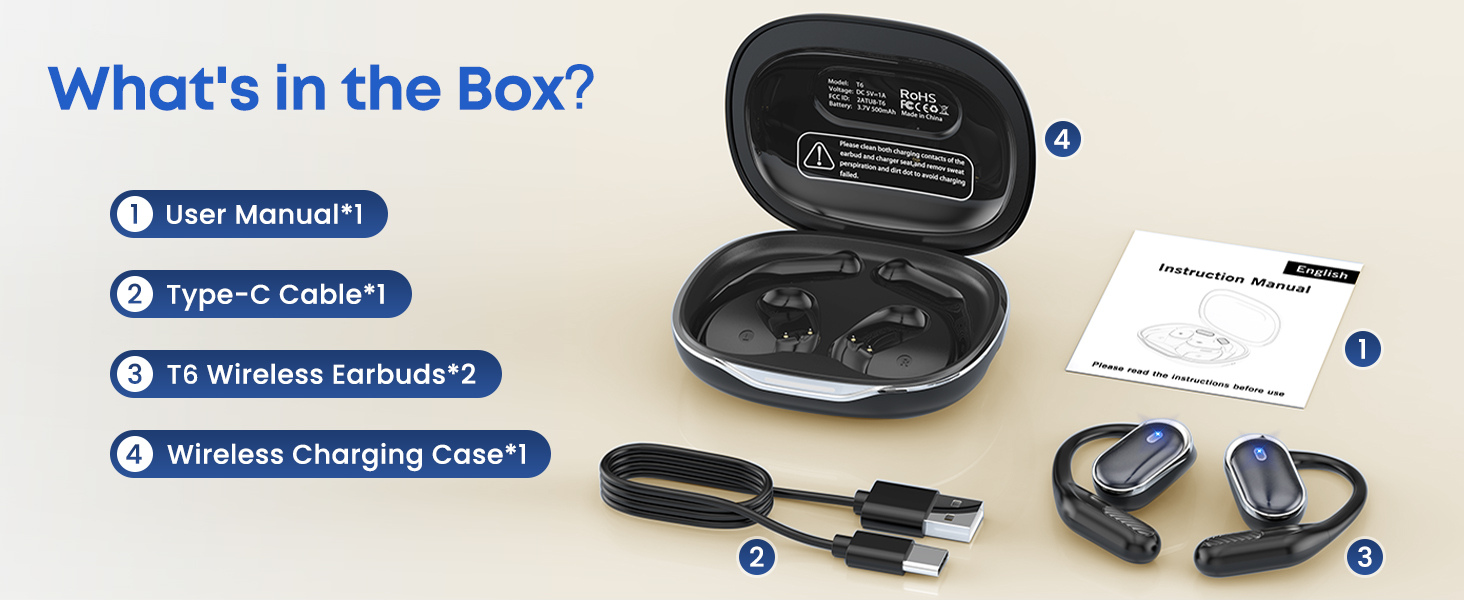
Image: The image displays the TRAUSI T6 wireless earphones, their charging case, a USB-C charging cable, and the instruction manual, all neatly arranged as they would appear when unboxed.
- T6 Wireless Earphones (2 units)
- Wireless Charging Case (1 unit)
- Type-C Charging Cable (1 unit)
- User Manual (1 unit)
Product Overview
The TRAUSI T6 earphones feature an open-ear design with ear hooks for secure placement. They come with a portable charging case for extended battery life. Each earphone is equipped with touch controls for various functions.
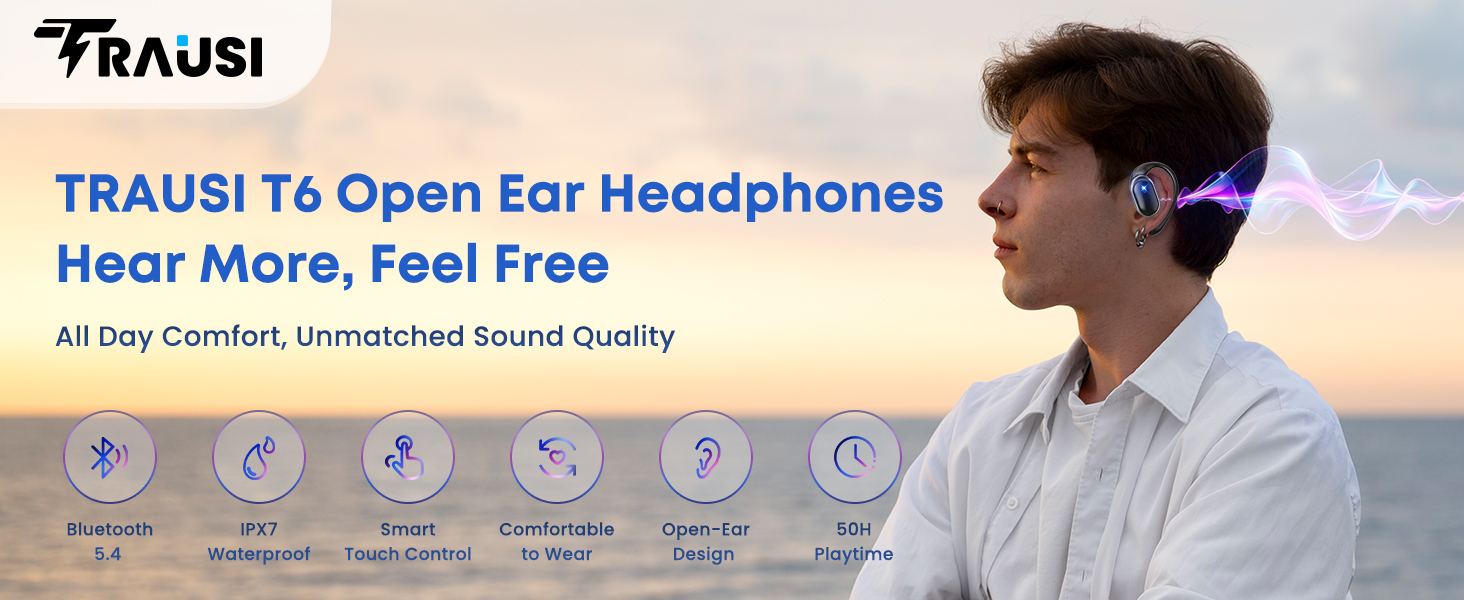
Image: A visual representation of the TRAUSI T6 open-ear headphones, showcasing their design and highlighting features such as Bluetooth 5.4, IPX7 waterproofing, smart touch controls, comfortable fit, and 50-hour playtime.
Wearing Instructions
For optimal comfort and sound quality, follow these steps to properly wear your TRAUSI T6 earphones:
- Hook onto Ear Ridge: Rest the curved end of the earphone on the upper ridge of your ear, just above the ear canal.
- Twist to Lock: Guide the headphone into the ear canal along its natural curve. Then, twist upward until the hook clicks securely behind the earlobe.
- Adjust for Comfort: Tilt slightly to find your ideal angle. The flexible design adapts to various ear shapes.
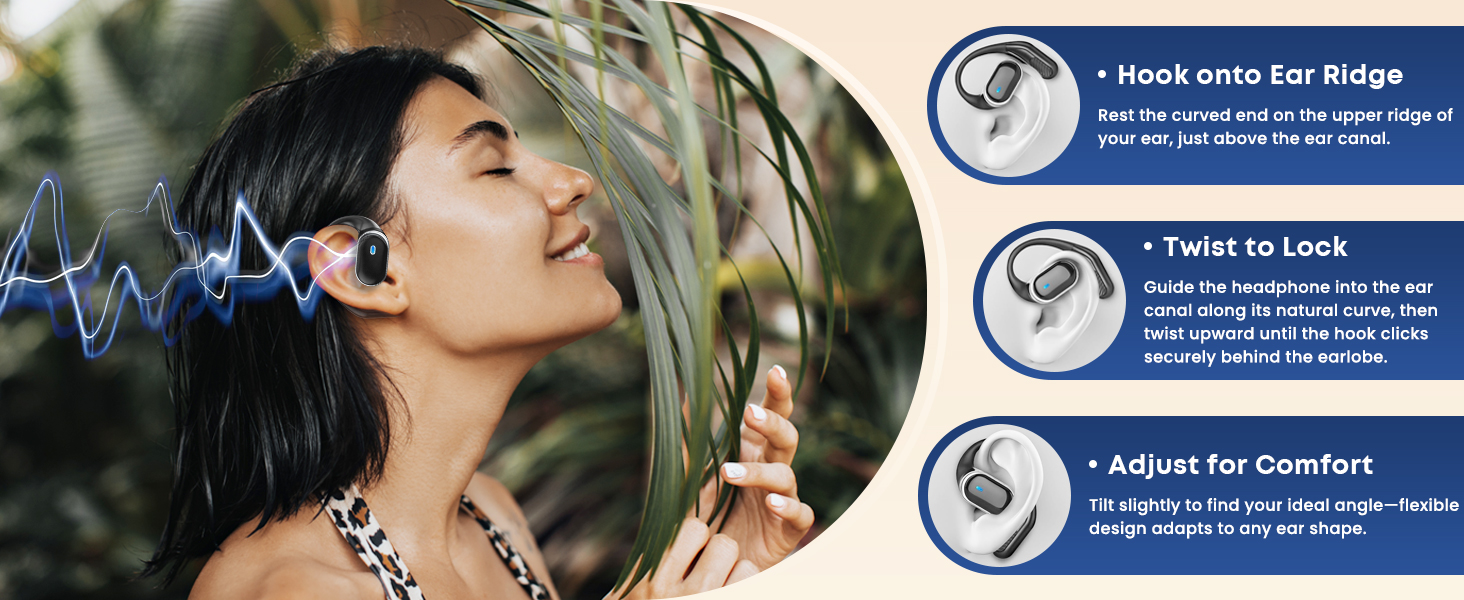
Image: A step-by-step guide illustrating how to correctly position the TRAUSI T6 earphones on the ear, ensuring a secure and comfortable fit.
Initial Setup and Bluetooth Pairing
Follow these steps to pair your TRAUSI T6 earphones with your device:
- Power On: Open the charging case. The earphones will automatically power on and enter pairing mode. You will see indicator lights flashing.
- Activate Bluetooth: On your smartphone, tablet, or computer, go to the Bluetooth settings and ensure Bluetooth is enabled.
- Select Device: Look for "TRAUSI T6" in the list of available devices and select it to connect.
- Confirmation: Once connected, the earphone indicator lights will stop flashing, and you may hear an audible confirmation.
The earphones feature Bluetooth 5.4 for stable and efficient connection.
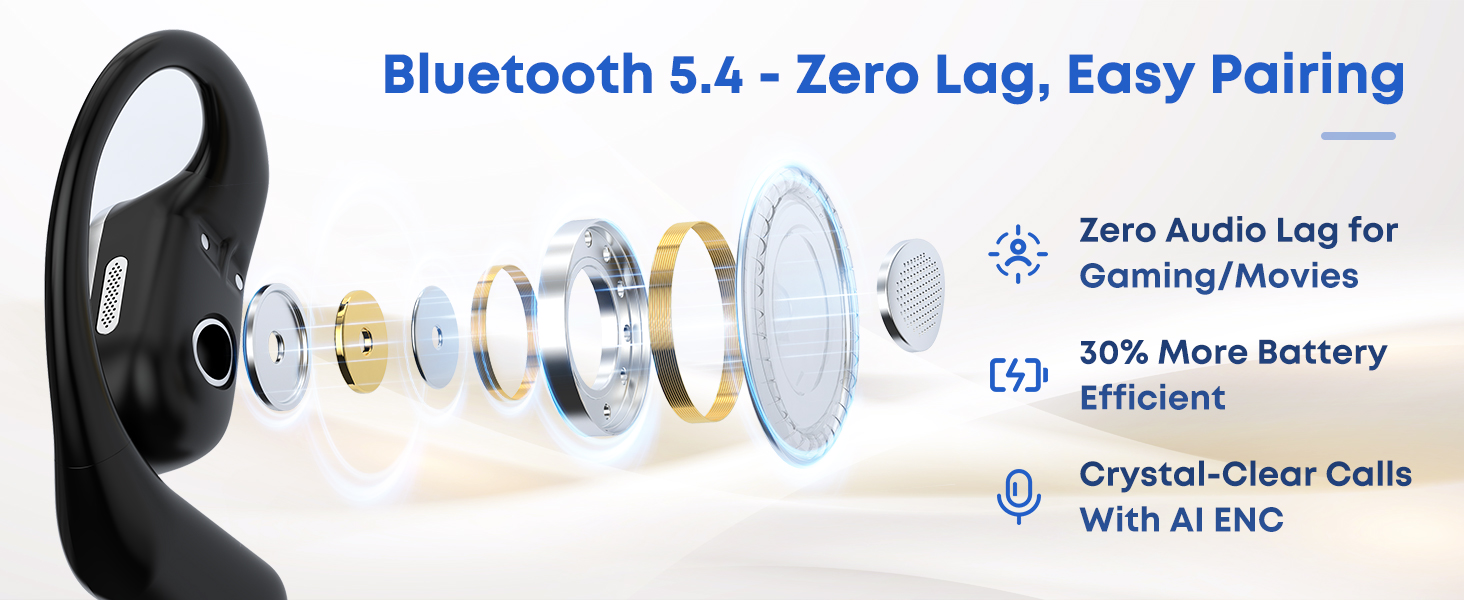
Image: An exploded view diagram of an earphone, highlighting its internal components and the benefits of Bluetooth 5.4 technology, including reduced audio lag and improved battery efficiency.
Operating Instructions (Touch Controls)
The TRAUSI T6 earphones utilize touch controls for various functions. Refer to the following table for detailed operations:
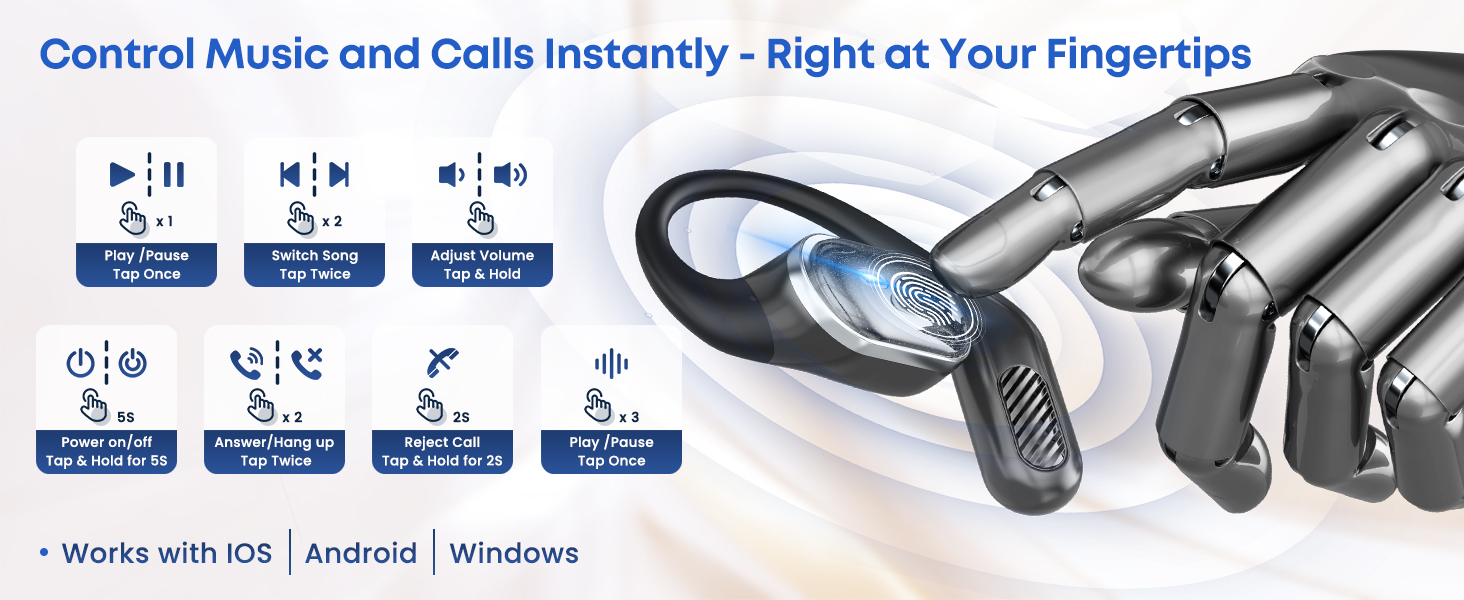
Image: A detailed infographic demonstrating the touch control functions of the TRAUSI T6 earphones for music playback, call management, and power control.
| Function | Action |
|---|---|
| Play/Pause Music | Tap once |
| Next Song | Tap twice (Right earphone) |
| Previous Song | Tap twice (Left earphone) |
| Adjust Volume | Tap & Hold (Left for Volume Down, Right for Volume Up) |
| Power On/Off | Tap & Hold for 5 seconds |
| Answer/Hang up Call | Tap twice |
| Reject Call | Tap & Hold for 2 seconds |
Charging the Earphones and Case
The TRAUSI T6 earphones offer extended playtime with their charging case. To charge:
- Charging Earphones: Place the earphones into the charging case. They will automatically begin charging. The indicator lights on the earphones will show charging status.
- Charging Case: Connect the provided Type-C USB cable to the charging port on the case and plug the other end into a USB power source (e.g., wall adapter, computer). The case's indicator lights will show its charging status.
A single charge provides approximately 8 hours of playtime. With the fully charged case, total playtime can extend up to 50 hours.
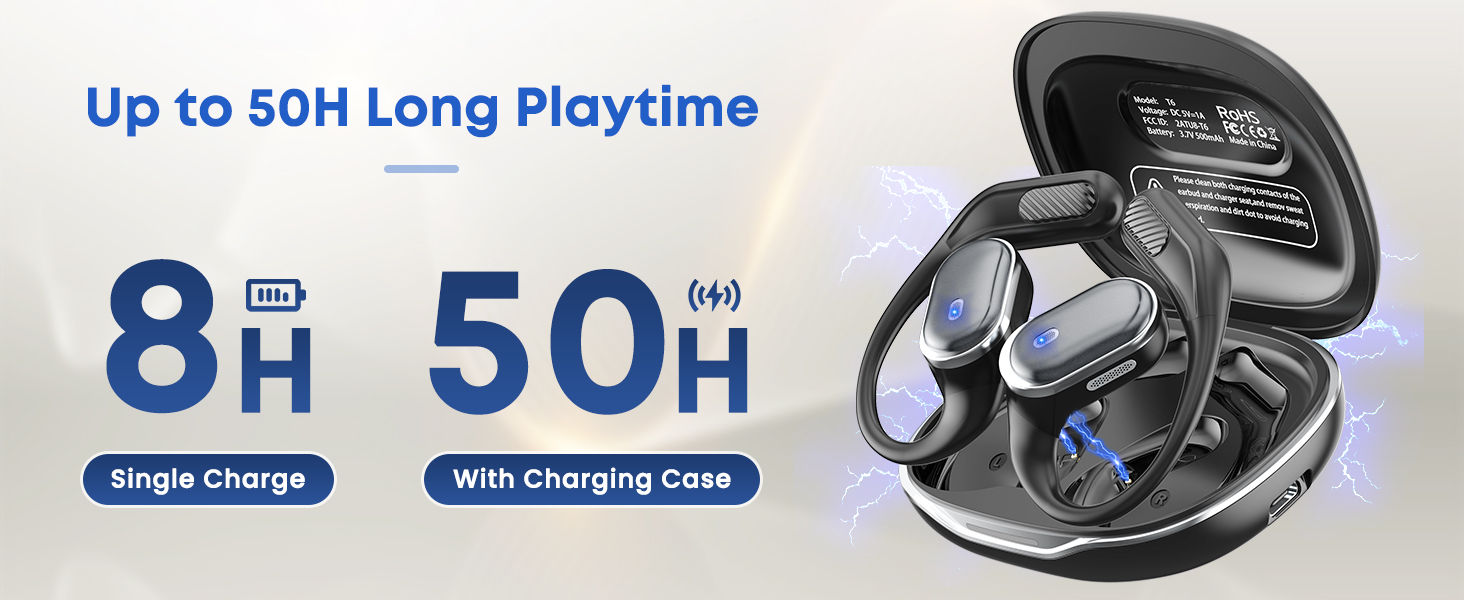
Image: A visual representation of the TRAUSI T6 earphones within their charging case, emphasizing the battery life: 8 hours on a single charge and up to 50 hours with the charging case.
IPX7 Water Resistance
The TRAUSI T6 earphones are rated IPX7 waterproof, meaning they can withstand immersion in water up to 1 meter for 30 minutes. This makes them suitable for:
- Protection against sweat during intense workouts.
- Resistance to rain and splashes during outdoor activities.
- Accidental spills.
Note:
- The earphones are not designed for swimming or diving.
- Avoid exposure to saltwater, as it can damage the device.
- Ensure the earphones are completely dry before placing them back in the charging case to prevent damage to the charging contacts.
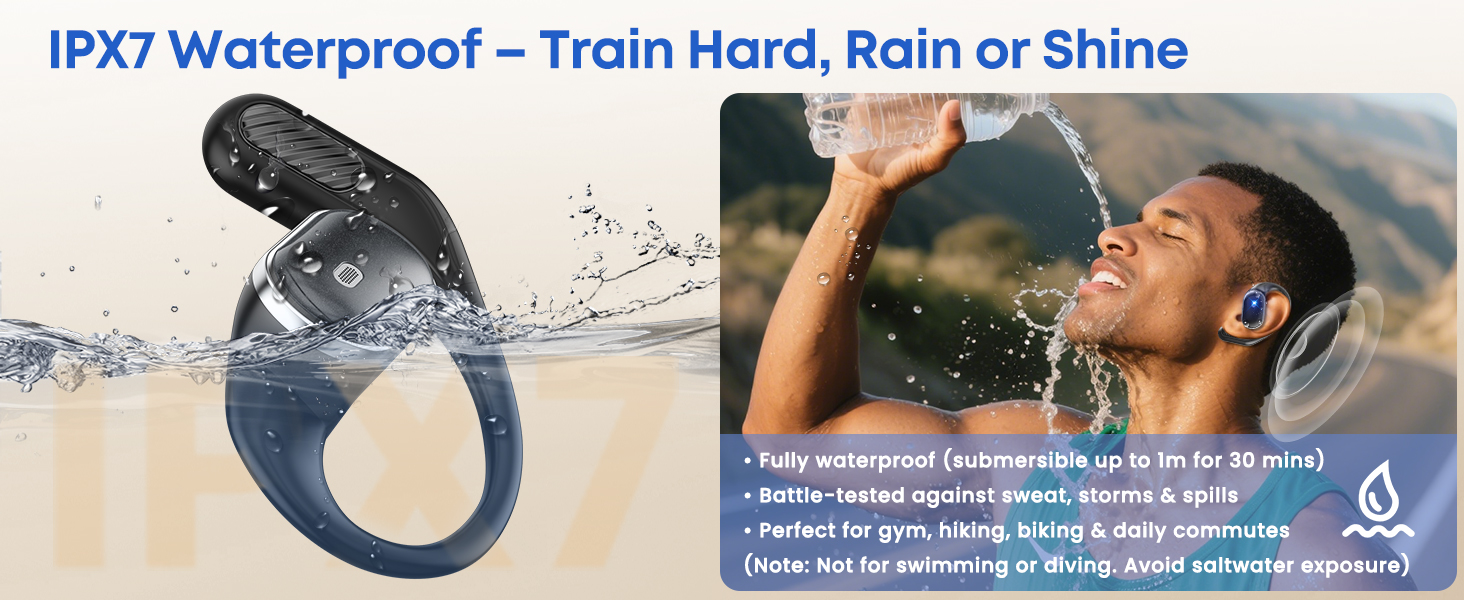
Image: An earphone shown in water, illustrating its IPX7 waterproof capability, with a description of its resistance to sweat, storms, and spills, and a caution against swimming or saltwater exposure.
Specifications
| Feature | Detail |
|---|---|
| Model Number | T6 |
| Ear Placement | Open Ear |
| Form Factor | On Ear |
| Noise Control | Environmental Noise Cancellation (ENC) |
| Earpiece Shape | Hook |
| Audio Driver Type | Dynamic Driver |
| Enclosure Material | Plastic |
| Water Resistance Level | Waterproof (IPX7) |
| Connectivity Technology | Wireless (Bluetooth) |
| Bluetooth Version | 5.4 |
| Bluetooth Range | 15 Meters |
| Control Type | Touch Control |
| Battery Average Life (Single Charge) | 8 Hours |
| Battery Average Life (With Charging Case) | 50 Hours |
| Additional Features | Fast Charging, Lightweight |
| Compatible Devices | iPhone, Android, Mobile Phones, Desktops, Laptops, Tablets |
Maintenance and Care
- Cleaning: Use a soft, dry cloth to clean the earphones and charging case. Do not use abrasive cleaners or solvents.
- Drying: If the earphones get wet, ensure they are completely dry before placing them back in the charging case to prevent damage to the charging contacts.
- Storage: Store the earphones in their charging case when not in use to protect them and keep them charged. Avoid extreme temperatures.
- Charging Port: Keep the Type-C charging port free of dust and debris.
Troubleshooting
If you encounter issues with your TRAUSI T6 earphones, refer to the following common problems and solutions:
- Earphones not pairing:
- Ensure both earphones are charged.
- Turn off Bluetooth on your device and turn it back on.
- Forget "TRAUSI T6" from your device's Bluetooth list and attempt to pair again.
- Place earphones back in the case, close it, wait a few seconds, then open to re-initiate pairing mode.
- No sound from one earphone:
- Ensure both earphones are charged and connected.
- Try resetting the earphones (refer to the full user manual for specific reset instructions if available, or try placing them back in the case and reconnecting).
- Charging issues:
- Check if the charging cable is securely connected to both the case and the power source.
- Ensure the charging contacts on the earphones and inside the case are clean and dry.
- Try a different Type-C charging cable or power adapter.
- Uncomfortable fit:
- Review the "Wearing Instructions" section and adjust the earphones for a better fit. The open-ear design is meant to rest comfortably without deep insertion into the ear canal.
Safety Information
- Do not disassemble, repair, or modify the product.
- Keep the product away from extreme temperatures, direct sunlight, and fire.
- Do not expose the product to corrosive liquids.
- Avoid using the earphones at excessively high volumes for prolonged periods to prevent hearing damage.
- Be aware of your surroundings when using open-ear headphones, especially in traffic or other potentially hazardous situations.
- Dispose of the product and its battery responsibly according to local regulations.
Warranty and Support
TRAUSI products come with a standard manufacturer's warranty. For detailed warranty information, technical support, or customer service inquiries, please refer to the contact information provided on the TRAUSI official website or your purchase documentation.
Please retain your proof of purchase for warranty claims.