
Introduction
Thank you for choosing the TRAUSI T5 Bluetooth 5.4 Open Ear Headphones. These headphones are designed to provide a comfortable listening experience with advanced features like Bluetooth 5.4 connectivity, Environmental Noise Cancellation (ENC), and an ergonomic earhook design. This manual will guide you through the setup, operation, and maintenance of your new headphones to ensure optimal performance.
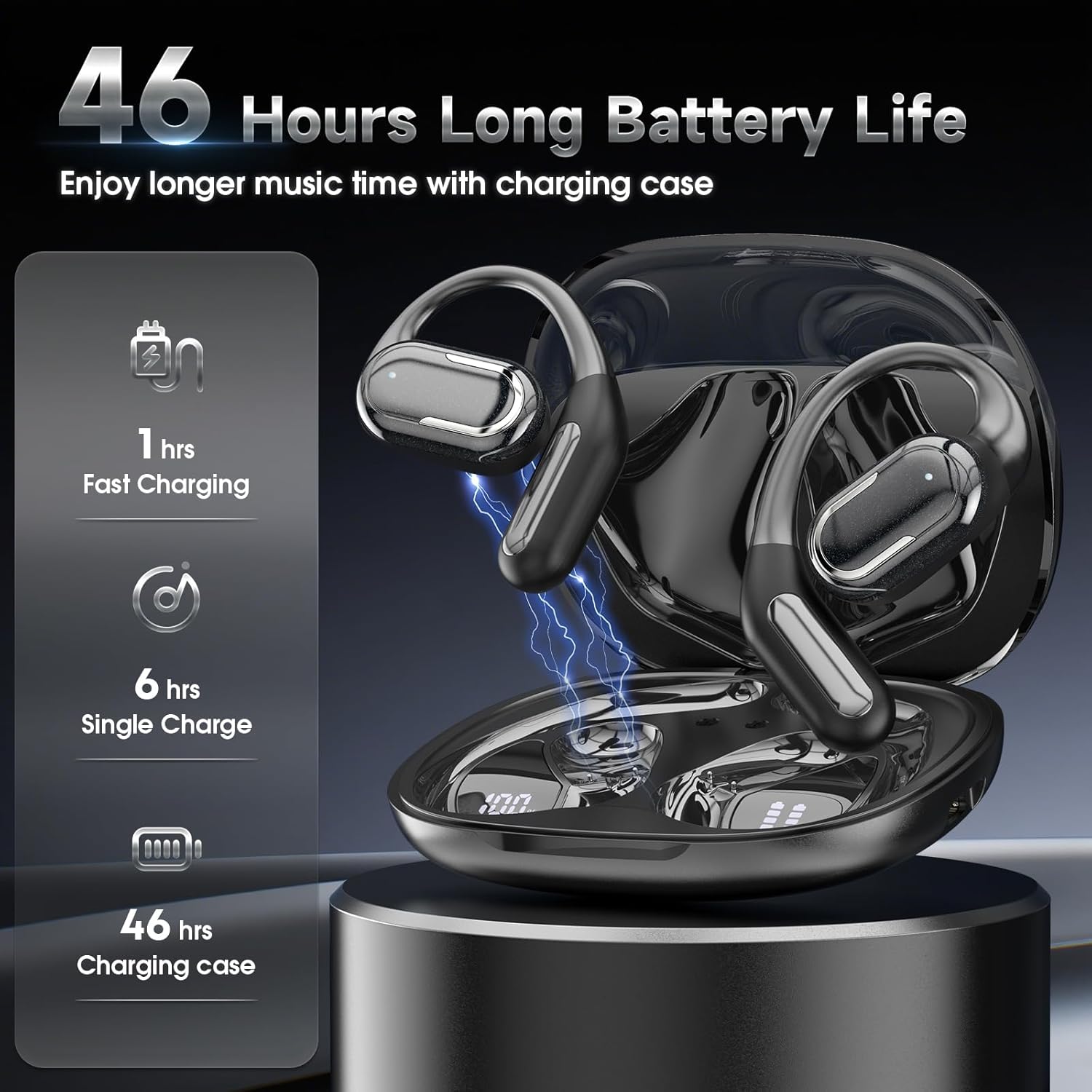
Image illustrating the internal components of the TRAUSI T5 earbuds, highlighting the Hi-Fi Stereo Sound capabilities with a 14.3mm Graphene Diaphragm.
What's in the Box
Please check the package contents to ensure all items are present:
- T5 Wireless Earbuds (2 units)
- Type-C Charging Cable (1 unit)
- User Manual
- Wireless Charging Case
- Packaging Box
Setup
1. Initial Charging
Before first use, fully charge the earbuds and the charging case. Place the earbuds into the charging case. Connect the Type-C cable to the charging case and a compatible USB power source. The LED display on the charging case will show the battery percentage, and individual earbud battery indicators will illuminate.

Image showing the TRAUSI T5 earbuds in their charging case, illustrating the 46-hour total battery life, 6 hours per single charge, and 1 hour fast charging capability. The LED display indicates battery levels.
2. Pairing with Your Device
Follow these steps to pair your TRAUSI T5 headphones with a Bluetooth-enabled device:
- Open the charging case. The earbuds will automatically power on and enter pairing mode.
- On your device (smartphone, tablet, laptop), enable Bluetooth.
- Search for 'T5' in the list of available Bluetooth devices.
- Select 'T5' to connect. Once connected, you will hear an audible confirmation.
- After initial pairing, the earbuds will automatically reconnect to your device when removed from the case, provided Bluetooth is enabled on your device.

Image illustrating the Bluetooth 5.4 technology and one-step pairing process for the TRAUSI T5 headphones. A smartphone screen shows 'T5' available for connection, with the earbuds and charging case nearby.
Operating Instructions
1. Power On/Off
- Power On: The earbuds automatically power on when removed from the charging case.
- Power Off: Place the earbuds back into the charging case and close the lid to automatically power them off. Alternatively, press and hold the touch control area on either earbud for 5 seconds to manually power off.
2. Touch Controls
The TRAUSI T5 earbuds feature intuitive touch controls on each earbud for easy management of music and calls:
- Play/Pause: Single tap on either the Left (L) or Right (R) earbud.
- Switch Song: Double tap the L earbud for the previous track; double tap the R earbud for the next track.
- Adjust Volume: Triple tap the L earbud for volume down; triple tap the R earbud for volume up.
- Answer/Hang up Call: Double tap on either L or R earbud during an incoming call or active call.
- Reject Call: Press and hold on either L or R earbud for 2 seconds during an incoming call.
- Voice Assistant (Siri): Triple tap on either L or R earbud to activate your device's voice assistant.

Image detailing the touch control functions of the TRAUSI T5 earbuds. It shows various tap and hold gestures for actions like play/pause, switching songs, adjusting volume, power on/off, answering/rejecting calls, and activating voice assistant.
3. LED Battery Display
The charging case features an LED digital display that provides real-time information on battery status. It shows the remaining battery percentage of the charging case and individual battery levels for the left and right earbuds, allowing for easy monitoring of power status.

Image showcasing the LED power digital display on the TRAUSI T5 charging case. The display clearly indicates the charging case's battery percentage and the individual battery levels for the left and right earbuds.
Maintenance
1. Cleaning
To maintain the performance and appearance of your earbuds:
- Gently wipe the earbuds and charging case with a soft, dry, lint-free cloth.
- Avoid using harsh chemicals, cleaning solvents, or abrasive materials.
- Do not immerse the earbuds or case in water. While the earbuds are IPX5 waterproof, direct immersion can cause damage to internal components.

Image showing the TRAUSI T5 earbuds with an ergonomic design and flexible earhooks, highlighting their IPX5 waterproof rating, making them suitable for sports and workouts.
2. Storage
Store the earbuds in their charging case when not in use to protect them from dust and damage, and to ensure they remain charged. Keep them in a cool, dry place away from extreme temperatures and direct sunlight.
Troubleshooting
If you encounter any issues with your TRAUSI T5 headphones, please refer to the following common solutions:
- No Sound or Poor Sound Quality:
- Ensure the earbuds are properly paired and connected to your device.
- Check the volume levels on both the earbuds and your connected device.
- Recharge the earbuds and the charging case.
- Try disconnecting and re-pairing the earbuds with your device.
- Earbuds Not Charging:
- Ensure the charging cable is securely connected to both the case and the power source.
- Verify that the power source is active and functioning correctly.
- Clean the charging contacts on both the earbuds and inside the charging case with a dry cotton swab to remove any debris.
- Pairing Issues:
- Ensure Bluetooth is enabled on your device.
- Turn off Bluetooth on other nearby devices to avoid interference.
- Place the earbuds back in the case, close the lid, wait a few seconds, then reopen to re-enter pairing mode.
- On your device, 'forget' or 'unpair' 'T5' from your Bluetooth device list and attempt to pair again.
Specifications
Detailed specifications for the TRAUSI T5 Open Ear Headphones:
| Model Name | T5 |
| Brand | TRAUSI |
| Connectivity Technology | Wireless (Bluetooth 5.4) |
| Bluetooth Version | 5.4 |
| Bluetooth Range | 10 Meters |
| Ear Placement | Open Ear |
| Form Factor | On Ear |
| Control Type | Touch Control |
| Noise Control Features | Environmental Noise Cancellation (ENC) |
| Water Resistance Level | IPX5 Waterproof |
| Battery Life (Earbud) | Up to 6 Hours |
| Battery Life (Total with Case) | Up to 46 Hours |
| Charging Port | Type-C |
| Material | Plastic |
| Item Weight | 4.6 ounces |
| Compatible Devices | iPhone, Android, Cellphones, Desktops, Laptops, Tablets |
Warranty and Support
TRAUSI products are designed for reliability and performance. For specific warranty details, technical support, or customer service inquiries, please refer to the official TRAUSI website or contact their customer support team directly. It is recommended to keep your purchase receipt as proof of purchase for any warranty claims.
You can find more information and support by visiting the official TRAUSI store: