
Introduction
This manual provides detailed instructions for the installation, operation, and maintenance of your Geeni Insight 3MP Smart PTZ Solar Security Camera. Please read this manual thoroughly before using the product to ensure proper function and safety. Keep this manual for future reference.
What's in the Box
- Smart Camera
- Solar Panel
- Mounting Screws
Key Features
- 3MP Ultra-HD (2K) Video: Captures clear video at 2304 x 1296 resolution.
- Auto-Follow Motion Tracking: Automatically detects and tracks moving objects.
- Full PTZ Control: Remotely pan, tilt, and zoom via the Geeni app for comprehensive coverage.
- Continuous Solar Power: External 3W solar panel with a 2.9-meter cable and a 5200mAh rechargeable battery for wire-free operation.
- Smart Alerts & Two-Way Audio: Receive instant motion alerts and communicate with visitors or deter intruders.
- Rugged IP66 Weatherproof Design: Built to withstand outdoor elements.
- Local Storage: Supports microSD card up to 256GB for subscription-free recording.
- Night Vision: 10-meter infrared night vision and 2K color night vision.

Image: Overview of the Geeni Insight camera highlighting its key features including 2K QHD Video, Solar Panel, Motion Tracking, Color Night Vision, Built-in Spotlight, Weather Resistant, 2-Way Audio, Pan & Tilt, Smart Alerts, and Siren.
Setup
1. Initial Charging
Before installation, fully charge the camera's internal 5200mAh battery using a standard USB charger (not included). This ensures the camera has sufficient power for initial setup and operation, especially if solar charging is not immediately optimal.
2. App Download and Account Creation
- Download the Geeni app from your smartphone's app store (iOS or Android).
- Open the app and create a new account or log in to an existing one.
3. Camera Pairing
- Follow the in-app instructions to add a new device.
- Ensure your camera is powered on and in pairing mode (usually indicated by a flashing LED).
- Connect the camera to your 2.4GHz Wi-Fi network. 5GHz networks are not supported.
4. Mounting the Camera and Solar Panel
Select an outdoor location with good Wi-Fi signal and direct sunlight exposure for the solar panel. The camera is IP66 weatherproof, suitable for outdoor use.
- Camera Placement: Mount the camera at a height that provides optimal viewing angles and motion detection coverage.
- Solar Panel Placement: Use the included 2.9-meter cable to position the solar panel in an area that receives maximum direct sunlight throughout the day. This ensures continuous charging of the camera's battery.

Image: The Geeni Insight camera and its solar panel mounted on an exterior wall, illustrating how the system is powered by the sun for efficient charging and reliable performance.

Image: The Geeni Insight camera and solar panel mounted on a brick wall during rainfall, demonstrating its IP66 weatherproof rating and ability to operate reliably in various weather conditions.
Operating the Camera
1. Live View and Recording
Access the Geeni app to view live 2K HD video from your camera. You can manually record video or capture screenshots directly from the live view interface.

Image: A side-by-side comparison showing the superior clarity of 2K QHD (3MP) video captured by the Geeni Insight camera compared to standard 1080p HD, focusing on license plate detail.
2. Pan, Tilt, and Zoom (PTZ) Control
Use the directional controls within the Geeni app to remotely adjust the camera's viewing angle. Pan horizontally, tilt vertically, and use digital zoom to focus on specific areas.
3. Auto-Follow Motion Tracking
Enable Auto-Follow in the app settings. The camera will automatically detect and track moving objects within its field of view, ensuring continuous surveillance of activity.
4. Two-Way Audio
Utilize the built-in microphone and speaker for two-way communication. Tap the microphone icon in the app to speak, and listen through the camera's speaker.

Image: An illustration of the two-way audio feature, showing a person outside a door communicating with someone inside via the Geeni Insight camera.
5. Night Vision
The camera features both infrared night vision (up to 10 meters) and 2K color night vision, providing clear visibility in low-light conditions.
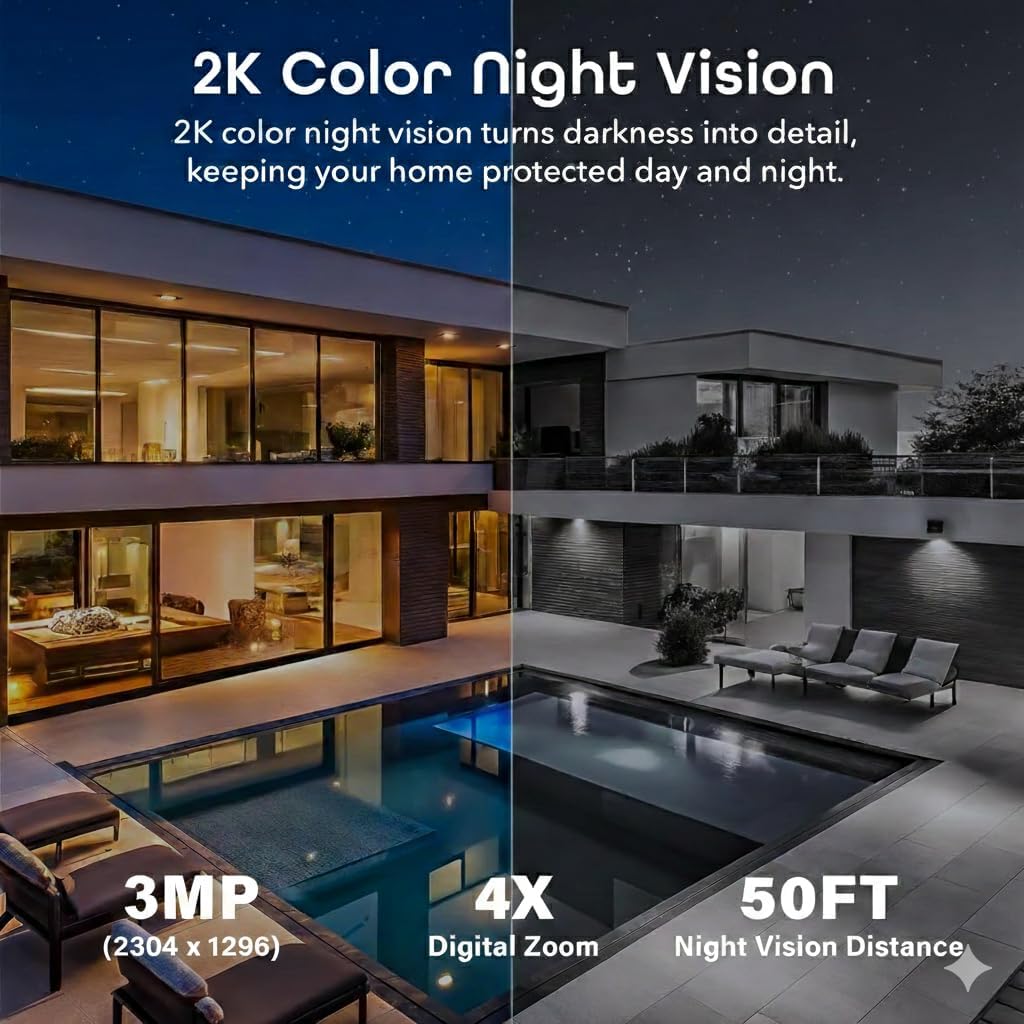
Image: A split image demonstrating the effectiveness of 2K Color Night Vision, showing a vibrant, illuminated scene on one side and a dark, monochrome scene on the other, highlighting the camera's ability to capture detail at night.
6. Motion Alerts and Notifications
Configure motion detection sensitivity and notification preferences in the Geeni app. The camera uses AI detection to reduce false alarms and sends instant alerts to your phone when motion is detected.

Image: An internal view of the Geeni Insight camera showing its 5200mAh built-in rechargeable battery, emphasizing its cordless and reliable operation.

Image: An illustration depicting the instant alarm and notification features of the Geeni Insight camera, showing a siren alert, spotlight alarm, and a push notification on a smartphone indicating motion detection.
Maintenance
1. Cleaning
Regularly clean the camera lens and solar panel surface with a soft, damp cloth to ensure optimal performance. Avoid abrasive cleaners that could scratch the surfaces.
2. Battery Care
The 5200mAh battery is designed for long-term use with solar charging. If the camera is installed in an area with insufficient sunlight, periodically remove the camera and manually charge the battery via its USB port.
3. Firmware Updates
Keep your camera's firmware updated through the Geeni app. Firmware updates often include performance improvements, new features, and security enhancements.
4. Weather Protection
While the camera has an IP66 weatherproof rating, ensure all connections are secure and sealed to prevent water ingress. Periodically inspect the mounting for stability, especially after severe weather conditions.
Troubleshooting
- Camera Not Connecting to Wi-Fi: Ensure your Wi-Fi network is 2.4GHz. Check Wi-Fi signal strength at the camera's location. Try resetting the camera and re-pairing.
- Poor Video Quality: Check your internet connection speed. Ensure the camera lens is clean and free from obstructions.
- Battery Not Charging: Verify the solar panel is receiving direct sunlight for several hours daily. Clean the solar panel surface. Ensure the cable connection between the solar panel and camera is secure.
- Motion Detection Issues: Adjust motion detection sensitivity in the app. Ensure the camera's view is not obstructed.
- App Lag/Latency: This can be influenced by network quality. Ensure your home network is stable and has sufficient bandwidth.
For further assistance, refer to the Geeni app's help section or contact Geeni customer support.
Specifications
| Feature | Detail |
|---|---|
| Model Name | GN-CW129-199 |
| Effective Still Resolution | 3 MP (2304 x 1296) |
| Video Capture Resolution | 2K |
| Connectivity Technology | Wireless (Wi-Fi) |
| Wi-Fi Frequency | 2.4 GHz (not 5 GHz compatible) |
| Power Source | Battery Powered, Solar Powered |
| Battery Capacity | 5200mAh |
| Solar Panel Power | 3W |
| Night Vision Range | 10 meters (30 feet) |
| Waterproof Rating | IP66 |
| Storage | Micro SD (up to 256GB) |
| Control Method | App Control, Voice Control |
| Mount Type | Wall Mount |
| Item Dimensions | 6.38 x 5.71 x 10.08 inches |
| UPC | 194383087311 |
Warranty Information
The Geeni Insight 3MP Smart PTZ Solar Security Camera typically comes with a 1-year limited warranty from the date of purchase. This warranty covers manufacturing defects under normal use. Please retain your proof of purchase for warranty claims. For specific terms and conditions, refer to the warranty documentation included with your product or visit the official Geeni website.
Support
For technical support, troubleshooting, or further inquiries regarding your Geeni Insight camera, please contact Geeni customer service. You can typically find contact information within the Geeni app, on the product packaging, or on the official Geeni website (Geeni Store).