
1. Introduction
Thank you for choosing the VOTAZIB L6 Bluetooth 5.4 In-Ear Headphones. These earbuds are designed for comfort and extended use, particularly for sleep, offering features like a dedicated sleep mode, built-in white noise, and a long-lasting battery. This manual provides essential information for proper setup, operation, and maintenance of your device.
Please read this manual carefully before using the product and retain it for future reference.
2. Package Contents
Ensure all items are present in the package:
- VOTAZIB L6 In-Ear Headphones (Left and Right earbuds)
- Charging Case
- USB Charging Cable
- User Manual (this document)
- Multiple sizes of ear tips (typically S, M, L)
3. Product Overview
Familiarize yourself with the components of your VOTAZIB L6 headphones.
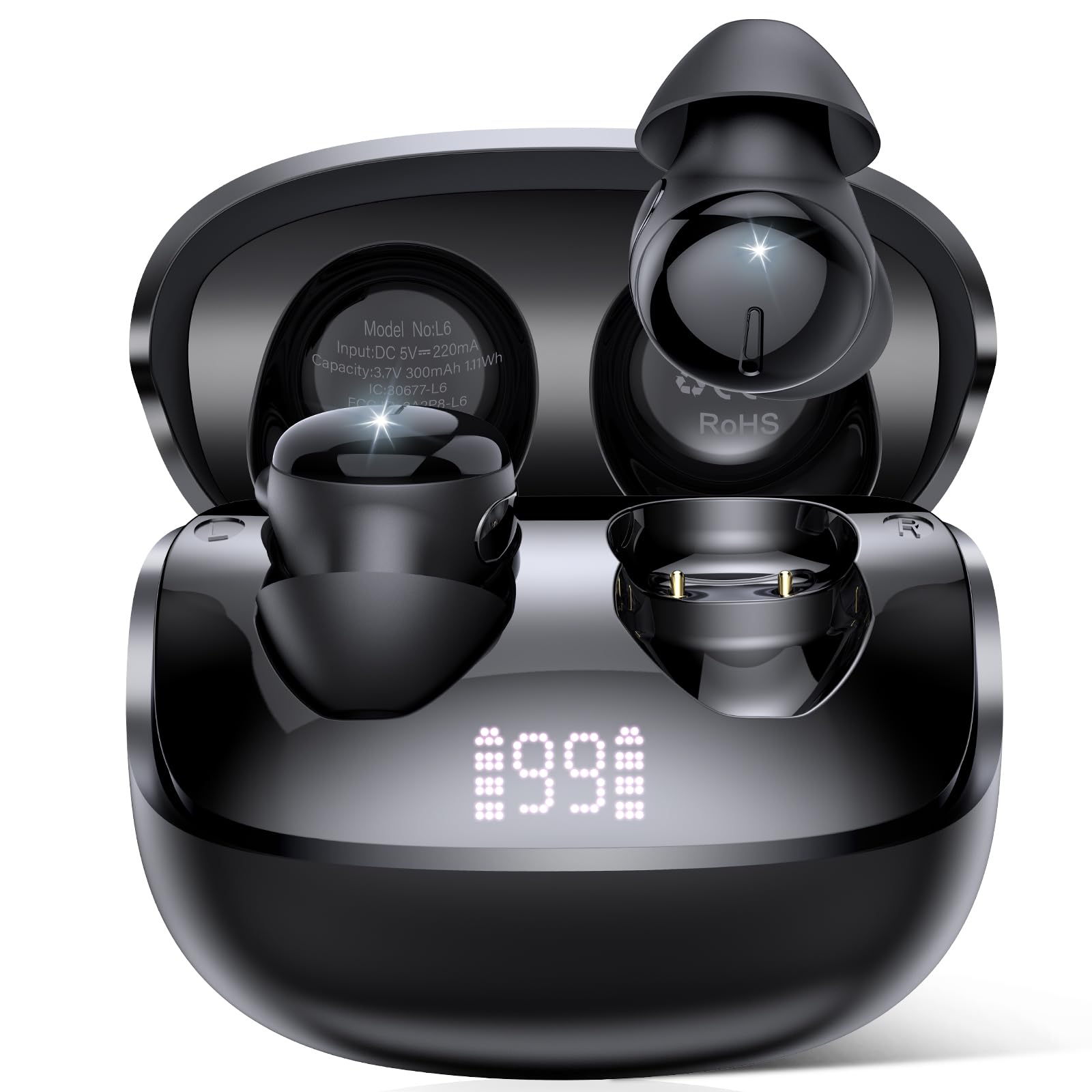
Image: VOTAZIB L6 In-Ear Headphones and Charging Case. The image displays the compact charging case with the two small, black earbuds nestled inside.
Earbud Components:
- Touch Control Area: For playback, calls, and mode switching.
- Microphone: For clear calls.
- Charging Contacts: For charging inside the case.
- Ear Tip: Replaceable for optimal fit and comfort.
Charging Case Components:
- Charging Port: USB port for connecting the charging cable.
- LED Indicator: Shows charging status and battery level.
- Earbud Slots: Securely holds and charges the earbuds.
4. Setup
4.1 Charging the Earbuds and Case
- Initial Charge: Before first use, fully charge the charging case and earbuds. Connect the USB charging cable to the charging port on the case and a power source.
- Charging Earbuds: Place the earbuds into the charging case. Ensure the charging contacts align. The LED indicator on the case will show charging status.
- Charging Time: A full charge for the case and earbuds typically takes approximately 1.5 hours.
- Battery Life: Earbuds provide over 8 hours of playback on a single charge. The charging case extends total battery life to up to 48 hours.
4.2 Pairing with a Device
- Power On: Open the charging case. The earbuds will automatically power on and enter pairing mode.
- Activate Bluetooth: On your device (smartphone, tablet, PC), enable Bluetooth.
- Select Device: In your device's Bluetooth settings, search for available devices and select "VOTAZIB L6".
- Confirmation: Once connected, you will hear an audio prompt, and the earbuds' indicator lights will change (refer to specific light patterns in the full manual if available).
- Automatic Reconnection: After initial pairing, the earbuds will automatically connect to the last paired device when removed from the case and Bluetooth is active on the device.
5. Operating Instructions
5.1 Touch Controls
The VOTAZIB L6 earbuds feature intuitive touch controls. The functions may vary slightly depending on the operating mode.
| Action | Function |
|---|---|
| Single Tap (L/R) | Play/Pause Music, Answer/End Call |
| Double Tap (Right Earbud) | Next Track |
| Double Tap (Left Earbud) | Previous Track |
| Triple Tap (L/R) | Activate Voice Assistant |
| Long Press (2 seconds, L/R) | Reject Call, Switch between Normal/Sleep Mode |
| Long Press (5 seconds, L/R) | Power On/Off (when not in case) |
5.2 Sleep Mode and White Noise
- Activating Sleep Mode: Long press either earbud for 2 seconds to switch between normal audio mode and sleep mode. In sleep mode, the earbuds can play built-in white noise or sleep sounds.
- Built-in White Noise: The earbuds come with pre-loaded white noise and sleep sounds designed to aid relaxation and sleep. Specific controls for cycling through these sounds may be available via touch controls (refer to product packaging or manufacturer website for detailed sequence if not listed here).
- Volume Control: Adjust volume via your connected device.
5.3 Making and Receiving Calls
- Answer Call: Single tap either earbud.
- End Call: Single tap either earbud during a call.
- Reject Call: Long press either earbud for 2 seconds.
6. Maintenance
- Cleaning: Regularly clean the earbuds and charging case with a soft, dry, lint-free cloth. Do not use harsh chemicals or abrasive materials.
- Charging Contacts: Ensure the charging contacts on both the earbuds and the case are clean and free of debris to maintain proper charging.
- Storage: When not in use, store the earbuds in their charging case to protect them and keep them charged. Store in a cool, dry place away from extreme temperatures.
- Water Resistance: These earbuds are not water resistant. Avoid exposure to water, sweat, or high humidity to prevent damage.
7. Troubleshooting
- Earbuds not pairing:
- Ensure earbuds are charged.
- Turn off and on Bluetooth on your device.
- Forget "VOTAZIB L6" from your device's Bluetooth list and re-pair.
- Place earbuds back in the case, close, wait 5 seconds, then open again to reset pairing mode.
- Only one earbud working:
- Ensure both earbuds are charged.
- Place both earbuds back in the charging case, close the lid, and then take them out together.
- Try resetting the earbuds (refer to manufacturer's website for specific reset instructions if needed).
- Poor sound quality:
- Ensure earbuds are clean and free of earwax or debris.
- Check the connection distance; Bluetooth range is up to 15 meters.
- Try different ear tip sizes for a better seal.
- Charging case not charging:
- Check the USB cable and power adapter. Try a different cable or adapter.
- Ensure the charging port is clean.
8. Specifications
| Feature | Specification |
|---|---|
| Brand | VOTAZIB |
| Model Number | L6 |
| Color | Jet Black |
| Ear Placement | In Ear |
| Connectivity Technology | Wireless (Bluetooth) |
| Bluetooth Version | 5.4 |
| Bluetooth Range | Up to 15 Meters |
| Control Method | Touch |
| Earbud Battery Life | 8+ Hours (single charge) |
| Total Battery Life (with case) | Up to 48 Hours |
| Battery Charge Time | Approx. 1.5 Hours |
| Audio Driver Type | Dynamic Driver |
| Frequency Range | 20Hz - 20,000Hz |
| Specific Uses | Sleep, Relaxation, Focus |
| Compatible Devices | iOS, Android, PCs, Smart TVs |
| Water Resistance Level | Not Water Resistant |
| Additional Features | Sleep Mode, Built-In White Noise & Sleep Sounds, Instant Auto-Pairing |
9. Warranty and Support
VOTAZIB products are designed for reliability and performance. For warranty information, please refer to the warranty card included in your product packaging or visit the official VOTAZIB website. If you encounter any issues or have questions not covered in this manual, please contact VOTAZIB customer support through the retailer where you purchased the product or via the contact information provided on the official website.
Please retain your proof of purchase for warranty claims.
