
1. Overview
This instruction manual provides essential information for the safe and effective use of your Metasources AC/DC Adapter. This charger is designed to be compatible with Powdeom Model OKD180 ES150A 11.1V 14Ah 3.7V 42000mAh 155.4Wh 43200mAh 158Wh Rechargeable Pack 150W Portable Power Station Power Bank, as well as QSHAIN Adapter Model YNQX30G150200UL and QK-1502000. It serves as a reliable replacement for lost or damaged power cords for these models.
Package Contents:
- 1 x Metasources AC Adapter
2. Safety Information
Please read all safety instructions carefully before using the charger. Failure to follow these instructions may result in electric shock, fire, or other hazards.
- Ensure the charger is used with compatible devices only. Refer to the specifications section for compatibility details.
- Do not expose the charger to water, moisture, or extreme temperatures.
- Avoid dropping or subjecting the charger to strong impacts.
- Do not attempt to disassemble, modify, or repair the charger yourself. Contact qualified personnel for service.
- Always unplug the charger from the power outlet when not in use or during electrical storms.
- Keep the charger away from children and pets.
- The charger features built-in Overcurrent Protection (OCP), Short-Circuit Protection (SCP), and Overvoltage Protection (OVP) for safe operation. However, proper usage is still essential.
- Ensure proper ventilation around the charger during use to prevent overheating.
3. Setup
Follow these steps to set up your Metasources AC Adapter:
- Verify Compatibility: Before connecting, ensure your device (e.g., Powdeom OKD180 ES150A Power Station) requires a 15V DC input with a 2A current rating and has a compatible barrel round connector.
- Connect to Device: Insert the barrel round connector of the AC adapter firmly into the DC input port of your power station.
- Connect to Power Outlet: Plug the AC adapter's two-prong plug into a standard 100-240V AC, 50/60Hz wall outlet.
- Confirm Connection: Once connected, your power station should indicate that it is receiving power or charging, typically via an indicator light.


4. Operation
Once the charger is properly set up, it will begin to supply power to your compatible device. The charger is designed for continuous use within its specified parameters.
- Charging: When connected to a compatible power station, the adapter will provide a stable 15V DC output at 2A (30W) to charge the device's internal battery.
- Power Supply: For devices that can operate directly from an external power source, the adapter will supply continuous power.
- Global Compatibility: The input voltage range of 100-240V AC, 50/60Hz allows for use in various regions worldwide with appropriate plug adapters (not included).
- Monitoring: Observe your device's charging indicator to confirm successful power delivery and charging status.
5. Maintenance
Proper maintenance ensures the longevity and reliable performance of your Metasources AC Adapter.
- Cleaning: Disconnect the charger from both the power outlet and your device before cleaning. Use a soft, dry cloth to wipe the exterior. Do not use liquid cleaners or solvents.
- Storage: Store the charger in a cool, dry place away from direct sunlight and extreme temperatures when not in use. Avoid tightly coiling the cable to prevent damage.
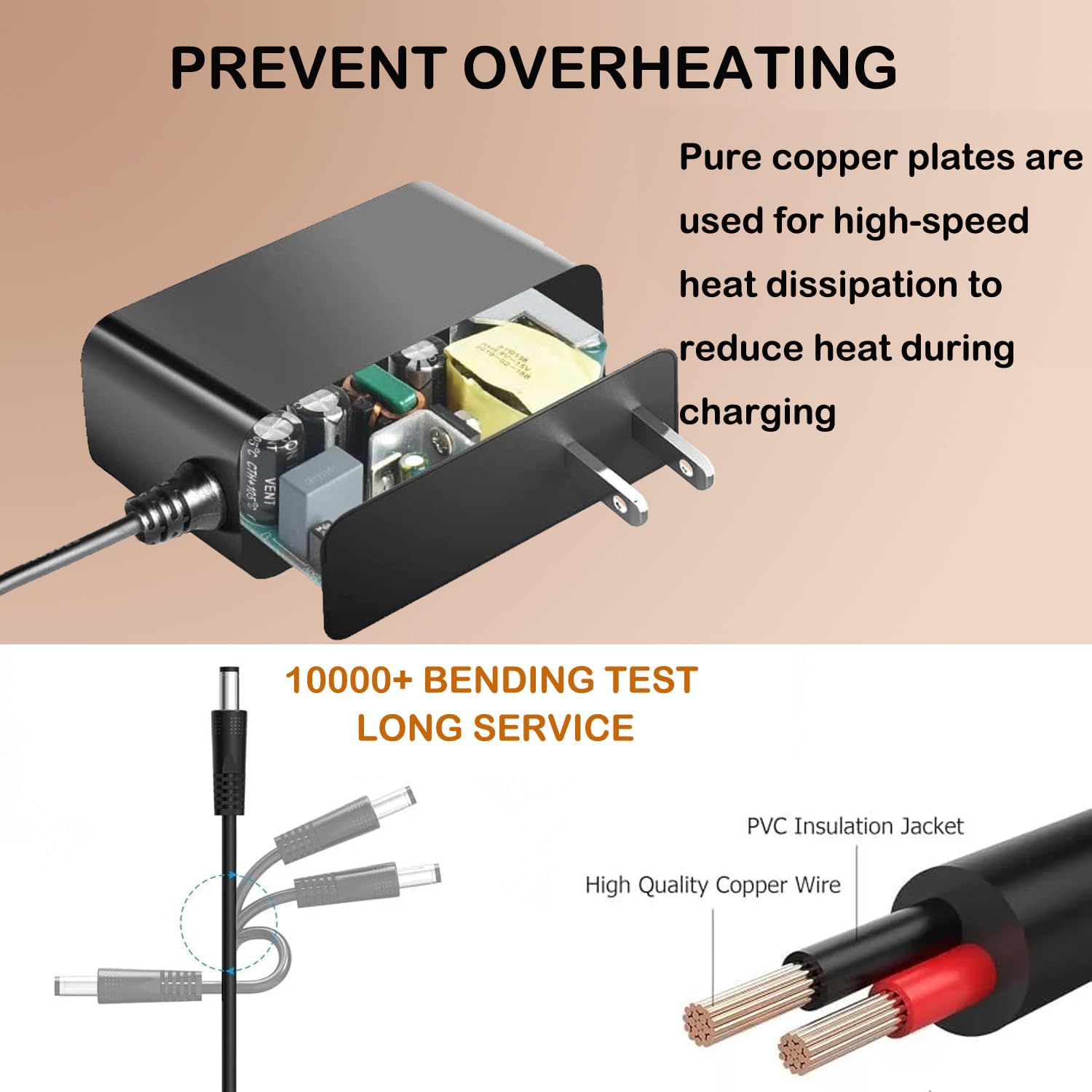
- Cable Care: Regularly inspect the power cord and connectors for any signs of damage, fraying, or bending. Do not use the charger if the cable or connector is damaged. The cable is designed for durability, featuring high-quality copper wire and a PVC insulation jacket, tested for over 10,000 bends.
- Heat Dissipation: The charger incorporates pure copper plates for efficient heat dissipation, reducing heat during charging. Ensure the charger is placed in an area with adequate airflow to support this cooling mechanism.
6. Troubleshooting
If you encounter issues with your Metasources AC Adapter, refer to the following common problems and solutions:
| Problem | Possible Cause | Solution |
|---|---|---|
| Charger not supplying power. |
|
|
| Device not charging. |
|
|
| Charger feels warm during use. |
|
|
7. Specifications
| Brand | Metasources |
| Model Number | MT-1903420 |
| Input Voltage | 100-240V AC, 50/60Hz |
| Output Voltage | 15V DC |
| Output Current | 2A |
| Wattage | 30W |
| Connector Type | Barrel Round Connector |
| Compatible Devices | Powdeom OKD180 ES150A Power Station, QSHAIN YNQX30G150200UL, QK-1502000 |
| Safety Features | Overcurrent Protection (OCP), Short-Circuit Protection (SCP), Overvoltage Protection (OVP) |
| Color | Black |
| Item Weight | 3 ounces |
8. Warranty and Support
Metasources stands behind the quality of its products.
- Warranty: This product is backed by a 24-month exchange warranty.
- Return Policy: A 30-day refund policy is also available.
- Customer Support: For any questions, technical assistance, or warranty claims, please contact Metasources customer support through your purchase platform or visit the official Metasources store page.
For more information, you may visit the Metasources Store on Amazon.