
1. Introduction
Thank you for choosing the ZMISHIBO 51 cm RGB Ceiling Fan. This manual provides essential information for the safe installation, operation, and maintenance of your new ceiling fan. Please read it thoroughly before installation and keep it for future reference.
1.1 Safety Information
- Always disconnect power at the circuit breaker before installation or servicing.
- Installation must be performed by a qualified electrician in accordance with local electrical codes.
- Ensure the mounting structure can support the weight of the fan.
- Do not insert objects into the fan blades while the fan is operating.
- This appliance is for indoor use only.
1.2 Package Contents
Verify that all components are present before beginning installation:
- Ceiling Fan Unit (with integrated light)
- Remote Control
- Mounting Hardware Kit
- Instruction Manual
2. Setup and Installation
The ZMISHIBO ceiling fan is designed for flush mount installation. It is recommended for rooms with a height of 7-10 feet and a length/width of approximately 8.5 x 8.5 feet.
2.1 Pre-Installation Steps
- Turn off power at the main circuit breaker.
- Carefully unpack all components and inspect for any damage.
- Read through the entire installation guide before starting.
2.2 Mounting the Fan
Follow the standard flush mount installation procedure. Ensure all connections are secure. Note that the compact housing may make wiring slightly crowded; take care to connect wires properly without overtightening screws.

Figure 2.1: Product Dimensions and Room Size Recommendation. The fan measures 20 inches (50.8 cm) in diameter, 12.6 inches (32 cm) in height, and 5.5 inches (14 cm) in depth. Recommended room size is 7-10 feet in height and 8.5 x 8.5 feet in length and width.
2.3 Remote Control and App Pairing
Before first use, pair the remote control and the mobile application with the fan.
- Install batteries into the remote control.
- Download the "FanLamp Pro" app from Google Play or the Apple App Store.
- Follow the in-app instructions to connect via Bluetooth and pair the fan.
- Use the pairing button on the app or remote to establish connection.
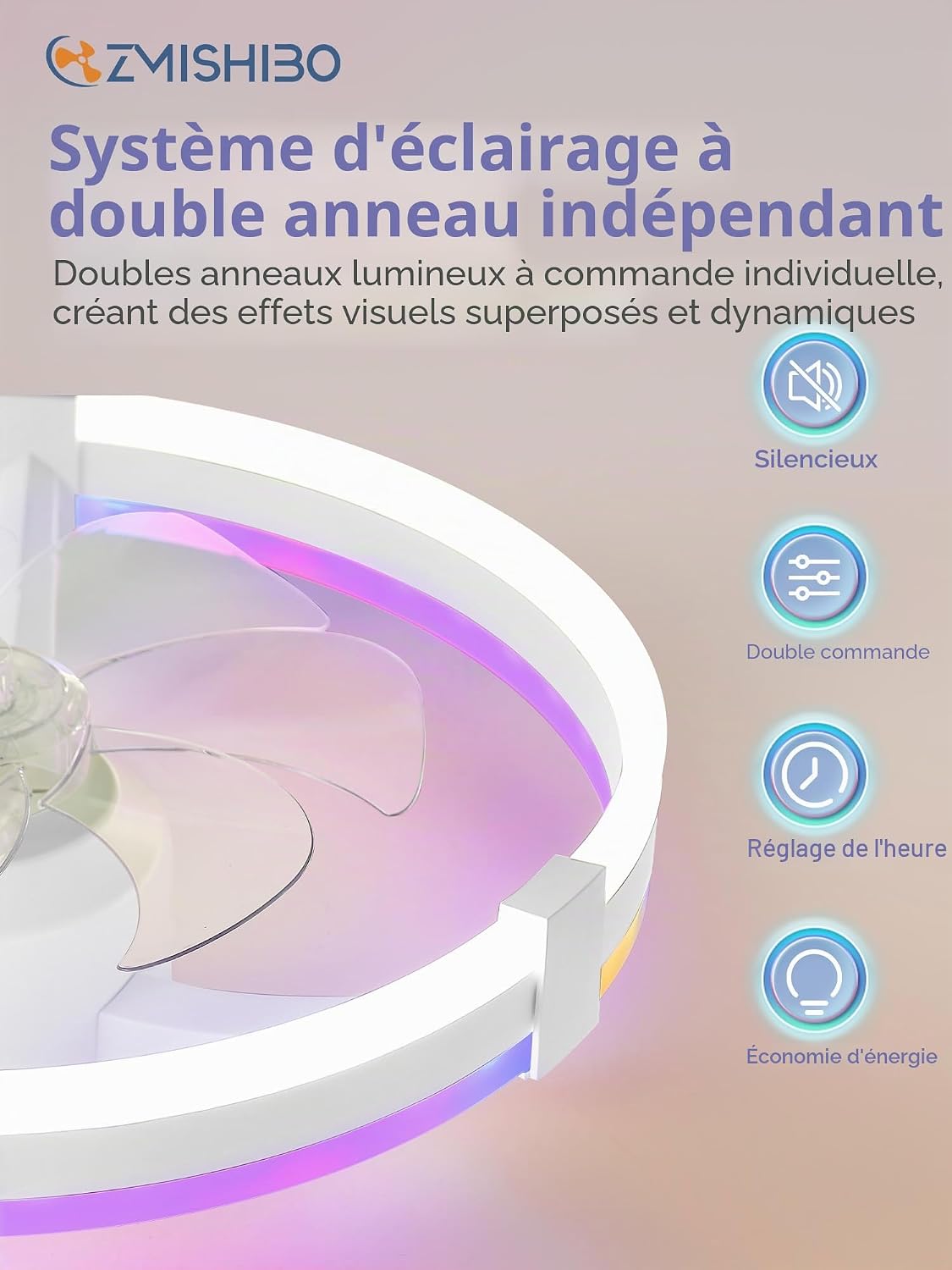
Figure 2.2: Remote Control and App Interface. The image displays the physical remote control with buttons for fan speed, light control, RGB modes, and timer, alongside a smartphone showing the 'FanLamp Pro' application for comprehensive control.
3. Operating Instructions
Your ZMISHIBO ceiling fan offers versatile control options via the included remote control and a dedicated smartphone application.
3.1 Fan Operation
- Speed Control: The fan features 6 adjustable speeds. Use the remote or app to select your desired airflow intensity.
- Reversible Rotation: The DC motor allows for reversible rotation. Use the forward mode for cooling in summer and the reverse mode to circulate warm air in winter.

Figure 3.1: Efficient Air Circulation. This diagram shows the fan's ability to circulate air effectively, with a 'Summer Mode' for forward rotation to create a cool breeze and a 'Winter Mode' for reverse rotation to distribute warm air.
3.2 Light Operation
The fan features independent control for its upper RGB ring and lower main light ring.
- Main Light (Lower Ring): Adjust color temperature from 3000K (warm white) to 6500K (cool white) and brightness from 15% to 100%.
- RGB Light (Upper Ring): Choose from 7 RGB colors and 2 fade modes to create ambient lighting.
- Memory Function: After 5 seconds of being turned off, the fan will automatically recall the last used light settings when powered on again.

Figure 3.2: Multiple Color Temperatures and Dimmable Light. This image illustrates the fan's lighting capabilities, including warm white (3000K), natural white (4500K), cool white (6500K), and various RGB colors, along with a progressive dimming feature from 10% to 100% brightness.

Figure 3.3: Adjustable Brightness. The fan's brightness can be smoothly adjusted from 10% to 100%, as depicted by the three images showing different light intensities.
3.3 Timer Function
Set the fan and light to automatically turn off after 1, 4, or 8 hours using the timer button on the remote or app.
4. Maintenance
Regular maintenance ensures optimal performance and longevity of your ceiling fan.
4.1 Cleaning
- Before cleaning, ensure the power is disconnected at the circuit breaker.
- Use a soft, damp cloth to wipe down the fan housing and blades. Do not use abrasive cleaners or solvents.
- Dust the light cover regularly to maintain light output.
4.2 General Care
- Periodically check all mounting screws to ensure they are tight.
- No lubrication is required for the motor.
5. Troubleshooting
If you encounter issues with your fan, refer to the following common problems and solutions:
| Problem | Possible Cause | Solution |
|---|---|---|
| Fan does not operate | No power; Loose wiring; Remote/App not paired | Check circuit breaker; Verify all wire connections; Re-pair remote/app (refer to Section 2.3) |
| Light does not change colors (RGB) | Incorrect settings; Pairing issue | Ensure RGB mode is selected on remote/app; Re-pair remote/app if necessary |
| Remote control not working | Dead batteries; Not paired | Replace batteries; Re-pair remote (refer to Section 2.3) |
| Excessive noise | Loose mounting screws; Obstruction | Tighten all mounting screws; Ensure nothing is interfering with fan blades |
6. Specifications
| Feature | Detail |
|---|---|
| Brand | ZMISHIBO |
| Model Number | ZMCF005 |
| Dimensions (Diameter) | 51 cm (20 inches) |
| Power Source | Electric Cable |
| Wattage | 36 Watts |
| Noise Level | 30 Decibels (max) |
| Number of Speeds | 6 |
| Light Output | 2500 Lumens |
| Color Temperature | 3000K - 6500K (Dimmable 15%-100%) |
| Special Features | RGB LED Lighting, Reversible DC Motor, App/Remote Control, Timer (1/4/8H), Memory Function |
| Material | Acrylonitrile Butadiene Styrene |
| Certifications | CE |

Figure 5.1: Ultra Quiet Design. The fan operates at a low noise level of 30 dB, comparable to a quiet conversation, ensuring a comfortable environment.
7. Warranty and Support
7.1 Product Warranty
The ZMISHIBO 51 cm RGB Ceiling Fan comes with a 2-year warranty covering non-human induced damages from the date of purchase. Please retain your proof of purchase for warranty claims.
7.2 Spare Parts Availability
Spare parts for this model are available for up to 5 years from the date of purchase.
7.3 Customer Support
For technical assistance, warranty claims, or inquiries about spare parts, please contact ZMISHIBO customer support through the retailer where the product was purchased or visit the official ZMISHIBO website for contact information.


