
1. Introduction
The Edifier M90 Computer Speakers are a compact, high-performance audio system designed for various applications including music, movies, and gaming. These speakers feature 100W RMS total output, Hi-Res Audio support, and versatile connectivity options including Bluetooth 6.0 with LDAC, HDMI eARC, Optical, USB-C, and AUX inputs. This manual provides essential information for setting up, operating, and maintaining your M90 speakers.

Image: Edifier M90 Compact Active Speakers overview.
2. What's in the Box
Before setup, please ensure all components are present:
- Passive Speaker x 1
- Active Speaker x 1
- Power Cord (1.8m) x 1
- Speaker Connecting Cable (5m) x 1
- Fiber Optic Audio Cable (1.5m) x 1
- USB-C to USB-C Cable (1.2m) x 1
- 3.5mm to RCA Audio Cable (1.7m) x 1
- 3.5mm to 3.5mm Audio Cable (1.7m) x 1
- Remote Control x 1
- AAA Battery x 2
- Quick Start Guide x 1
- Important Safety Instructions x 1
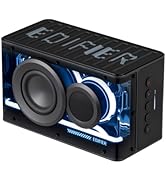
Image: Edifier M90 package contents.
3. Setup
- Placement: Position the active speaker (with controls and inputs) and passive speaker on a stable surface, ensuring optimal stereo separation for your listening environment. The compact design allows for placement on desktops, bookshelves, or TV setups.
- Connect Speakers: Use the provided speaker connecting cable to link the active speaker to the passive speaker. Ensure a secure connection.
- Power Connection: Connect the power cord to the active speaker and then to a power outlet.
- Input Connection: Choose your desired audio input method (HDMI eARC, Optical, USB-C, AUX, or Bluetooth) and connect the appropriate cable from your audio source to the active speaker.
- Power On: Turn on the speakers using the power button on the remote control or the volume/source knob on the rear of the active speaker.

Image: Edifier M90 speakers in different environments.
4. Operating Instructions
4.1 Input Selection
The M90 speakers offer multiple input options:
- HDMI eARC: Connect to your TV for high-quality audio and TV remote control integration.
- Optical: Ideal for connecting to TVs, gaming consoles, or media players.
- USB-C: Connect to computers for digital audio playback.
- AUX: For connecting portable devices or turntables via a 3.5mm jack.
- Bluetooth 6.0: For wireless audio streaming from compatible devices.
Switch between inputs using the dedicated buttons on the remote control or by pressing the volume/source knob on the rear of the active speaker.

Image: Edifier M90 Multiple Input Options.
4.2 Bluetooth Pairing
- Select Bluetooth input on the speakers. The indicator light will flash.
- On your device, enable Bluetooth and search for 'EDIFIER M90'.
- Select to pair. Once connected, the indicator light will be solid.
- For multipoint connection (default off), enable manually via the Edifier ConneX App.

Image: Advanced Bluetooth Connectivity with LDAC.
4.3 Controls
Control your M90 speakers using the included 2.4GHz remote control or the onboard volume/source knob.
- Remote Control: Features dedicated buttons for input selection (USB, BT, AUX, HDMI, Optical), volume adjustment, track skip, play/pause, mute, power, and preset EQ modes (Customized, Classic, Dynamic, Monitor).
- Volume/Source Knob: Located on the rear of the active speaker, this knob controls volume and can be pressed to cycle through input sources.

Image: User-Friendly Controls with Remote.
4.4 Edifier ConneX App
For advanced control and customization, download the Edifier ConneX app. The app allows you to:
- Customize EQ settings.
- Switch between preset sound modes.
- Manage Bluetooth multipoint connection.
- Access firmware updates and other settings.
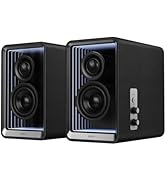
Image: Customizable Sound Effects via Edifier ConneX App.
5. Key Features
5.1 Powerful Acoustic Performance
The M90 speakers deliver a robust 100W RMS total output through dual Class-D amplifiers, a 4-inch aluminum mid-bass driver, and a 1-inch silk dome tweeter. This configuration ensures detailed, dynamic sound across the frequency spectrum.

Image: Powerful Output and Internal Components.
5.2 Hi-Res Audio Certified
Experience superior audio quality with end-to-end 24-bit/96kHz digital signal processing. The M90 supports the high-resolution LDAC codec for pristine wireless audio streaming from compatible Android devices (Android 8.0 or later).

Image: Hi-Res Audio Certified.
5.3 Expandable Bass System
The dedicated SUB OUT port allows for easy connection of an external powered subwoofer, transforming your M90 into a powerful 2.1 system for enhanced low-frequency performance.

Image: Enhanced Bass Capability with SUB OUT port.
5.4 Compact Design
Measuring 5.24" (W) x 8.35" (H) x 8.86" (D) per speaker, the M90 speakers are designed to fit seamlessly into any space without sacrificing audio quality.

Image: Compact Design with dimensions.
6. Maintenance
To ensure the longevity and optimal performance of your Edifier M90 speakers, follow these maintenance guidelines:
- Cleaning: Use a soft, dry cloth to wipe the speaker surfaces. Avoid using abrasive cleaners, waxes, or solvents as they may damage the finish.
- Placement: Keep speakers away from direct sunlight, heat sources, and excessive moisture. Ensure adequate ventilation around the speakers.
- Handling: Avoid placing heavy objects on the speakers or exposing them to strong impacts.
- Cables: Periodically check all cable connections for looseness or damage.
7. Troubleshooting
If you encounter issues with your Edifier M90 speakers, refer to the following common solutions:
| Problem | Possible Cause | Solution |
|---|---|---|
| No sound | Incorrect input selected; Volume too low; Loose cable connection; Speaker not powered on. | Verify input source; Increase volume; Check all cable connections; Ensure power is on. |
| Bluetooth connection issues | Speakers not in pairing mode; Device too far; Interference; Already connected to another device. | Ensure speakers are in Bluetooth pairing mode; Move device closer; Avoid interference; Disconnect from other devices. |
| Distorted sound | Volume too high; Poor audio source quality; Incorrect EQ settings. | Reduce volume; Use a high-quality audio source; Adjust EQ settings via remote or app. |
| Remote control not working | Batteries depleted; Obstruction between remote and speaker. | Replace batteries; Ensure clear line of sight to the active speaker. |
8. Specifications
| Feature | Detail |
|---|---|
| Total Output Power (RMS) | Treble 15W × 2, Mid-bass 35W × 2 |
| Driver Units | 4" long-throw aluminum diaphragm mid-bass drivers, 1" silk dome tweeters |
| Frequency Response | 50Hz – 40KHz |
| Signal-to-Noise Ratio | > 85dB (A) |
| Audio Inputs | HDMI eARC, Optical, USB-C, AUX, Bluetooth |
| Bluetooth Version | 6.0 |
| Input Sensitivity eARC | HDMI eARC: 500 ± 50mFS (PCM stereo) |
| Input Sensitivity Optical | Optical: 500 ± 50mFS |
| Input Sensitivity USB-C | USB-C: 500 ± 50mFS |
| Input Sensitivity AUX | AUX: 450 ± 50mV |
| Input Sensitivity Bluetooth | Bluetooth: 500 ± 50mFS |
| Active Speaker Dimensions | 5.24 x 8.35 x 8.86 inch (13.3 x 21.2 x 22.5 cm) |
| Passive Speaker Dimensions | 5.24 x 8.35 x 8.27 inch (13.3 x 21.2 x 21.0 cm) |
| Net Weight | 6.05kg |

Image: Edifier M90 Specifications.
9. Warranty and Support
The Edifier M90 Computer Speakers come with a 2-Year Manufacturer Warranty. For technical support, warranty claims, or additional product information, please visit the official Edifier website or contact their customer service.
You can also visit the Edifier Brand Store on Amazon for more products and support resources.
10. Product Video Overview
Video: An overview of the Edifier M90 Compact Computer Speakers, highlighting key features and connectivity options.


