
Introduction
This manual provides detailed instructions for the safe and efficient operation of your Zopsc Automatic Card Dealer Machine. Please read this manual thoroughly before using the device and retain it for future reference.
The Zopsc Automatic Card Dealer is designed to automate card distribution for various card games, supporting 1 to 8 players and a wide range of card types. It features a built-in rechargeable battery, quiet operation, and customizable dealing options.

Figure 1: Zopsc Automatic Card Dealer Machine overview.
Package Contents
Please check the package contents upon unboxing to ensure all items are present:
- 1 x Automatic Card Dealer Machine
- 1 x Charging Cable
- 1 x User Manual (this document)
- 4 x Calling Devices
Setup
1. Charging the Device
Before first use, fully charge the Automatic Card Dealer Machine. Connect the provided charging cable to the charging port on the device and to a suitable USB power adapter (not included).

Figure 2: Charging the card dealer machine. The device features built-in overcharge, over-discharge, overcurrent, and short circuit prevention.
- The built-in 2600mAh lithium-ion battery provides power for dealing up to 400 decks on a full charge.
- A battery indicator on the display will show the charging status.
2. Inserting Cards
Ensure the cards are clean and free from damage. Insert the deck of cards into the card input slot on top of the machine. The machine supports various card types, including bridge-sized cards, up to 60mm in width and 102mm in length.
3. Powering On
Press the power button located on the control panel to turn on the device. The 1.3-inch Organic LED screen will illuminate.
Operating Instructions
1. Basic Card Dealing
After powering on and inserting cards, the machine is ready for basic dealing. Press the designated dealing button (often marked with a play/start icon) to begin distributing cards. The machine will automatically deal cards to the specified number of players.
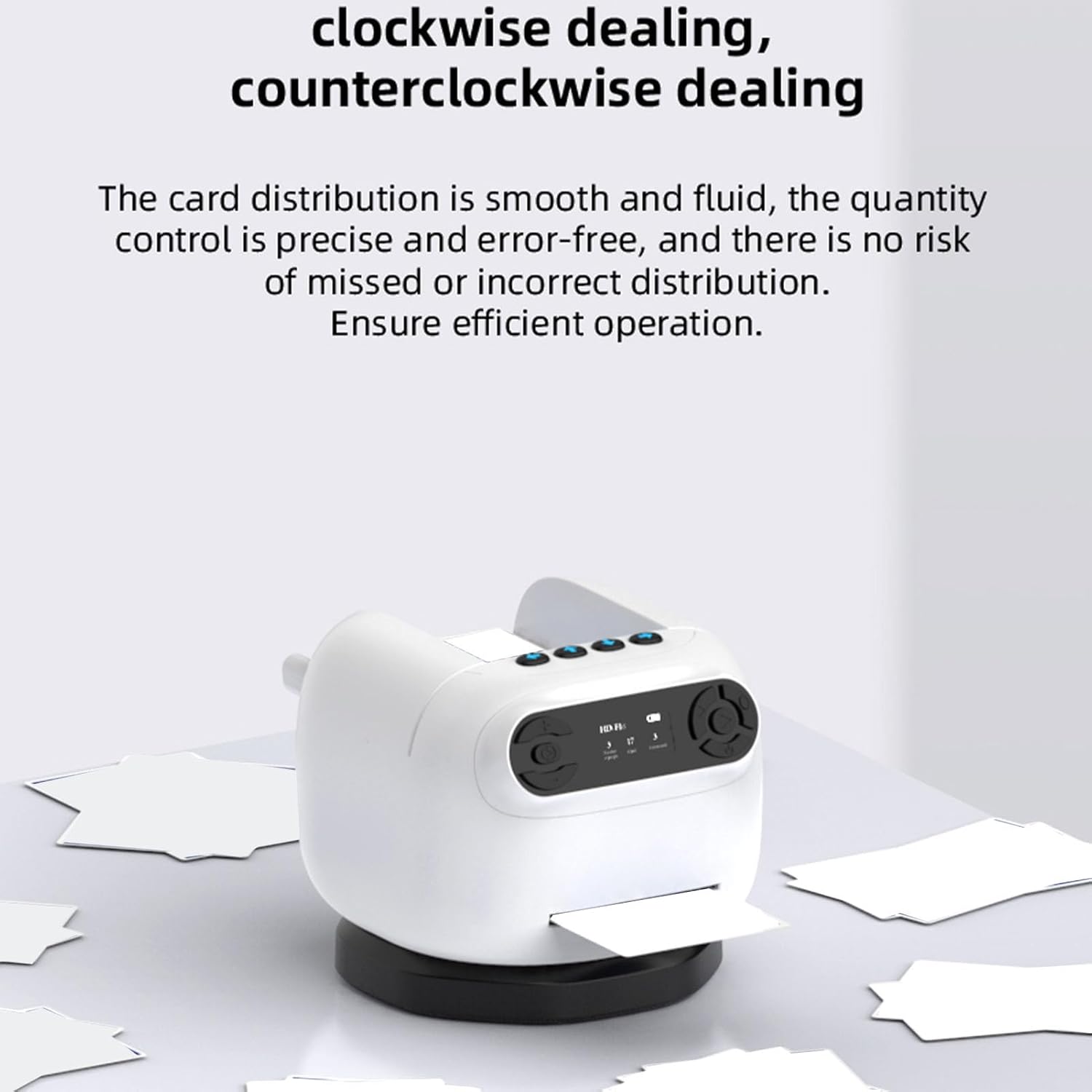
Figure 3: Card distribution is smooth and precise, ensuring efficient operation without missed or incorrect deals.
2. Customizing Dealing Options
Use the control panel buttons to adjust dealing parameters:
- Number of Players: Adjust from 1 to 8 players.
- Number of Cards: Set the quantity of cards to be dealt to each player. The machine supports up to 792 cards in total for 8 players (99 cards per player).
- Dealing Order: Select the order in which cards are dealt.
- Consecutively Dealt Cards: Configure how many cards are dealt at once to each player.
- Rotation Direction: Choose between 180-degree or 360-degree dealing, and select clockwise or counter-clockwise rotation.

Figure 4: The machine supports 360-degree rotation for distributing cards to multiple players, handling up to 792 cards.
3. Using Calling Devices
The included 4 calling devices can be used to signal the machine for specific actions or to indicate player turns, depending on the game mode selected. Refer to the on-screen prompts for specific functions of the calling devices.
4. Adaptive Card Mouth
The machine features an adaptive card mouth designed to handle various card types, including Mahjong narrow decks, Guan Dan wide cards, thick cards, and curved cards, ensuring smooth dealing without cards getting stuck or missed.

Figure 5: The adaptive card mouth ensures compatibility with multiple card types for smooth dealing.
Maintenance
1. Self-Cleaning Sensor
The device is equipped with an adaptive self-cleaning sensor to maintain performance longevity. Regular use helps activate this feature. If card jams occur frequently, ensure the card path is clear.
2. General Cleaning
- Turn off and unplug the device before cleaning.
- Use a soft, dry cloth to wipe the exterior of the machine.
- For card slots and internal mechanisms, use a soft brush or compressed air to remove dust and card residue. Do not use liquids or abrasive cleaners.
3. Battery Care
- Avoid fully discharging the battery frequently.
- Store the device in a cool, dry place when not in use for extended periods.
- Charge the device at least once every three months to maintain battery health.
Troubleshooting
| Problem | Possible Cause | Solution |
|---|---|---|
| Device does not power on. | Battery is depleted. | Charge the device using the provided charging cable. |
| Cards are jamming or not dealing smoothly. | Cards are damaged, dirty, or incorrectly inserted. Card path is obstructed. |
|
| Dealing is inconsistent or inaccurate. | Incorrect settings. Sensor obstruction. |
|
| Calling devices are not responding. | Battery in calling device is low or depleted. Out of range. |
|
Specifications
| Model Name | Zopsccpd7tk68yh |
| Brand | Zopsc |
| Material | ABS |
| Dealing Machine Battery | 2600mAh Lithium Ion (Built-in) |
| Calling Device Battery | CR2032, 0.024wh (per device) |
| Number of Calling Devices | 4 |
| Supported Players | 1-8 |
| Maximum Card Capacity | 792 cards |
| Supported Card Dimensions | Max 102mm (4.02in) length, 60mm (2.36in) width |
| Screen Type | Organic LED 1.3 Inch |
| Package Dimensions (L x W x H) | 7.48 x 6.3 x 5.51 inches |
| Package Weight | 1.01 Kilograms |

Figure 6: Key features include a compact design, targeted card issuance, and an anti-slip base for stability.

Figure 7: The machine operates at less than 70dB, ensuring a quiet experience.
Warranty Information
This Zopsc Automatic Card Dealer Machine is covered by a manufacturer's warranty for 90 days from the date of purchase. This warranty covers defects in materials and workmanship under normal use.
The warranty does not cover damage caused by misuse, accident, unauthorized modification, or improper maintenance. Please retain your proof of purchase for warranty claims.
Customer Support
For technical assistance, troubleshooting beyond this manual, or warranty inquiries, please contact Zopsc customer support.
- Visit the official Zopsc website for support resources and contact information.
- When contacting support, please have your product model number (Zopsccpd7tk68yh) and purchase details ready.