
Introduction
This manual provides detailed instructions for the proper setup, operation, and maintenance of your Cygolite Metro Plus 850 Headlight and Hotshot 180 Taillight set. This powerful light set is designed to enhance visibility and safety during your cycling activities, offering a range of lighting modes for various conditions.

Image: The Cygolite Metro Plus 850 Headlight and Hotshot 180 Taillight, highlighting their respective lumen outputs.
What's Included
Your Cygolite Metro Plus 850 & Hotshot 180 Bike Light Set package includes the following components:
- Metro Plus 850 Bicycle Headlight
- Hotshot 180 Bicycle Taillight
- Handlebar Mount for Bicycle Headlight
- Seatpost Mount for Bicycle Taillight
- USB-C Charging Cable (1x)
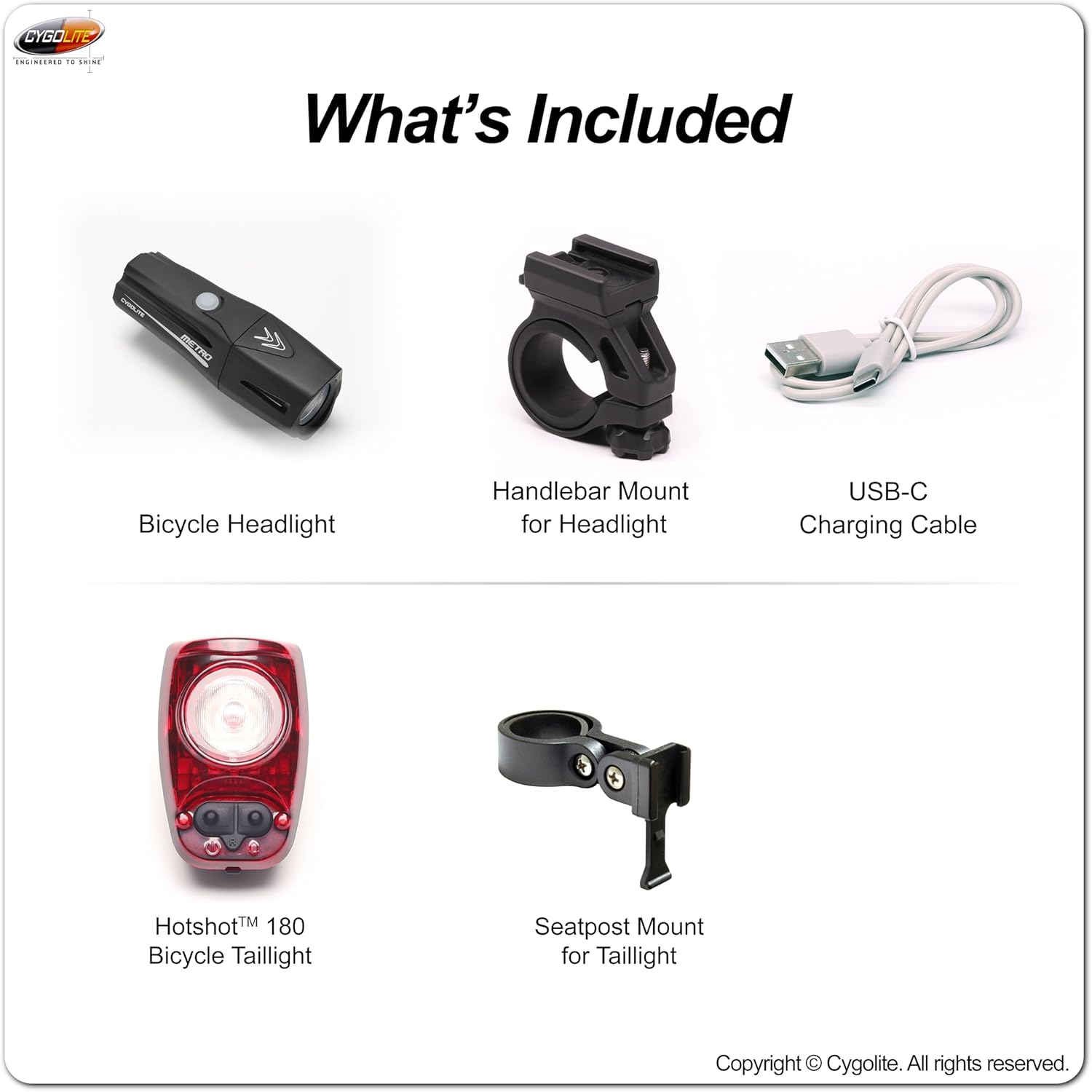
Image: A visual representation of all items included in the product package.
Setup
Mounting the Headlight
- Clamp the handlebar mount securely around your bicycle's handlebar. The mount is designed to fit handlebars up to 35mm in diameter.
- Tighten the thumb screw on the mount until it is firmly in place and does not move.
- Slide the Metro Plus 850 Headlight onto the mounted bracket until it snaps securely into position.

Image: The hard handlebar mount for the headlight and the hard seatpost mount for the taillight, demonstrating secure attachment.
Mounting the Taillight
- Attach the seatpost mount to your bicycle's seatpost. The mount is designed to fit seatposts up to 32mm in diameter.
- Ensure the mount is tight and stable.
- Slide the Hotshot 180 Taillight onto the mounted bracket until it clicks into place.
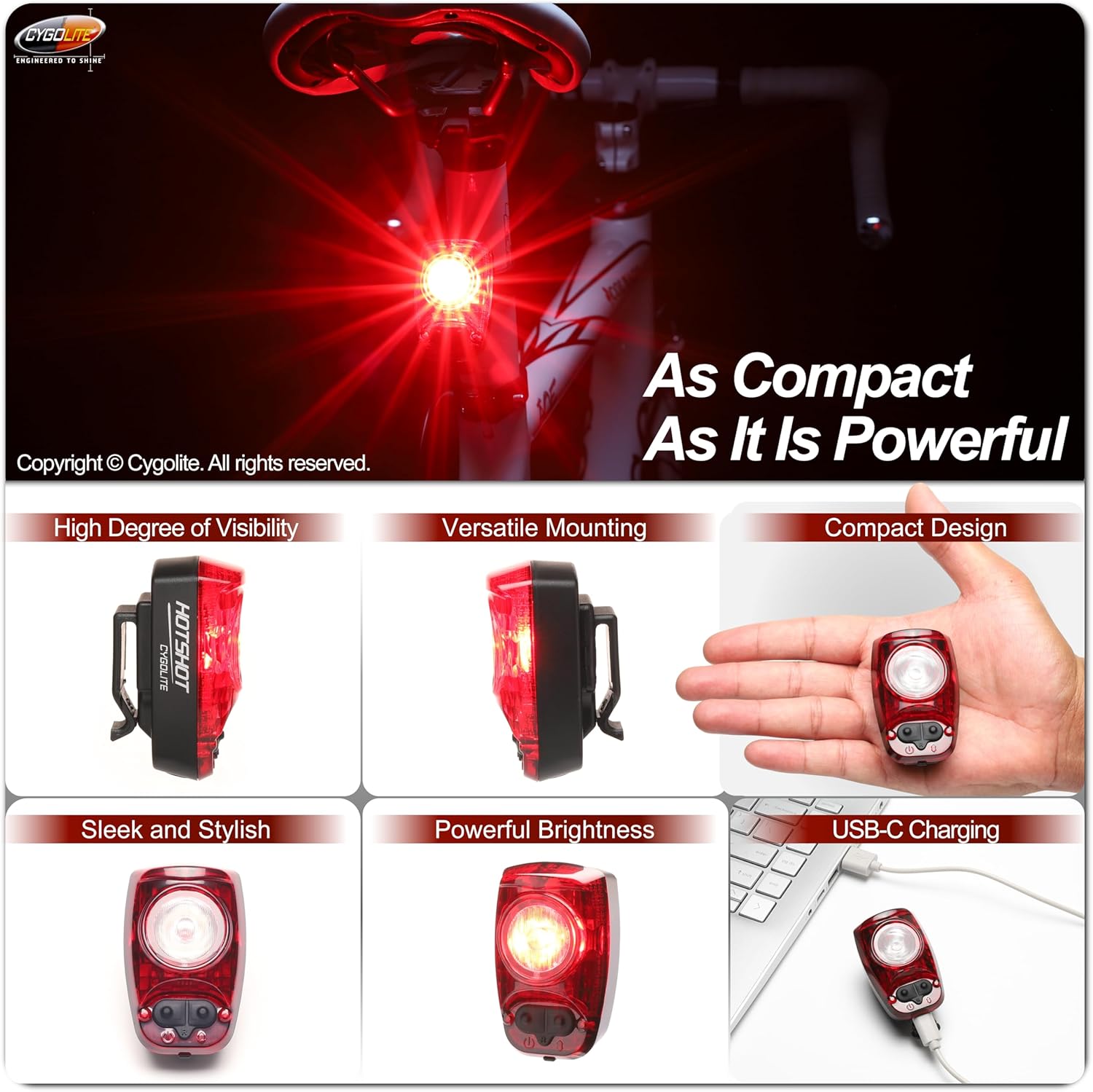
Image: The Cygolite Hotshot 180 Taillight, illustrating its compact form factor and USB-C charging capability.
Charging
Both the Metro Plus 850 Headlight and Hotshot 180 Taillight are USB-C rechargeable. Use the provided USB-C charging cable to charge the lights. A full charge ensures optimal performance and run times.

Image: The Cygolite Metro Plus Headlight, demonstrating its USB-C charging port.
Operating Instructions
Video: An official overview of the Cygolite Metro Series, demonstrating features, lock mode, and lighting modes. (0:07 - 3:33)
Lock Mode (Before First Use)
The light comes in a lock mode to prevent accidental activation during storage or transport. If the light only flashes when the power button is pressed, it is in lock mode.
- To Unlock: Hold the power button for approximately 6 seconds. The light will flash, then change to a solid beam. Release the button once the beam is solid. The light is now unlocked and operates normally.
- To Lock: With the light in the ON position, press and hold the power button. The light will turn off, then begin flashing. Release the button once it starts flashing. The light is now locked.
Refer to the video above for a demonstration of the lock mode (0:40 - 1:30).
Night Modes (Headlight)
To activate night modes, press the power button once. Subsequent presses will cycle through the following modes:
- Low Steady: For extended run times or low-light conditions.
- Medium Steady: Balanced brightness and run time.
- High Steady: Maximum constant illumination for clear visibility.
- SteadyPulse: Alerts motorists with attention-grabbing pulses while maintaining a steady beam.
Boost Mode: To access the maximum brightness (Boost mode), double-press the power button from any night mode. Double-press again to return to the previous night mode.
To Turn Off: Hold the power button for 1 second.
Refer to the video above for a demonstration of night modes (1:30 - 2:25).

Image: The Metro Plus headlight beam pattern, illustrating various night and daytime flash modes.
Special Flash Modes (Headlight & Taillight)
To access special flash modes, ensure the light is OFF. Then, press and hold the power button for 2 seconds and release. Subsequent presses will cycle through the following modes:
- Zoom: A dynamic flash pattern.
- Walking: A low-intensity steady mode suitable for walking.
- Triple Flash: A distinct triple-flash pattern for increased visibility.
- DayLightning: Bursts lightning-like flashes to make you stand out in broad daylight.
To Turn Off: Hold the power button for 1 second.
Refer to the video above for a demonstration of special flash modes (2:25 - 3:06).

Image: The Hotshot taillight beam pattern, illustrating various night and daytime flash modes.
Maintenance
- Cleaning: Wipe the light bodies and lenses with a soft, damp cloth. Avoid abrasive cleaners or solvents that could damage the finish or optics.
- Water Resistance: The lights are water resistant, built to endure rugged conditions. However, avoid submerging them in water. Ensure the USB-C port cover is securely closed to maintain water resistance.
- Battery Care: For optimal battery life, recharge the lights regularly, especially if they have not been used for an extended period. Avoid completely draining the battery before recharging.
- Storage: Store the lights in a cool, dry place when not in use.
Troubleshooting
- Light not turning on: Check if the light is in lock mode. Refer to the 'Lock Mode' section for instructions on how to unlock it. Ensure the battery is charged.
- Light not charging: Verify that the USB-C cable is properly connected to both the light and a power source. Try a different USB-C cable or power adapter.
- Light flickering or dim: The battery may be low. Recharge the light.
Specifications
| Feature | Detail |
|---|---|
| Brand | Cygolite |
| Model Number | MTR-850-180 |
| Headlight Output | 850 Lumens (Metro Plus 850) |
| Taillight Output | 180 Lumens (Hotshot 180) |
| Material | Plastic |
| Power Source | Battery Powered (USB-C Rechargeable) |
| Water Resistance Level | Water Resistant |
| Headlight Weight | 140 grams |
| Taillight Weight | 63 grams |
| Product Dimensions (Headlight) | 1.3"L x 1.3"W x 4"H |
| Number of Settings | 7 (Headlight), Multiple (Taillight) |
| Run Time Range | 2 to 200 hours |
| UPC | 745025025668 |
Warranty & Support
Warranty: This Cygolite product is covered by a One Year Limited Warranty from the date of purchase. Please retain your proof of purchase for warranty claims.
Support: For further assistance, technical support, or warranty inquiries, please visit the official Cygolite website or contact their customer service department.
